
Panasonic Lumix DC-S1 Manual
PDF manual · 565 Pages
English


Quick check
Incorrect answer, please try again.
Chat with your Panasonic Lumix DC-S1 manual using AI
Get instant AI answers from your Panasonic Lumix DC-S1 manual
Ask anything about the Panasonic Lumix DC-S1. Answers come from this manual, with the pages they are based on.
Lumix DC-S1 Maintenance Schedule
The camera automatically shakes off dirt and dust from the image sensor when the power switch is set to ON.
Use the [Sensorreinig] option in the Setup menu if you notice dust that the automatic function did not remove.
Wipe the camera with a dry soft cloth. If dirty, use a damp wrung-out cloth and then dry it with a dry dust-free cloth.
Wipe the lens surface with a soft dry cloth to remove water, oil, or fingerprints.
If the charge light blinks rapidly, disconnect power and clean the terminals of the charger or battery with a dry cloth.
Ask a Question
Do you recommend Lumix DC-S1?
Yes NoFrequently Asked Questions
The camera supports both XQD and SD/SDHC/SDXC memory cards. It features two slots, allowing for simultaneous recording or backup. For reliable 4K video and high-speed burst shooting, UHS-II SD cards or XQD cards are recommended.
Is this answer helpful?
Yes, the DC-S1 can record 4K video internally at up to 60fps. It supports various codecs including MP4 and HEVC. Additionally, it offers HLG recording for enhanced dynamic range suitable for professional post-production workflows.
Is this answer helpful?
Yes, the camera body is constructed from magnesium alloy and features comprehensive weather sealing against dust and moisture. This makes it suitable for use in rain or snowy conditions, provided compatible weather-resistant lenses are used.
Is this answer helpful?
You can assign various functions to the Fn buttons, joystick, and dials via the menu system. Navigate to the 'Fn-Taste' settings in the Individual menu to register specific actions like AF-On, exposure lock, or quick menu access to streamline your shooting process.
Is this answer helpful?
Yes, the DC-S1 includes a high-resolution 5.76 million-dot OLED electronic viewfinder. It automatically switches between the viewfinder and rear LCD when the eye sensor detects your face, offering a clear view even in bright sunlight.
Is this answer helpful?
Advantages and Disadvantages
Advantages

- Full-frame 24.2MP sensor delivers exceptional image quality and dynamic range
- Advanced subject recognition includes face, eye, body, and animal detection
- Dual card slots support XQD and SD cards for versatile storage and backup options
- Weather-sealed magnesium alloy body ensures durability in challenging conditions
- Supports 4K/60p video recording with HLG and extensive codec options
Disadvantages

- No built-in flash limits low-light versatility without external accessories
- Battery life can be reduced significantly when using continuous video recording
- Menu system may feel overwhelming for users transitioning from simpler cameras
- High-resolution modes require fast UHS-II or XQD memory cards for best results
- Touchscreen responsiveness can vary slightly depending on screen protector usage
Product Specification
Type
Mirrorless
Effective Megapixels
24.2 MP
Sensor
Full-frame, CMOS 1.42x0.95 in, 6.00µm pixel size
Autofocus
Contrast detection, 225 areas
Resolutions
max. 236.2x132.6(16:9)/6000x4000(3:2)/5328x4000(4:3)/4000x4000(1:1) pixels (JPEG/RAW)
Lens Mount
Leica L, Crop factor 1.0
Image Stabilizer
Optical (Dual IS), compensates up to 6 shutter speed stops
Display
3.2" LCD, Live View, Touchscreen, 2.10 million dots, tilting, vari-angle
Viewfinder
OLED, 5.76 million dots, 100% field of view, 0.78x magnification
Flash
Flash shoe
Flash Sync Speed
1/320s, first curtain sync, second curtain sync
Video Function
H.264, MOV, [email protected] (16:9), [email protected] (16:9)
Sensitivity (ISO)
100-51200, expandable to 50-204800
Shutter Speed
1/8000-60s (mechanical), 1/16000-3600s (electronic)
Continuous Shooting
max. 9 fps
Memory Card
CFexpress 2.0 Type B (shared), XQD (shared), SD/SDHC/SDXC (UHS-II)
Connections
USB-C 3.1 (5Gb/s), HDMI, Microphone, Headphone accessory shoe
Wireless
Wi-Fi 5 (WLAN 802.11a/b/g/n/ac), Bluetooth 4.2 LE
Power Supply
Li-ion battery (DMW-BLJ31), optional external power supply (DMW-DCC16, DMW-AC10)
Features
Shoulder display
Color
Black
Dimensions (WxHxD)
5.86x4.33x3.81 in
Weight
31.7 oz
Weight with battery and card
2.25 lb
Manufacturer Warranty
2 years
Product Description
Mastering the Panasonic Lumix DC-S1: A Comprehensive Guide
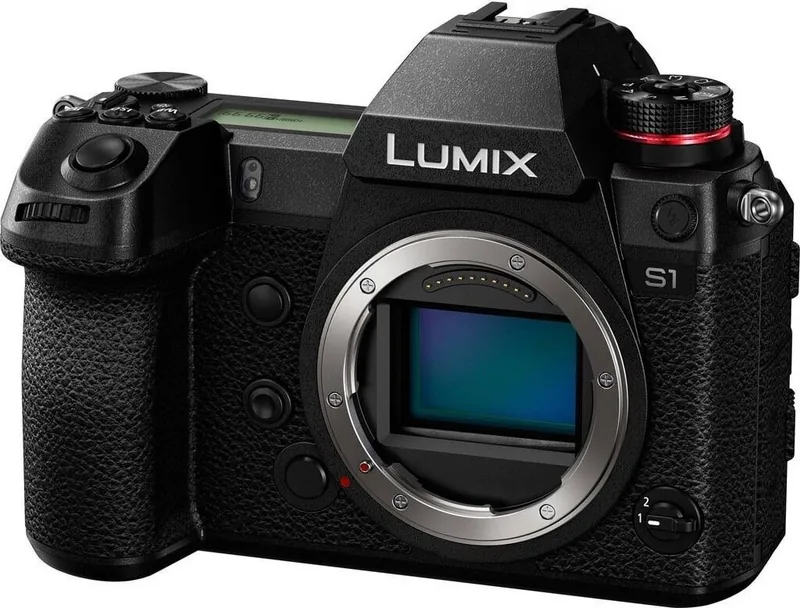
The Panasonic Lumix DC-S1 is a full-frame mirrorless camera designed for photographers and videographers who demand exceptional image quality and robust performance. This guide explores the essential features that make the DC-S1 a standout choice in the professional photography market.
Unmatched Image Quality and Versatility
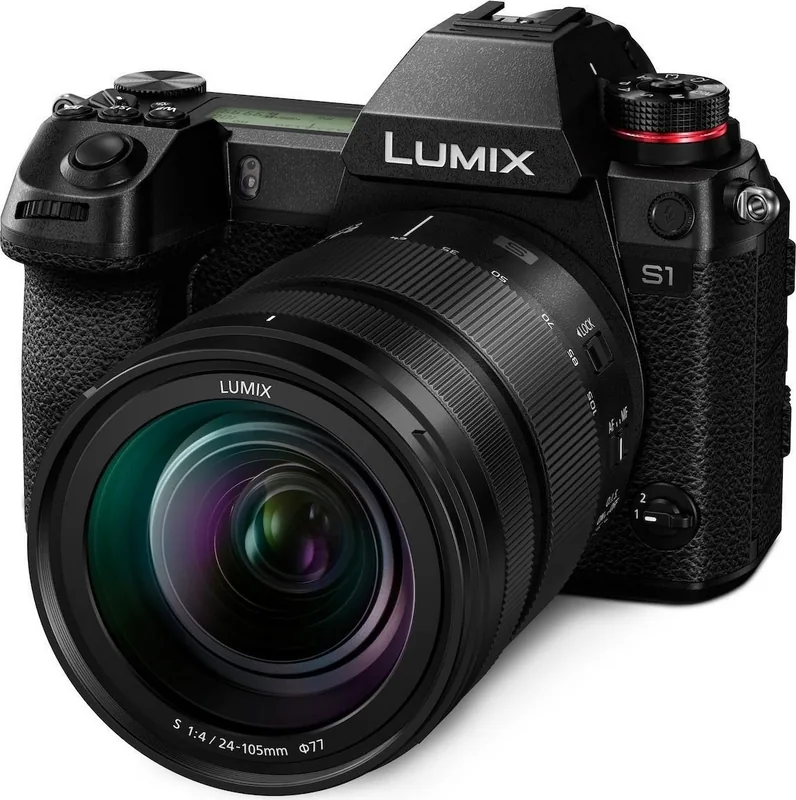
At the heart of the DC-S1 lies a 24.2-megapixel full-frame sensor, delivering stunning detail and dynamic range. The camera supports the L-Mount standard, allowing users to utilize a wide array of high-quality lenses from Leica, Sigma, and Panasonic itself. Whether shooting landscapes with the included S-R24105 lens or capturing portraits with prime glass, the optical performance is consistently sharp. The camera also offers flexible aspect ratios including 3:2, 4:3, and even cinematic 65:24 panoramas, giving creators total control over their composition.
Advanced Autofocus and Tracking
Navigating complex scenes is effortless thanks to the sophisticated autofocus system. The DC-S1 features face, eye, body, and animal detection, ensuring your subjects remain tack-sharp even when moving rapidly. The tracking capabilities are particularly impressive for sports and wildlife photographers. You can switch between Single AF (AFS) for static subjects and Continuous AF (AFC) for action, with intelligent prediction algorithms that anticipate movement. For manual focus enthusiasts, tools like Focus Peaking and the MF Magnifier provide precise control over critical focus points.
Professional Video Capabilities
For hybrid shooters, the DC-S1 excels in video production. It records high-resolution 4K video at up to 60 frames per second and supports internal recording in various formats including MP4 and HEVC. The camera supports HLG (Hybrid Log-Gamma) for a wider dynamic range, making it ideal for log workflows. Features like Dual Card Slots allow for simultaneous backup recording or relay functions, ensuring no moment is lost due to media failure. The inclusion of an XLR microphone adapter support further enhances audio capture options for serious content creators.
Ergonomics and Build
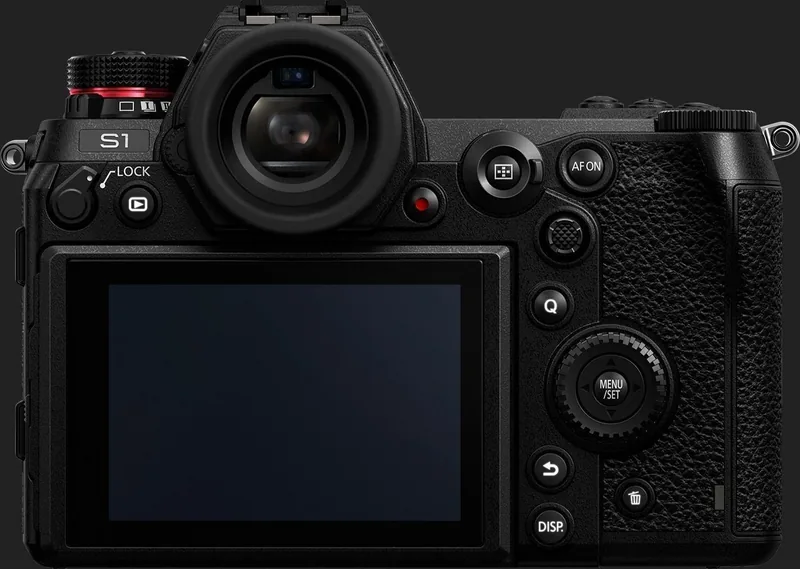
Built for durability, the DC-S1 features a weather-sealed magnesium alloy body that withstands harsh environments. The fully articulating touchscreen monitor allows for easy composition from low or high angles, while the electronic viewfinder offers a clear, bright image for outdoor shooting. Customizable function buttons and dials let you tailor the camera interface to your specific workflow, reducing menu diving during critical shots.
Notes on Usage
- Always format cards in-camera before use to ensure optimal performance.
- Firmware updates are recommended to access the latest features and bug fixes.
- Use original Panasonic batteries to maintain warranty coverage and safety.
Search for 67,706 Manuals online


Type-in Brand or Model