
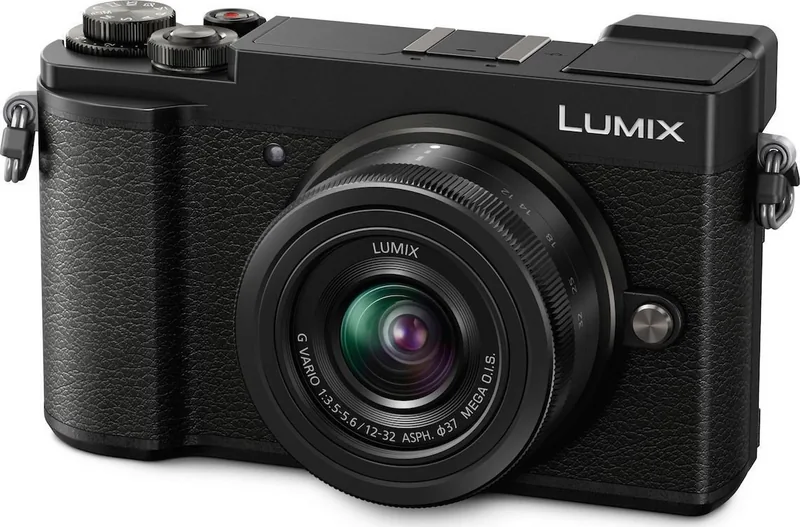
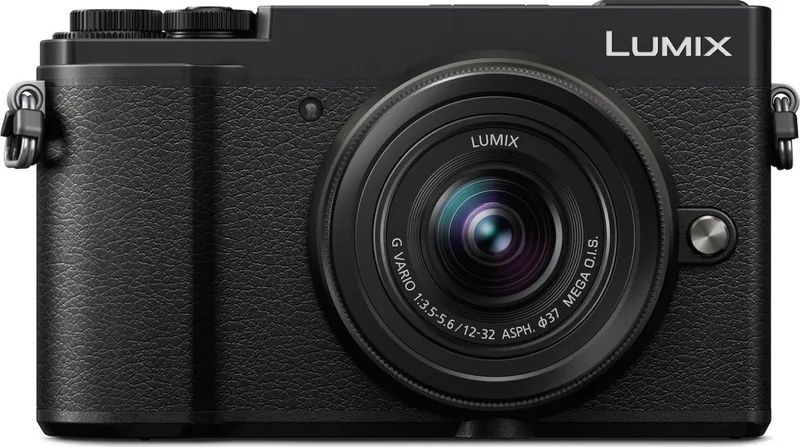
Panasonic Lumix DC-GX9 Manual
PDF manual · 343 Pages
English


Quick check
Incorrect answer, please try again.
Chat with your Panasonic Lumix DC-GX9 manual using AI
Get instant AI answers from your Panasonic Lumix DC-GX9 manual
Ask anything about the Panasonic Lumix DC-GX9. Answers come from this manual, with the pages they are based on.
Lumix DC-GX9 Maintenance Schedule
Execute the [Sensorreinig] function in the Setup menu to blow off dust attached to the front of the image sensor.
Use a blower brush to remove dust from the sensor surface. Do not touch the sensor with the brush or other objects.
Wipe the lens surface gently with a soft dry cloth before and after taking pictures to remove dirt or fingerprints.
Remove battery or power source, then wipe outside surfaces with a soft dry cloth. Use a damp cloth for stubborn stains followed by a dry cloth.
Ask a Question
Do you recommend Lumix DC-GX9?
Yes NoFrequently Asked Questions
It suits beginners who want easy automatic shooting, as well as enthusiasts who want manual control, interchangeable lenses, and creative features like 4K Photo and Post Focus.
Is this answer helpful?
Yes. You can set aperture, shutter speed, and ISO manually. It also includes Program AE, aperture-priority, and shutter-priority modes for more control with less effort.
Is this answer helpful?
Yes. It uses the Micro Four Thirds mount and supports compatible Panasonic lenses. With optional adapters, some other lens standards can also be used, though function support may vary.
Is this answer helpful?
Yes. Wi-Fi and Bluetooth allow remote shooting, image transfer, clock syncing, location tagging, and smartphone-based control through the Panasonic app.
Is this answer helpful?
It includes Panorama Shot, 4K Photo, Post Focus, Focus Stacking, time-lapse, stop motion animation, and creative control modes for different visual effects.
Is this answer helpful?
No. The camera is not dustproof, splashproof, or waterproof, so it should be used carefully in rain, sand, or other harsh environments.
Is this answer helpful?
Advantages and Disadvantages
Advantages

- Compact mirrorless design with strong creative shooting options and interchangeable Micro Four Thirds lens support.
- Offers both automatic simplicity and full manual control for learning and advanced photography.
- Tilting monitor, viewfinder, and touch controls improve shooting comfort and flexibility.
- Includes 4K Photo, Post Focus, panorama, time-lapse, and other in-camera creative tools.
Disadvantages

- Battery life is moderate, especially when using the monitor or recording video.
- Some functions depend on lens compatibility and may vary by attached lens model.
- The body is not dustproof, splashproof, or waterproof, so it needs careful handling.
- 4K and advanced modes require fast cards, and recording limits still apply in some cases.
Product Specification
Type
Mirrorless
Effective Megapixels
20.3 Megapixels
Sensor
Four-Thirds, Live MOS 0.68x0.51in, 3.34µm pixel size, without low-pass filter
Autofocus
Contrast detection, 49 fields
Resolutions
max. 5184x2920(16:9)/5184x3456(3:2)/5184x3888(4:3)/3888x3888(1:1) Pixels (JPEG/RAW)
Lens Mount
Micro-Four-Thirds, Crop factor 2.0
Image Stabilizer
optical, compensates up to 4 f-stops
Display
3.0" LCD, Live View, Touchscreen, 1.24M dots, tiltable
Viewfinder
LCD, 2.76M dots, tiltable, 100% field of view coverage, 0.70x magnification
Flash
integrated and hot shoe
Flash Synchronization
1/200s, first curtain, second curtain
Video Function
MPEG-4, 3840x2160@30p (16:9), 1920x1080@60p (16:9)
Light Sensitivity (ISO)
200-25600, expandable to 100-25600
Shutter Speed
1/4000-60s (mechanical), 1/16000-1s (electronic)
Continuous Shooting
max. 9 frames/sec.
Removable Storage
SD/SDHC/SDXC (UHS-I)
Connections
USB 2.0 (charging function), HDMI
Wireless
Wi-Fi 4 (WLAN 802.11b/g/n), Bluetooth 4.2 LE
Power Supply
Li-Ion battery (DMW-BLG10E), continuous power optional
Dimensions (WxHxD)
4.88x2.84x1.84in
Weight
0.90lb
Weight incl. battery and card
0.99lb
Manufacturer Warranty
2 years
Product Description
Panasonic Lumix DC-GX9: A Compact Creative Tool for Everyday and Advanced Shooting
The Panasonic Lumix DC-GX9 blends a portable mirrorless body with a feature set that invites both casual shooting and deeper creative control. Designed around a Micro Four Thirds system, it supports a wide range of interchangeable lenses, giving photographers room to grow from lightweight travel setups to more specialized image-making styles.
One of the camera’s biggest strengths is its balance of simplicity and flexibility. In automatic modes, it can identify scenes, optimize exposure, and help users capture sharp, usable photos with minimal effort. At the same time, manual and semi-manual modes offer control over aperture, shutter speed, ISO, and exposure compensation, making it suitable for users who want to learn photography fundamentals or refine a personal style.
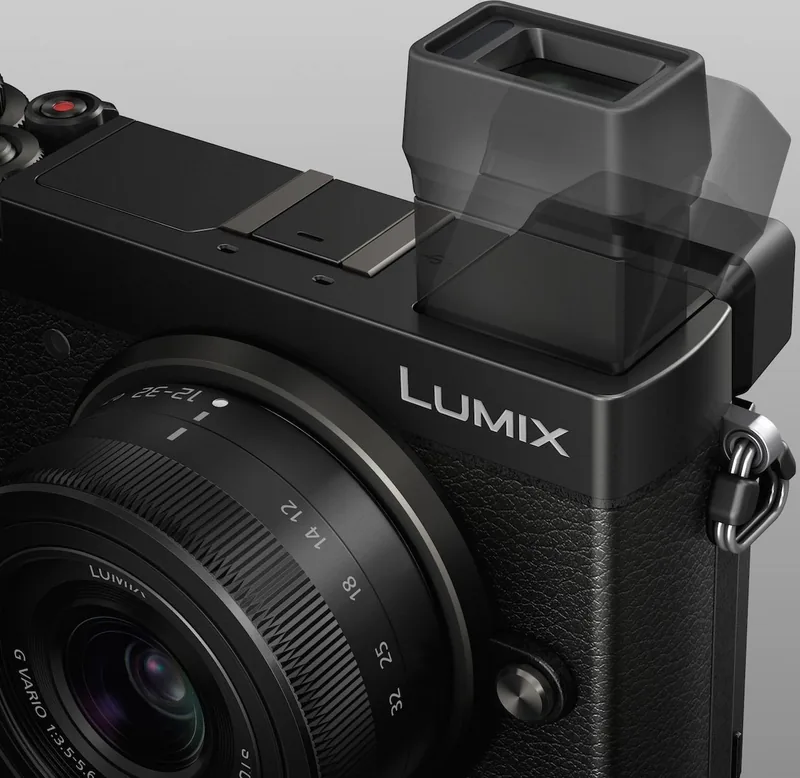
The DC-GX9 also stands out for its practical handling. The tilting monitor and viewfinder make it easier to shoot from high or low angles, while touch controls speed up focus selection, shutter release, and menu navigation. Features like Quick Menu and customizable function buttons make the camera feel responsive once set up to match your workflow.
Creative tools are a major part of the experience. Panorama mode, 4K Photo, Post Focus, Focus Stacking, and time-lapse options expand what can be done in-camera without additional software. For video users, the camera supports motion recording with helpful focus and stabilization options, along with modes designed for more controlled shooting.
Connectivity adds another layer of convenience. Wi-Fi and Bluetooth functions allow remote control from a smartphone, image transfer, location tagging, and easy sharing. This makes the camera feel modern and practical for photographers who want fast workflow integration.
Notes
- Best results come from pairing the body with a lens suited to your subject.
- Some advanced functions depend on the shooting mode and attached lens.
- Use the correct SD card speed class for 4K, burst, and Post Focus features.
- The camera is not dustproof or waterproof, so handling and storage matter.
Overall, the Panasonic Lumix DC-GX9 is a well-rounded mirrorless camera that combines approachable automation with meaningful manual control. It is especially appealing for users who want a compact system camera that can handle stills, motion, and creative experimentation in one reliable body.
Search for 67,706 Manuals online


Type-in Brand or Model