
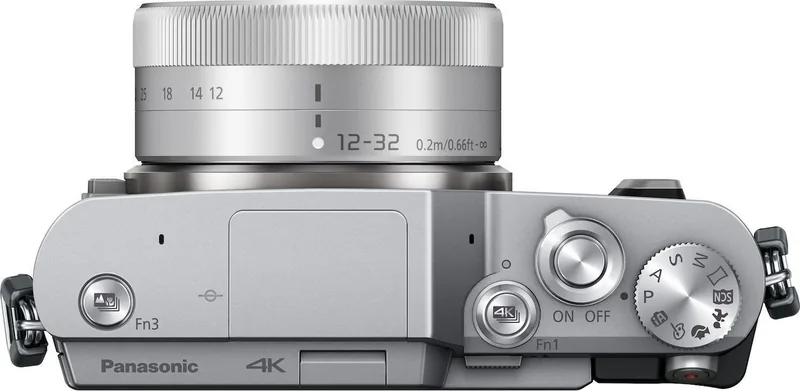
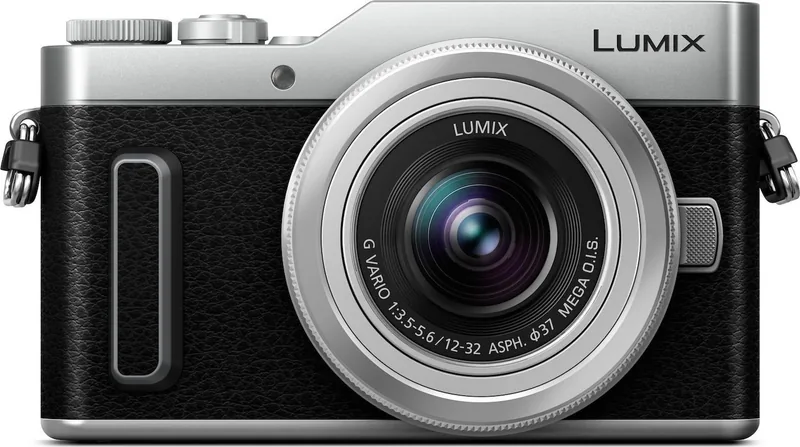
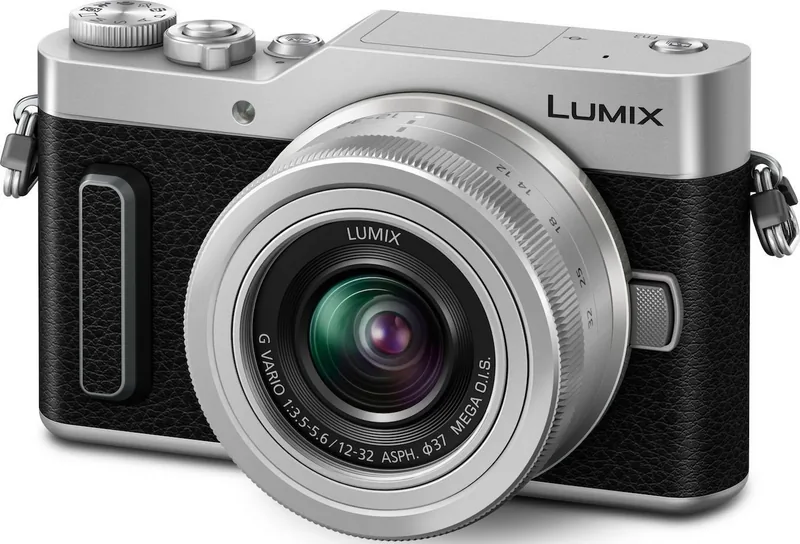
Panasonic Lumix DC-GX880 Manual
PDF manual · 331 Pages
English


Quick check
Incorrect answer, please try again.
Chat with your Panasonic Lumix DC-GX880 manual using AI
Get instant AI answers from your Panasonic Lumix DC-GX880 manual
Ask anything about the Panasonic Lumix DC-GX880. Answers come from this manual, with the pages they are based on.
Lumix DC-GX880 Maintenance Schedule
Dust reduction function runs automatically at power-on. Use [Sensorreinig] manually if dust is visible on the sensor.
If condensation forms, turn off the camera for about 2 hours until the temperature matches the outside environment to prevent mold or malfunction.
Free maintenance reminders
Timed to your purchase date. Always free, unsubscribe anytime.
Ask a Question
Do you recommend Lumix DC-GX880?
Yes NoFrequently Asked Questions
The DC-GX880 uses Micro Four Thirds mount lenses. With optional adapters, certain Four Thirds, Leica M, and Leica R lenses can also be used, although autofocus, stabilization, zoom, or other functions may be limited depending on the lens.
Is this answer helpful?
Yes. The camera records 4K video in MP4 format and also offers 4K Photo modes for extracting still images from rapid sequences. Continuous 4K recording is limited to about five minutes under the stated settings.
Is this answer helpful?
Post Focus captures an image sequence with different focus positions. After shooting, you can choose the preferred focus area or combine areas through focus stacking to create an image with a broader area appearing sharp.
Is this answer helpful?
Yes. Its tilting touchscreen activates Self Shot mode when turned forward. Available tools include skin smoothing, background blur or clarity control, filters, countdown options, multiple shots, touch shutter, face shutter, and friend shutter.
Is this answer helpful?
The camera accepts microSD, microSDHC, and microSDXC cards. For standard video, use the required SD speed class. For 4K video, 4K Photo, and Post Focus, use a UHS Speed Class 3 card.
Is this answer helpful?
Yes. Built-in Wi-Fi works with Panasonic's Image App on a compatible smartphone or tablet. It supports remote shooting, playback, image saving, sharing, location data transfer, and combining Snap Movie clips.
Is this answer helpful?
Advantages and Disadvantages
Advantages

- Compact interchangeable-lens design gives users more creative flexibility than fixed-lens cameras.
- 4K Photo, Post Focus, focus stacking, and 4K video support creative capture options.
- Tilting touchscreen and dedicated selfie features make self-portraits easy to compose.
- Built-in Wi-Fi enables remote shooting, transfers, sharing, location tagging, and wireless printing.
- Automatic modes and manual exposure controls support both beginners and advancing users.
Disadvantages

- The body is not dustproof, splashproof, or waterproof, so care is needed outdoors.
- 4K video recording has short continuous recording limits and may be reduced by heat.
- Battery life is approximately 200 to 210 still images under stated CIPA conditions.
- 4K Photo and Post Focus require a fast UHS Speed Class 3 microSD card.
- Some functions may be unavailable depending on the selected lens, mode, or menu settings.
Product Specification
Type
Mirrorless
Effective megapixels
16.0 megapixels
Sensor
Four Thirds, Live MOS, 0.68 x 0.51 in, 3.77 um pixel size
Autofocus
Contrast detection, 49 points
Resolutions
max. 4592 x 2584 (16:9) / 4592 x 3064 (3:2) / 4592 x 3448 (4:3) / 3424 x 3424 (1:1) pixels (JPEG/RAW)
Lens mount
Micro Four Thirds, 2.0x crop factor
Image stabilizer
No
Display
3.0" LCD, live view, touchscreen, 1.04 million dots, tiltable, flips 180 degrees
Viewfinder
No
Flash
Built-in
Flash synchronization
1/50 sec, first-curtain sync, second-curtain sync
Video function
MPEG-4, 3840 x 2160@30p (16:9), 1920 x 1080@60p (16:9)
Light sensitivity (ISO)
200-25,600, expandable to 100-25,600
Shutter speed
1/16,000-60 sec
Continuous shooting
max. 5.8 fps
Memory cards
microSD/microSDHC/microSDXC (UHS-I)
Ports
USB 2.0 (charging function), HDMI
Wireless
Wi-Fi 4 (WLAN 802.11b/g/n)
Power supply
Li-ion battery (DMW-BLH7), AC power optional
Dimensions (W x H x D)
4.19 x 2.54 x 1.31 in
Weight
8.47 oz
Weight including battery and card
9.52 oz
Manufacturer warranty
2 years
Product Description
Panasonic Lumix DC-GX880 Manual: Compact Creativity With 4K Power
The Panasonic Lumix DC-GX880 is a compact mirrorless camera designed for everyday photographers, travelers, content creators, and selfie fans who want more creative control than a typical phone camera provides. Built around the Micro Four Thirds system, it accepts interchangeable lenses, allowing users to switch from a wide everyday view to close-up or telephoto perspectives as their subjects change.
Made for Flexible Photography
The Panasonic Lumix DC-GX880 combines approachable automatic shooting with controls that support learning and experimentation. Intelligent Auto identifies common scenes and adjusts settings for portraits, landscapes, food, sunsets, and low-light subjects. Those who want greater control can use Program, Aperture Priority, Shutter Priority, and Manual exposure modes.
A tilting touchscreen makes composing at low angles and taking self-portraits more comfortable. Turning the monitor forward activates selfie-oriented options such as skin smoothing, background control, slimming effects, filters, countdown shooting, and gesture-based shutter release. The camera also supports selfie panoramas, making it easier to include friends and more of the surroundings in one frame.
4K Photo and Video Features
A key highlight in the Panasonic Lumix DC-GX880 Manual is its 4K functionality. The camera records 4K video and offers 4K Photo modes that capture rapid sequences, letting users select and save a preferred frame afterward. Post Focus provides another useful creative tool: capture first, then choose the focus area, or combine focus points for a deeper focus range.
For video makers, the GX880 offers AVCHD and MP4 recording options, including 4K recording. Snap Movie creates short clips that can be combined through a compatible mobile device. Photos can also be captured while recording video, helping users preserve both motion and still moments.
Connectivity and Everyday Handling
Built-in Wi-Fi connects the camera with a smartphone or tablet through Panasonic's Image App. This supports remote shooting, image transfer, social sharing, location data transfer, and wireless printing. Images can also be viewed on a television, transferred to a computer, or saved to compatible external devices.
The camera uses microSD, microSDHC, and microSDXC cards. For 4K Photo, Post Focus, and 4K video, a UHS Speed Class 3 card is recommended. USB charging adds convenience for travel, while the compact body helps keep the system easy to carry.
Notes
- The DC-GX880 is not dustproof, splashproof, or waterproof.
- Use genuine Panasonic batteries and the supplied charging accessories.
- Avoid changing lenses in dusty, sandy, or wet locations.
- Extend retractable lenses before shooting and protect the sensor when no lens is attached.
Search for 67,706 Manuals online


Type-in Brand or Model