
Panasonic Lumix DC-GH5S Manual
PDF manual · 386 Pages
English


Quick check
Incorrect answer, please try again.
Chat with your Panasonic Lumix DC-GH5S manual using AI
Get instant AI answers from your Panasonic Lumix DC-GH5S manual
Ask anything about the Panasonic Lumix DC-GH5S. Answers come from this manual, with the pages they are based on.
Lumix DC-GH5S Maintenance Schedule
Optimize image sensor and processing to remove bright spots not present on the object. Turn camera off and on after correction.
Dust reduction function runs automatically when the camera is turned on to blow away dust from the sensor surface.
Free maintenance reminders
Timed to your purchase date. Always free, unsubscribe anytime.
Ask a Question
Do you recommend Lumix DC-GH5S?
Yes No
Nora Edlinger
9 months ago
For 4K/HDR shooting, what SD card speed do I need? Do I really need a V60 card for 400 Mbps, or can I use a faster 95 MB/s card and record at lower bitrates?

Manual.ly
9 months ago
For reliable high-bitrate recording, you should use an SD card that meets the required write speed for the selected bitrate. For around 400 Mbps, a V60 card is typically the minimum recommendation to avoid drops and stuttering. If you cannot get a V60 card, you can usually record at a lower bitrate (for example around 150 Mbps) with a sufficiently fast card, such as one rated near 95 MB/s, and still get 4K and HDR options depending on your exact settings. Always double-check the camera's bitrate-mode compatibility in the manual and format the card in the camera before first use.
Frequently Asked Questions
It is best for creators who want strong manual control, advanced video tools, and a flexible mirrorless body. Filmmakers, content creators, and hybrid shooters will get the most from it.
Is this answer helpful?
No, this is a body-only version. You need to choose a compatible Micro Four Thirds lens separately, which lets you build a setup around your own shooting needs.
Is this answer helpful?
Yes. The camera supports advanced video formats and dual card slots, which are useful for extended recording, backup workflows, and high-data-rate shooting.
Is this answer helpful?
It can be used by beginners, but many of its strengths are aimed at experienced users. The menu system, dial controls, and video options may take time to learn.
Is this answer helpful?
Yes. It supports Wi-Fi and Bluetooth functions, allowing remote operation, image transfer, and smartphone-based camera control through the compatible app.
Is this answer helpful?
Use a fast enough card, confirm the recording format, and make sure the battery is charged. High-bitrate video requires more storage speed and power than basic photo shooting.
Is this answer helpful?
Advantages and Disadvantages
Advantages

- Strong video-focused feature set with 4K, log, time code, and external recording support.
- Dual card slots help with backup, relay recording, and flexible media management.
- Custom buttons, quick menu options, and joystick control make the workflow efficient.
- Splash-resistant body and solid physical controls suit active shooting environments.
Disadvantages

- Body-only package requires a separate lens, which adds to the total setup cost.
- Advanced menus and functions may feel complex for first-time users.
- Battery life can drop in cold conditions or during demanding video work.
- Touch and monitor functions may be less reliable with wet hands or gloves.
Product Specification
Type
Mirrorless
Effective Megapixels
10.3 Megapixels
Sensor
Four-Thirds, Live MOS 0.68x0.51in, 4.31µm Pixel size
Autofocus
Contrast detection, 225 fields
Resolutions
max. 4016x2256(16:9)/3840x2560(3:2)/3680x2760(4:3)/2752x2752(1:1) Pixels (JPEG/RAW), 14bit
Lens mount
Micro-Four-Thirds, Crop factor 2.0
Image stabilizer
no
Display
3.2" OLED, Live View, Touchscreen, 1.62 M. dots, tiltable, swivelable, 180° foldable
Viewfinder
OLED, 3.68 M. dots, 100% field of view coverage, 0.76x magnification
Flash
Hot shoe
Flash synchronization
1/250s, first curtain, second curtain
Video function
H.264, MOV, 4096x2160@60p (17:9), 3840x2160@60p (16:9), 1920x1080@60p (16:9)
Light sensitivity (ISO)
160-51200, expandable to 80-204800
Shutter speed
1/8000-60s (mechanical), 1/16000-1s (electronic)
Continuous shooting
max. 11 frames/sec.
Removable storage
2x SD/SDHC/SDXC (UHS-II)
Connections
USB-C 3.1, HDMI, Microphone (3.5mm jack), Headphones (3.5mm jack)
Wireless
Wi-Fi 5 (WLAN 802.11a/b/g/n/ac), Bluetooth 4.2 LE
Power supply
Li-Ion battery (DMW-BLF19), continuous power optional
Special features
sealed
Color
black
Dimensions (WxHxD)
5.45x3.86x3.44in
Weight
1.28 lb
Weight incl. battery and card
1.46 lb
Manufacturer's warranty
2 years
Product Description
Panasonic Lumix DC-GH5S Body Manual: A Powerful Tool for Serious Creators
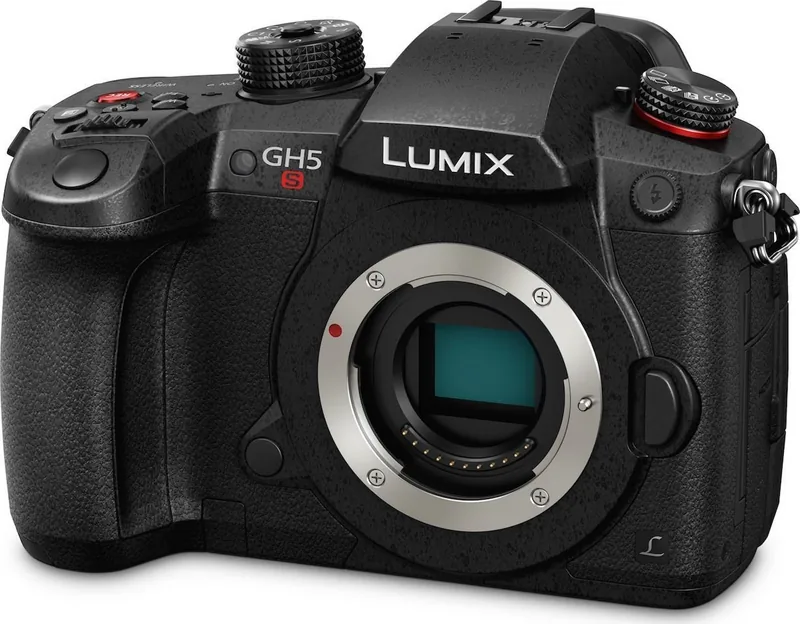
The Panasonic Lumix DC-GH5S Body is built for creators who want a compact mirrorless camera with a strong focus on video, control, and flexibility. It stands out as a body-only option, which means you can pair it with the Micro Four Thirds lenses that best match your style. For bloggers, filmmakers, and hybrid shooters, that freedom is a major advantage.
Designed for demanding shooting
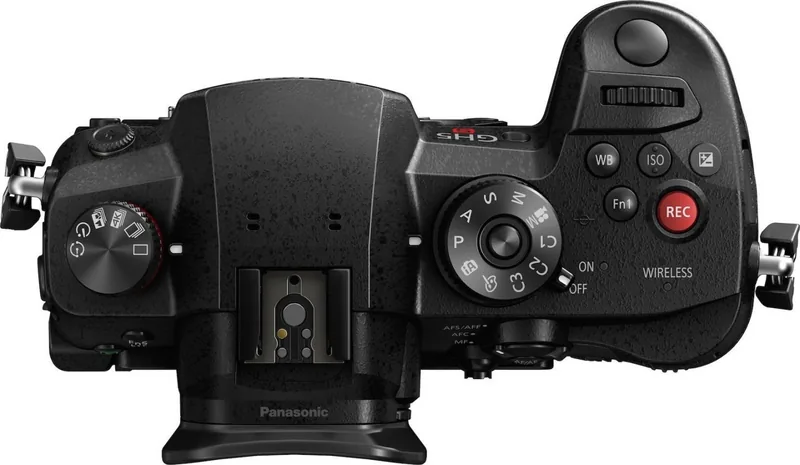
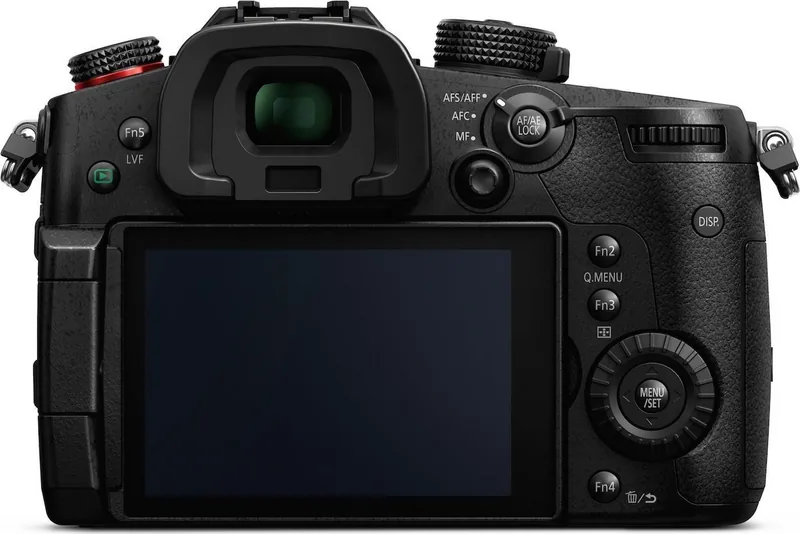
This camera is packed with practical features that help you move quickly from setup to shooting. The dual-card design is especially useful for long sessions, backup recording, or separating stills and video workflows. The body also includes a tilting monitor, a clear electronic viewfinder, and a set of tactile controls such as dials, buttons, a joystick, and customizable function keys. That combination gives the camera a professional feel without making it overly bulky.
Built with video creators in mind
One of the most appealing aspects of the GH5S Body is its deep video toolkit. The camera supports advanced recording modes, including high-bitrate formats, 4K capture, creative video options, time code tools, and external device connections. Features like focus transition, variable frame rate, live cropping, and log recording make it a smart choice for users who want more than simple point-and-shoot video. It is clearly aimed at those who want to shape their image with intention.
Easy to adapt and customize
The Panasonic Lumix DC-GH5S Body Manual highlights how much the camera can be tailored to individual shooting styles. You can assign functions to buttons, create quick menu shortcuts, and adjust focus, exposure, white balance, and drive settings in a way that fits your workflow. Wi-Fi and Bluetooth support also make it easier to connect the camera to a smartphone, transfer images, or control the camera remotely.
A capable body for everyday work
Beyond the advanced tools, the GH5S Body offers useful everyday reliability. Its splash-resistant design, battery handling guidance, and support for a wide range of card speeds all point to a camera made for real-world production. Whether you are capturing stills, recording interviews, or shooting travel content, it provides a stable and adaptable platform.
Notes
- Use compatible Micro Four Thirds lenses for best results.
- Keep the body, ports, and card doors properly closed for better protection.
- Check recording format and card speed before shooting 4K or high-bitrate video.
- The camera rewards users who take time to customize controls and menus.
Search for 67,706 Manuals online


Type-in Brand or Model
Lukas Neumann
7 months ago
For 400 Mbps recording, do I need a V60 SD card, and is the menu difficult if I switch from Canon?
Manual.ly
7 months ago
For 400 Mbps modes, you should use at least an SD card rated V60 (or faster). Cards with lower write speeds can lead to dropped frames or recordings that stop. If V60 cards are hard to get, recording at lower bitrates (for example around 150 Mbps) is typically more reliable, including HDR and 4K depending on your chosen settings. Use reputable brands, and format the card in-camera before shooting. The menu is different from Canon, but it is manageable: after a short adjustment period you can find the key settings and even customize the F buttons for a workflow that feels more familiar.