
Panasonic Lumix DC-G91 Manual
PDF manual · 346 Pages
English


Quick check
Incorrect answer, please try again.
Chat with your Panasonic Lumix DC-G91 manual using AI
Get instant AI answers from your Panasonic Lumix DC-G91 manual
Ask anything about the Panasonic Lumix DC-G91. Answers come from this manual, with the pages they are based on.
Lumix DC-G91 Maintenance Schedule
Use this function when bright spots that do not exist in the subject get recorded. Turn the camera off and on after the pixels are corrected.
The dust reduction function operates automatically when the camera is turned on. Use this function if dust is particularly noticeable.
Free maintenance reminders
Timed to your purchase date. Always free, unsubscribe anytime.
Ask a Question
Do you recommend Lumix DC-G91?
Yes NoFrequently Asked Questions
The camera uses the Micro Four Thirds lens mount. It supports compatible Micro Four Thirds lenses and can use selected Four Thirds, Leica M, or Leica R lenses with optional mount adapters. Available functions can vary by lens.
Is this answer helpful?
Yes. The camera supports 4K MP4 recording and also includes video-focused tools such as creative movie mode, high-speed video, 4K Live Cropping, audio level adjustment, microphone input, headphone output, and V-Log L support.
Is this answer helpful?
4K Photo records a high-speed 4K sequence from which individual frames can be selected and saved as photos. It is useful for fast-moving subjects when timing a single shutter press is difficult.
Is this answer helpful?
Yes. Wi-Fi and Bluetooth connections work with the Panasonic Image App for remote shooting, image viewing and transfer, automatic image transfer, location data transfer, clock synchronization, and selected sharing tasks.
Is this answer helpful?
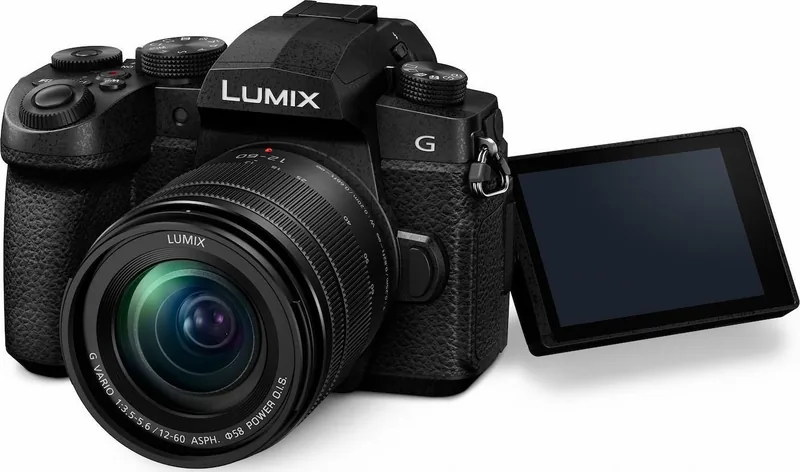
Yes. The monitor can be opened and rotated for high-angle, low-angle, and front-facing compositions. Closing it with the screen facing inward can help protect it from dust and scratches.
Is this answer helpful?
The camera accepts SD, SDHC, and SDXC cards. For 4K video, high-speed video, 4K Photo, and Post Focus, use a card rated UHS Speed Class 3. Formatting the card in the camera is recommended before use.
Is this answer helpful?
Advantages and Disadvantages
Advantages

- Versatile shooting modes provide easy automatic capture and detailed manual control.
- 4K Photo, Post Focus, focus stacking, bracketing, time-lapse, and stop-motion expand creative options.
- Adjustable touchscreen, electronic viewfinder, dual dials, and customizable function buttons support efficient operation.
- Wi-Fi and Bluetooth enable remote control, image transfer, smartphone pairing, and location data workflows.
- Advanced video tools include 4K recording, high-speed video, audio controls, mic and headphone ports, and V-Log L.
Disadvantages

- Battery life varies with temperature, flash use, recording mode, and operating conditions.
- 4K video, 4K Photo, and Post Focus require fast compatible SD cards.
- Some features are unavailable with certain modes, lenses, settings, or recording functions.
- Splash resistance is not a guarantee against damage from direct water exposure.
- The extensive menu system and customization options may require time to learn.
Product Specification
Type
Mirrorless
Effective megapixels
20.3 megapixels
Sensor
Four Thirds, Live MOS 0.68 x 0.51 in, 3.34 micrometer pixel size
Autofocus
Contrast detection, 49 points
Resolutions
max. 5,184 x 2,920 (16:9) / 5,184 x 3,456 (3:2) / 5,184 x 3,888 (4:3) / 3,888 x 3,888 (1:1) pixels (JPEG/RAW)
Lens mount
Micro Four Thirds, 2.0x crop factor
Image stabilizer
Optical, compensates up to 5 stops
Display
3.0 in OLED, Live View, touchscreen, 1.04 million dots, tilting, swiveling, 180 degree flip-out
Viewfinder
OLED, 2.68 million dots, 100% field of view coverage, 0.74x magnification
Flash
Built-in and hot shoe
Flash synchronization
1/200 sec, first-curtain, second-curtain
Video function
H.264, 3,840 x 2,160 @ 30p (16:9), 1,920 x 1,080 @ 60p (16:9)
Light sensitivity (ISO)
200-25,600, expandable to 100-25,600
Shutter speed
1/4,000-60 sec (mechanical), 1/16,000-1 sec (electronic)
Continuous shooting
max. 9 frames/sec
Removable storage
SD/SDHC/SDXC (UHS-II)
Connections
USB 2.0, HDMI, microphone, headphones
Wireless
Wi-Fi 4 (WLAN 802.11b/g/n), Bluetooth 4.2 LE
Power supply
Li-ion battery (DMW-BLC12E), AC power optional
Color
Black
Dimensions (W x H x D)
5.13 x 3.68 x 3.05 in
Weight
16.97 oz
Weight including battery and card
18.80 oz
Manufacturer warranty
2 years
Product Description
Panasonic Lumix DC-G91 Manual: A Versatile Camera for Creative Photography
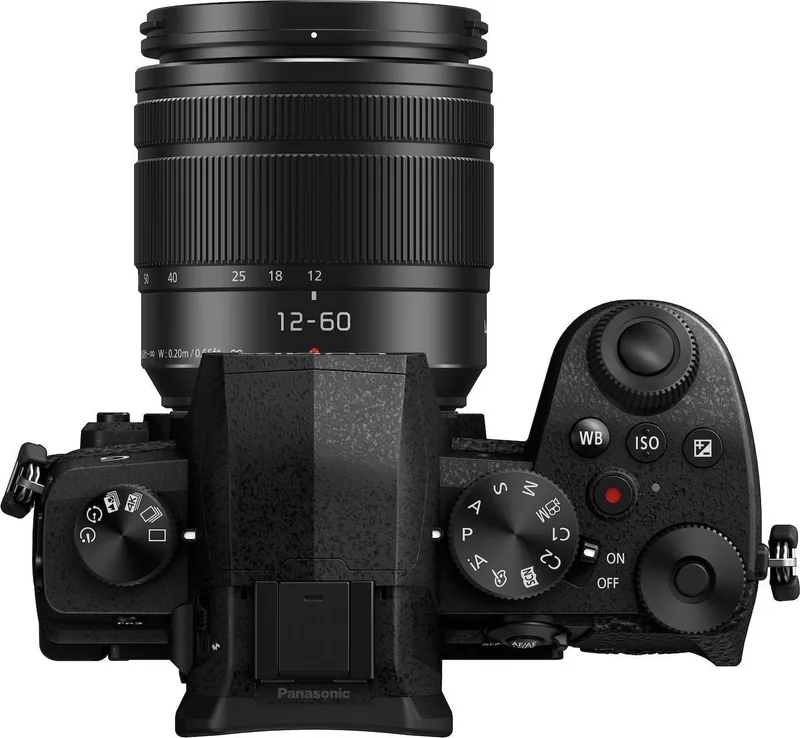
The Panasonic Lumix DC-G91 is a flexible Micro Four Thirds camera designed for photographers and video creators who want practical controls, adaptable shooting tools, and dependable everyday handling. The Panasonic Lumix DC-G91 Manual helps users get the most from its extensive feature set, from first-time setup through advanced capture and sharing workflows.
Built for Still Images and Video
The DC-G91 supports a broad range of shooting modes, including intelligent automatic options, program, aperture priority, shutter priority, manual exposure, custom modes, scene guides, and creative effects. This variety makes it approachable for beginners while leaving room for experienced users to control exposure, color, focus, and composition precisely.
For action and experimental photography, the camera includes continuous shooting, self-timer options, multiple bracketing modes, 4K Photo, Post Focus, focus stacking, time-lapse capture, and stop-motion animation. These tools allow creators to select the ideal moment from a sequence or refine focus after capture in supported modes.
Focus, Stability, and Flexible Operation
The camera offers autofocus and manual focus controls, including selectable AF modes, AF area positioning, touch focus, AF/AE lock, and focus peaking support. A built-in image stabilization system helps reduce the impact of camera movement, while compatible lenses can extend stabilization support.
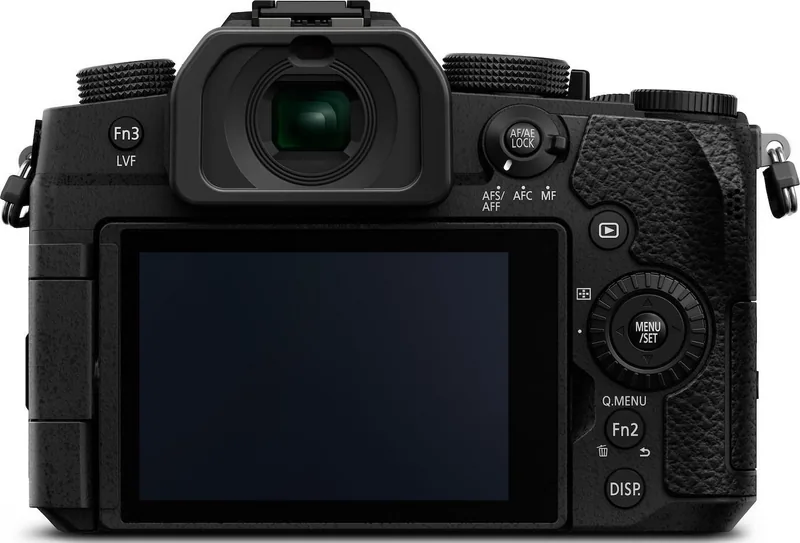
Its adjustable monitor is useful for low-angle, high-angle, and front-facing compositions. The electronic viewfinder, touchscreen operation, dual control dials, quick menu, and customizable function buttons provide several ways to work efficiently. Users can assign commonly used settings to function buttons and tailor controls to their shooting style.
Connected Creative Workflow
Wi-Fi and Bluetooth connectivity support smartphone pairing through the Panasonic Image App. This enables remote shooting, image transfer, location data transfer, automatic clock synchronization, and sharing workflows. The camera can also connect with televisions, computers, printers, recorders, and compatible external devices for playback, storage, and output.
Video features include multiple recording formats and qualities, 4K recording options, creative movie mode, high-speed video, 4K Live Cropping, audio level controls, microphone and headphone connections, and V-Log L support. These options make the DC-G91 a compelling choice for creators who combine photography with video production.
Notes
- Use compatible SD, SDHC, or SDXC cards with the required speed class for 4K video and 4K Photo.
- Keep firmware updated for improved compatibility and functions.
- The splash-resistant design requires compatible splash-resistant lenses and securely closed covers.
- Charge batteries with supplied Panasonic accessories and protect the camera from strong impacts, dust, and direct water exposure.
Search for 67,706 Manuals online


Type-in Brand or Model