
Panasonic Lumix DC-G9 Manual
PDF manual · 373 Pages
English


Quick check
Incorrect answer, please try again.
Chat with your Panasonic Lumix DC-G9 manual using AI
Get instant AI answers from your Panasonic Lumix DC-G9 manual
Ask anything about the Panasonic Lumix DC-G9. Answers come from this manual, with the pages they are based on.
Lumix DC-G9 Maintenance Schedule
Optimize image sensor and processing to remove bright spots not present on the object. Turn camera off and on after correction.
Automatically removes dust from the front of the image sensor when the camera is switched on. Can also be used manually if dust is visible.
Free maintenance reminders
Timed to your purchase date. Always free, unsubscribe anytime.
Ask a Question
Do you recommend Lumix DC-G9?
Yes NoFrequently Asked Questions
It combines a rugged body, deep manual control, customizable buttons, dual card slots, and advanced shooting tools like 6K/4K Photo and Post Focus. That makes it well suited to photographers who want speed and flexibility.
Is this answer helpful?
Yes, it offers splash-resistant protection when used with compatible lenses. However, it is not fully waterproof or dustproof in every situation, so it still needs careful handling around moisture, sand, and open ports.
Is this answer helpful?
It is designed for Micro Four Thirds lenses and can also work with some other lens standards through mount adapters. Performance may vary depending on the lens, especially for autofocus, stabilization, and zoom functions.
Is this answer helpful?
Dual slots give you more flexibility for backup, relay recording, or separate storage workflows. This is especially helpful for long shoots, important projects, or situations where data safety matters.
Is this answer helpful?
Yes, it supports Wi-Fi and Bluetooth functions. You can connect to a smartphone, trigger remote recording, transfer images, back up photos, and manage several camera-related tasks more conveniently.
Is this answer helpful?
Yes, it includes motion picture recording, creative video options, and high-speed video modes. It is built to handle hybrid shooting, though the best setup depends on the chosen format, lens, and recording settings.
Is this answer helpful?
Advantages and Disadvantages
Advantages

- Durable, splash-resistant body suited for demanding shooting conditions.
- Extensive manual controls, custom buttons, and a joystick speed up operation.
- 6K/4K Photo, Post Focus, and Focus Stacking expand creative options.
- Dual card slots and Wi-Fi/Bluetooth improve flexibility and connectivity.
Disadvantages

- The feature set can feel complex for first-time users.
- Some advanced functions depend on compatible lenses or shooting modes.
- Battery life varies with temperature, display use, and video recording.
- Weather protection is limited and still needs careful handling in wet conditions.
Product Specification
Type
Mirrorless
Effective Megapixels
20.3 Megapixels
Sensor
Four-Thirds, Live MOS 0.68x0.51in, 3.34µm pixel size
Autofocus
Contrast detection, 225 fields
Resolutions
max. 5184x2920(16:9)/5184x3456(3:2)/5184x3888(4:3)/3888x3888(1:1) pixels (JPEG/RAW)
Lens mount
Micro-Four-Thirds, Crop factor 2.0
Image stabilizer
optical, compensates up to 6.5 exposure stops
Display
3.0" LCD, Live View, Touchscreen, 1.04 million pixels, tiltable, swivelable, 180° flip-out
Viewfinder
OLED, 3.68 million pixels, 100% field of view coverage, 0.83x magnification
Flash
Hot shoe
Flash synchronization
1/250s, first curtain, second curtain
Video function
H.264, MOV, 3840x2160@60p (16:9), 1920x1080@60p (16:9)
Light sensitivity (ISO)
200-25600, expandable to 100-25600
Shutter speed
1/8000-60s (mechanical), 1/32000-1s (electronic)
Continuous shooting
max. 20 frames/sec.
Removable storage
2x SD/SDHC/SDXC (UHS-II)
Connections
USB 3.0, HDMI, Microphone, Headphones
Wireless
Wi-Fi 5 (WLAN 802.11a/b/g/n/ac), Bluetooth 4.2 LE
Power supply
Li-ion battery (DMW-BLF19), continuous power optional
Special features
sealed, shoulder display
Color
black
Dimensions (WxHxD)
5.39x3.83x3.61in
Weight
1.28lb
Weight incl. battery and card
1.45lb
Manufacturer warranty
2 years
Product Description
Panasonic Lumix DC-G9: A Capable Mirrorless Tool for Creative Control
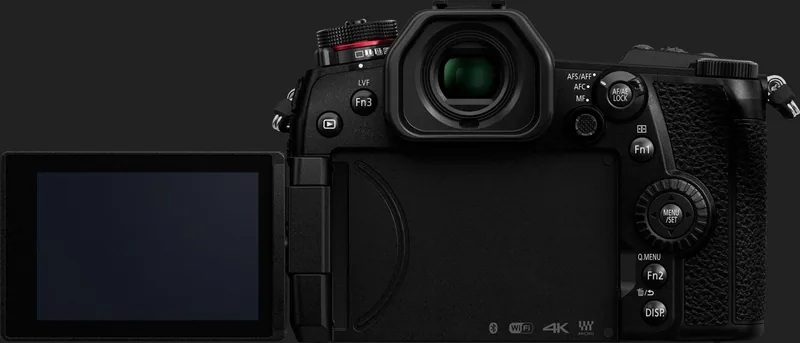
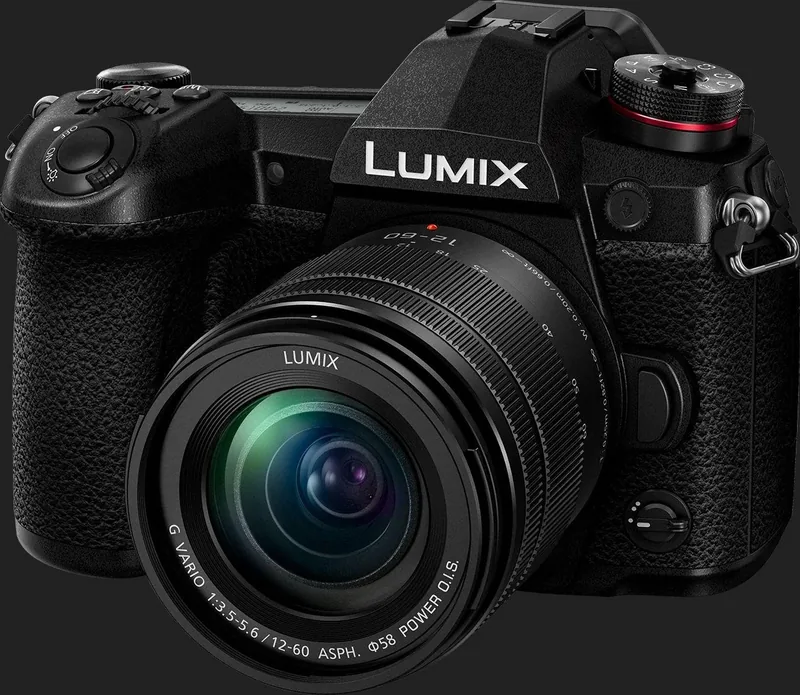
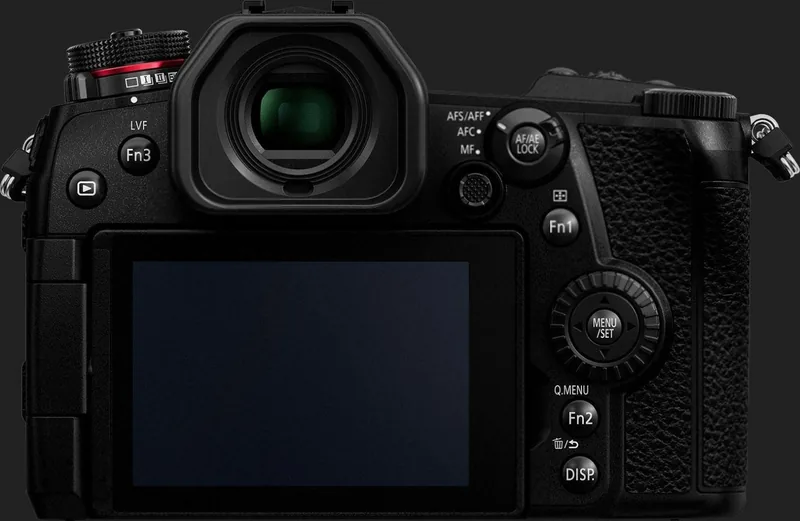
The Panasonic Lumix DC-G9 stands out as a rugged, feature-rich mirrorless camera designed for photographers and hybrid creators who want fast access to advanced tools. From the first glance, it feels like a camera built for hands-on shooting: dedicated buttons, dials, a joystick, dual card slots, and a bright viewfinder all point toward a workflow that rewards speed and precision. If you are searching for the Panasonic Lumix DC-G9 Manual, you are likely looking for a camera that balances deep customization with dependable everyday operation.
What makes the G9 appealing is how flexible it is across shooting styles. It includes Intelligent Auto for quick capture, Programme AE for a balanced point of entry, and full manual exposure for complete control. Features like programme shift, exposure compensation, white balance adjustment, focus mode selection, and customizable function buttons make it easy to shape the camera to your habits rather than forcing you into one style of use.
The camera also shines when it comes to action and creative shooting. Its 6K/4K Photo tools, burst modes, Post Focus, and Focus Stacking options open up more ways to capture difficult moments and refine them afterward. For video users, motion picture recording, creative video modes, and high-speed video features add more depth, while Wi-Fi and Bluetooth support make sharing and remote control more convenient.
Physical handling is another strong point. The body offers splash-resistant protection when paired with compatible lenses, and the tilting monitor, electronic viewfinder, and touchscreen help adapt the camera to high-angle, low-angle, and handheld shooting. Battery charging can be done through the charger, the camera, or a computer, which is useful for travel and field work. Dual card slots further increase confidence by supporting flexible recording and backup options.
The Panasonic Lumix DC-G9 Manual is especially helpful because the camera offers so many settings and modes. Once the layout, menus, and buttons become familiar, the camera feels highly efficient and surprisingly intuitive for advanced use. It is a strong fit for photographers who want a durable body, serious control, and enough creative tools to grow with their skills.
Notes
- Use compatible lenses to get the best stabilization and autofocus performance.
- Weather resistance improves protection, but it is not a guarantee against direct water exposure.
- Charging, storage, and menu setup are important to review before the first shoot.
Search for 67,706 Manuals online


Type-in Brand or Model