
Panasonic JX800B Manual
PDF manual · 24 Pages
English


Quick check
Incorrect answer, please try again.
Chat with your Panasonic JX800B manual using AI
Get instant AI answers from your Panasonic JX800B manual
Ask anything about the Panasonic JX800B. Answers come from this manual, with the pages they are based on.
JX800B Maintenance Schedule
Wipe surfaces with a soft cloth. For stubborn dirt, use a damp cloth with water or diluted neutral detergent, then wipe dry.
Wipe the mains plug with a dry cloth at regular intervals to prevent fire or electrical shock caused by moisture and dust.
Ask a Question
Do you recommend JX800B?
Yes NoFrequently Asked Questions
Plug the TV into mains, turn it on and follow the on‑screen Initial Setup: choose Home or Shop mode, connect to Wi‑Fi or Ethernet, sign into your Google account (optional) and complete channel scan or network setup.
Is this answer helpful?
Use a 4K/HDR compatible HDMI cable and set the TV’s HDMI Auto Setting for the connected input. Mode1 is for compatibility; switch to Mode2 to enable expanded colour gamut when your source supports it.
Is this answer helpful?
During Initial Setup or from Settings > Remote Control, select Pairing Start and follow prompts. Keep the remote within 50 cm and press the Google Assistant button to speak once pairing completes; voice requires internet connectivity.
Is this answer helpful?
Check the mains lead and socket, ensure the mains power switch is on, and verify the fuse in the plug. Replace the fuse only with the correct 5 A rating and approved type if needed.
Is this answer helpful?
Yes — connect a USB HDD to the designated USB port for recording. Refer to eHELP for compatible formats and recording setup procedures.
Is this answer helpful?
Unplug the mains first. Wipe gently with a soft cloth; for stubborn dirt use a cloth dampened with diluted neutral detergent (1:100), wrung out firmly, then dry. Avoid solvents, abrasive materials and letting liquid enter the TV.
Is this answer helpful?
Leave at least 10 cm of space around the TV for ventilation, avoid covering vents and do not place the TV in direct sunlight or near heat sources. Ensure stable furniture or use a professional‑installed wall bracket.
Is this answer helpful?
Advantages and Disadvantages
Advantages

- Multiple HDMI inputs (one ARC) with 4K/HDR compatibility and adjustable HDMI Auto Setting for source compatibility.
- Built-in Wi‑Fi (2.4/5 GHz), Ethernet and Bluetooth 5.1 for seamless streaming, casting and audio device pairing.
- Voice control via Google Assistant when remote is paired; convenient hands-free operation and search.
- Comprehensive eHELP built-in guide for setup, troubleshooting and advanced feature explanations.
- Clear safety, installation and maintenance guidance including wall‑mount specs and ventilation requirements.
Disadvantages

- HDR support depends on source and does not increase the panel’s peak brightness capability.
- Some smart apps and network services may be changed, interrupted or discontinued by third parties.
- Bluetooth audio may introduce latency between video and audio; only one A2DP audio device supported at once.
- Wall mounting requires recommended brackets and professional installation to avoid voiding warranty.
- Certain features and DVB functions vary by region and compatibility with future services is not guaranteed.
Product Specification
Resolution
3840x2160
Panel
LCD
HDR
Dolby Vision, HDR, HDR10, HDR10+, HDR10+ Adaptive, HLG
Refresh Rate
50/60 Hz native
3D
no
Tuner
1x DVB-T/-T2 HEVC (H.265)
Video Ports
3x HDMI (HDCP 2.3)
Audio Ports
Digital Audio Out (optical), Headphone (0.14 in jack)
Other Ports
2x USB-A 2.0, 1x RJ-45, 1x CI+ 1.4
Wireless
Wi-Fi 5 (WLAN 802.11a/b/g/n/ac), Bluetooth 5.1
Operating System
Android TV
Voice Assistants
Google Assistant
Streaming Clients
Screen Mirroring (Google Cast)
Total Audio Power
20W (2x 10W)
Gaming Features
ALLM (Auto Low Latency Mode)
Special Features
HbbTV, Filmmaker Mode, Voice Control, USB Recorder
Energy Efficiency Class SDR
G (A to G)
Energy Efficiency Class HDR
G (A to G)
Color
black
Stand
side
Manufacturer Warranty
2 years
Note
Information on DVB-T2 reception in Austria Information on DVB-T2 reception in Germany
Product Description
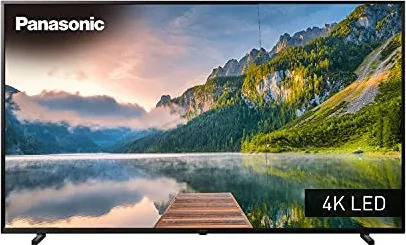
Panasonic JX800B — Smart LED TV Overview
The Panasonic JX800B is a versatile LED-backlit LCD television available in 40, 50, 58 and 65-inch sizes. Built for home entertainment, it combines 4K-compatible HDMI inputs, HDR support, smart platform features and integrated wireless connectivity. The set emphasizes picture clarity, practical connectivity and user safety with clear installation guidance and a range of modern streaming options.
Key features and user experience
Panasonic equips the JX800B with multiple HDMI ports (including one with ARC), USB ports for media and USB HDD recording, Ethernet and built-in Wi‑Fi (2.4/5 GHz) for streaming services and apps. The TV supports HDMI Auto Setting modes to handle diverse 4K/HDR sources and offers Dolby audio compatibility for richer sound. Bluetooth connectivity allows pairing of audio devices and the supplied remote control uses Bluetooth or infrared for flexible operation. Voice control through Google Assistant makes content search and basic control hands-free when the remote is paired.
The display uses an LED backlight LCD panel with ambient light sensing to automatically adjust picture brightness. Picture settings and quick-access menus let users fine-tune backlight, brightness, contrast and colour. The TV includes a built-in eHELP system for step-by-step guidance, setup, troubleshooting and deeper feature explanations.
Practical installation and safety
Panasonic provides detailed instructions for pedestal assembly and wall-mounting; recommended bracket dimensions and screw details are listed for each screen size. Important safety guidance covers mains plug and fuse handling, ventilation requirements, child-safety and stability warnings. The manual stresses using approved mounting hardware and professional installation for wall hanging to avoid injury and voiding warranties.
Maintenance and compliance
Routine care is straightforward: use a soft cloth and mild detergent when needed, avoid solvents and prevent vent blockage. The product conforms to relevant EU directives and wireless standards, offers regulatory disposal guidance for batteries and electronics, and lists specifications such as power consumption, speaker output and dimensions.
Notes
- Available smart apps and voice functions require an active internet connection and may vary by region.
- Some features and services (apps, DVB/IPTV functions) depend on broadcaster, provider or network and may change.
- Customer data entered via apps should be managed according to provider terms; Panasonic disclaims responsibility for third-party data handling.
Search for 67,706 Manuals online


Type-in Brand or Model