

Panasonic DP-UB824 Manual
PDF manual · 64 Pages
English


Quick check
Incorrect answer, please try again.
Chat with your Panasonic DP-UB824 manual using AI
Get instant AI answers from your Panasonic DP-UB824 manual
Ask anything about the Panasonic DP-UB824. Answers come from this manual, with the pages they are based on.
DP-UB824 Maintenance Schedule
Panasonic recommends updating the firmware as soon as you are prompted by the device.
Wipe with a soft, dry cloth. Do not use alcohol, thinner, or gasoline.
Use a dedicated lens cleaner (not included) to clean the device lens.
Wipe discs with a damp cloth and then dry with a clean, dry cloth.
Free maintenance reminders
Timed to your purchase date. Always free, unsubscribe anytime.
Ask a Question
Do you recommend DP-UB824?
Yes No
Laura Schmidt
9 months ago
If my remote control stops working, can I still start and control playback (play/pause, search) using buttons on the Panasonic DP-UB824 itself?

Manual.ly
9 months ago
The DP-UB824 is mainly controlled via the included remote. On the unit you typically only have basic functions like power and disc tray open/close, so full playback control (play/pause, navigation, search) usually requires the remote. If the remote fails, first check/replace the batteries and confirm there is no obstruction between remote and player. If it still does not work, try resetting the player and the TV connection, or use HDMI-CEC so your TV remote can control playback (if your TV supports it). For urgent replacement, ordering a compatible Panasonic remote for the DP-UB824 is the most reliable option.
Frequently Asked Questions
It is a Blu-ray Disc player built for Ultra HD Blu-ray, standard Blu-ray, DVD, CD, and selected USB media playback. It is aimed at users who want strong picture quality and flexible connectivity.
Is this answer helpful?
Yes. The DP-UB824 supports 4K playback and HDR-related functions when connected to a compatible television and using the right HDMI setup. Picture settings can be adjusted for better compatibility and viewing preference.
Is this answer helpful?
Yes. It supports playback from USB devices, including many video, photo, and music formats. The rear USB 3.0 port is useful for larger files and higher-speed media access.
Is this answer helpful?
Yes. It provides several audio output options, including HDMI AUDIO OUT, optical digital audio, and analog 2-channel and 7.1-channel outputs. That makes it easy to connect to a range of home theater systems.
Is this answer helpful?
Yes. It has built-in Wi-Fi and also supports wired LAN connections. This allows access to network services, firmware updates, home network playback, and other online features.
Is this answer helpful?
Yes. The player supports 3D video and 3D photos when connected to a compatible 3D television through an appropriate HDMI setup.
Is this answer helpful?
Because picture and sound quality depend on the connected TV, receiver, cable type, and output mode. Correct setup helps the player deliver the best possible result for your equipment.
Is this answer helpful?
Advantages and Disadvantages
Advantages

- Supports Ultra HD Blu-ray, 4K output, HDR playback, and 3D content for a strong home theater experience.
- Offers wide media compatibility through disc formats, USB playback, and many common video, photo, and music files.
- Flexible audio connections include HDMI AUDIO OUT, optical, 2-channel analog, and 7.1-channel analog outputs.
- Built-in Wi-Fi, LAN, BD-Live, mirroring, and home network features add convenient streaming and sharing options.
Disadvantages

- Some features need compatible TVs, receivers, or cables, so setup can be more demanding.
- 4K, HDR, and 3D output depend on device compatibility and may not work in every connection scenario.
- Network services and streaming quality rely on internet speed and service availability.
- The player may require menu adjustments for optimal audio and video output, which can feel technical for beginners.
Product Specification
Video
4K Ultra HD, BD-ROM, BD-R/RE, BD-R/RE DL, DVD-Video, DVD+R/RW, DVD-R/RW, CD-Audio, CD-R/RW
Upscaling
2160p
Audio
CD-Audio, AAC, AIFF, ALAC, DSD, FLAC, MP3, WAV
Audio Decoder
Dolby Digital, Dolby Digital Plus, Dolby TrueHD, DTS, DTS-HD Master Audio
Video Connections
1x HDMI 2.0 Out
Audio Connections
1x HDMI Audio only, 1x Digital Audio Out (optical), 7.1 Multi-Channel Pre Out (RCA)
Other Connections
1x USB 3.0, 1x USB 2.0, RJ-45, Wi-Fi 5 (Wi-Fi 802.11a/b/g/n/ac)
Special Features
3D ready, 4K-Upscaling, Dolby Vision, HDR, HDR10, HDR10+, HLG, Ultra HD Premium
Color
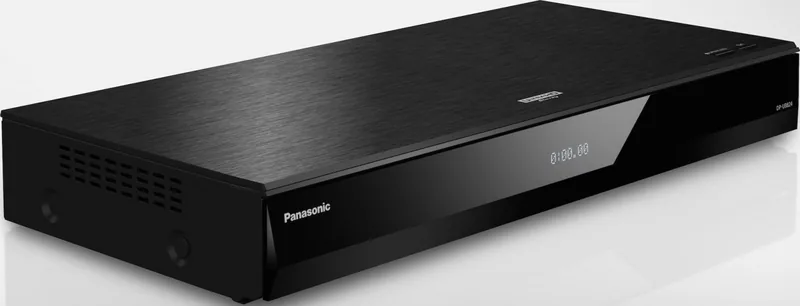
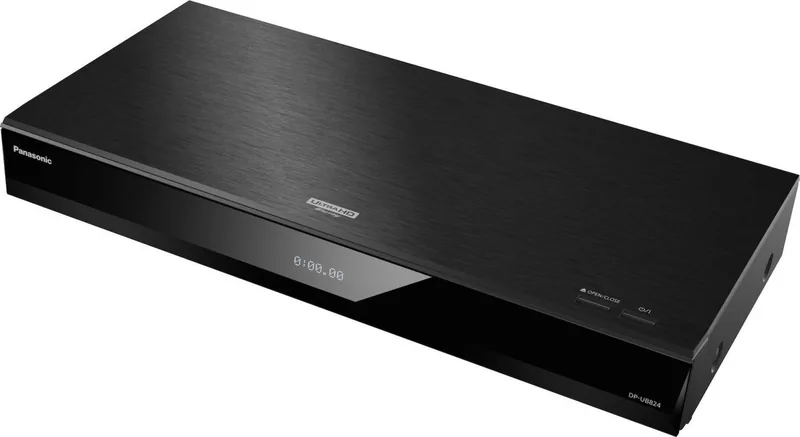
black
Dimensions
16.93x2.48x8.03in (WxHxD)
Weight
4.85 lb
Product Description
Panasonic DP-UB824 Black: A Premium 4K Blu-ray Experience
The Panasonic DP-UB824 black is a feature-rich Blu-ray Disc player designed for viewers who want more than basic disc playback. Built for Ultra HD Blu-ray, it brings together sharp 4K output, HDR support, flexible audio connections, and network functions in a compact black finish that fits naturally into a modern home cinema setup. If you are searching for a practical Panasonic DP-UB824 black Manual while learning what the player can do, the main idea is simple: this model is made for high-quality playback and reliable everyday use.
One of its biggest strengths is format support. The player handles Ultra HD Blu-ray, standard Blu-ray, DVD, CD, and a wide range of USB media formats, including video, photo, and music files. That makes it useful not only for movie nights, but also for users who keep personal libraries on external drives. The rear USB 3.0 port is especially helpful for larger files such as 4K videos, while the front USB port offers quick access for smaller devices.
Picture performance is clearly a highlight. The DP-UB824 supports 4K output, HDR-related adjustments, and optimized playback for compatible televisions. It also includes settings for video format, 24p output, and HDR tuning, giving users more control over how films appear on screen. For 3D content fans, the player still supports 3D video and photos when connected to a compatible display.
Audio flexibility is another strong point. Beyond HDMI output, the unit offers HDMI AUDIO OUT, optical digital output, and analog 2-channel and 7.1-channel outputs. This gives it a wider range of installation options than many simple disc players. It can also work with AV receivers, projectors, and compatible Panasonic VIERA Link setups, making it easier to build a connected entertainment system.
Network features round out the package. Built-in Wi-Fi, LAN connectivity, firmware updates, BD-Live access, streaming services, home network playback, mirroring, and media renderer support all add convenience. The interface is geared toward setup, playback control, and system tuning, so the player feels adaptable rather than limited.
Notes
- Best results come from pairing the player with a 4K/HDR-compatible TV and high-speed HDMI cables.
- Some advanced features depend on your display, receiver, or network setup.
- Keeping the firmware updated helps maintain compatibility and performance.
Search for 67,706 Manuals online


Type-in Brand or Model
Luca Meyer
9 months ago
Is the fan noise noticeable during movies, and is the remote actually user-friendly (especially the Netflix button)?
Manual.ly
8 months ago
Many users report the player is very quiet overall, but some notice a subtle ticking or humming from the active fan depending on operating temperature. If you hear unusual sounds, it can be worth checking for a firmware update and ensuring proper ventilation space around the unit. As for the remote, the main complaint is that the Netflix key is placed/handled awkwardly via the direction controls, so navigation can feel slightly unintuitive at first. The good news is that Netflix and other streaming apps generally work smoothly once set up. If you prefer fewer remote issues, you can also navigate mainly via your TV (HDMI-CEC) depending on your TV settings.