
Overmax X-Bee 9.5 Fold Manual
PDF manual · 138 Pages
English



Quick check
Incorrect answer, please try again.
Chat with your Overmax X-Bee 9.5 Fold manual using AI
Get instant AI answers from your Overmax X-Bee 9.5 Fold manual
Ask anything about the Overmax X-Bee 9.5 Fold. Answers come from this manual, with the pages they are based on.
X-Bee 9.5 Fold Maintenance Schedule
If the device is not used for a long time, discharge and recharge it once a month and remove replaceable batteries from the controller.
Perform compass calibration before every flight and after replacing batteries. Ensure gyroscope is calibrated first.
Check the drone and the USB power cable for potential damage and wear on a regular basis.
Switch off the device, remove batteries, and wipe the drone and accessories with a soft, dry cloth. Do not use water or chemicals.
Free maintenance reminders
Timed to your purchase date. Always free, unsubscribe anytime.
Ask a Question
Do you recommend X-Bee 9.5 Fold?
Yes NoDo you recommend X-Bee 9.5 Fold?
Yes NoFrequently Asked Questions
The drone weighs 245 g with its battery and propellers installed. It is classified as a C0 unmanned aircraft.
Is this answer helpful?
Yes. The stated photo and video resolution is 3840 x 2160. The camera is supported by a single-axis gimbal for improved image stability during flight.
Is this answer helpful?
Return-to-home can be started manually, activated by low battery, or triggered after signal loss. The takeoff point must be saved with a strong GPS connection of at least seven satellites.
Is this answer helpful?
A TF memory card is required to save photos and videos directly on the drone. Without a card, captured media can be saved through the M RC PRO mobile app.
Is this answer helpful?
Charging takes approximately 180 minutes when using the supplied USB cable and a recommended 5V 2A adapter. Battery charging should always be supervised.
Is this answer helpful?
Optical Flow uses an onboard optical sensor to help maintain position when GPS is weak. It works best below 3 meters in well-lit spaces with detailed, non-reflective surfaces.
Is this answer helpful?
Advantages and Disadvantages
Advantages

- Foldable 245 g C0-class design is easy to carry and store.
- 4K-resolution photo and video capture with a single-axis camera gimbal.
- GPS mode, Optical Flow support, and return-to-home functions improve flight assistance.
- Controller display shows height, distance, GPS, satellites, signal, and battery information.
- One-key takeoff, landing, camera control, speed selection, and app-based headless mode add convenience.
Disadvantages

- Reliable return-to-home depends on a strong GPS signal and at least seven satellites.
- Optical Flow performs best below 3 m and can struggle over water, reflective, dark, or uniform surfaces.
- Charging takes about 180 minutes, and controller AA batteries are not included.
- A TF memory card is needed to save photos and video directly on the drone.
- The drone is intended for outdoor use and should not be flown in adverse weather or crowded areas.
Product Specification
Type
Ready-to-fly model
Frequency
2.4 GHz
Range
1,968.5 ft
Operating time
22 min
Max. flight speed
24.85 mph
Camera
3840 x 2160 (max. video resolution)
Flight modes
Hover
Features
GPS, microSD card, optional app control, foldable, lighting
Dimensions
5.51 x 3.39 x 2.20 in (L x W x H)
Weight
8.64 oz (C0)
Package contents
Bag, remote control, battery
Product Description
Overmax X-Bee Drone 9.5 Fold - Read, Download & Print Free
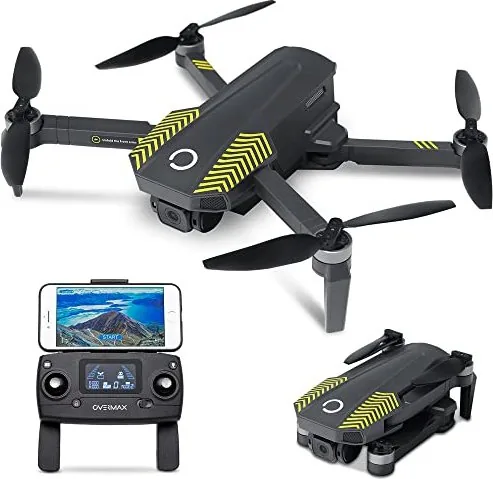
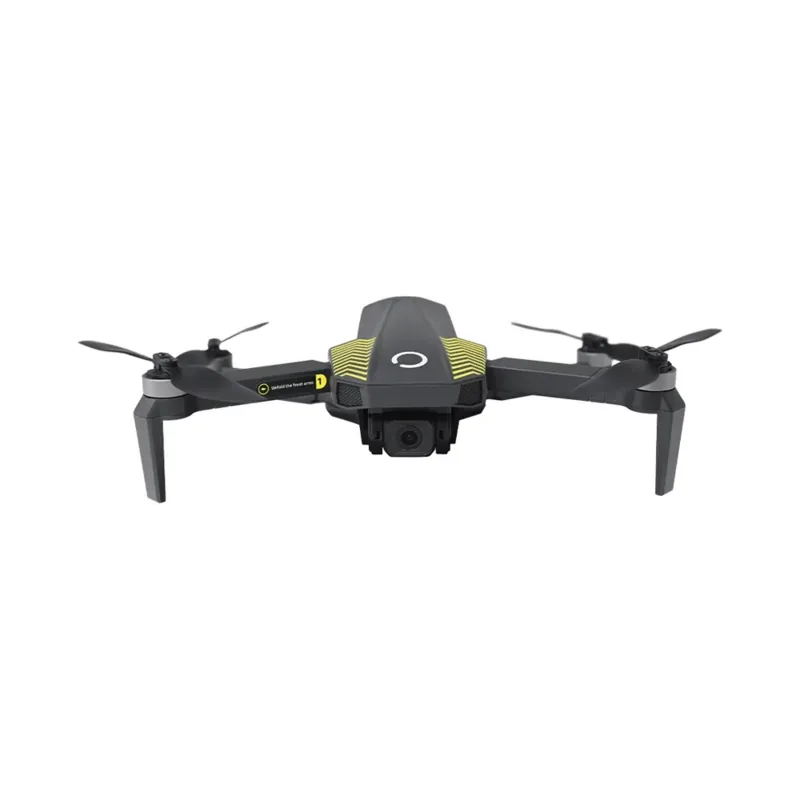
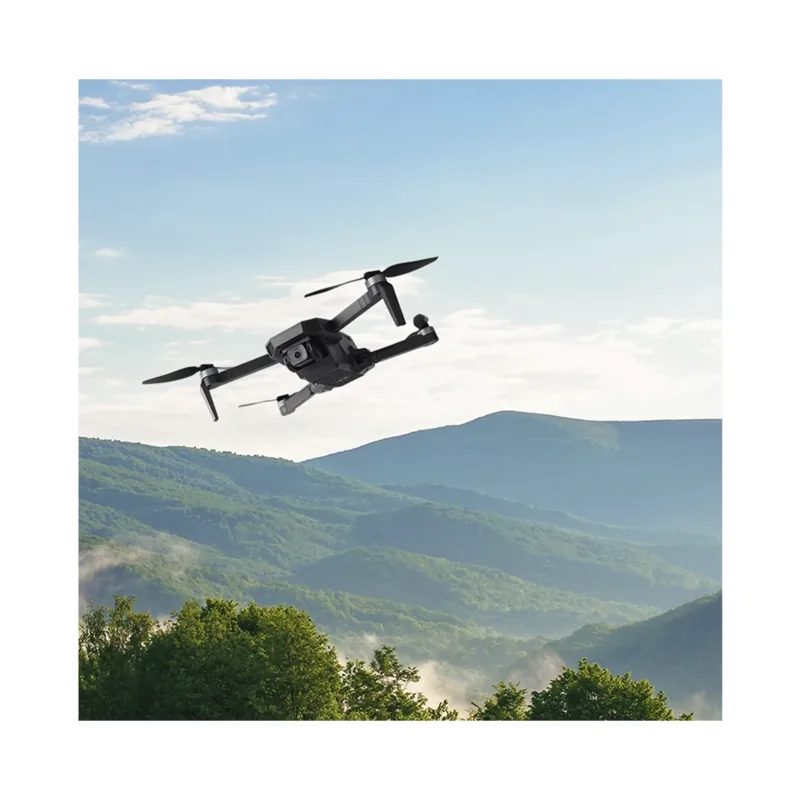
The Overmax X-Bee Drone 9.5 Fold is a compact, foldable camera drone designed for outdoor flights, everyday aerial exploration, and convenient travel. Weighing 245 g with its battery and propellers, it belongs to the C0 unmanned aircraft class and folds down to a space-saving 14 x 8.6 x 5.6 cm. When unfolded, it measures 31 x 27 x 5.6 cm, giving pilots a practical balance of portability and flight-ready size.
Camera and Flight Features
This drone records photos and video at up to 3840 x 2160 resolution. Its camera uses a single-axis gimbal to help stabilize footage, while a controller dial adjusts the camera angle from -90 to 0 degrees. For saving images and recordings directly, a TF memory card is required. Without a card, media can be stored through the companion M RC PRO mobile app.
The Overmax X-Bee Drone 9.5 Fold supports GPS mode for hovering and position awareness when satellite reception is strong. It also includes an Optical Flow system that can assist with control when GPS is weak, particularly at heights below 3 meters in well-lit areas with clear surface textures. Pilots can select fixed-altitude or GPS operation, use high or low speed settings, and activate headless mode in the mobile app.
Smart Controls and Safety Support
The supplied controller includes a display for flight mode, height, distance from home, GPS status, satellite count, signal strength, and battery information. Convenient controls include one-key takeoff and landing, photo and video capture, camera angle adjustment, and a return-to-home button.
Return-to-home can be started manually, triggered by low battery conditions, or initiated after a connection loss when GPS and the home point have been properly established. A strong GPS signal of at least seven satellites is required for dependable home-point functions. The drone also provides rear LED status signals for pairing, calibration, GPS readiness, low battery, and system alerts.
Setup and Everyday Use
Before flying, users should fully charge the battery, confirm that the propellers and fold-out legs are correctly installed, and inspect the camera and gimbal. Charging takes about 180 minutes with a recommended 5V 2A adapter. The controller requires two AA batteries, which are not included.
For safe use, fly in open areas away from people, animals, power lines, tall buildings, crowds, and water. Avoid strong wind, rain, fog, snow, and extreme temperatures. The drone is intended for users aged 14 and above; inexperienced operators should fly only with experienced adult supervision.
Notes
- Calibrate the compass before every flight and after changing or reinstalling the battery.
- Use only supplied or manufacturer-approved propellers and accessories.
- Keep the gimbal, camera lens, and optical sensors clean for reliable performance.
Search for 67,732 Manuals online


Type-in Brand or Model