
Outwell Arctic Chill 30 Manual
PDF manual · 27 Pages
English



Quick check
Incorrect answer, please try again.
Chat with your Outwell Arctic Chill 30 manual using AI
Get instant AI answers from your Outwell Arctic Chill 30 manual
Ask anything about the Outwell Arctic Chill 30. Answers come from this manual, with the pages they are based on.
Arctic Chill 30 Maintenance Schedule
Disconnect the power supply before each cleaning and maintenance and after every use to ensure safety.
Switch off and unplug the device. Use a wet cloth to clean it, then wipe with a dry cloth. Do not soak or use abrasive agents.
Defrost in good time when humidity forms frost on the interior or evaporator. Switch off, unplug, remove items, keep lid open, and wipe water.
If left empty for long periods, switch off, defrost, clean, dry, and leave the lid open to prevent mould and odors.
Ask a Question
Do you recommend Arctic Chill 30?
Yes NoFrequently Asked Questions
Disconnect power before cleaning. Use a wet cloth then dry with a dry cloth. Never use abrasive agents or soak the unit in water to avoid damage.
Is this answer helpful?
Storing hot food may cause high compartment temperatures. Let food cool slightly or ensure the cooler runs for a while before adding warm items to maintain efficiency.
Is this answer helpful?
F1 indicates low voltage. Adjust the battery protection setting. F5 means overheating. Disconnect power for 5 minutes then restart to reset the system properly.
Is this answer helpful?
The lid can be removed at a 20-degree angle. Align the shaft with the compartment hole and insert it back to switch the opening direction as needed.
Is this answer helpful?
Statutory guarantee periods apply. Contact the manufacturer or retailer. Spare parts are available for up to ten years. Include a receipt copy with purchasing date.
Is this answer helpful?
Switch off and unplug first. Keep the lid open to allow melting. Wipe off defrosted water. Never use sharp tools as they damage the refrigerant circuit internally.
Is this answer helpful?
Children aged 3 to 8 years may load and unload only. They cannot use it without supervision. Adults should instruct on safety and hazards before independent use.
Is this answer helpful?
Advantages and Disadvantages
Advantages

- High-efficiency DC compressor for fast cooling to minus twenty degrees Celsius.
- Dual power supply allows AC or DC 12/24V usage for flexibility.
- Intelligent battery protection system prevents deep discharge from car batteries.
Disadvantages

- Compressor can be noisy upon initial start until stable.
- Requires specific tilt angles; cannot operate upside down properly.
- Cleaning is restricted; cannot submerge in water or use abrasive tools.
Product Specification
Type
Compressor Cooler Box
Colors
Blue, Black
Capacity
30.22 qt
Input Voltage
12V, 230V
Power Options
AC Plug, 12V Plug (Cigarette Lighter Plug)
Temperature Range
-4°F to 68°F
Noise Level
45 dB
Energy Efficiency Class (A-G)
E
Annual Energy Consumption
76 kWh/year
Dimensions (LxWxH)
23.23x15.35x14.57 in
Weight
26.68 lbs
Features
USB Port, Display, Bluetooth
Product Description
Discover the Ultimate Outdoor Cooling Solution
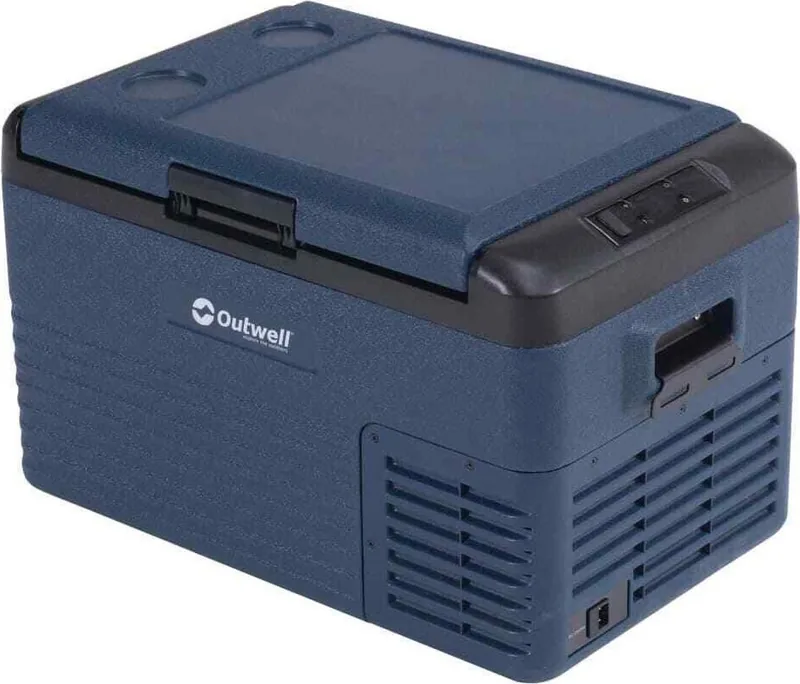
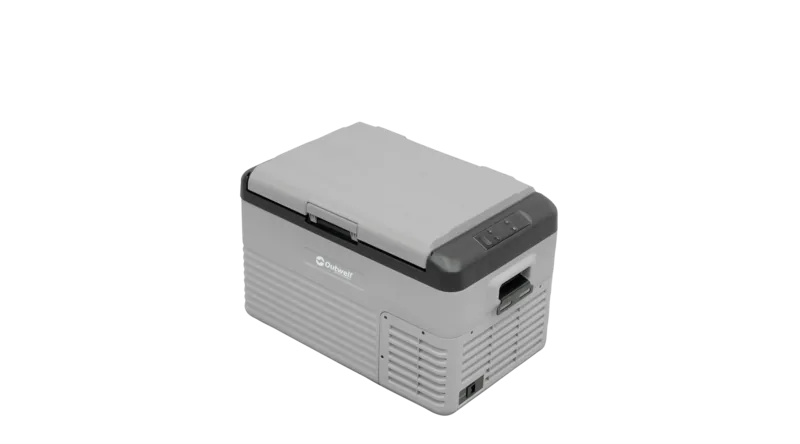
When you head out on a family camping adventure, keeping your food cold is vital. The Outwell Arctic Chill 30 Compressor Cooler is designed to meet these challenges effectively. This high-efficacy cooling solution uses a DC compressor to deliver fast cooling down to minus twenty degrees Celsius. By consulting the Outwell Arctic Chill 30 Compressor Cooler Manual, owners can maximize the potential of this equipment. It provides excellent insulation for your perishable goods.
Versatile Power Supply Options
One of the standout features is its dual power system. You can utilize DC 12 or 24 volts from your car battery or switch to AC 100 to 240 volts using the adapter. This flexibility ensures you stay powered up on long trips. The intelligent battery protection system automatically adjusts to prevent over-discharge. Whether in H, M, or L mode, the voltage is managed intelligently.
Practical Design and Safety Features
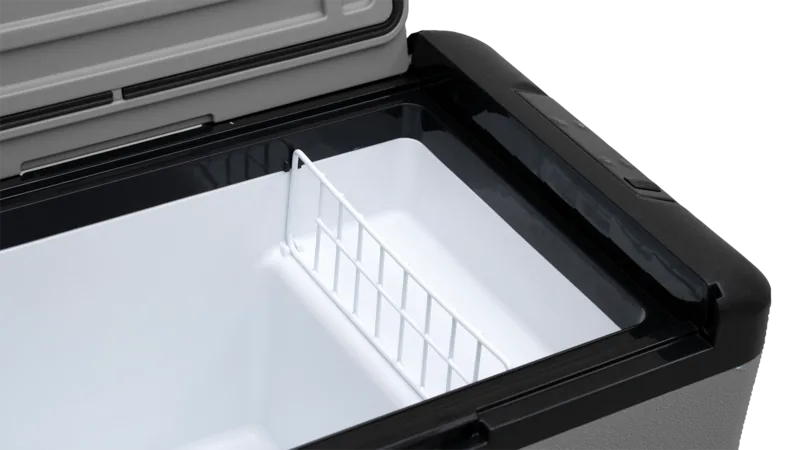
The unit features a cup holder and an adjustable lid opening direction. You can install the lid shaft back after removal with a twenty-degree angle adjustment. Safety instructions emphasize not blocking air gaps. Ensure the appliance remains level during operation for best performance. It is crucial to keep ventilation openings free of obstacles for efficient heat dissipation. The device should not be soaked in water during cleaning.
Maintenance and Troubleshooting
Regular maintenance keeps the compressor running smoothly. Switch off and unplug the device before cleaning. Do not use abrasive agents which might damage the exterior. If you see code F1, it suggests low voltage. You might need to adjust the battery protection setting. Code F5 indicates overheating, requiring a power reset. Always allow the machine to sit on a flat surface for six hours after unpacking.
Why Choose This Model
Choosing the Arctic Chill 30 guarantees long-lasting cold storage. It handles drinks, fruits, and vegetables perfectly. The digital display gives clear temperature settings. You can set the unit between minus twenty and twenty degrees Celsius. Using the manual ensures you understand how to reverse the door or reset the system. This knowledge prevents common errors and extends the device lifespan significantly.
Warranty and Support
The manufacturer offers statutory guarantee terms. Spare parts are available for up to ten years. Contact your retailer for defective items. Keep your receipt ready for processing claims. This support network adds peace of mind to your outdoor excursions.
Follow these guidelines to enjoy stress-free camping trips with cold drinks and fresh meals.
Cleaning and Storage Instructions
When not in use, switch off and unplug the unit. Remove all items and wipe off excess water with a soft rag. Store in a cool dry place with the lid slightly open to prevent odors. This prevents mould development within the appliance over time. The recommended storage environment is twenty-five degrees Celsius with humidity under seventy-five percent. If left empty, switch off, defrost, clean, dry, and leave the lid open. Never use sharp tools to defrost as it can damage the refrigerant circuit.
Search for 67,706 Manuals online


Type-in Brand or Model