
Orbit Irrigation B-hyve Manual
PDF manual · 9 Pages
English



Quick check
Incorrect answer, please try again.
Chat with your Orbit Irrigation B-hyve manual using AI
Get instant AI answers from your Orbit Irrigation B-hyve manual
Ask anything about the Orbit Irrigation B-hyve. Answers come from this manual, with the pages they are based on.
Ask a Question
Do you recommend B-hyve?
Yes NoFrequently Asked Questions
Download the free B-hyve app, create or log into an account, follow the in-app wizard to add the Wi‑Fi Hub (plugged into an indoor outlet) and then pair the battery‑powered hose tap timer via Bluetooth. Place the hub near the outdoor timer and within Wi‑Fi range, avoiding heavy obstructions.
Is this answer helpful?
The hose tap timer uses two alkaline AA batteries (not included). The LED and app notify low battery: the timer flashes red every 5 seconds at low voltage. Replace batteries when prompted; reconnect Bluetooth after changing batteries to reset time and date.
Is this answer helpful?
Yes. Press and hold the on/off button for 3 seconds to start manual watering without altering programmed schedules. You can set a preset runtime in the app (default 10 minutes) or stop watering anytime by pressing the on/off button once.
Is this answer helpful?
Typical Bluetooth/hub range is about 45.72 meters without interference. Signal strength can be reduced by walls, dirt, or steel barriers. The Wi‑Fi Hub must be indoors and within range of both your router and the outdoor timer for reliable operation.
Is this answer helpful?
Yes. When connected via the Wi‑Fi Hub and app the controller can automatically update schedules and apply rain delays based on local weather forecasts, helping prevent unnecessary watering during wet conditions.
Is this answer helpful?
The timer is for outdoor cold water use only, with an operating temperature up to 70°C (158°F) for the timer and up to 40°C (104°F) for the hub. Do not install in underground valve boxes or use with appliances. Follow FCC/IC guidelines and maintain recommended RF distances.
Is this answer helpful?
Orbit provides a two‑year limited warranty against defects in materials and workmanship with repair, replacement, or refund options at Orbit’s discretion. Warranty excludes misuse, unauthorized repairs, consumables, and certain other conditions. For support, contact Orbit via their website, phone, or email with your MAC ID ready.
Is this answer helpful?
Advantages and Disadvantages
Advantages

- Easy mobile setup and remote control via the B-hyve app with weather‑based adjustments.
- Supports precise runtimes down to seconds—great for delicate watering tasks.
- Battery‑powered tap attachment avoids hardwiring and fits standard hose taps.
- Wi‑Fi Hub enables global access and automatic schedule updates based on forecast.
- Clear LED status indicators and app messages for pairing, low battery, and errors.
Disadvantages

- Requires two AA batteries that must be replaced and removed before disposal.
- Bluetooth/hub range (~45 m) can be reduced by walls, dirt, or metal obstructions.
- Hub is for indoor use only; outdoor placement may impair connectivity.
- Not suitable for underground valve boxes or obstructed installations.
- Warranty excludes damage from misuse, unauthorized repairs, or consumables.
Product Specification
Features
Memory function, App control (Bluetooth)
Package contents
Irrigation control, WiFi-Hub
Product Description
Orbit Irrigation B-Hyve Smart WiFi Irrigation Controller
Smart watering made simple
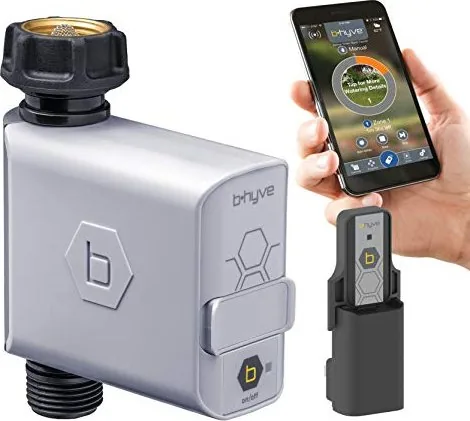
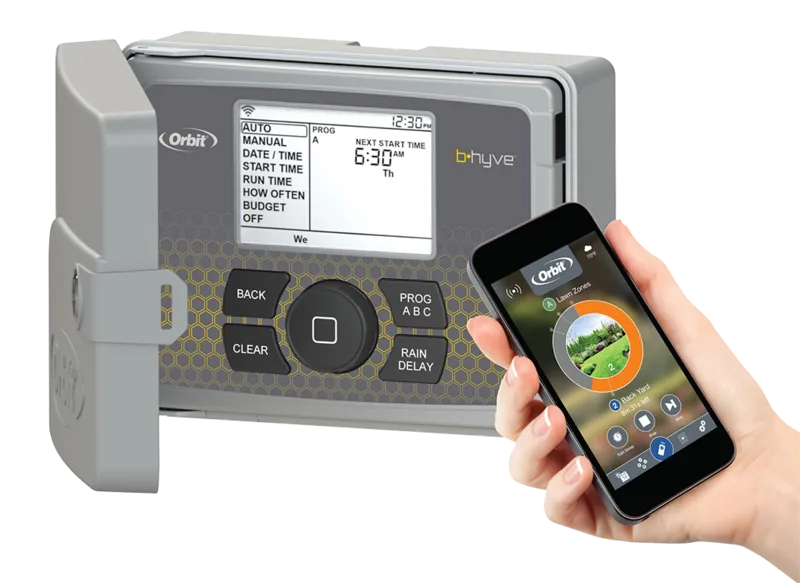
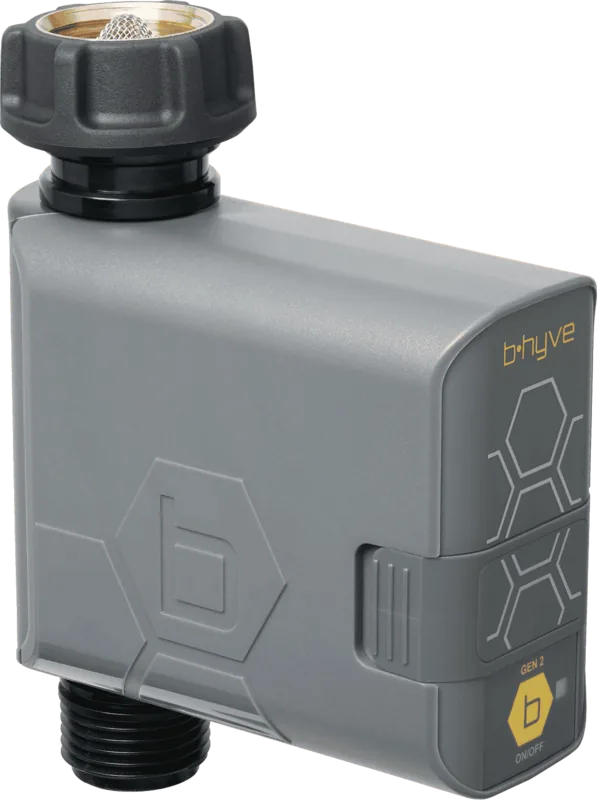
The Orbit Irrigation B-Hyve Smart WiFi Irrigation Controller is a compact, user-friendly solution for precise outdoor watering. Designed to attach to a standard hose tap, it pairs with a Wi‑Fi Hub and the B-hyve app to provide remote scheduling, manual control, flow monitoring, and weather‑aware adjustments. It supports short runtimes down to seconds—ideal for container gardening, hydroponics, pet water bowls, or targeted garden areas—and keeps you from having to reach awkward taps behind shrubs.
Key features
Pairing to Bluetooth and the B-hyve Hub is guided by in-app wizards for easy setup. The timer runs on two AA batteries and signals status via a multi‑color LED. The hub connects to indoor power and bridges the timer to the internet so schedules can auto‑adjust based on local weather forecasts. Manual watering can be activated from the device or app without disturbing programmed schedules, and the app allows preset runtimes, rain delays, and zone/program management. Built‑in LED patterns and app messages indicate pairing, watering, low battery, updates, and errors.
Practical use and reliability
With a typical Bluetooth/hub range around 45 m (without interference) and operating temperature ratings suited for outdoor use, this controller is meant for cold water irrigation and routine garden tasks. The product includes FCC/IC compliance and a two‑year limited warranty covering defects in materials and workmanship, subject to terms and exclusions like misuse, unauthorized repairs, or consumable items such as batteries.
Installation and maintenance
Setup involves inserting two AA batteries, attaching the unit to a standard hose tap, powering the indoor Wi‑Fi Hub, and completing pairing through the app. Keep the hub within range and indoors, avoid obstructed Bluetooth signals, and replace batteries when low. Remove batteries before disposal.
Notes
- Not for use with appliances or submerged/underground installations where Bluetooth is blocked.
- Operates on alkaline AA batteries (not included); do not mix battery types.
- Hub is indoor use only; follow FCC/IC guidance and maintain recommended distances for RF exposure.
Search for 67,706 Manuals online


Type-in Brand or Model