
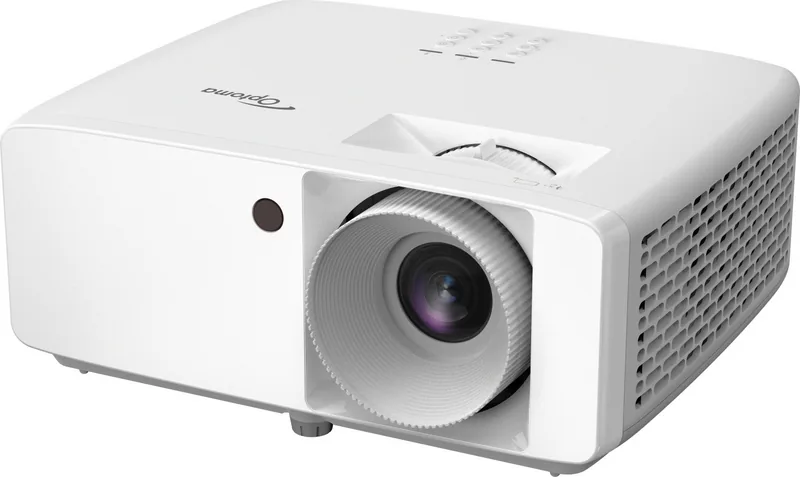
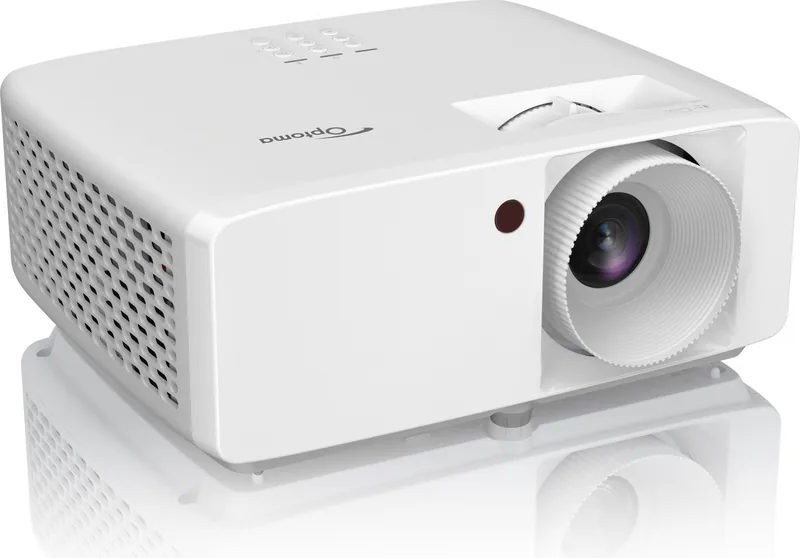
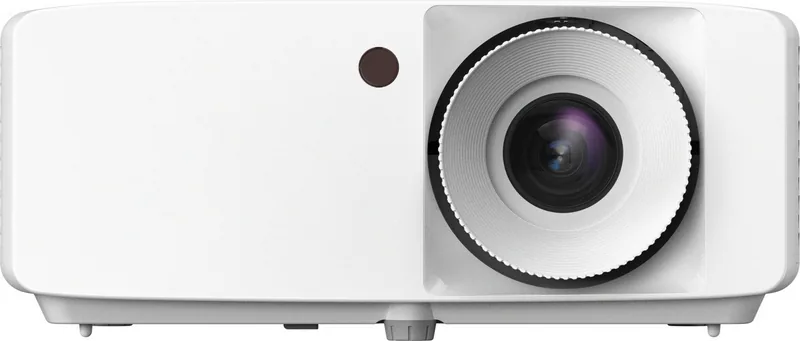
Optoma ZW350e Manual
PDF manual · 57 Pages
English



Quick check
Incorrect answer, please try again.
Chat with your Optoma ZW350e manual using AI
Get instant AI answers from your Optoma ZW350e manual
Ask anything about the Optoma ZW350e. Answers come from this manual, with the pages they are based on.
Ask a Question
Do you recommend ZW350e?
Yes NoFrequently Asked Questions
The projector supports four positions including front, rear, ceiling, and table. Ensure ventilation clearance is maintained during setup.
Is this answer helpful?
The remote uses a CR2025 lithium cell. Ensure correct polarity when inserting the battery.
Is this answer helpful?
Gaming mode reduces latency to 8.6ms at 1080p 120Hz for responsive gameplay.
Is this answer helpful?
Use a dust blower and soft cloth. Do not use liquids or abrasive materials on the lens surface.
Is this answer helpful?
Yes, it supports DLP Link 3D formats with compatible active glasses for immersive viewing.
Is this answer helpful?
ECO mode uses approximately 89 watts while Standard mode uses around 140 watts for operation.
Is this answer helpful?
Support centers are located globally including regions in the US, Europe, and Asia.
Is this answer helpful?
Advantages and Disadvantages
Advantages

- Laser light source ensures long-lasting brightness without bulb replacement costs.
- Four-way installation flexibility allows front, rear, ceiling, or table mounting options.
- Low input latency of 8.6ms supports competitive gaming experiences effectively.
- Support for HDR and HLG signals delivers enhanced dynamic range visually.
- Comprehensive OSD menu provides detailed control over image and sound settings.
Disadvantages

- Lens cleaning requires specific care to avoid damaging the optical coating surface.
- Viewing safety warnings prevent users from looking directly into the active beam.
- Remote control reliance depends on battery life and clear line of sight to sensor.
- Warranty coverage excludes damage caused by improper installation or unauthorized repairs.
- Eco mode power consumption is lower but may reduce overall output brightness levels.
Product Specification
Type
DLP, 1x 0.55"
Light Source
Phosphor Laser
Resolution (supported)
WXGA (1280x800)
Resolution (native)
WXGA (1280x800)
Brightness
4000 ANSI Lumens (High/Standard/Eco)
Contrast
300,000:1
Image Diagonal
1.67 - 25.00 ft
Throw Distance
3.28 - 32.81 ft
Throw Ratio
1.54:1-1.72:1
Lens Shift
No
Video Inputs
2x HDMI 1.4a In
Audio Outputs
1x 3.5mm Audio Jack
Other Connections
1x USB, 1x RS-232
Features
3D ready (active), integrated speaker (1x 15W)
Lamp Life
20,000 Hours (Standard/Eco/Eco+)
Noise Level
34 / 31 dB(A) (Standard/Eco)
Power Consumption
139 / 88 W (Standard/Eco)
Dimensions
10.79 x 4.49 x 8.50 in (WxHxD)
Weight
6.61 lbs
Manufacturer Warranty
3 Years
Product Description
Optoma ZW350e Overview
Discover the remarkable Optoma ZW350e, a high-performance laser projector designed for versatility and reliability. This machine utilizes advanced DLP technology to deliver vivid images with exceptional color accuracy. Whether for home entertainment or professional presentations, the unit ensures lasting performance without the need for bulb replacements. The laser light source provides consistent brightness. It supports various input resolutions up to 4K. The onboard system manages HDR and HLG signals for enhanced dynamic range in compatible applications.
Key Features and Installation
Installation flexibility is a standout feature. You can place the ZW350e in four distinct positions. It works perfectly on a table in front, above on the ceiling, or even in rear projection setups. This three-sixty-degree orientation capability means you do not need to worry about complex mounting constraints in your room. Just ensure ventilation openings are not blocked to maintain optimal cooling during extended use. Proper placement guarantees that air circulates around the device effectively. Minimum clearance around vents is recommended to prevent overheating issues. Safety mechanisms automatically shut down the system if temperatures rise too high. This thermal protection system safeguards internal components during prolonged sessions.
Connectivity and Gaming
Connectivity options are extensive for modern setups. Multiple HDMI inputs allow you to connect gaming consoles and PCs without hassle. A dedicated USB port provides power for peripherals or media playback. The integration of HDMI CEC enables control of connected devices through a unified system. For gamers, a specific gaming mode reduces input latency to 8.6 milliseconds at 1080p 120Hz. This feature ensures smooth, responsive action without perceptible delay during intense gameplay sessions. The OSD menu allows deep customization of picture settings including gamma and color temperature.
Image Quality and Power
Image quality remains sharp thanks to adjustable corrections. You can modify trapezoidal distortion vertically or horizontally to align perfectly with your screen. Digital zoom functions further tailor the image size. Audio is handled by built-in speakers alongside a 3.5mm output for external sound systems. Power consumption varies by mode, offering an eco-friendly option around 89 watts. Remote control functionality covers all essential tasks including volume. Support for 3D formats via DLP Link technology allows immersive movie experiences with compatible glasses.
Maintenance and Safety
Maintenance requires attention to detail. Cleaning the lens with a soft cloth and dust blower is essential. Avoid moisture or harsh chemicals during this process. Refer to Optoma ZW350e Manual for detailed maintenance procedures. Safety guidelines emphasize never looking directly into the lens while active. Always allow the fan to run for cooling periods after turning the unit off. Following these steps ensures longevity and preserves investment. Service centers are available globally for support needs. Warranty terms apply to authorized repairs only.
Notes: Always consult safety regulations. Use authorized accessories only.
Search for 67,706 Manuals online


Type-in Brand or Model