
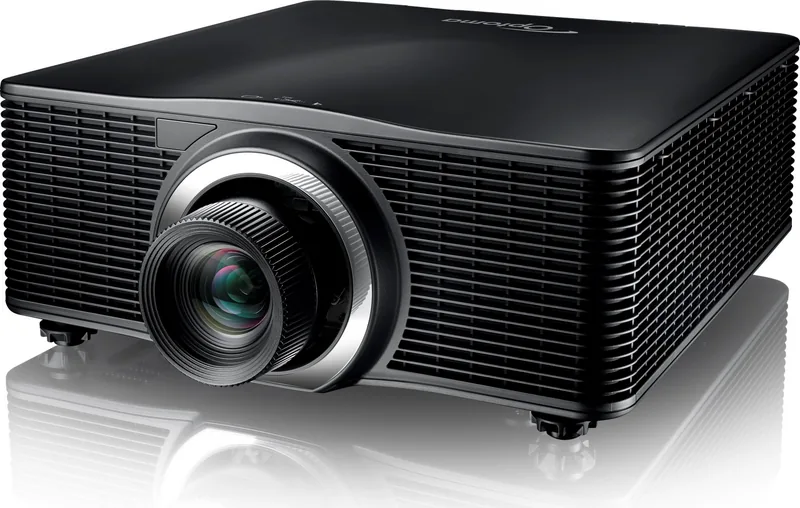
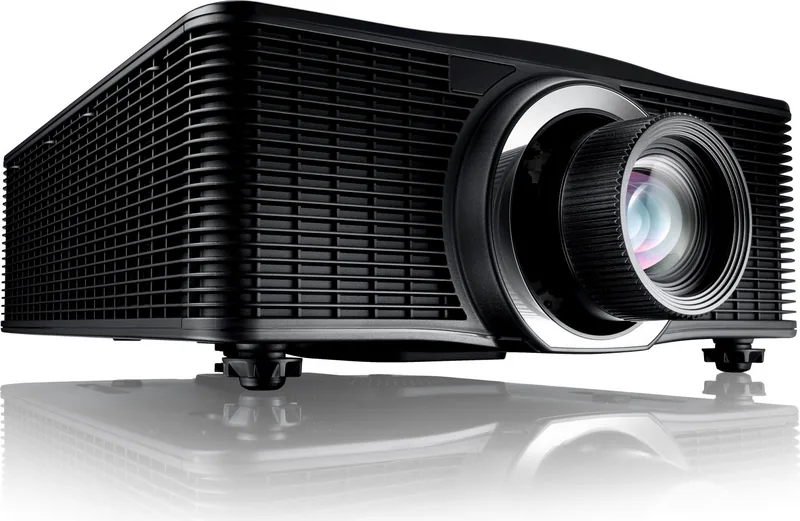
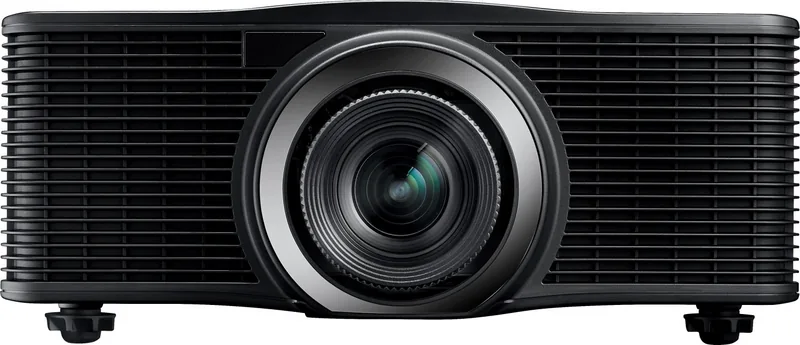
Optoma ZU860 Manual
PDF manual · 59 Pages
English



Quick check
Incorrect answer, please try again.
Chat with your Optoma ZU860 manual using AI
Get instant AI answers from your Optoma ZU860 manual
Ask anything about the Optoma ZU860. Answers come from this manual, with the pages they are based on.
ZU860 Maintenance Schedule
Turn off and unplug power. Use a soft dry cloth with mild detergent. Do not use abrasive cleaners, waxes or solvents.
Remove depleted batteries immediately to prevent leakage. Replace with same or equivalent AAA type. Remove if storing for long periods.
Ask a Question
Do you recommend ZU860?
Yes NoFrequently Asked Questions
The Optoma ZU860 has a native WUXGA resolution of 1920 x 1200 pixels in a 16:10 aspect ratio. It also accepts a broad range of input resolutions, including supported 4K signals through compatible inputs.
Is this answer helpful?
The projector includes two HDMI 2.0 ports, DVI-D, VGA, HDBaseT, 3G-SDI, VGA output, RS232, RJ-45 LAN, USB Type-A power output, 3D sync input and output, a wired remote port, and a 12 V trigger.
Is this answer helpful?
Yes. The ZU860 supports unrestricted 360-degree installation orientation. Adequate ventilation clearance remains essential, and ceiling or specialty mounting should be performed according to professional safety requirements.
Is this answer helpful?
Yes. It works with multiple optional lenses, including ultra-short-throw, short-throw, standard, and long-throw options. Available throw ratios range from 0.36:1 to 5.50:1, depending on the selected lens.
Is this answer helpful?
It includes horizontal and vertical keystone correction, four-corner adjustment, horizontal and vertical arc correction, digital zoom, image shift, edge masking, and PC-based geometry support for advanced installations.
Is this answer helpful?
Yes. Network control is available through LAN and optional wireless connectivity. It supports browser control, scheduling, firmware updates, and integration protocols including Crestron, Extron, PJLink, AMX, Telnet, and HTTP.
Is this answer helpful?
Advantages and Disadvantages
Advantages

- Native WUXGA resolution and support for up to 4K input provide detailed images for professional presentation and video use.
- Interchangeable lenses, motorized zoom, focus, lens shift, and five lens-memory positions simplify flexible installations.
- HDMI 2.0, HDBaseT, 3G-SDI, DVI-D, VGA, LAN, RS232, and 12 V trigger support extensive AV integration.
- Advanced geometry correction, edge masking, PIP/PBP, HDR modes, and 3D support suit complex projection requirements.
- 360-degree orientation enables installation on ceilings, walls, and other non-standard professional mounting positions.
Disadvantages

- Professional laser safety requirements and Risk Group 3 hazard distances demand careful installation and operation.
- The projector is large and heavy at 17.6 kg without a lens, making portable use impractical.
- Optional lenses may be required to achieve the desired throw distance in a particular venue.
- Maximum image quality is recommended below 300 inches, even though image sizes up to 500 inches are supported.
Product Specification
Type
DLP, 1x 0.67"
Light source
Phosphor laser
Resolution (displayable)
WUXGA (1920x1200)
Resolution (native)
WUXGA (1920x1200)
Brightness
-/8500/- ANSI lumens (High/Standard/Eco)
Contrast
2,000,000:1
Video connections
2x HDMI In, 1x VGA In, 1x VGA Out, 1x DVI-D In, 1x 3G-SDI In
Other connections
1x USB, 1x RJ-45, HDBaseT, 1x RS-232
Features
Interchangeable lens mount, without lens
Lamp life
30,000/-/- hours (Standard/Eco/Eco+)
Noise level
32/- dB(A) (Standard/Eco)
Power consumption
625/300 W (Standard/Eco)
Dimensions
19.06 x 7.68 x 20.83 in (W x H x D)
Weight
38.80 lb
Manufacturer warranty
5 years
Product Description
Optoma ZU860 Manual: Professional Laser Projection Overview
The Optoma ZU860 is a professional WUXGA DLP laser projector designed for demanding large-venue installations, including auditoriums, meeting spaces, museums, houses of worship, education facilities, and live events. This Optoma ZU860 Manual overview highlights a flexible projection platform that combines high-resolution imaging, interchangeable lenses, advanced geometry tools, and comprehensive control connections.
Its native WUXGA resolution of 1920 x 1200 delivers a detailed 16:10 image for presentations, video, graphics, and multi-source content. The projector supports image sizes from 50 to 500 inches, allowing installers to scale displays for both medium and expansive spaces. A 360-degree installation orientation adds placement freedom, while motorized zoom, focus, and lens shift help achieve accurate alignment after mounting.
The Optoma ZU860 accepts a broad range of professional sources through two HDMI 2.0 inputs, DVI-D, VGA, HDBaseT, and 3G-SDI. This connectivity makes it suitable for AV systems that combine computers, media players, broadcast equipment, and long-distance signal distribution. VGA output, 3D sync input and output, a 12 V trigger, RS232, LAN, USB power, and wired remote connectivity expand its integration options.
Image control is a major strength. Users can select picture modes for presentation, bright environments, cinema, HDR, sRGB, blending, 3D, and high-speed 2D content. Fine adjustments include brightness, contrast, gamma, color temperature, color management, BrilliantColor processing, dynamic black settings, and selectable laser brightness modes. HDR compatibility and support for resolutions up to 4K input provide added flexibility for modern video sources.
For complex installations, the projector includes horizontal and vertical keystone correction, four-corner adjustment, arc correction, digital zoom, image shift, edge masking, and picture-in-picture or picture-by-picture display modes. Lens memory can retain up to five combinations of lens position, zoom, and focus, making repeated setups faster and more consistent. Optional lenses support throw ratios ranging from ultra-short throw to long throw, so the projector can adapt to challenging room layouts.
Network management is also built in. LAN and optional wireless networking support browser-based control, scheduling, firmware updates, and remote monitoring. Compatibility with Crestron, Extron, PJLink, AMX Device Discovery, Telnet, and HTTP helps the ZU860 fit into centralized AV environments.
Note: The ZU860 is intended for professional installation. Its laser light source is classified as Risk Group 3, so trained installers must observe hazard-distance, ventilation, mounting, and eye-safety requirements.
In short, the Optoma ZU860 offers flexible optics, extensive signal support, detailed image shaping, and network-ready operation for sophisticated projection systems.
Search for 67,706 Manuals online


Type-in Brand or Model