
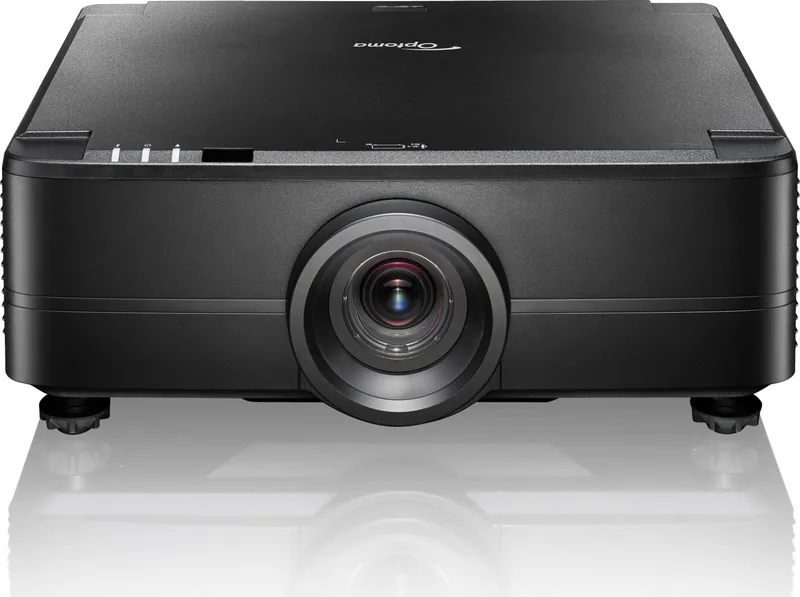
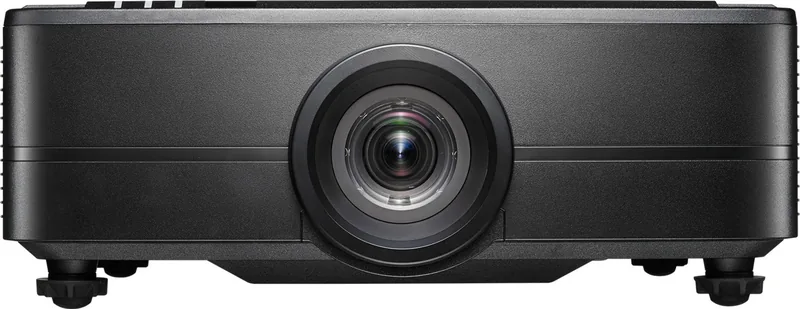
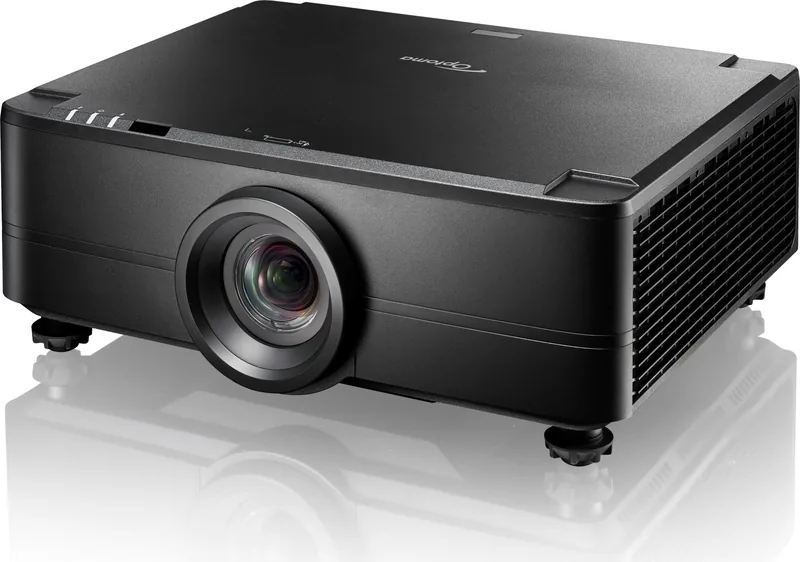
Optoma ZU725T Manual
PDF manual · 89 Pages
English



Quick check
Incorrect answer, please try again.
Chat with your Optoma ZU725T manual using AI
Get instant AI answers from your Optoma ZU725T manual
Ask anything about the Optoma ZU725T. Answers come from this manual, with the pages they are based on.
Ask a Question
Do you recommend ZU725T?
Yes NoFrequently Asked Questions
It is designed for professional environments like classrooms and boardrooms.
Is this answer helpful?
Ensure 500mm clearance and use motorized lens shift for positioning.
Is this answer helpful?
Yes, it supports 3D with compatible glasses and sync signals.
Is this answer helpful?
HDMI, VGA, HDBaseT, LAN, and USB ports are available.
Is this answer helpful?
Use a soft dry cloth and ensure the unit is powered off.
Is this answer helpful?
Yes, via Crestron, PJLink, or AMX protocols through LAN.
Is this answer helpful?
Avoid direct eye exposure to the beam and check ventilation.
Is this answer helpful?
Advantages and Disadvantages
Advantages

- Motorized lens shift enables flexible installation without physical movement.
- Robust connectivity options support various input sources easily.
- Network control features allow integration with standard AV systems.
- 3D projection capability provides immersive viewing experiences.
- Safety features include thermal monitoring and secure password protection.
Disadvantages

- Complex menu system may require time to master for new users.
- Installation requires strict adherence to ventilation clearance guidelines.
- Remote control battery removal is necessary for long-term storage.
- 3D features need compatible glasses and specific viewing distances.
- Power down requires waiting for cooling before unplugging the device.
Product Specification
Type
DLP, 1x 0.67"
Light Source
Phosphor Laser
Resolution (displayable)
WUXGA (1920x1200)
Resolution (native)
WUXGA (1920x1200)
Contrast
3,000,000:1
Video Connections
1x HDMI 2.0 In, 1x HDMI 1.4a In, 1x HDMI 2.0 Out, 1x VGA In
Audio Connections
1x 3.5mm Audio In, 1x 3.5mm Audio Out
Additional Connections
1x USB, 1x RJ-45, HDBaseT
Features
3D Ready (Active), Integrated Speaker (2x 10W)
Lamp Life
30000/-/- Hours (Standard/Eco/Eco+)
Noise Level
36/34 dB(A) (Standard/Eco)
Power Consumption
520/260W (Standard/Eco)
Product Description
Discover the Optoma ZU725T Professional Projection Experience
The Optoma ZU725T represents a significant leap in professional visualization technology, designed for high-performance environments where reliability and image quality are paramount. This DLP projector delivers exceptional clarity and brightness, making it ideal for command centers, classrooms, and corporate boardrooms. Users engaging with the Optoma ZU725T Manual will find comprehensive guidance on maximizing these capabilities within various operational settings. Proper understanding of the system ensures longevity and safety during long daily usage cycles for business continuity. It is a versatile tool for modern presentation needs.
Flexible Installation Options
One of the standout features is the motorized lens shift and zoom capabilities. This allows installers to project large images without moving the unit physically. You can adjust horizontal and vertical positioning easily, ensuring perfect placement even in challenging ceiling mount scenarios. The device supports ceiling mounting with specific clearance requirements to maintain airflow and prevent overheating. Maintaining at least 500mm of space around air vents is crucial for thermal management. The lens also features optical zoom that preserves resolution while scaling the image size to fit any wall dimensions accurately without distortion or pixelation issues.
Advanced Connection and Control
Connectivity is robust, featuring multiple HDMI ports, VGA, and HDBaseT inputs. Network stability is ensured through RJ-45 connections, supporting Crestron, PJLink, and AMX integration. This seamless compatibility allows for centralized control over multiple units efficiently. The remote control offers extensive buttons for quick adjustments to focus, zoom, and image settings. Users can schedule power events and manage security passwords for unauthorized access prevention. Network alerts notify administrators about fan errors or lamp status changes in real time. The system also supports automatic source detection to reduce setup time in dynamic rooms where inputs change frequently. This automation streamlines workflow significantly.
Image Optimization
The optics support 3D projection, opening doors for immersive content. Color accuracy is managed through detailed menu settings for gamma, contrast, and hue. The geometry correction tools help align images on curved or irregular surfaces. Safety guidelines highlight laser class standards, advising users to avoid direct exposure to the lens beam during operation. Regular cleaning with appropriate materials keeps the lens free of dust that could degrade image quality. The device includes multiple standby modes to conserve energy without interrupting network commands for scheduled operations. This efficiency helps reduce operational costs significantly. Users can select from various picture modes for different content types.
Safety and Maintenance
Viewing 3D content requires specific glasses and adherence to viewing distance guidelines to prevent eye strain. Children and pregnant women should avoid prolonged exposure to 3D imagery to stay safe. Ensure ventilation is not blocked by keeping a 500mm clearance around air vents. Clean the lens carefully with a dry cloth to avoid damage. Do not operate in extreme temperature or humidity conditions that could harm electronics. Remove batteries from the remote during long-term storage. Refer to official guidelines for warranty specifics in your region before installing. Ensure the projector cools down for ninety seconds after shutdown before unplugging. These steps protect the internal components from shock and thermal stress during operation.
Search for 67,706 Manuals online


Type-in Brand or Model