
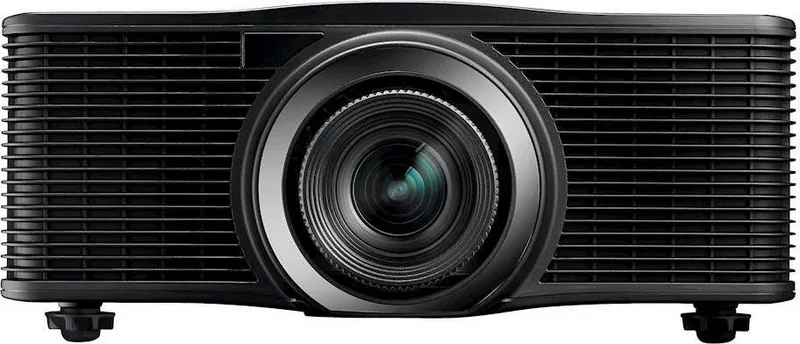
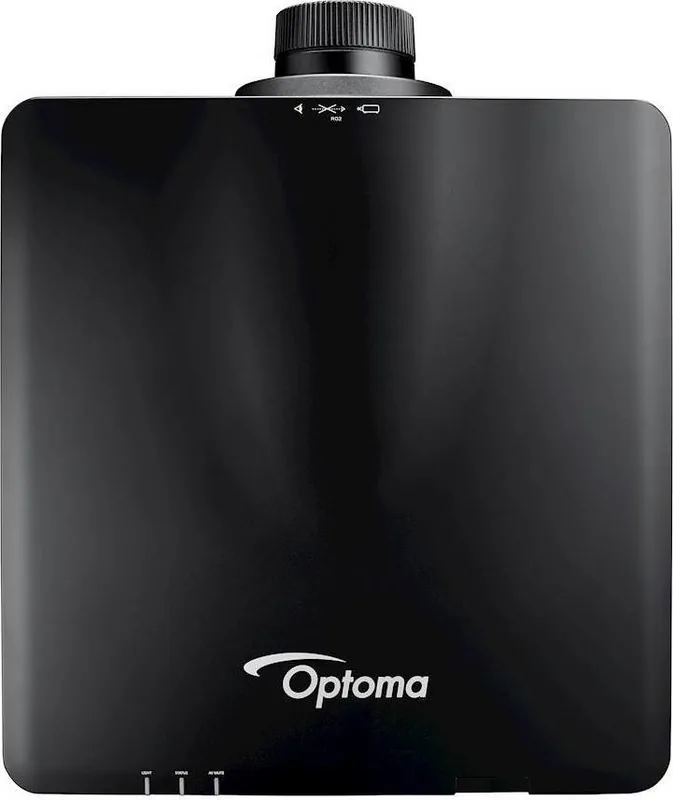
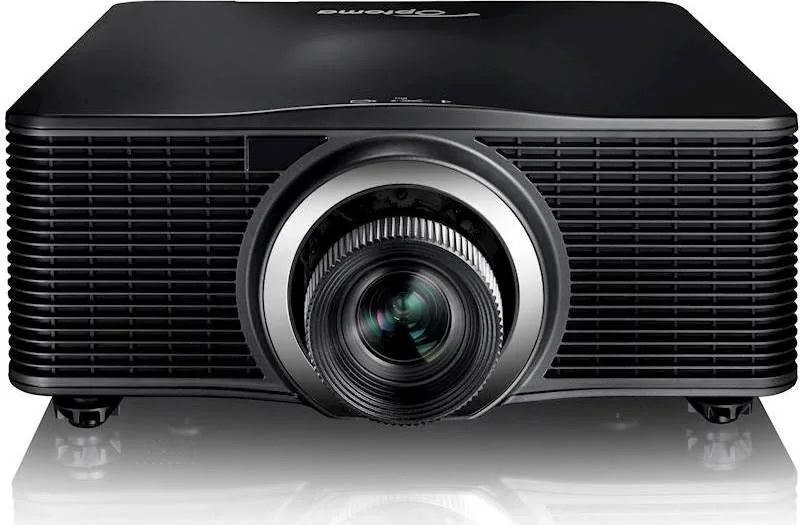
Optoma ZU1050 Manual
PDF manual · 68 Pages
English



Quick check
Incorrect answer, please try again.
Chat with your Optoma ZU1050 manual using AI
Get instant AI answers from your Optoma ZU1050 manual
Ask anything about the Optoma ZU1050. Answers come from this manual, with the pages they are based on.
Ask a Question
Do you recommend ZU1050?
Yes NoFrequently Asked Questions
It is a professional laser projector designed for large spaces, installations, and advanced AV setups. It focuses on flexibility, image control, and broad connectivity rather than casual everyday use.
Is this answer helpful?
Yes. The projector supports multiple optional lenses, including standard, short-throw, long-throw, and ultra-short-throw choices. This makes it adaptable to different room sizes and screen distances.
Is this answer helpful?
Yes. The projector supports table-top, ceiling mount, and 360-degree orientation use. It also includes ceiling mount and rear projection settings for more specialized installations.
Is this answer helpful?
It includes HDMI, DVI-D, VGA in/out, HDBaseT, 3G-SDI, LAN, RS-232, USB, and 3D sync connections. These inputs make it suitable for complex professional signal setups.
Is this answer helpful?
Yes. The ZU1050 supports several 3D formats, including frame packing, side by side, top and bottom, and frame sequential modes. It also includes 3D sync options for advanced setups.
Is this answer helpful?
Pay attention to ventilation, laser safety, and lens installation instructions. The projector should not be opened or modified, and you should allow the cooling cycle to finish before disconnecting power.
Is this answer helpful?
Advantages and Disadvantages
Advantages

- Flexible installation with ceiling, table-top, and 360-degree orientation support.
- Wide connectivity includes HDMI, DVI-D, VGA, HDBaseT, 3G-SDI, LAN, and RS-232.
- Advanced image tools help with warping, keystone, corner fit, and color tuning.
- Laser light source is designed for long-term use with reduced maintenance needs.
Disadvantages

- Setup can be complex for users unfamiliar with professional projector menus.
- Large size and 18.5 kg weight make it less convenient to move frequently.
- Many features are installation-focused, so it may be excessive for simple use cases.
- Safety rules, calibration steps, and lens handling require careful attention.
Product Specification
Type
DLP, 1x 0.67"
Light source
Phosphor laser
Resolution (displayable)
WUXGA (1920x1200)
Resolution (native)
WUXGA (1920x1200)
Brightness
-/10000/- ANSI Lumen (High/Standard/Eco)
Contrast
2.000.000:1
Lens-Shift
motorized
Video connections
2x HDMI In, 1x VGA In, 1x VGA Out, 1x DVI-D In, 1x Component Video In
Other connections
2x USB, 1x RJ-45, HDBaseT, 1x RS-232
Special features
3D ready (active), interchangeable lens mount, without lens
Lamp lifetime
20000/- /- hours (Standard/Eco/Eco+)
Noise level
-/35dB(A) (Standard/Eco)
Power consumption
910/-W (Standard/Eco)
Dimensions
19.06x7.13x20.04in (WxHxD)
Weight
51.59lb
Product Description
Optoma ZU1050 Manual: A Powerful Laser Projector Built for Demanding Spaces
The Optoma ZU1050 stands out as a professional-grade laser projector designed for large venues, control rooms, houses of worship, exhibition halls, and other environments where reliable performance matters. From the perspective of the Optoma ZU1050 Manual, this model is clearly built for flexibility: it supports multiple lens options, 360-degree orientation, ceiling mounting, and a wide range of signal sources. That makes it a strong choice for installations that need more than a simple plug-and-play display.
One of the biggest strengths of the ZU1050 is its image handling. It offers WUXGA resolution, advanced display modes for presentations, movies, 3D content, blending, and user-customized profiles. The projector also includes tools for brightness, contrast, sharpness, color tuning, gamma adjustment, and white balance control, giving integrators plenty of room to fine-tune the image for different rooms and content types. Features such as keystone correction, pincushion adjustment, 4-corner control, and image warping help fit the picture to challenging surfaces and non-standard setups.
Connectivity is another highlight. With HDMI, DVI-D, VGA, HDBaseT, 3G-SDI, LAN, RS-232, and USB options, the ZU1050 is ready for a wide range of professional workflows. It also supports PIP/PBP viewing, remote management over the network, and compatibility with control systems like Crestron, Extron, AMX, and PJLink. For teams managing multiple projectors, those tools can save time and simplify day-to-day operation.
The laser light source adds convenience and consistency. Compared with traditional lamp-based projectors, laser projection typically means less maintenance, faster startup and shutdown behavior, and more dependable output over long periods. The menu system also includes power settings, light source modes, standby options, and calibration tools, which are especially useful in permanent installations.
Still, this is a projector aimed at serious users. Setup can be detailed, and the number of options may feel overwhelming at first. But for AV professionals, the depth is a benefit rather than a burden. If you need a high-end projector that can adapt to complex rooms and demanding content, the Optoma ZU1050 is built to deliver.
Notes
- Best suited for installation-based use, not casual home viewing.
- Lens choice and screen distance strongly affect final image size.
- Network and control features are valuable in managed AV environments.
- Follow laser and ventilation warnings carefully during installation.
Search for 67,706 Manuals online


Type-in Brand or Model