
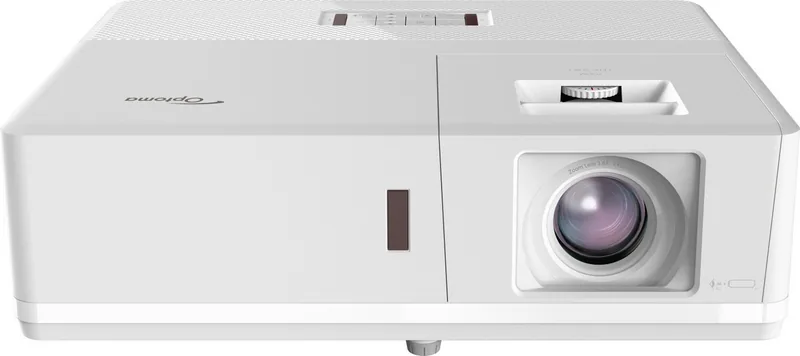
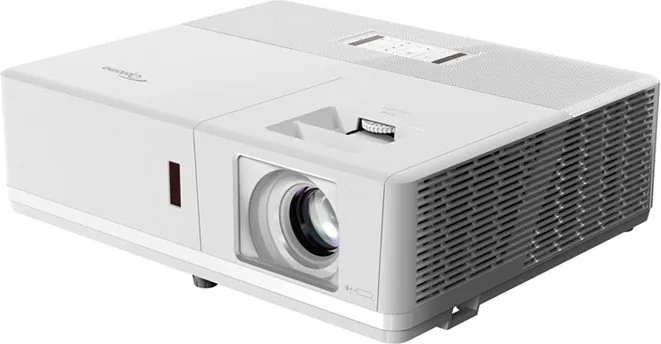
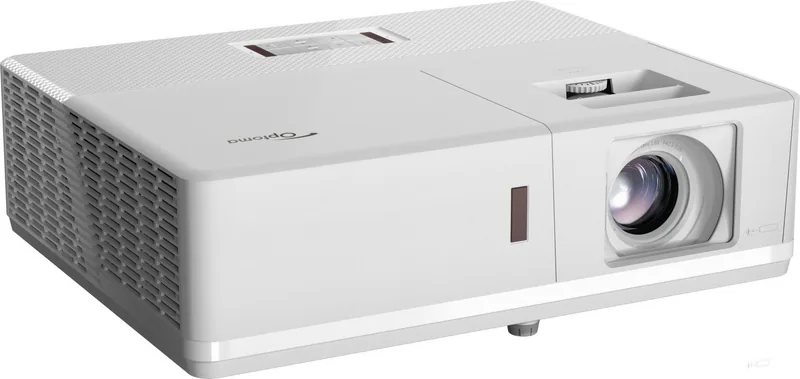
Optoma ZH506 Manual
PDF manual · 69 Pages
English



Quick check
Incorrect answer, please try again.
Chat with your Optoma ZH506 manual using AI
Get instant AI answers from your Optoma ZH506 manual
Ask anything about the Optoma ZH506. Answers come from this manual, with the pages they are based on.
Ask a Question
Do you recommend ZH506?
Yes NoFrequently Asked Questions
It is best suited for meeting rooms, classrooms, presentation spaces, and other environments that need a bright, dependable projector with flexible setup options and modern connectivity.
Is this answer helpful?
It uses laser-based projection, which is designed to reduce maintenance and provide stable brightness over time compared with many lamp-based projectors.
Is this answer helpful?
Yes. It supports front, rear, ceiling-top, and rear-top installation. The projector should remain level and installed in a standard orientation for best performance.
Is this answer helpful?
You can adjust zoom, focus, lens shift, edge mask, aspect ratio, brightness, contrast, gamma, and geometric correction. These tools help fit the image to different screens and rooms.
Is this answer helpful?
Yes. It includes LAN/RJ45 features for web control and compatibility with common control systems such as Crestron, Extron, AMX, and PJLink on supported setups.
Is this answer helpful?
Yes, 3D is supported, but it requires compatible 3D glasses and the correct signal format. Best results depend on using supported timing and source settings.
Is this answer helpful?
Advantages and Disadvantages
Advantages

- Laser light source reduces maintenance and offers consistent brightness over time.
- Supports many image modes, HDR, 3D, and geometry correction for flexible use.
- Strong connectivity options suit presentations, AV setups, and network control.
- Manual zoom, focus, and lens shift make installation easier in different rooms.
Disadvantages

- Not suitable for tilted or non-standard installation positions.
- 3D mode requires compatible glasses and specific signal conditions.
- Dust filter maintenance is needed in dusty environments.
- Some ports and functions vary by model and region, which may limit features.
Product Specification
Type
DLP
Light source
Laser
Resolution (displayable)
Full HD (1920x1080)
Resolution (native)
Full HD (1920x1080)
Brightness
-/5,000/- ANSI Lumen (High/Standard/Eco)
Contrast
300,000:1
Image diagonal
28.35-300.00in
Projection distance
3.28-32.81ft
Throw ratio
1.40:1-2.24:1
Lens-Shift
manual, vertical -99%
Video connections
2x HDMI 1.4a In, MHL, 1x VGA In, 1x VGA Out, 1x Composite Video In
Audio connections
1x Jack Audio In, 1x Jack Audio Out
Other connections
2x USB, 1x RJ-45, HDBaseT, 1x RS-232
Special features
3D ready (active), integrated speaker (2x 10W)
Lamp lifetime
30,000/- /- Hours (Standard/Eco/Eco+)
Noise level
28/-dB(A) (Standard/Eco)
Power consumption
341/190W (Standard/Eco)
Color
white
Dimensions
14.72x4.61x11.89in (WxHxD)
Weight
12.13lb
Product Description
Optoma ZH506 White: A Bright Laser Projector for Flexible Viewing
The Optoma ZH506 white blends professional-grade projection with everyday practicality. Built around DLP laser technology, it is designed for users who want a sharp, reliable image without the routine upkeep associated with traditional lamps. Its clean white finish gives it a discreet look that fits well in meeting rooms, classrooms, training spaces, or a refined home setup.
One of the strongest points of the Optoma ZH506 white is its visual versatility. The projector supports a wide range of image modes, including Presentation, Bright, Cinema, Game, sRGB, and DICOM SIM., making it easier to match the picture to the content. It also includes HDR support, 3D playback options, geometric correction, image shift, zoom, edge mask, and aspect ratio controls, so setup can be tailored to different rooms and screen sizes.
Connectivity is another advantage. Depending on the version, the projector offers HDMI, VGA, composite, audio in/out, RS232, RJ-45, and even HDBaseT on supported configurations. That makes it a practical choice for mixed AV environments where laptops, media players, control systems, and network management all need to work together. The built-in 10W speaker and microphone input add extra convenience for presentations and smaller events.
The Optoma ZH506 white manual also emphasizes ease of installation. It supports front, rear, ceiling-top, and rear-top placement, with manual zoom, focus, and lens shift helping fine-tune the image. A long projection distance range and multiple screen size options make it suitable for both compact and larger spaces. For maintenance, the dust filter can be cleaned periodically, and the network tools allow remote monitoring and control when the unit is integrated into a larger system.
For users who value control and reliability, this projector stands out as a balanced solution. It is built to handle frequent use, offers useful security options, and includes detailed power and network settings for more advanced environments. Whether used for business presentations or content playback, the ZH506 white aims to deliver consistent performance with minimal fuss.
Notes
- Keep vents clear for proper cooling.
- Use the recommended installation orientation only.
- Allow a cooling cycle before unplugging power.
- Clean the dust filter regularly in dusty rooms.
Search for 67,706 Manuals online


Type-in Brand or Model