
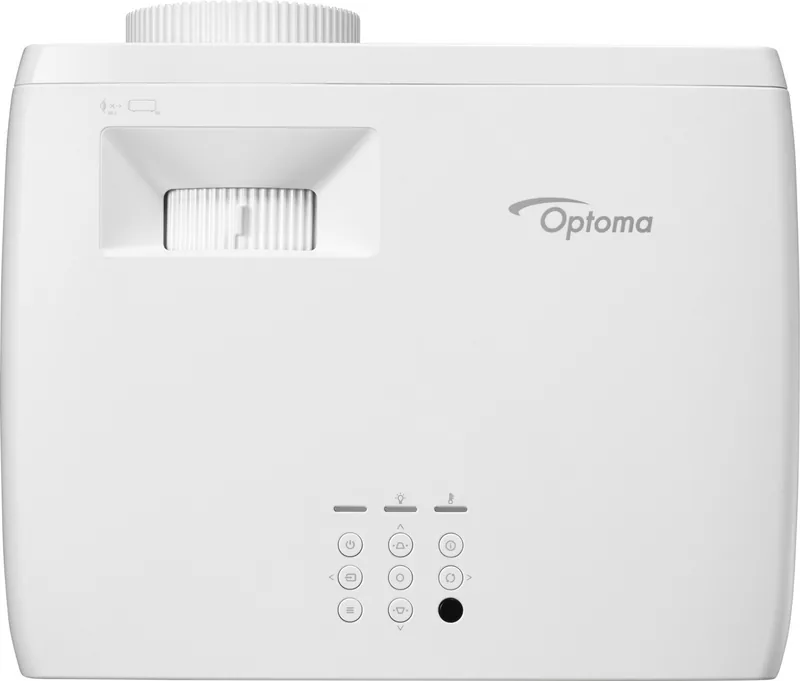
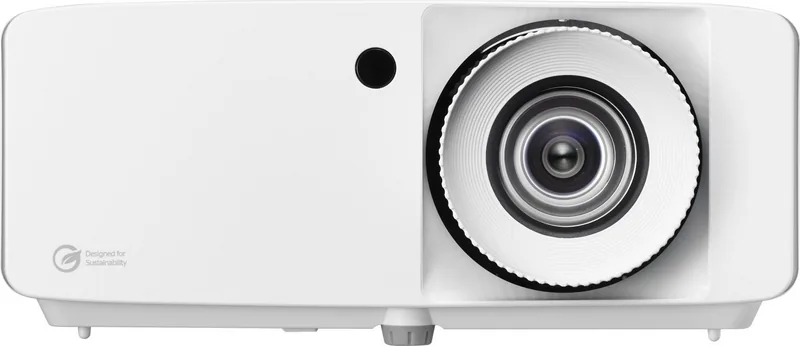
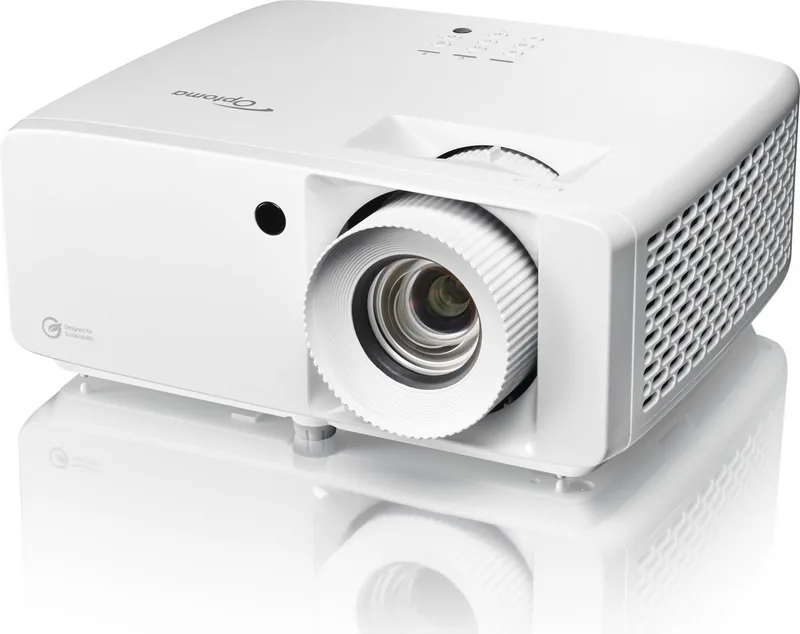
Optoma ZH450 Manual
PDF manual · 73 Pages
English



Quick check
Incorrect answer, please try again.
Chat with your Optoma ZH450 manual using AI
Get instant AI answers from your Optoma ZH450 manual
Ask anything about the Optoma ZH450. Answers come from this manual, with the pages they are based on.
ZH450 Maintenance Schedule
Turn off and unplug projector. Use compressed air to remove dust, then gently wipe with a special lens cloth. Do not use alcohol or solvents.
If optional filter is installed, reset counter after cleaning or replacing it. Filter reminder can be set for 300, 500, 800, or 1000 hours of usage.
Ask a Question
Do you recommend ZH450?
Yes NoFrequently Asked Questions
The projector detects the light source life automatically to maintain consistent performance over time without manual tracking.
Is this answer helpful?
Yes, users can reset settings to factory defaults if adjustments go awry or configuration needs to be restored.
Is this answer helpful?
Connectivity options are extensive, featuring dual HDMI ports supporting HDCP 2.2 for high-definition content and network protocols.
Is this answer helpful?
Network settings can be configured via DHCP or static IP for management via web browsers or specific control protocols.
Is this answer helpful?
Battery requirements for the controller must be CR2025, so you can replace them when they become depleted.
Is this answer helpful?
Proper ventilation is required to prevent overheating and you should ensure air intakes remain clear of obstructions.
Is this answer helpful?
The image size varies based on distance from the screen so measure carefully before final installation placement.
Is this answer helpful?
Advantages and Disadvantages
Advantages

- Advanced laser technology with laser class 1 safety certification for eye protection.
- Extensive connectivity options including dual HDMI ports supporting HDCP 2.2.
- Network functionality allows remote management via web browsers for easy control.
- Geometry correction tools adjust picture shape for non-standard placement setups.
- Comprehensive menu system for deep customization of image settings and gamma.
Disadvantages

- Ventilation intakes must remain clear to prevent overheating issues during operation.
- Lens cleaning requires specific non-abrasive tools to avoid damage to surface.
- Power cycling is necessary if errors occur during operation for recovery.
- Ceiling mounting requires specific screws for safety and structural integrity.
- Regular air filter checks are required to extend the lifespan significantly.
Product Specification
Type
DLP, 1x 0.65"
Light Source
Phosphor Laser
Resolution (displayable)
Full HD (1920x1080)
Resolution (native)
Full HD (1920x1080)
Brightness
4500 ANSI Lumen (High/Standard/Eco)
Contrast Ratio
300,000:1
Projection Size
1.67-26.84 ft
Projection Distance
3.28-32.81 ft
Throw Ratio
1.40:1-2.24:1
Lens Shift
No
Video Inputs
2x HDMI 2.0 Input
Audio Connections
1x 3.5mm Audio Output
Additional Connections
1x USB-A, 1x RJ-45, 1x RS-232
Features
3D ready (active), integrated speaker (1x 15W), vertical projection axis
Lamp Life
30,000 hours (Standard/Eco/Eco+)
Noise Level
31/29 dB(A) (Standard/Eco)
Power Consumption
173/119 W (Standard/Eco)
Color
White
Dimensions
10.79x4.49x8.50in (WxHxD)
Weight
6.61 lbs
Product Description
Optoma ZH450 Overview
The Optoma ZH450 projector brings exceptional clarity to your viewing experience with advanced laser technology. This high-performance device is designed for versatile installations, supporting ceiling, tabletop, and rear projection setups. Users will appreciate the flexible zoom ratios available across different configurations. The device utilizes Texas Instruments DMD technology to ensure vibrant colors and sharp details. Connectivity options are extensive, featuring dual HDMI ports supporting HDCP 2.2 for high-definition content. Network functionality allows for remote management via web browsers or specific control protocols. The onboard menu system offers deep customization for image settings such as brightness, contrast, and gamma. Geometry correction tools help adjust the picture shape for non-standard placement. Safety is paramount, with laser class 1 certification ensuring eye safety during operation. Proper ventilation is required to prevent overheating. Cleaning the lens is straightforward but requires care to avoid damage. This projector supports various resolutions including XGA and 1080p native outputs. It facilitates 3D content with compatible DLP Link glasses. Power management includes standby modes for energy efficiency. Security features allow password protection.
This information provides detailed instructions for setup and maintenance. Refer to the Optoma ZH450 Manual for comprehensive safety warnings regarding voltage and heat. The projector detects the light source life automatically to maintain consistent performance. Users can reset settings to factory defaults if adjustments go awry. Audio output is available via a dedicated jack for external speakers. The unit supports multiple aspect ratios to match your screen dimensions. Calibration features help fine-tune the image for professional results. Wireless connectivity options depend on the specific model configuration. Firmware updates can be performed through the USB port. The power consumption is optimized for long-term use. Environmental factors like humidity and temperature affect operation. The ventilation intakes must remain clear of obstructions. Lens cleaning requires specific non-abrasive tools. Network settings can be configured via DHCP or static IP. Integration with Crestron or AMX systems is supported for large AV installations.
The remote control range is effective up to six meters without obstruction. Battery requirements for the controller must be CR2025. Power cycling is necessary if errors occur during operation. Ensure the lamp is cooled before unplugging. Warranty information is handled through authorized dealers. The display output supports high refresh rates for gaming. Input lag is reduced significantly in game mode. Color temperature can be adjusted for warm or cool tones. If problems persist, contact the support center directly. Compatibility with various media sources ensures broad utility. The image size varies based on distance from the screen. Installation height affects the projection angle. Ceiling mounting requires specific screws for safety. Regular air filter checks extend the lifespan significantly.
Search for 67,706 Manuals online


Type-in Brand or Model