
Optoma ZH430UST Manual
PDF manual · 69 Pages
English



Quick check
Incorrect answer, please try again.
Chat with your Optoma ZH430UST manual using AI
Get instant AI answers from your Optoma ZH430UST manual
Ask anything about the Optoma ZH430UST. Answers come from this manual, with the pages they are based on.
ZH430UST Maintenance Schedule
Turn off and unplug projector. Use compressed air to remove dust, then gently wipe with a special lens cloth. Do not use alcohol or solvents.
If optional filter is installed, monitor usage hours via OSD. Reset the filter counter after cleaning or replacing the dust filter.
Ask a Question
Do you recommend ZH430UST?
Yes NoFrequently Asked Questions
The ultra short throw design supports large images at close range. The WXGA version is specified for roughly 88 to 117 inches, while the 1080p version is specified for approximately 90 to 120 inches. Exact positioning depends on the selected screen size and installation geometry.
Is this answer helpful?
The 1080p version has a native resolution of 1920 x 1080. A separate WXGA version has a native resolution of 1280 x 800. Confirm which version is being supplied, because resolution, HDMI specifications, HDR support, and some other functions vary by model.
Is this answer helpful?
Yes. Its LAN connection supports browser-based control and remote management. It also supports Crestron, Extron, AMX device discovery, PJLink, Telnet, HTTP, and RS-232 based control, making it suitable for integrated AV systems.
Is this answer helpful?
The 1080p model includes Game Mode. At a 1080p, 120 Hz input, it can reduce input lag to 8.6 ms. Geometry correction functions such as keystone and four-corner adjustment are unavailable while Game Mode is enabled.
Is this answer helpful?
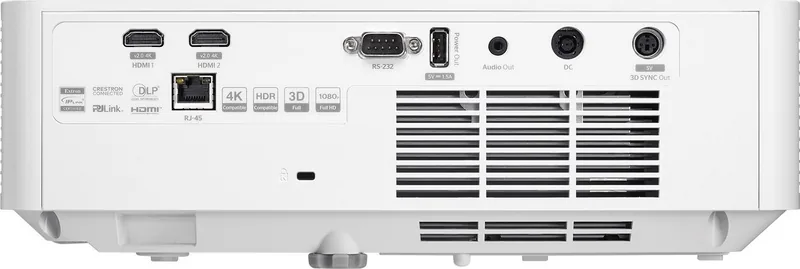
Connections include two HDMI ports, a USB Type-A power output rated at 5 V and 1.5 A, 3.5 mm audio output, RS-232, and RJ-45 LAN. The 1080p version also provides a 3D sync output.
Is this answer helpful?
Yes, it supports compatible DLP-Link 3D content and selectable formats including side-by-side, top-and-bottom, and frame-sequential. The input must use supported timing, and 3D viewing requires compatible glasses. The manual notes that 4K resolution is not supported in 3D mode.
Is this answer helpful?
Advantages and Disadvantages
Advantages

- Ultra short throw design produces a 90 to 120 inch image from a very short distance.
- Full HD model supports 1080p, HDR/HLG content, 3D, and up to 120 Hz input.
- Game Mode can reduce input lag to 8.6 ms at 1080p and 120 Hz.
- LAN, RS-232, Crestron, Extron, AMX, PJLink, Telnet, and web control suit managed installations.
- Four-corner correction, keystone, digital zoom, and image shift aid setup alignment.
Disadvantages

- WXGA and 1080p capabilities differ, so buyers must verify the exact model before purchase.
- Game Mode disables geometric correction features.
- Digital zoom can reduce image quality compared with optical adjustment.
- 3D sync output is available only on the 1080p model.
- The projector requires clear ventilation space and operates only from 0 to 40 C.
Product Specification
Type
DLP
Light source
Phosphor laser
Resolution (supported)
Full HD (1920x1080)
Resolution (native)
Full HD (1920x1080)
Brightness
-/4,000/- ANSI lumens (High/Standard/Eco)
Contrast
300,000:1
Image diagonal
79.92-129.92 in
Projection distance
7.87-15.75 in
Throw ratio
0.25:1
Lens shift
No
Video connections
2x HDMI 2.0 in
Audio connections
1x 3.5 mm audio out
Other connections
1x USB, 1x RJ-45, 1x RS-232
Special features
3D ready (active), integrated speaker (1x 15 W), vertical projection axis
Lamp life
20,000/-/- hours (Standard/Eco/Eco+)
Noise level
32/- dB(A) (Standard/Eco)
Power consumption
173/- W (Standard/Eco)
Color
White
Dimensions
12.87x4.29x12.87 in (WxHxD)
Weight
8.60 lb
Manufacturer warranty
3 years
Product Description
Optoma ZH430UST Manual: Ultra Short Throw Laser Projection
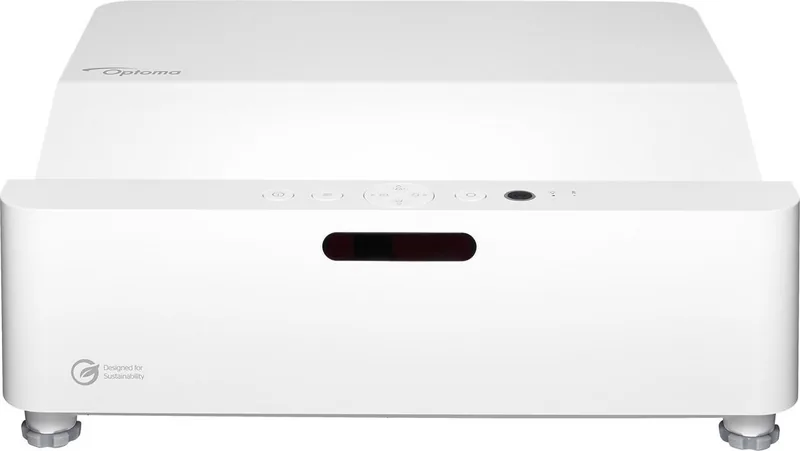
The Optoma ZH430UST is designed for large, bright presentations in rooms where space is limited. Its ultra short throw lens can create an image from approximately 90 to 120 inches while positioned very close to the projection surface. This makes it a practical choice for classrooms, meeting rooms, retail displays, and compact home entertainment spaces where a long projection path would be inconvenient.
This laser projector is available in WXGA and Full HD 1080p versions, with the 1080p model supporting 1920 x 1080 native resolution. Both versions use a DLP projection system and offer flexible installation options, including front, rear, ceiling-front, and ceiling-rear placement. The 360-degree installation capability gives installers more freedom when planning permanent display setups.
The Optoma ZH430UST Manual highlights a broad set of image controls for matching the projector to different sources and environments. Users can select modes for cinema, gaming, sports, vivid presentations, reference color, and high-brightness viewing. Brightness, contrast, sharpness, gamma, color temperature, wall color, and BrilliantColor settings can all be adjusted through the on-screen menu. Dynamic Black is also available to improve perceived contrast in suitable content.
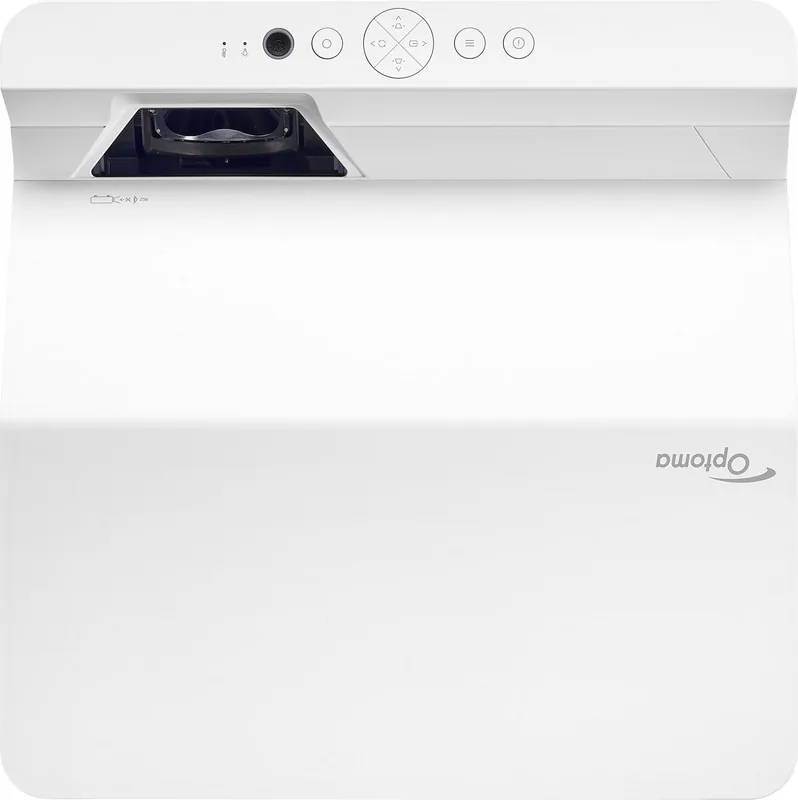
For alignment, the projector includes vertical and horizontal keystone correction, four-corner correction, digital zoom, and image shift. These tools help compensate for less-than-perfect placement, although careful physical positioning remains the best way to preserve image quality. A focus lever and adjustable feet make basic setup straightforward.
Connectivity includes two HDMI inputs, USB power output, audio output, RS-232, and LAN. The Full HD version also includes a 3D sync output and supports compatible DLP-Link 3D viewing. Network control is a strong feature for professional installations, with support for web-based management, Crestron, Extron, AMX device discovery, PJLink, Telnet, and HTTP control. Administrators can monitor status, configure network settings, and set up email alerts.
Gaming support is another notable feature on the 1080p version. Game Mode can reduce input lag to 8.6 ms at 1080p and 120 Hz, though geometry correction functions are disabled while this mode is active. The projector also supports HDR and HLG processing on the 1080p model for compatible HDMI content.
Note: Keep ventilation openings clear, allow the projector to cool before disconnecting power, and never look directly into the laser beam. The unit is rated as a Class 1 laser product in Risk Group 2.
Key Takeaway
The Optoma ZH430UST combines ultra short throw convenience, laser illumination, extensive picture adjustment, and robust network control for demanding small-room installations.
Search for 67,706 Manuals online


Type-in Brand or Model