
Optoma W461 Manual
PDF manual · 75 Pages
English



Quick check
Incorrect answer, please try again.
Chat with your Optoma W461 manual using AI
Get instant AI answers from your Optoma W461 manual
Ask anything about the Optoma W461. Answers come from this manual, with the pages they are based on.
W461 Maintenance Schedule
Replace the lamp immediately when a warning message appears or the lamp reaches end of life. Ensure the projector has cooled for at least 30 minutes before replacement.
After replacing the lamp, reset the lamp counter to zero via the Options menu under Lamp Settings to accurately track the new lamp's life.
Ask a Question
Do you recommend W461?
Yes NoFrequently Asked Questions
The W461 supports HDMI (two ports, one with MHL), VGA in/out, composite video, RS-232, USB (media, reader, mouse/service, display), audio in/out, and RJ-45 for network control.
Is this answer helpful?
Connect via RJ-45 and configure DHCP or static IP in the Network/LAN OSD. The projector supports Crestron, Extron, AMX device discovery, PJLink, Telnet and HTTP for remote control and monitoring; firewall settings or Telnet client may need enabling on PCs.
Is this answer helpful?
Lamp modes (Bright, Eco, Dynamic, Eco+) adjust lamp power: Bright gives maximum luminance; Eco and Eco+ lower power and extend lamp life; Dynamic adapts lamp power to scene brightness between ~30–100% to save energy and prolong lamp life.
Is this answer helpful?
Yes. Wired mirroring works via USB (iOS mirroring or Android tethering + HDCast Pro). Wireless mirroring requires the optional Wi‑Fi dongle and the HDCast Pro app; supported OS versions vary (recent iOS, Android 5.0+, macOS, Windows).
Is this answer helpful?
Power off and cool the unit (~30 min), remove the lamp compartment screws, replace the lamp module, reconnect and then use Menu → Setup → Lamp Settings → Lamp Reset → Yes to reset the lamp counter.
Is this answer helpful?
You can use vertical and horizontal keystone, four‑corner geometric correction, image shift, zoom and aspect ratio settings in the Display → Geometric Correction and Image Settings menus to correct distortion and position.
Is this answer helpful?
If the lamp LED indicates end of life and the projector won’t restart, replace the lamp module with a genuine Optoma lamp, ensure it’s seated properly, then perform Lamp Reset in the OSD; contact service if errors persist.
Is this answer helpful?
Advantages and Disadvantages
Advantages

- Broad input connectivity: HDMI (incl. MHL), VGA, USB (media/display), RS-232 and RJ-45 for flexible installation.
- Advanced image controls: geometric correction, color matching, BrilliantColor and multiple display presets.
- Network and remote management: supports Crestron, Extron, AMX, PJLink, Telnet and HTTP for enterprise control.
- Multiple lamp modes (Bright, Eco, Dynamic, Eco+) to balance brightness, energy use and lamp lifespan.
- Mobile mirroring options via HDCast Pro and optional Wi‑Fi dongle for BYOD presentations.
Disadvantages

- Lamp-based design requires periodic lamp replacement and generates heat/noise during cooling cycles.
- Some advanced features (wireless dongle, HDMI Link behavior, network functions) vary by region or option.
- Geometric correction and keystone adjustments may reduce native resolution or require manual fine-tuning.
- 3D and wide-screen compatibility depend on source timing and device support; configuration may be complex.
- Certain USB/document formats and large multimedia files have size or format limitations (e.g., PPT animations unsupported).
Product Specification
Type
DLP
Light source
Lamp
Resolution (displayable)
WXGA (1280x800)
Resolution (native)
WXGA (1280x800)
Brightness
-/5000/- ANSI Lumen (High/Standard/Eco)
Contrast
20,000:1
Image diagonal
3.08-17.03 ft
Projection distance
4.04-18.47 ft
Throw ratio
1.28:1-1.54:1
Lens-Shift
no
Video connections
2x HDMI 1.4a In, MHL, 1x VGA In, 1x VGA Out, 1x Composite Video In
Audio connections
1x Jack Audio In, 1x Jack Audio Out
Other connections
2x USB, 1x RJ-45, 1x RS-232
Special features
3D ready (active), integrated speaker (1x 10W)
Lamp lifespan
3500/3500/4500 hours (Standard/Eco/Eco+)
Noise level
-/29dB(A) (Standard/Eco)
Power consumption
350/-W (Standard/Eco)
Dimensions
13.58x4.29x8.50 in (WxHxD)
Weight
6.50 lb
Product Description
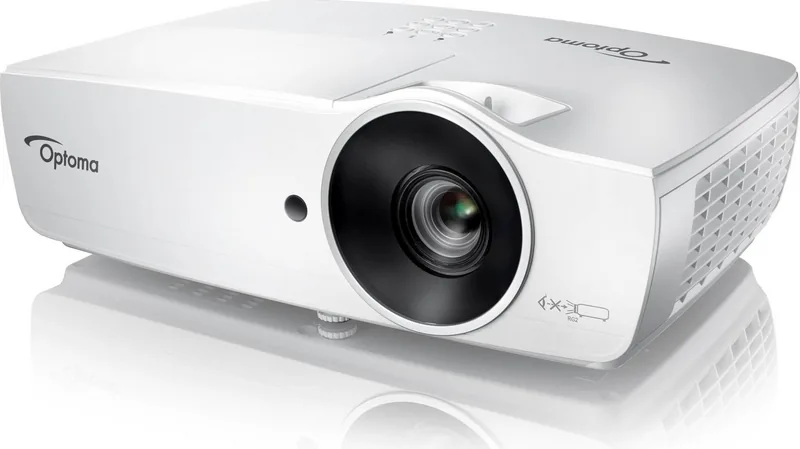
Optoma W461 — Bright, Flexible DLP Projector
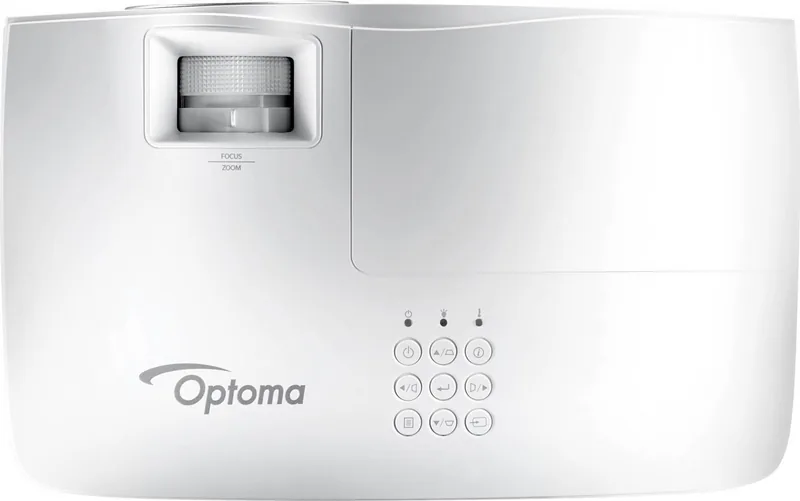
The Optoma W461 is a versatile DLP projector built for classrooms, meeting rooms, and small home theaters. With support for high resolutions up to 1920x1080, multiple input options (HDMI, VGA, USB, network) and robust image controls, it balances brightness and color fidelity for varied environments. Its lamp-based design offers selectable lamp modes (Bright, Eco, Dynamic, Eco+) to optimize brightness, power consumption, and lamp life, while an integrated cooling system and high-altitude fan settings keep thermal performance stable.
Installation and connectivity are straightforward: the W461 includes HDMI (with MHL support on a secondary port), VGA in/out, audio in/out, USB for media and USB Display, RS-232, and RJ-45 for network management. LAN features enable remote control via Crestron, Extron, AMX, PJLink, Telnet and HTTP, plus HDMI-CEC (HDMI Link) to coordinate power with connected devices. Wireless mirroring and mobile device casting are supported via Optoma’s HDCast Pro app and optional Wi‑Fi dongle for flexible BYOD presentations.
Image setup is highly configurable. The projector offers multiple display modes (Presentation, Cinema, sRGB, Blackboard, DICOM SIM, User, 3D), geometric correction (four-corner, horizontal/vertical keystone), zoom/image shift, and advanced color controls including BrilliantColor, color temperature, RGB gain/bias, and color matching per hue. On-screen menus are multilingual and support custom input naming, logo capture for startup screens, and menu lock options.
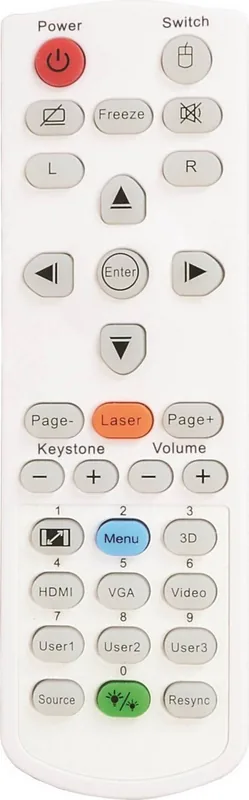
User controls include a full-featured remote with USB mouse emulation, laser pointer, and direct-source buttons. The W461 supports true 3D input formats (HDMI 1.4/1.3 compatibility per timing tables) and includes various test patterns, audio mute, internal speaker control and external audio output. A detailed lamp replacement procedure and lamp life warnings are provided; lamp reset and reminder settings are available in the OSD.
Operational safety and maintenance are emphasized: ventilation clearances, eye-safety warnings, environmental operating limits (5–40°C, 10–85% non-condensing), and remote/keyboard lock options. Troubleshooting guidance, LED status indicators, and extensive appendices (compatible resolutions, control command sets, and network configuration) make system integration and support easier.
Notes:
- Ideal for educational and corporate settings needing reliable brightness, network control and multiple signal options.
- Requires periodic lamp replacement; use genuine Optoma lamp modules and follow the cooling/cap procedures.
- Network features depend on regional firmware/options and may require enabling DHCP/static IP and firewall adjustments.
Search for 67,706 Manuals online


Type-in Brand or Model