
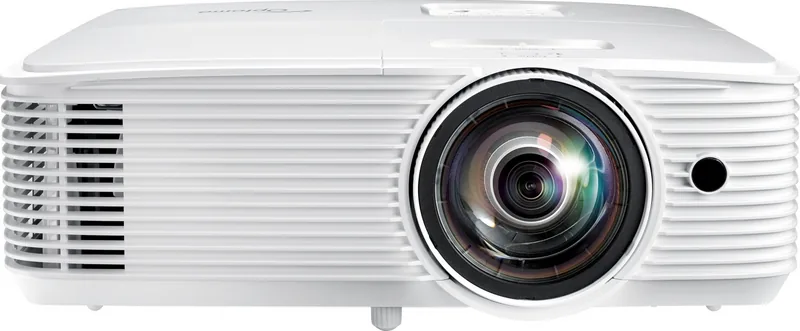
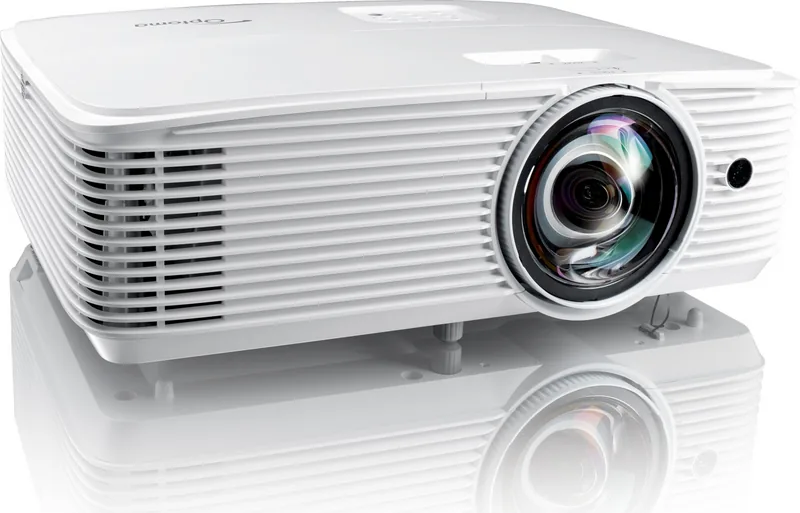
Optoma W309ST Manual
PDF manual · 74 Pages
English



Quick check
Incorrect answer, please try again.
Chat with your Optoma W309ST manual using AI
Get instant AI answers from your Optoma W309ST manual
Ask anything about the Optoma W309ST. Answers come from this manual, with the pages they are based on.
W309ST Maintenance Schedule
Clean the dust filter every three months. Clean it more often if the projector is used in a dusty environment.
Replace the lamp when the warning message 'Lamp life exceeded' appears or after contacting your reseller for service.
Free maintenance reminders
Timed to your purchase date. Always free, unsubscribe anytime.
Ask a Question
Do you recommend W309ST?
Yes NoFrequently Asked Questions
The projector supports diagonal screen sizes ranging from approximately 32 inches up to over 300 inches depending on the throw distance and lens configuration.
Is this answer helpful?
Navigate to the Setup menu, select Lamp Settings, choose Lamp Reset, and confirm with Yes to restart the hour counter.
Is this answer helpful?
Yes, the W309ST supports 3D formats including Side-by-Side, Top-and-Bottom, and Frame Sequential when used with compatible 3D glasses.
Is this answer helpful?
If the temperature gets too high, the Temp LED will flash red and the projector may shut down automatically to protect internal components.
Is this answer helpful?
Yes, the dust filter is designed to be cleaned regularly using a soft brush or vacuum to maintain airflow and prevent overheating.
Is this answer helpful?
Yes, Type 2 models support LAN control via Crestron, Extron, AMX, PJLink, Telnet, and HTTP protocols for remote management.
Is this answer helpful?
The fans continue to run for about 10 seconds after shutdown to cool the lamp before the unit fully enters standby mode.
Is this answer helpful?
Advantages and Disadvantages
Advantages

- Short-throw design saves space while delivering large images
- Supports Full HD resolution and 3D content for immersive viewing
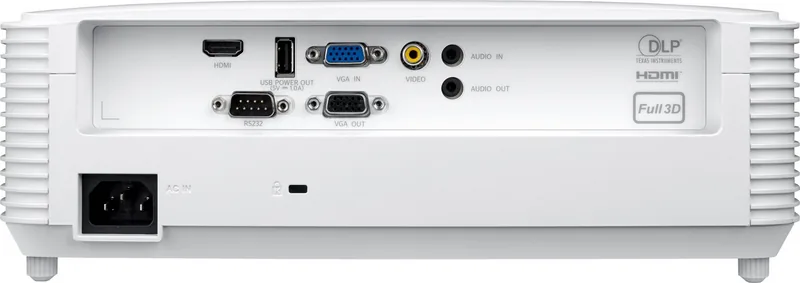
- Versatile connectivity with HDMI, VGA, USB, and audio inputs
- Intuitive OSD menu with extensive image and setup customization
- Eco mode extends lamp life and reduces power consumption
Disadvantages

- Lamp replacement requires careful handling and cooling time
- Some advanced network features only available on Type 2 models
- Remote control range may be limited by obstacles or direct sunlight
- Dust filter cleaning required periodically in high-dust environments
- No built-in battery for portable use without external power
Product Specification
Type
DLP, 1x 0.65"
Light source
Lamp
Resolution (displayable)
WXGA (1280x800)
Resolution (native)
WXGA (1280x800)
Brightness
3800 ANSI Lumens (High/Standard/Eco)
Contrast
25,000:1
Screen size
3.0-25.3 ft
Throw distance
1.3-11.2 ft
Throw ratio
0.52:1
Lens shift
No
Video connections
1x HDMI 1.4a In, 1x VGA In, 1x Composite Video In
Audio connections
1x 3.5mm Audio In, 1x 3.5mm Audio Out
Other connections
1x USB 2.0, 1x RS-232
Features
3D ready (active), built-in speaker (1x 10W)
Lamp life
6,000/10,000/15,000 hours (Standard/Eco/Eco+)
Noise level
28/26 dB(A) (Standard/Eco)
Power consumption
225/187 W (Standard/Eco)
Dimensions
12.4x4.3x9.6 in (WxDxH)
Weight
6.6 lbs
Product Description
Optoma W309ST: The Ultimate Short-Throw Experience
The Optoma W309ST projector redefines home entertainment and professional presentations with its impressive short-throw capabilities. Designed for spaces where screen distance is limited, this device delivers a massive image from just a few feet away. Whether you are setting up a home theater in a cozy living room or conducting business meetings in a compact conference room, the W309ST ensures clarity and impact without compromising on space.
At the heart of this performance is DLP technology, which provides vibrant colors and sharp details. The projector supports Full HD resolution, ensuring that every frame of your favorite movie or slide deck looks crisp and professional. Its versatile connectivity options include HDMI, VGA, and USB ports, allowing seamless integration with laptops, gaming consoles, and media players. The inclusion of 3D support adds another layer of immersion, transforming standard content into an engaging visual spectacle.
Installation is straightforward thanks to the flexible mounting options. You can place it on a table, mount it on the ceiling, or even use it in rear projection mode. The built-in keystone correction simplifies alignment, correcting distortion caused by angled placement. Users appreciate the intuitive on-screen display menu, which offers extensive customization for brightness, contrast, color temperature, and aspect ratios. Power management features like Eco mode help extend lamp life while reducing energy consumption.
Maintenance is equally user-friendly. The projector includes a washable dust filter to protect internal components in dusty environments. A clear warning system alerts users when the lamp needs replacement, ensuring uninterrupted viewing. With robust safety features and compliance with international standards, the Optoma W309ST stands out as a reliable choice for diverse applications.
Notes:
- Always allow the unit to cool down before handling the lamp module.
- Ensure proper ventilation to prevent overheating during extended use.
- Regularly clean the air filter to maintain optimal performance.
Search for 67,706 Manuals online


Type-in Brand or Model