
Optoma UHZ55 Manual
PDF manual · 74 Pages
English



Quick check
Incorrect answer, please try again.
Chat with your Optoma UHZ55 manual using AI
Get instant AI answers from your Optoma UHZ55 manual
Ask anything about the Optoma UHZ55. Answers come from this manual, with the pages they are based on.
Ask a Question
Do you recommend UHZ55?
Yes NoVideo Manual
Optoma UHZ55 Smart 4K UHD Laser Home Projector
Frequently Asked Questions
The UHZ55 projects native 4K UHD imagery via DMD/XPR at 3840×2160 up to 60Hz and supports HDR and HLG decoding. HDR behavior can be set to Auto or Off; Auto enables HDR when compatible content is detected (e.g., 4K Blu‑ray, HDR streaming, HDR games).
Is this answer helpful?
Enable Enhanced Gaming mode on HDMI1 to dramatically lower input latency (examples: 1080p240 ≈ 4.4ms, 1080p120 ≈ 8.6ms). Note that enabling Enhanced Gaming disables geometry corrections (keystone, 4‑corner, 3x3 warp) and some image transforms to minimize processing delay.
Is this answer helpful?
The projector supports front/rear table and ceiling installs (four orientations). Maintain at least 30cm clearance around intake/exhaust vents and follow the projection distance table for screen sizes. Non‑standard orientations void warranty and can shorten lifetime.
Is this answer helpful?
HDMI1 provides eARC/ARC audio and is the primary low‑latency port. HLG is supported on HDMI1 and HDMI2. 3D support depends on source and timing; consult the timing tables—HDMI1/HDMI2 support frame packing; HDMI2/VGA support other 3D formats.
Is this answer helpful?
Power off and unplug before cleaning; let the unit cool. Use compressed air and a dedicated lens cloth—do not touch the lens with fingers or use alcohol/solvents. Observe laser safety: never stare into the beam and supervise children when projector is on.
Is this answer helpful?
Yes—Optoma Connect integration supports Alexa and Google Assistant voice control for basic power and smart functions. Follow Optoma Connect setup guides for linking and enabling voice actions.
Is this answer helpful?
The projector supports a broad range of video, audio, image, and document formats (H.264/H.265, MP4, MKV, MP3, AAC, JPEG/PNG, PDF, PowerPoint, Word, Excel). File size and advanced features (animations, embedded objects) may have limitations; large files may take longer to decode.
Is this answer helpful?
Advantages and Disadvantages
Advantages

- True 4K UHD imaging (3840×2160 via XPR) with HDR and HLG support for vivid cinematic color.
- Laser light source with selectable brightness modes and long operational life for consistent output.
- Extensive image controls (ISF, four-corner, 3x3 warp, BrilliantColor, RGB gain/bias) for professional calibration.
- Low input lag Enhanced Gaming mode (single-digit ms for select 1080p signals) ideal for competitive gaming.
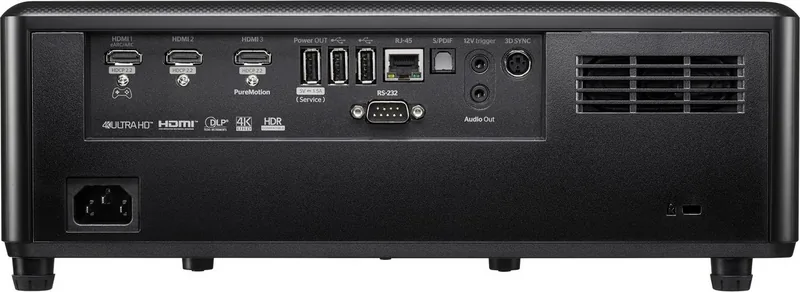
- Comprehensive connectivity: 3×HDMI 2.0 (eARC/ARC), S/PDIF, USB, RJ-45, RS-232 and smart Android features.
Disadvantages

- Enhanced Gaming disables geometric correction and some image transforms, limiting setup flexibility.
- Some advanced features (ISF modes, PureMotion) may require additional setup and can be grayed out with HDR.
- Full HDR/HLG behavior depends on source and HDMI port configuration; compatibility nuances may confuse users.
- High-end features and laser brightness can increase overall system cost and integration complexity.
- Large or long HDMI runs may need active fiber or premium cables to avoid signal issues.
Product Specification
Type
DLP, 1x 0.47"
Light source
Laser
Resolution (displayable)
Ultra HD (3840x2160)
Resolution (native)
Full HD (1920x1080)
Brightness
-/3,000/- ANSI Lumen (High/Standard/Eco)
Contrast
2,500,000:1
Screen diagonal
34.25-302.36 in
Projection distance
3.94-26.57 ft
Throw ratio
1.21:1-1.59:1
Lens shift
manual, vertical -0% +10%
Video connectors
3x HDMI 2.0 In
Audio connectors
1x Digital Audio In (optical), 1x Jack Audio Out
Other connectors
3x USB 2.0, 1x RJ-45, 1x RS-232
Wireless
Wi-Fi 5 (WLAN 802.11a/b/g/n/ac)
Special features
3D ready (active), 4K-Upscaling, HDR, integrated speaker (2x 10W), Pixel-Shift, Rec.709 color space calibration
Lamp life
30,000/-/- hours (Standard/Eco/Eco+)
Noise level
29/27dB(A) (Standard/Eco)
Power consumption
230/175W (Standard/Eco)
Dimensions
13.27x4.84x10.43 in (WxHxD)
Weight
10.58 lb
Product Description
Optoma UHZ55: Powerful 4K Laser Projection
Step into a world of bright, precise home cinema and gaming with the Optoma UHZ55. This 4K UHD laser projector blends high-resolution imaging, flexible installation, and smart features to deliver cinematic color, deep contrast, and low-latency performance for movies, sports, and competitive gaming. Tailored for living rooms and dedicated theaters alike, the UHZ55 offers robust connectivity, extensive image controls, and long-lasting laser illumination.
Key product highlights
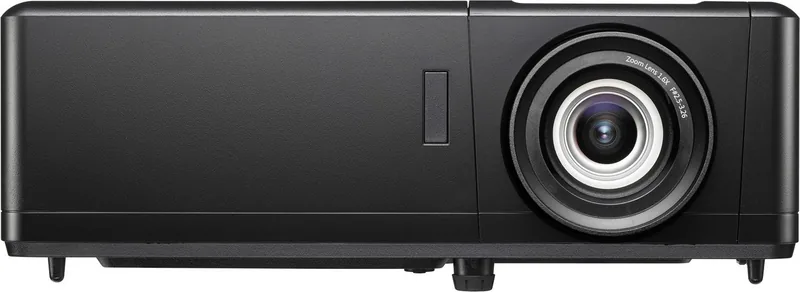
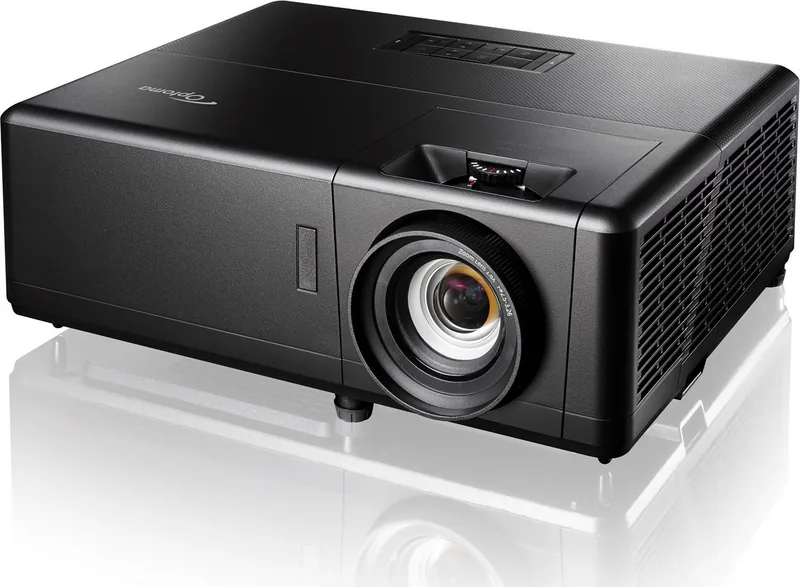
Optoma’s UHZ55 uses a 0.47" 4K DMD with XPR to render 3840×2160 imagery at up to 60Hz while supporting a wide set of input timings and HDR/HLG processing. The laser light source provides stable brightness with selectable power modes (Dynamic, Eco, Constant Power/Luminance) and long operational life. Lens features include 1.3x zoom, lens shift, and a fast focus ring for easy setup. Optoma includes extensive geometric correction tools—four-corner, keystone, 3x3 warp—and PureMotion frame interpolation for smoother motion when desired.
Connectivity and smart features
Three HDMI 2.0 inputs with HDCP 2.2, eARC/ARC support, S/PDIF, USB ports for dongles and media, RJ-45 for network and OTA updates, RS-232, 12V trigger and 3D sync make the UHZ55 versatile for modern AV systems. Built-in Android-powered smart features, Optoma Marketplace, Creative Cast and Wi‑Fi options enable streaming and screen mirroring. The projector also supports Alexa and Google Assistant integration for voice control.
Image and audio performance
Multiple calibrated display modes (Cinema, Reference, HDR, HLG, Game, ISF Day/Night), advanced color controls (BrilliantColor, RGB gain/bias, color matching), and HDR picture modes let you tailor output for accuracy or punchy brightness. Enhanced Gaming mode reduces input lag dramatically (down to single-digit ms for 1080p240/120 signals) on HDMI1. Audio options include an 8W internal speaker and selectable digital output formats via S/PDIF/eARC.
Installation and usability
Designed for table or ceiling install with four orientation options. The compact body includes tilt feet, Kensington lock port, and recommended clearances for ventilation. A comprehensive on-screen menu, remote control, IR receivers, and RS-232/LAN control provide integrator-friendly setup and automation compatibility.
Final thoughts
The Optoma UHZ55 is a full-featured 4K laser projector aimed at enthusiasts who want true 4K imaging, HDR support, advanced calibration tools, and low-latency gaming modes. With flexible mounting, broad format support, and smart connectivity, it suits home theaters, living rooms, and pro-AV installations seeking reliable long-term performance.
Notes
- Enhanced Gaming disables certain geometry functions to prioritize lowest input lag. 4K/60 HDR content is supported; HDR behavior depends on Auto settings.
- Use premium or active fiber HDMI cables for long runs.
- Follow laser safety and ventilation guidelines: do not stare into the beam and allow required clearances.
Optoma UHZ55 Manual: consult the manual for installation distances, supported timing lists, and full OSD/feature details.
Search for 67,706 Manuals online


Type-in Brand or Model