
Optoma UHDCast Pro Manual
PDF manual · 22 Pages
English



Quick check
Incorrect answer, please try again.
Chat with your Optoma UHDCast Pro manual using AI
Get instant AI answers from your Optoma UHDCast Pro manual
Ask anything about the Optoma UHDCast Pro. Answers come from this manual, with the pages they are based on.
Ask a Question
Do you recommend UHDCast Pro?
Yes NoFrequently Asked Questions
Connect the HDMI connector to your projector. Then connect the Type-C Power Connector to an external 5V DC power supply. Ensure the current is at least 1.5A for stable operation before turning on the projector.
Is this answer helpful?
The software supports Android 5 and above, iOS 10 and above, Windows 7 and above, Mac OS 10.11 and after, and Chrome OS allowing flexible casting from multiple platforms.
Is this answer helpful?
The adapter supports output resolutions up to 4096x2160@24Hz and 3840x2160 at various frame rates including 60Hz, 50Hz, and 24Hz for high definition content.
Is this answer helpful?
The password can be found in the top right corner of the projector screen after you turn on the projector and select the correct HDMI source.
Is this answer helpful?
The warranty covers defects in materials and workmanship under normal use for a period of One Year from the date of original purchase. Proof of purchase is required.
Is this answer helpful?
A DC 5V power supply with at least 1.5A current is required. The Type-C connector should be used for power input to ensure proper functionality.
Is this answer helpful?
Yes, connect the device to your router after connecting to the UHDCastPro SSID via the EZCast Pro app to access the internet and network resources.
Is this answer helpful?
Advantages and Disadvantages
Advantages

- Supports up to 4K Ultra HD resolution for crystal clear visuals on large screens.
- Compatible with Android, iOS, Windows, Mac, and Chrome OS devices for cross platform use.
- Utilizes WiFi 802.11ac for high bandwidth streaming performance and fast connectivity.
- Simple setup using the EZCast Pro application on mobile devices and computers.
- HDMI 1.4 output ensures standard connectivity with most projectors and display equipment.
Disadvantages

- Requires an external 5V 1.5A power supply for constant operation.
- Wireless password is found on the projector screen only and not app.
- Specific to Optoma projectors for full functionality integration.
- Consumable items like batteries are not covered by the warranty policy.
- Only supports 5GHz WiFi frequency for data transmission and connection.
Product Specification
Type
WLAN Adapter/Module
Product Description
Experience Seamless Wireless Casting with Optoma UHDCast Pro
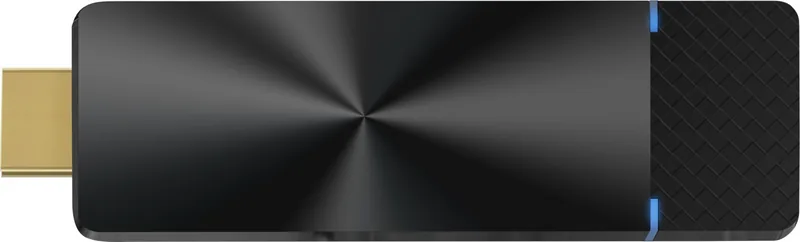
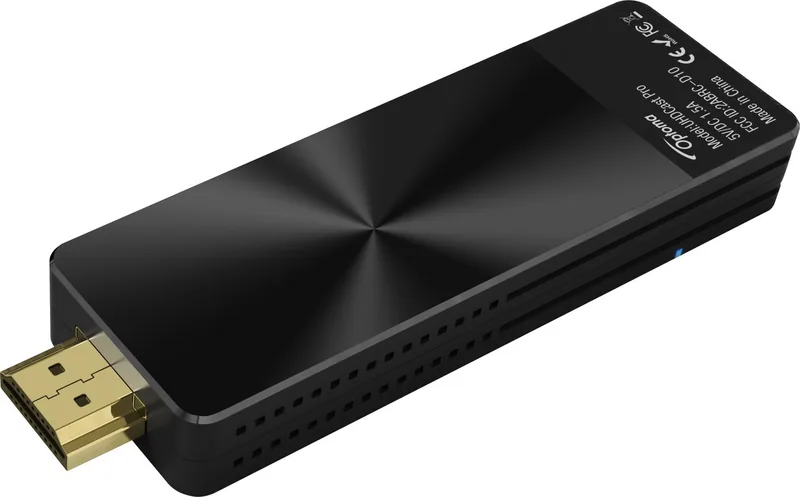
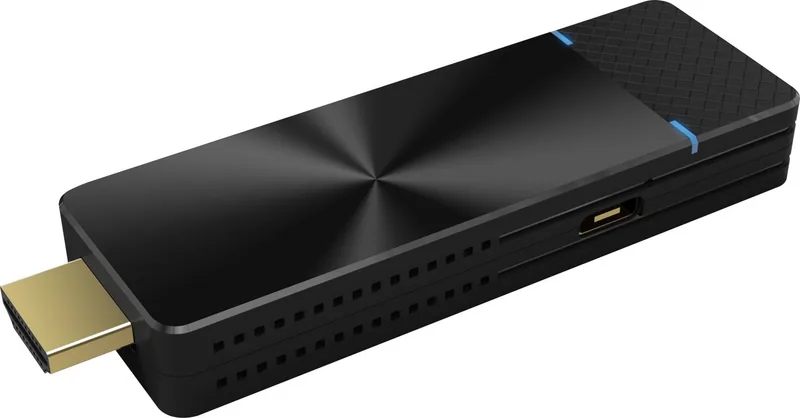
Presenting content wirelessly has never been easier with the Optoma UHDCast Pro WLAN Adapter. This device transforms your projector into a smart display receiver allowing users to mirror screens from various platforms globally. Many professionals search the Optoma UHDCast Pro WLAN Adapter Manual during initial installation to ensure correct network configuration and setup steps. The adapter connects directly to the HDMI port of compatible projectors and draws power from a standard USB type-C external supply for functionality.
Once connected, users must download the EZCast Pro application on their mobile device or computer to initiate casting sessions smoothly. The software supports Windows, Mac, iOS, Android, and Chrome OS systems widely across the enterprise. This broad compatibility ensures everyone in the meeting room can share content regardless of their personal operating system choice used for the presentation. The interface allows simple device searching and quick connection to the specific UHDCast Pro SSID network broadcasted securely by the hardware unit.
Video quality remains a high priority for professional presentations and educational settings requiring visual clarity. The adapter supports resolutions up to 3840x2160 at varying refresh rates for sharp image display. It handles H.264 and H.265 decoding streams efficiently with minimal latency during streaming activities. A shielded cable connection maintains FCC compliance and reduces electromagnetic interference during heavy data transmission sessions for uninterrupted viewing experiences. LED indicators provide clear visual feedback on power and WiFi status continuously throughout daily operation cycles.
Power consumption is extremely low making it highly efficient for long meetings or all-day business events. The device consumes approx five watts during active casting and approx two watts in standby mode to save energy and reduce heat. Warranty coverage lasts one year against defects in material or workmanship under normal use conditions for the original purchaser as stated in policy. Users must retain proof of purchase for any future repair claims or replacement services without delay. Avoid using unshielded cables to prevent voiding FCC compliance regulations and ensuring signal safety significantly.
Note: Ensure the power supply provides at least 1.5A current for stable and reliable performance always. Note: Reset the device by holding the button for six seconds if persistent connection issues arise frequently. Note: Do not throw the electronic device into trash when discarding to minimize environmental pollution completely.
Search for 67,706 Manuals online


Type-in Brand or Model