
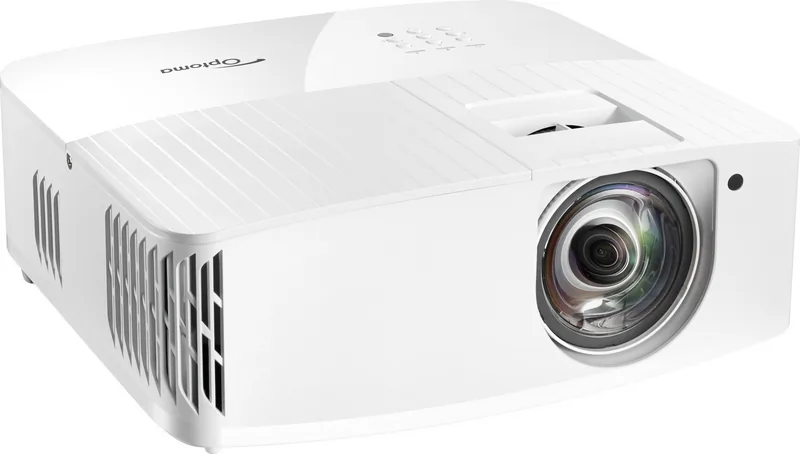
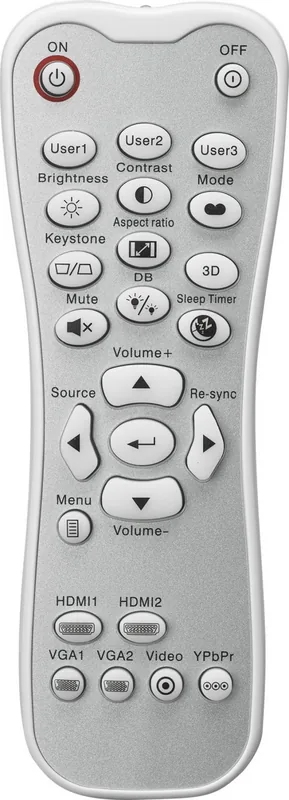
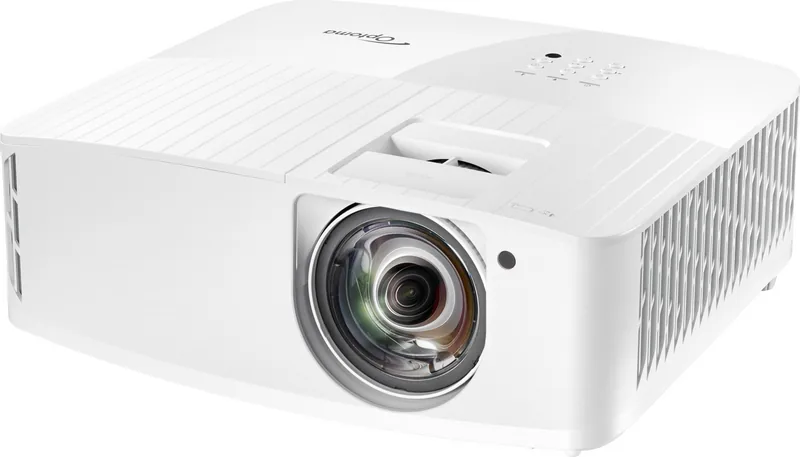
Optoma UHD35STx Manual
PDF manual · 54 Pages
English



Quick check
Incorrect answer, please try again.
Chat with your Optoma UHD35STx manual using AI
Get instant AI answers from your Optoma UHD35STx manual
Ask anything about the Optoma UHD35STx. Answers come from this manual, with the pages they are based on.
UHD35STx Maintenance Schedule
If optional filter is installed, a warning appears after 500 hours of use. Clean or replace the filter and reset the counter.
Change the lamp when it shows warning messages or 'Lamp life exceeded'. Reset the Lamp Setting menu after replacement.
Turn off and unplug projector to cool down. Use compressed air for dust and a special cloth to gently wipe the lens.
Ask a Question
Do you recommend UHD35STx?
Yes NoFrequently Asked Questions
Navigate to the menu setup section and select the reset option to restore default configurations. This clears all personal settings and returns the system to original parameters for fresh start.
Is this answer helpful?
The lamp is designed to last for several thousand hours depending on usage mode. Eco mode typically extends longevity compared to high brightness settings for extended use.
Is this answer helpful?
Yes the device supports ceiling mounting with the appropriate bracket installed securely. Ensure proper ventilation space around vents when installed overhead for safety.
Is this answer helpful?
Yes 3D playback is available via supported formats like frame sequential or side by side. You will need compatible 3D glasses to view the content effectively on screen.
Is this answer helpful?
Use the keystone correction and zoom functions in the menu to resize and align the picture. Lens shift adjustments may also be available for finer positioning on the wall.
Is this answer helpful?
HDMI inputs accept 4K signals up to 60 hertz from computers consoles and media players. Ensure high speed cables are used to maintain the best signal integrity and quality.
Is this answer helpful?
This usually indicates a lamp error or overheating issue requiring immediate attention. Check the vent area for blockages and allow the unit to cool before powering on.
Is this answer helpful?
Advantages and Disadvantages
Advantages

- High 4K UHD resolution delivering sharp images for cinema experiences
- Short throw design saves space while projecting large pictures efficiently
- Enhanced gaming mode reduces input lag for smoother competitive play
- ISF calibration options improve picture quality in day and night viewing
- Multiple connectivity ports including HDMI support versatile source connections
Disadvantages

- Lamp replacement costs can add up over time as part of maintenance
- Fan noise may be noticeable in very quiet entertainment environments
- 3D glasses required for 3D viewing are not included in standard package
- Menu navigation can be complex for first time users of the system
- Lens cleaning requires specific care to avoid surface scratches during maintenance
Product Specification
Type
DLP, 1x 0.47"
Light Source
Lamp
Resolution (displayable)
Ultra HD (3840x2160)
Resolution (native)
Full HD (1920x1080)
Brightness
3600 ANSI Lumens (High/Standard/Eco)
Contrast
1,000,000:1
Screen Size
3.05-25.03 ft
Projection Distance
1.31-10.83 ft
Throw Ratio
0.50:1
Lens Shift
No
Video Inputs
2x HDMI 2.0 In
Audio Outputs
1x Digital Audio Out (optical), 1x 3.5mm Audio Out
Other Connections
1x USB, 1x RS-232
Features
3D Ready (Active), 4K Upscaling, HDR, HLG, Built-in Speaker (1 x 10W), Pixel Shift
Lamp Life
4000/10000/15000 Hours (Standard/Eco/Eco+)
Noise Level
28/24 dB(A) (Standard/Eco)
Power Consumption
320/220W (Standard/Eco)
Dimensions
12.40 x 4.65 x 10.63 in (W x H x D)
Weight
8.77 lbs
Manufacturer Warranty
2 Years
Product Description
Discover the Optoma UHD35STx Experience
A True Gaming and Movie Theater
This high performance projector brings cinematic visuals to your living room efficiently. The Optoma UHD35STx utilizes advanced DLP technology to deliver sharp 4K resolution images with enhanced detail visible clearly. It is designed for short throw installation allowing large screens from close distances suitable for smaller rooms effectively. Gamers will appreciate the enhanced gaming modes that ensure smooth gameplay with reduced input lag for competitive advantages. The unit supports HDR to provide better contrast and color accuracy for movies enjoyed at home.
Advanced Setup and Connectivity
Installation is straightforward with multiple mounting options available including ceiling and table setups securely. The connection panel includes HDMI inputs supporting four kilohertz video signals up to sixty hertz for high quality playback. Audio output options allow for external sound systems via digital audio output channels easily. The menu system is intuitive enabling easy adjustments for brightness and color settings quickly.
Image Quality and Features
Users can select various picture modes such as cinema game reference or bright depending on needs. ISF certification offers daytime and nighttime viewing calibrations for optimal results in different lighting. The projector handles 3D content when required for specific entertainment experiences and family nights. Geometric correction features allow flexible image positioning on the screen surface without distortion. Lamp life management ensures consistent brightness over the product lifespan for years of use.
Maintenance and Safety
Proper care ensures long term performance and reliability for all owners continuously. The lens should be cleaned with a soft cloth while the unit is powered down completely for safety. Lamp life is a crucial factor for cost effectiveness over time for owners planning long term. Safety instructions warn against looking directly into the lens during operation to protect eyes. Battery removal for the remote is recommended for long storage periods to prevent leaks. This device meets various safety standards for commercial and home use environments globally.
Troubleshooting and Support
If issues arise users should check cable connections or restart the device first. Power issues may require checking the power supply voltage or outlet quality consistently. Warning indicators on the unit help identify lamp or overheating problems immediately. Refer to the service center for complex hardware issues beyond user repair capabilities. Warranty information can be found online for registration and support claims processing efficiently.
Conclusion on Performance
Overall the product offers excellent value for enthusiasts seeking premium features consistently. It balances price with features typically found in higher end professional models available commercially. Whether for a home theater setup or a business presentation this tool excels consistently. The short lens range saves valuable floor space in smaller rooms effectively and efficiently. You will enjoy vibrant colors and clear text presentation daily without frustration. Enjoy your media content with professional quality visuals on demand for all users to appreciate.
Search for 67,706 Manuals online


Type-in Brand or Model