
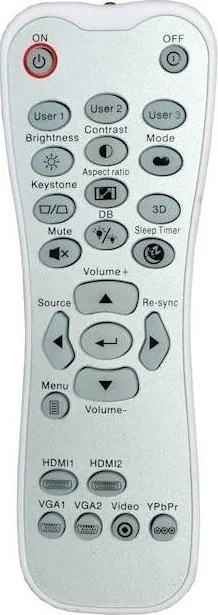
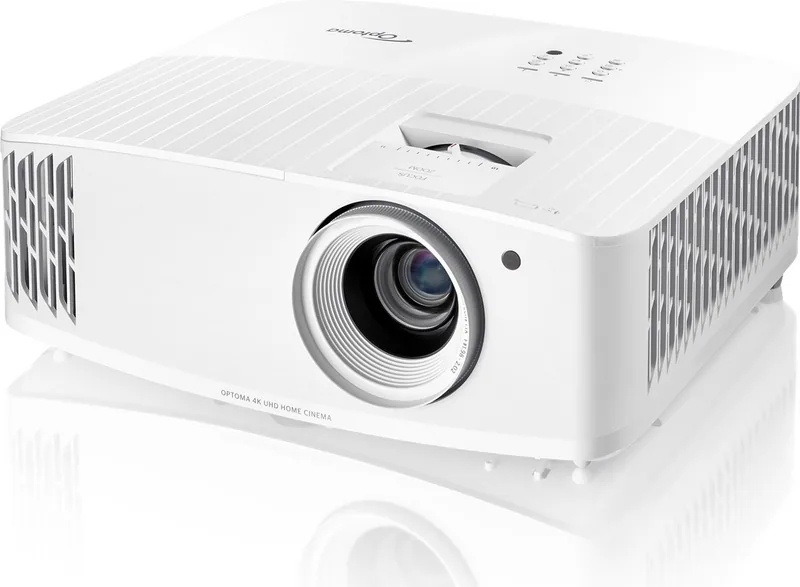
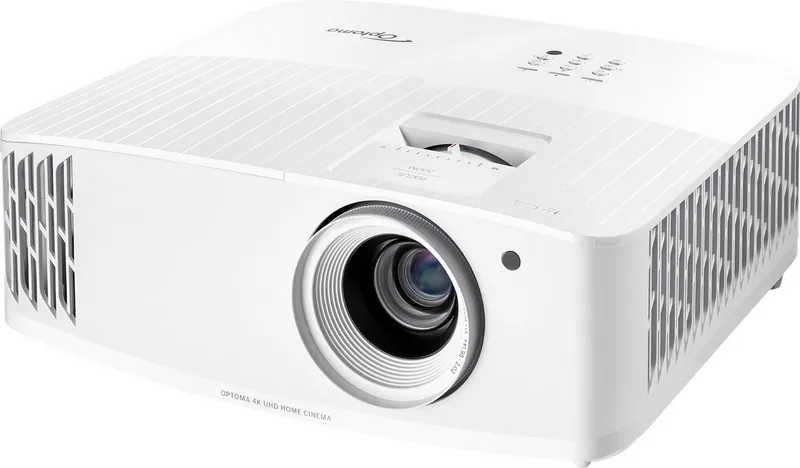
Optoma UHD30 Manual
PDF manual · 57 Pages
English



Quick check
Incorrect answer, please try again.
Chat with your Optoma UHD30 manual using AI
Get instant AI answers from your Optoma UHD30 manual
Ask anything about the Optoma UHD30. Answers come from this manual, with the pages they are based on.
UHD30 Maintenance Schedule
Clean the dust filter every three months. Clean more often if used in a dusty environment.
Replace the lamp when the 'Lamp life exceeded' warning appears. Allow unit to cool for 30 minutes before service.
Reset the 'Lamp Reset' function in the Setup > Lamp Settings menu after replacing the lamp module.
Turn off and unplug projector. Use compressed air and a special cloth to gently wipe the lens. Do not use alcohol or solvents.
Use a soft dry cloth with mild detergent to clean the housing. Do not use abrasive cleaners, waxes, or solvents.
Free maintenance reminders
Timed to your purchase date. Always free, unsubscribe anytime.
Ask a Question
Do you recommend UHD30?
Yes NoFrequently Asked Questions
The Optoma UHD30 has a native resolution of 1920x1080 (Full HD). However, it accepts 4K input signals and uses pixel-shifting technology to upscale the image, providing a sharp and detailed picture that closely resembles true 4K.
Is this answer helpful?
Yes, it is highly suitable for gaming. It features an Enhanced Gaming Mode that reduces input lag to just 15.7ms at 1080p/240Hz, ensuring fast and responsive gameplay with minimal delay between controller input and screen action.
Is this answer helpful?
After replacing the lamp module, turn on the projector. Navigate to the Setup menu, select Lamp Settings, choose Reset Lamp Hours, and confirm with Yes. This resets the counter to zero so the projector tracks the new lamp's lifespan accurately.
Is this answer helpful?
Absolutely. The projector supports front, rear, ceiling, and rear-ceiling projection modes. When mounting on the ceiling, ensure you maintain a minimum distance of 10cm from the ceiling surface and use the appropriate M4 or M6 screws for secure installation.
Is this answer helpful?
The Optoma UHD30 can project images ranging from 33 inches up to 300 inches diagonally. The maximum throw distance is approximately 9.9 meters, allowing for large screen setups in spacious rooms while maintaining image clarity.
Is this answer helpful?
Yes, the Optoma UHD30 includes an integrated 10-watt speaker. While convenient for quick setups, users seeking immersive audio experiences are encouraged to connect external speakers or a soundbar via the audio output or HDMI ARC.
Is this answer helpful?
It is recommended to clean the dust filter once every three months. If the projector is used in a particularly dusty environment, more frequent cleaning may be necessary to prevent overheating and maintain optimal performance.
Is this answer helpful?
Advantages and Disadvantages
Advantages

- Ultra-low latency of 15.7ms perfect for competitive gaming
- High brightness of 3600 lumens for clear images in lit rooms
- Supports HDR10 and HLG for enhanced dynamic range and color
- Flexible lens shift allows easy image positioning without moving the unit
- Dual HDMI inputs with HDCP 2.2 support for modern consoles and streaming devices
Disadvantages

- Native resolution is 1080p rather than true 4K panel
- No built-in Android TV smart platform requires external streaming stick
- Battery life for remote control depends on frequent usage without auto-off
- Fan noise may be noticeable in very quiet environments during operation
- Lamp replacement must be performed by qualified personnel only
Product Specification
Type
DLP, 1x 0.47"
Light source
Lamp
Resolution (displayable)
Ultra HD (3840x2160)
Resolution (native)
Full HD (1920x1080)
Brightness
-/-3400/- ANSI Lumens (High/Standard/Eco)
Contrast
500,000:1
Image diagonal
2.76-25.00 ft
Projection distance
3.97-32.48 ft
Projection ratio
1.50:1-1.66:1
Video connections
1x HDMI 2.0 In, 1x HDMI 1.4 In, 1x VGA In
Audio connections
1x Digital Audio Out (optical), 1x 3.5mm Audio In, 1x 3.5mm Audio Out
Other connections
2x USB, 1x RS-232
Features
3D ready (active), 4K upscaling, HDR, HLG, built-in speaker (1x 10W), Pixel Shift, Rec.709 color space calibration
Lamp life
4000/10000/- Hours (Standard/Eco/Eco+)
Noise level
28/26dB(A) (Standard/Eco)
Power consumption
305/220W (Standard/Eco)
Dimensions
12.40x4.65x10.63 in (WxHxD)
Weight
8.60 lbs
Manufacturer warranty
2 years
Product Description
Discover the Optoma UHD30: Your Gateway to Immersive 4K Entertainment
The Optoma UHD30 stands as a premier choice for home theater enthusiasts and gamers alike, delivering stunning visual fidelity with its native 1080p resolution and support for 4K input. This projector is engineered to transform any living space into a personal cinema or a competitive gaming arena. With a remarkable brightness of 3600 lumens, it ensures vibrant images even in rooms with ambient light, making it versatile for both day and night viewing sessions.
One of the standout features of the UHD30 is its ultra-low latency mode, which reduces input lag to an impressive 15.7 milliseconds at 1080p/240Hz. This responsiveness is crucial for gamers who demand precision and speed without sacrificing image quality. The device also supports High Dynamic Range (HDR) technologies, including HDR10 and HLG, enhancing contrast and color depth to bring out details in shadows and highlights that standard projectors often miss.
Installation is straightforward thanks to flexible mounting options and a robust lens shift feature. Users can easily adjust the image position vertically and horizontally without moving the unit itself, simplifying setup on tables or ceilings. The built-in 10-watt speaker provides adequate sound for casual viewing, though connecting external audio systems is recommended for a full cinematic experience. Maintenance is user-friendly, with accessible filters and clear indicators for lamp replacement, ensuring long-term reliability.
Whether you are streaming 4K movies, playing the latest video games, or presenting business content, the Optoma UHD30 delivers consistent performance. Its comprehensive connectivity options, including dual HDMI ports supporting HDCP 2.2, allow seamless integration with various devices like consoles, PCs, and streaming sticks. The OSD menu offers extensive customization, letting users fine-tune colors, gamma, and aspect ratios to suit their specific preferences.
Important Notes
- Always allow the projector to cool down for at least 90 seconds after turning it off before unplugging it to protect the internal components.
- Ensure proper ventilation by keeping air intake and exhaust vents clear of obstructions to prevent overheating.
- For optimal 4K performance over long distances, use high-speed HDMI cables under 5 meters or active fiber optic cables for runs exceeding this length.
Search for 67,706 Manuals online


Type-in Brand or Model