
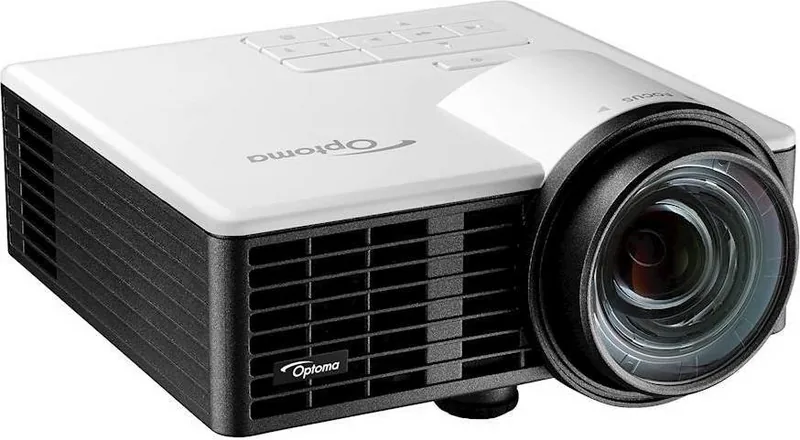
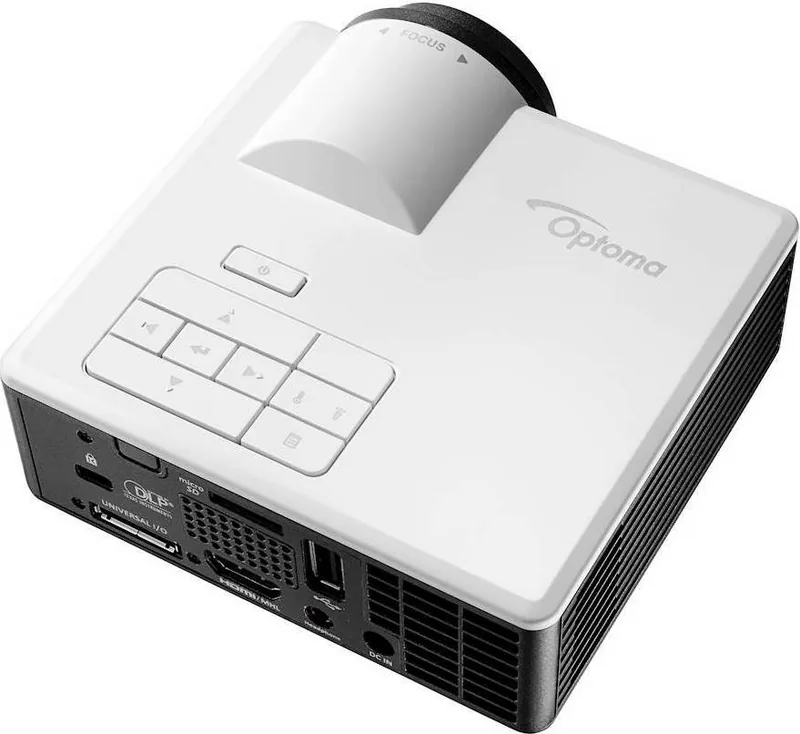
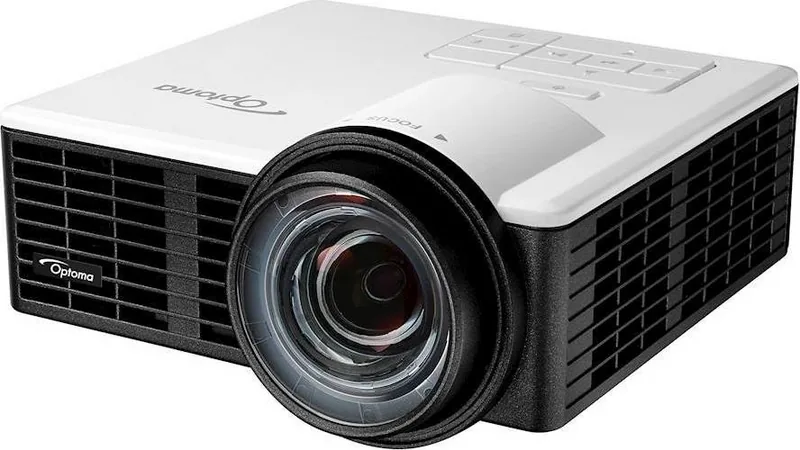
Optoma ML1050ST Manual
PDF manual · 57 Pages
English



Quick check
Incorrect answer, please try again.
Chat with your Optoma ML1050ST manual using AI
Get instant AI answers from your Optoma ML1050ST manual
Ask anything about the Optoma ML1050ST. Answers come from this manual, with the pages they are based on.
ML1050ST Maintenance Schedule
Clean the projector only with a dry cloth. Do not use liquid cleaners.
Ensure ventilation openings are not blocked to prevent overheating and ensure reliable operation.
Free maintenance reminders
Timed to your purchase date. Always free, unsubscribe anytime.
Ask a Question
Do you recommend ML1050ST?
Yes NoFrequently Asked Questions
It explains how to use the Optoma ML1050ST projector, including setup, image adjustment, multimedia playback, safety guidance, and menu settings. It is useful for getting the best performance from the device in home, office, or travel use.
Is this answer helpful?
Its short-throw design allows a large image from a short distance, so it works well in tight rooms or on a table close to the screen. This helps reduce shadows and makes setup more flexible.
Is this answer helpful?
Yes. It supports playback from USB storage, microSD cards, and internal memory. You can view photos, videos, music, and some office files directly through the projector’s media menu.
Is this answer helpful?
The projector supports WXGA resolution and offers HDMI/MHL, VGA through a universal connector, USB-A, and microSD. It also includes settings for aspect ratio, brightness, contrast, color, and more.
Is this answer helpful?
Yes. It includes auto focus and auto keystone correction, which help sharpen the image and reduce distortion. These features make initial setup faster and easier, especially on uneven surfaces.
Is this answer helpful?
The projector supports common photo formats like JPEG and BMP, popular video formats such as MPEG, AVI, MP4, MKV, and WMV, plus audio types like MP3, WMA, WAV, and AAC. Office viewing is also supported for selected PDF, Word, Excel, and PowerPoint files.
Is this answer helpful?
Yes. Keep ventilation openings clear, avoid moisture and heat sources, and do not look directly into the lens. The manual also recommends proper cable placement, correct battery handling, and using the projector only within approved environmental conditions.
Is this answer helpful?
Advantages and Disadvantages
Advantages

- Lightweight 0.46 kg design makes the projector easy to carry and set up in different spaces.
- Short-throw projection is ideal for smaller rooms and close-distance viewing.
- Built-in media support from USB, microSD, and internal storage adds standalone flexibility.
- Auto focus and auto keystone correction simplify fast setup and image alignment.
Disadvantages

- The built-in 1.5 W speaker is modest, so larger rooms may need external audio.
- Some image adjustments still require manual fine-tuning for the sharpest result.
- File support is broad but limited by specific codec, size, and filename rules.
- Good ventilation and careful placement are important, which can restrict where it is used.
Product Specification
Type
DLP, 1x 0.45"
Light source
LED
Resolution (displayable)
WXGA (1280x800)
Resolution (native)
WXGA (1280x800)
Brightness
-/1,000/- ANSI Lumen (High/Standard/Eco)
Contrast
20,000:1
Image diagonal
25.20-100in
Projection distance
16.93-135.37in
Projection ratio
0.80:1
Lens shift
motorized
Video connectors
1x HDMI 1.4a In, MHL, 1x VGA In
Audio connectors
1x Jack Audio Out
Other connectors
1x USB 2.0, Card reader (microSD)
Features
3D ready (active), integrated speaker (1x 1W)
Lamp life
20,000/- hours (Standard/Eco/Eco+)
Noise level
-/22dB(A) (Standard/Eco)
Power consumption
77/-W (Standard/Eco)
Dimensions
4.41x2.24x4.84in (WxHxD)
Weight
0.93 lb
Product Description
Optoma ML1050ST Manual: Compact Short-Throw Projection Made Simple
The Optoma ML1050ST is designed for people who want a portable projector that still feels practical for everyday work, travel, or casual entertainment. This model combines a lightweight body with short-throw projection, making it especially useful in smaller rooms where space is limited. With WXGA resolution, LED illumination, and a long-life light source rated for up to 20,000 hours, it aims to deliver dependable performance without constant maintenance.
One of the biggest strengths highlighted in the Optoma ML1050ST Manual is versatility. The projector supports HDMI/MHL, VGA through a universal connector, USB playback, microSD, and even internal storage-based media projection. That means users can show photos, videos, music, and office files without always relying on a laptop. For mobile users, wireless display mirroring through HDCast Pro adds another layer of convenience.
Setup is also designed to be straightforward. Features such as auto focus, auto keystone correction, and easy tilt adjustment help create a clear image quickly. The projector can display screen sizes from 50 to 100 inches, with an optimized viewing experience around 60 inches. Its compact shape and low weight make it easy to move, store, or carry between locations.
The menu system adds further control through image, display, setup, and advanced settings. Users can adjust brightness, contrast, aspect ratio, color temperature, saturation, and sound options. For media playback, the projector supports common photo, audio, and video formats, along with office viewing functions for PDF, Word, Excel, and PowerPoint files. This makes it useful not only for entertainment, but also for presentations and light business tasks.
Still, the manual makes it clear that proper placement and ventilation matter. The projector should not be blocked by objects, should be kept away from heat and moisture, and needs enough space around the airflow vents. Those simple habits help protect performance and extend the life of the unit.
Notes
- Best suited for compact rooms and mobile presentation needs
- Built-in media support reduces dependence on external devices
- Auto focus and keystone correction help simplify setup
- Keep vents clear and follow safety guidance for best results
Search for 67,706 Manuals online


Type-in Brand or Model