
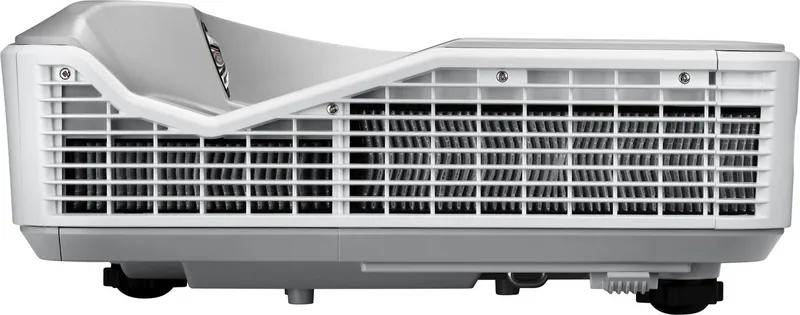
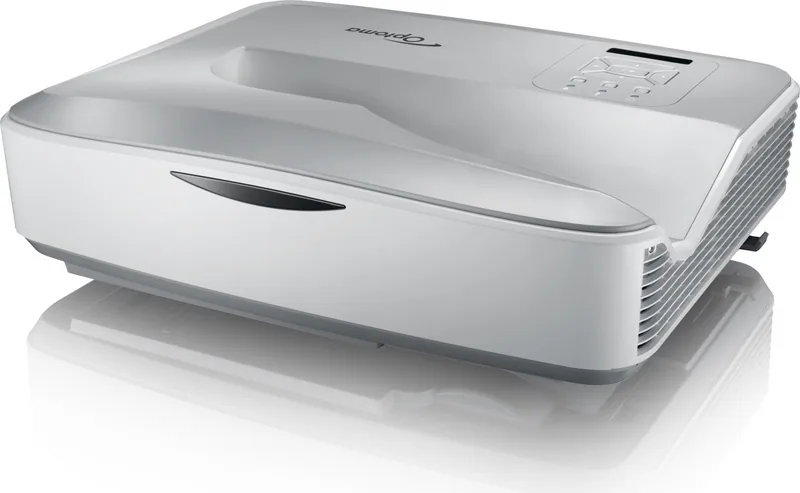
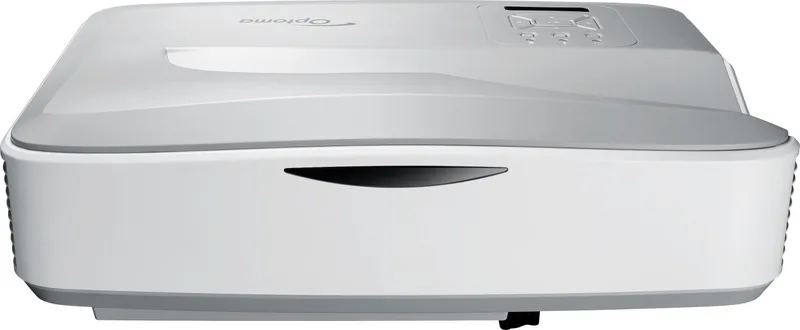
Optoma HZ45UST Manual
PDF manual · 79 Pages
English



Quick check
Incorrect answer, please try again.
Chat with your Optoma HZ45UST manual using AI
Get instant AI answers from your Optoma HZ45UST manual
Ask anything about the Optoma HZ45UST. Answers come from this manual, with the pages they are based on.
Ask a Question
Do you recommend HZ45UST?
Yes NoFrequently Asked Questions
It is an ultra-short-throw DLP laser projector designed to produce a large image from a close distance. That makes it useful for rooms where space is limited and a traditional long-throw setup is not practical.
Is this answer helpful?
It suits classrooms, offices, training spaces, and home entertainment setups. It is especially helpful where people want a large projected image, flexible connectivity, and easy adjustment without placing the projector far away.
Is this answer helpful?
Yes. The manual shows support for HDMI, VGA, composite video, audio input and output, USB, LAN, and RS-232. You can switch between connected devices through the control panel or remote control.
Is this answer helpful?
Yes, it includes multimedia features that can access photos, videos, music, and documents from USB storage or wireless sources. Some wireless functions may require optional accessories such as a dongle.
Is this answer helpful?
You can adjust focus, height, keystone, aspect ratio, digital zoom, position, and color settings. These tools help align the image and improve quality based on the room and screen surface.
Is this answer helpful?
Yes. The projector uses strong laser light, so you should never stare into the beam or open the unit. It also needs proper ventilation and, if used in dusty environments, regular dust filter cleaning.
Is this answer helpful?
Advantages and Disadvantages
Advantages

- Ultra-short-throw design helps create a large image from a very short distance.
- Laser-based projection supports lower maintenance and consistent performance over time.
- Wide connectivity includes HDMI, VGA, USB, LAN, RS-232, and audio ports.
- Built-in multimedia support adds USB and wireless content access options.
- Advanced image controls make setup easier in varied rooms and installations.
Disadvantages

- Some wireless and multimedia features rely on optional accessories.
- Setup can feel technical because of the many menu and image adjustment options.
- The projector requires careful ventilation and periodic filter maintenance in dusty areas.
- Laser safety precautions are strict, especially around the lens and beam.
- Certain functions and interfaces may vary by model or region.
Product Specification
Type
DLP
Light source
Phosphor laser
Resolution (displayable)
Full HD (1920x1080)
Resolution (native)
Full HD (1920x1080)
Brightness
-/4,200/- ANSI Lumen (High/Standard/Eco)
Contrast
3,000,000:1
Image diagonal
87.01-102.01in
Projection distance
17.72-23.23in
Throw ratio
0.25:1
Lens-Shift
no
Video connectors
2x HDMI 1.4a In, 2x VGA In, 1x VGA Out, 1x Composite Video In
Audio connectors
1x Stereo Line In (RCA), 1x Jack Audio In, 1x Jack Audio Out
Other connectors
2x USB 2.0, 1x RJ-45, 1x RS-232
Special features
3D ready (active), integrated speaker (1x 10W), vertical projection axis
Lamp life
-/ -/20,000 hours (Standard/Eco/Eco+)
Noise level
30/-dB(A) (Standard/Eco)
Power consumption
330/-W (Standard/Eco)
Dimensions
15.04x4.88x12.20in (WxHxD)
Weight
12.35lb
Product Description
Optoma HZ45UST Manual: What Makes This Ultra-Short-Throw Projector Stand Out
The Optoma HZ45UST is designed for spaces that need a big image without a long throw distance. Its ultra-short-throw style makes it ideal for classrooms, meeting rooms, training spaces, and home setups where placing the projector far from the wall is not practical. The manual shows a feature-rich device built around flexible installation, strong connectivity, and practical everyday control.
At the heart of the HZ45UST is a DLP laser projection system that aims to deliver a clean, stable picture with lower maintenance needs than traditional lamp-based models. It supports multiple picture modes, including Bright, PC, Movie, Game, and User, so the image can be tuned for different content types. Whether the goal is a presentation, video playback, or an interactive session, the projector gives you tools to adjust brightness, contrast, sharpness, color temperature, and gamma.
Connectivity is another major strength. The projector offers HDMI, VGA, USB, RJ-45 LAN, RS-232, audio input/output, and multimedia support. That means it can work with laptops, desktop systems, video sources, and network environments with minimal trouble. The built-in multimedia functions also add convenience by allowing playback from USB storage or wireless sources through optional accessories. For users who want more than a simple display device, this opens the door to photo viewing, video playback, music, and document presentation.
The setup experience is supported by detailed image controls such as keystone correction, focus adjustment, digital zoom, and screen positioning. The menu system includes language selection, closed captions, standby options, high-altitude mode, and filter reminders, helping users tailor the projector to their environment. There is also 3D support, which can be useful for specialized content and immersive viewing.
Notes
- Keep ventilation areas clear to avoid overheating.
- Do not stare into the beam or lens when the projector is on.
- Clean and maintain the optional dust filter if used in dusty spaces.
- Follow the installation guidance carefully, especially for ceiling mounting.
Overall, the Optoma HZ45UST combines convenience, flexibility, and professional-grade control in a compact projection solution. It is especially appealing for users who need a large image, easy source switching, and network-ready features in one system.
Search for 67,706 Manuals online


Type-in Brand or Model