
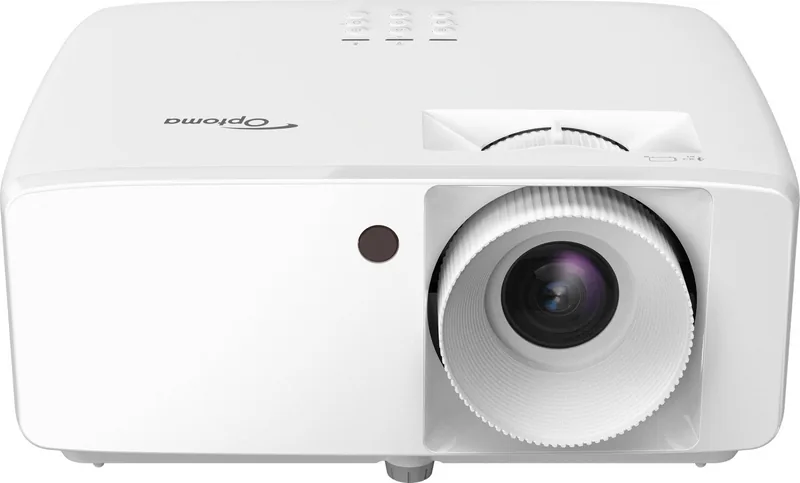
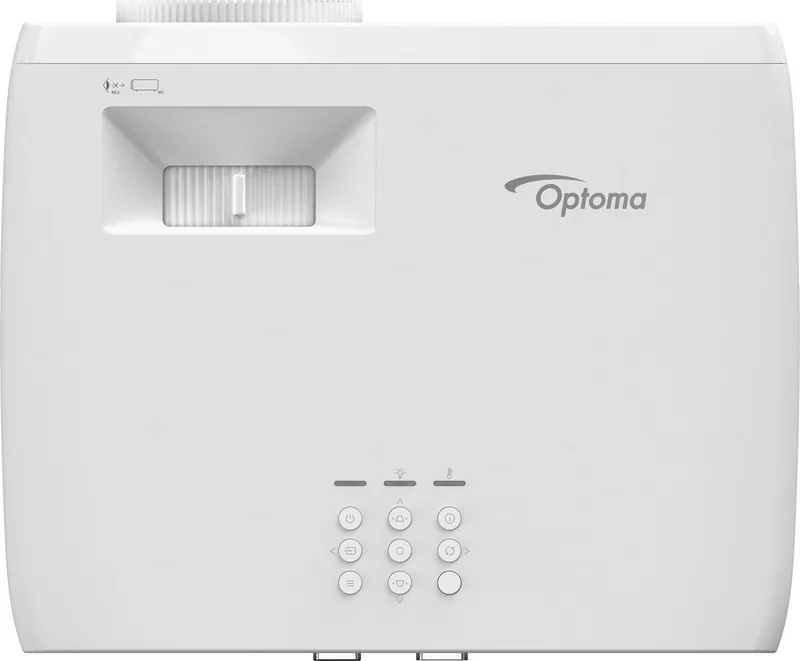
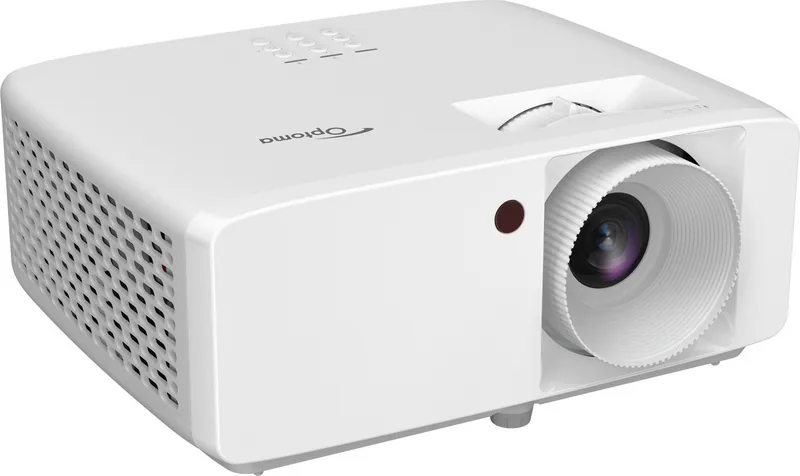
Optoma HZ40HDR Manual
PDF manual · 57 Pages
English



Quick check
Incorrect answer, please try again.
Chat with your Optoma HZ40HDR manual using AI
Get instant AI answers from your Optoma HZ40HDR manual
Ask anything about the Optoma HZ40HDR. Answers come from this manual, with the pages they are based on.
HZ40HDR Maintenance Schedule
Turn off and unplug projector to cool. Use compressed air for dust. Wipe gently with special lens cloth. Do not use alcohol or solvents.
Turn off and unplug power plug. Use a soft dry cloth with mild detergent. Do not use abrasive cleaners, waxes or solvents.
Ask a Question
Do you recommend HZ40HDR?
Yes NoFrequently Asked Questions
The laser light source is designed for a long lifespan compared to traditional lamps, reducing the need for frequent replacements and maintenance costs for the user.
Is this answer helpful?
Yes, the device supports 3D functionality when used with compatible DLP link glasses, allowing you to experience immersive content with depth effects at home.
Is this answer helpful?
No, the native resolution caps at 1080p depending on the model variant, though it can upscale inputs from various sources for display on your screen.
Is this answer helpful?
Use a proper ceiling mount kit with correct screw size, ensure a minimum clearance of ten厘米 between ceiling and unit, and maintain ventilation space for safety.
Is this answer helpful?
Yes, an audio output jack is available to connect external speakers or a sound system for a better listening experience beyond the built-in option.
Is this answer helpful?
Use a soft cloth and avoid harsh chemicals. Dust can be removed with compressed air while ensuring the unit is powered off and cool first.
Is this answer helpful?
In the gaming mode, the input lag is reduced to under ten milliseconds for 1080p at 60Hz, ensuring minimal delay for competitive gaming.
Is this answer helpful?
Advantages and Disadvantages
Advantages

- Laser light source ensures long lifespan without frequent bulb changes
- 3D movie support compatible with DLP link glasses for immersive viewing
- Low latency gaming mode reduces input lag for responsive play
- Lens shift function allows vertical and horizontal image positioning
- Multiple resolution support including XGA, WXGA, and 1080p
Disadvantages

- 3D resolution limited to 1080p with no native 4K support
- Fan noise may be noticeable during operation in quiet rooms
- External speakers required as audio output is via headphone jack
- Zoom ratio is limited to a 1.1x range for flexibility
- Ventilation must be clear to prevent overheating issues
Product Specification
Type
DLP
Light Source
Laser
Resolution (displayable)
Full HD (1920x1080)
Resolution (native)
Full HD (1920x1080)
Brightness
- / 4000 / - ANSI Lumen (High / Standard / Eco)
Contrast
2,000,000:1
Screen Diagonal
1.67-25.00ft
Throw Distance
2.62-32.81ft
Throw Ratio
1.48:1-1.62:1
Lens Shift
No
Video Connections
2x HDMI 2.0 In
Audio Connections
1x 3.5mm Jack Audio Out
Additional Connections
1x USB, 1x RS-232
Features
3D ready (active), integrated speaker (1x 15W)
Light Source Life
- / - / 30,000 Hours (Standard / Eco / Eco+)
Noise Level
34 / 32dB(A) (Standard / Eco)
Power Consumption
139 / 88W (Standard / Eco)
Color
White
Dimensions
10.79 x 4.49 x 8.50in (W x H x D)
Weight
6.61lbs
Product Description
Advanced Home Cinema with Optoma HZ40HDR
The Optoma HZ40HDR is a versatile laser projector designed for home entertainment. It delivers sharp images suitable for gaming, movies, and presentations. When setting up the unit, please refer to the Optoma HZ40HDR Manual for accurate installation steps. The manual provides critical information about safety and power requirements for users. The laser technology ensures a long lifespan without frequent bulb changes required. You can choose from various picture modes like Vivid or Cinema for different content types. HDR support on specific models enhances color fidelity significantly for better images. This device also supports 3D movies when used with compatible DLP link glasses. The system handles multiple resolutions such as XGA, WXGA, and full 1080p depending on the version.
Installation offers great flexibility with options for table top or ceiling mounting. Lens shift allows you to move the image vertically and horizontally to fit your screen precisely. A zoom ring adjusts the projection size without moving the physical device too far. Gaming enthusiasts will appreciate the low latency mode which reduces input lag to under ten milliseconds. This feature makes it responsive for fast paced video games without delay visible. Connectivity includes two HDMI inputs for various media sources like consoles or PCs. Audio can be output to external speakers for a better sound experience overall. The remote control includes standard navigation buttons for menus and power function. Safety warnings emphasize keeping ventilation clear to avoid overheating issues effectively. Regular cleaning of the lens with appropriate tools maintains image quality consistently. This projector is compatible with many resolutions for diverse content inputs. Power management features help save energy during usage in eco mode settings. Support is available globally for any technical assistance needed via dealers.
With its robust features and reliability, this model is an excellent choice for users seeking quality projection performance today. The unit weighs around three kilograms making it portable for events. Dimensions are compact enough to fit on shelves without taking too much space. Voltage requirements vary by region but the input current is managed efficiently. Fan noise is present but manageable for bedroom environments if positioned correctly. Warranty coverage protects against manufacturing defects for peace of mind. Users can adjust brightness and contrast levels manually for specific needs. The menu system comes in many languages to suit different locations. Battery life for the remote is standard and replaceable with common types. Overall this product stands out as a durable option for multimedia display needs.
Troubleshooting and Specs
Common issues include blurry images which can be fixed by adjusting the focus ring carefully. No signal displays indicate a need to check cable connections and power status first. If the projector heats up, allow it to cool down before restarting again safely. The OSD menu has a self test feature to check pixel health regularly. Technical data sheets list the throw distance ratios for screen sizing calculations. You can calculate the optimal distance for your desired screen size using these tables. The power consumption is relatively low in eco settings compared to older bulbs. Heat dissipation is crucial for maintaining the life of the internal components properly. Always unplug the unit before cleaning to avoid electrical shocks completely. The device resets options allow you to restore factory settings easily when needed. Calibration tools can be used to ensure color accuracy for professional work tasks. This level of detail confirms the design quality included in the package.
Search for 67,706 Manuals online


Type-in Brand or Model