
Optoma HD144X Manual
PDF manual · 54 Pages
English



Quick check
Incorrect answer, please try again.
Chat with your Optoma HD144X manual using AI
Get instant AI answers from your Optoma HD144X manual
Ask anything about the Optoma HD144X. Answers come from this manual, with the pages they are based on.
HD144X Maintenance Schedule
Clean the dust filter once every three months. Clean more frequently if used in a dusty environment.
After replacing the lamp module, reset the lamp timer to zero via the Setup menu under Lamp settings.
Replace the lamp immediately when the message 'Lamp time exceeded' appears or the lamp reaches end of life.
Free maintenance reminders
Timed to your purchase date. Always free, unsubscribe anytime.
Ask a Question
Do you recommend HD144X?
Yes No
Jonas Schreiber
10 months ago
My projector will not start and shows a lamp error after only a few months. Is this a common issue and what should I do next?

Manual.ly
10 months ago
A lamp error after limited use is not expected. First, power the unit off, unplug it, and leave it disconnected for 5-10 minutes. Make sure the ventilation openings are not blocked and the projector is used at normal room temperatures. If it still shows the lamp LED/error, check the lamp hours in the menu (if available) and confirm the error code. The most reliable fix is usually a lamp module replacement under warranty or a service inspection. Please contact support with your model, purchase date, serial number, and the exact error text so we can advise on the fastest repair or replacement option.
Frequently Asked Questions
It is a Full HD home entertainment projector designed for movies, gaming, and general media use. The manual emphasizes simple setup, flexible placement, and picture tuning options.
Is this answer helpful?
Yes. Its native resolution is 1080p, which means it is built to display Full HD content with strong detail and clarity.
Is this answer helpful?
Yes. It includes an enhanced gaming mode that reduces response time, which makes gameplay feel more responsive, especially with 1080p 60Hz signals.
Is this answer helpful?
You can adjust focus, zoom, keystone, aspect ratio, image shift, brightness, contrast, sharpness, color, gamma, and several color temperature settings.
Is this answer helpful?
The focus range is roughly 1 to 10 meters, with screen size changing based on distance and zoom. The manual provides charts to help match size and placement.
Is this answer helpful?
Yes. It has a built-in 10W speaker, which is useful for casual viewing or temporary setups without external audio equipment.
Is this answer helpful?
Main maintenance includes lamp replacement, lamp timer reset, dust filter cleaning, and keeping the vents clear for proper cooling and longer life.
Is this answer helpful?
Advantages and Disadvantages
Advantages

- Native 1080p output delivers sharp detail for movies, games, and streaming.
- Enhanced gaming mode helps reduce input lag for smoother console play.
- Manual zoom and focus make setup flexible across different room layouts.
- Built-in 10W speaker adds convenience when you do not want external audio.
Disadvantages

- Lamp-based design requires periodic replacement and reset maintenance.
- Manual adjustments may take time if you move the projector often.
- Best results depend on correct placement, distance, and ventilation clearance.
- 3D and advanced menu options add complexity for users wanting a very simple setup.
Product Specification
Type
DLP
Light source
Lamp
Resolution (displayable)
Full HD (1920x1080)
Resolution (native)
Full HD (1920x1080)
Brightness
-/3200/- ANSI Lumen (High/Standard/Eco)
Contrast
23,000:1
Image diagonal
27.95-301.18in
Projection distance
39.37-385.83in
Throw ratio
1.47:1-1.62:1
Lens-Shift
no
Video connections
2x HDMI 1.4 In, MHL
Audio connections
1x Jack Audio Out
Other connections
1x USB 2.0
Features
3D ready (active), integrated speaker (1x 10W)
Lamp lifespan
3500/10000/12000 Hours (Standard/Eco/Eco+)
Noise level
-/25dB(A) (Standard/Eco)
Power consumption
295/-W (Standard/Eco)
Dimensions
12.44x4.25x9.61in (WxHxD)
Weight
6.33lb
Product Description
Optoma HD144X: A Straightforward Full HD Projector for Home Entertainment
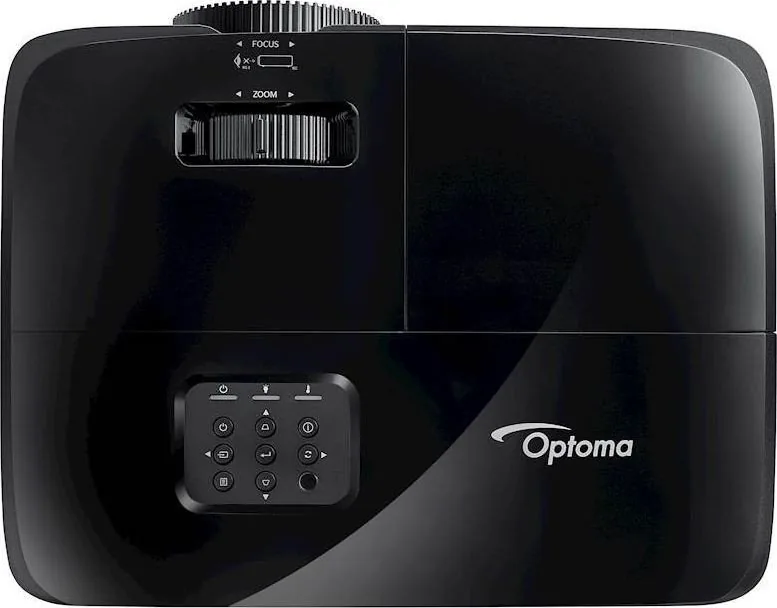
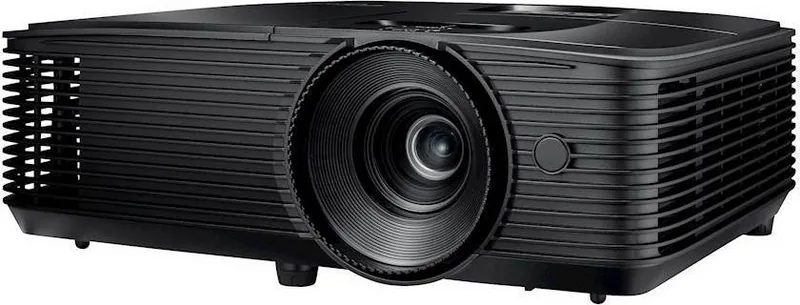
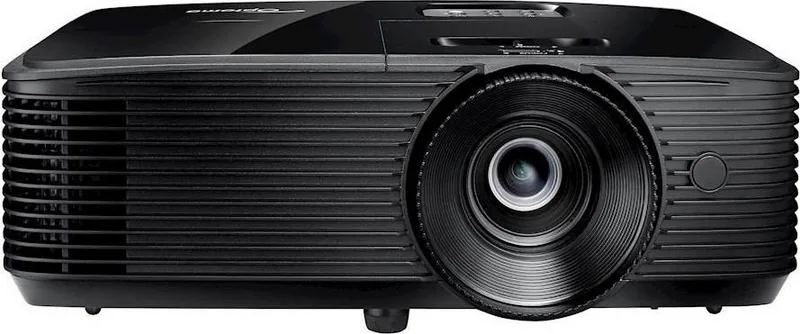
The Optoma HD144X Manual points to a projector that focuses on the essentials: sharp 1080p projection, flexible setup, and practical controls for everyday viewing. Designed around manual zoom and focus, the HD144X is a good match for users who want a reliable home theater experience without a complicated learning curve. Its compact body, simple keypad, and remote control make it approachable from the first setup.
One of the strongest aspects of the HD144X is its balance between image quality and usability. With native 1080p resolution, multiple display modes, and adjustable color settings, it can adapt to movies, games, TV content, and presentations. The projector also includes 3D support, aspect ratio controls, keystone correction, image shift, and edge mask options, giving users room to fine-tune the picture for different rooms and screen sizes.
Gamers will appreciate that the projector includes an enhanced gaming mode designed to reduce input latency. That makes it more responsive than many basic home projectors when used with consoles or fast-paced content. The built-in 10W speaker adds convenience for casual viewing, while HDMI and HDMI/MHL connectivity keep the device compatible with modern sources such as laptops, media players, and streaming dongles.
Installation is flexible, with support for front and rear projection as well as ceiling mounting. The manual also gives clear guidance on projection distance, ventilation, and image adjustment, which helps users get the best result without guesswork. Lamp reminders, filter settings, and warning indicators add a layer of long-term practicality, especially for users who plan to use the projector often.
Beyond picture features, the HD144X feels thoughtfully designed for maintenance and safety. It includes lamp reset functions, power options like auto power off and quick resume, and on-screen menus that make configuration easier. For buyers looking for a dependable projector that can handle both entertainment and routine use, the Optoma HD144X stands out as a simple but capable option.
Notes
- Best for Full HD movie nights, gaming, and everyday media.
- Keep ventilation clear and allow the unit to cool before unplugging.
- Replace the lamp and clean the dust filter when warnings appear.
- Use the correct aspect ratio and keystone settings for the cleanest image.
Search for 67,706 Manuals online


Type-in Brand or Model
OfficiisVoluptatem89
8 months ago
My projector shows a lamp error soon after purchase and one of the mounting screw points seems defective (won't move/align). Will you arrange a replacement or repair under warranty, and what should I send?
Manual.ly
8 months ago
Sorry to hear that. If you see a lamp error, please stop using the unit and unplug it. Do not force any mounting screws or hardware. Contact our support with your order number and the projector serial number, and include a clear photo/video of the lamp/error LED and the defective screw/mount area. If it is within the warranty or return period, we will review the case and set up an RMA for repair or replacement. Keep the original packaging if possible and do not attempt further disassembly beyond the user manual.