
Optoma H190X Manual
PDF manual · 72 Pages
English



Quick check
Incorrect answer, please try again.
Chat with your Optoma H190X manual using AI
Get instant AI answers from your Optoma H190X manual
Ask anything about the Optoma H190X. Answers come from this manual, with the pages they are based on.
Ask a Question
Do you recommend H190X?
Yes NoFrequently Asked Questions
First, turn off the projector and unplug it. Wait at least 30 minutes for the unit to cool down completely. Remove the lamp cover screws, take off the cover, unscrew the lamp module, and carefully lift it out. Insert the new module, replace the cover, and reset the lamp timer via the OSD menu under Setup Lamp Settings.
Is this answer helpful?
Yes, the Optoma H190X includes a High Altitude mode. When enabled in the Setup Options menu, the fans spin faster to compensate for thinner air, ensuring the projector does not overheat during operation in elevated environments.
Is this answer helpful?
The projector supports native resolutions of SVGA, XGA, and WXGA depending on the specific variant purchased. It also accepts higher input signals like 1080p and WUXGA, scaling them down to match the native panel resolution for display.
Is this answer helpful?
Yes, the Optoma H190X supports 3D content using various formats such as Side-by-Side, Top-and-Bottom, and Frame Sequential. Users must wear compatible 3D glasses and select the appropriate 3D mode in the Display 3D menu.
Is this answer helpful?
It is recommended to clean the dust filter every three months. If the projector is used in a particularly dusty environment, more frequent cleaning may be necessary to prevent overheating and maintain image quality.
Is this answer helpful?
If the temperature gets too high, the TEMP LED will flash red and the On/Standby light will also flash. The projector may shut down automatically. Allow it to cool down, check that vents are not blocked, and try turning it back on. If the issue persists, contact service.
Is this answer helpful?
Advantages and Disadvantages
Advantages

- Supports multiple installation modes including ceiling, front, and rear projection
- Features built-in keystone correction for easy image alignment
- Includes high-altitude mode for stable performance in thin air
- Offers extensive connectivity with HDMI, VGA, and video inputs
- Automatic lamp monitoring system simplifies maintenance
Disadvantages

- Requires regular cleaning of the dust filter to maintain efficiency
- Lamp replacement involves a cooling period before handling
- Manual zoom and focus require physical adjustment rather than motorized controls
- Some advanced features vary depending on specific regional models
- Remote control range may be limited by direct line-of-sight obstacles
Product Specification
Type
DLP, 1x 0.65"
Light source
Lamp
Resolution (displayable)
WXGA (1280x800)
Resolution (native)
WXGA (1280x800)
Brightness
-/-3900/- ANSI Lumens (High/Standard/Eco)
Contrast
30,000:1
Image diagonal
2.7-25 ft
Projection distance
3.3-39.4 ft
Projection ratio
1.55:1-1.73:1
Lens shift
no
Video connections
1x HDMI 1.4a In, 1x VGA In, 1x VGA Out, 1x Composite Video In
Audio connections
1x 3.5mm Audio In, 1x 3.5mm Audio Out
Other connections
1x USB 2.0, 1x RS-232
Features
3D ready (active), built-in speaker (1x 10W)
Lamp life
6,000/10,000/15,000 hours (Standard/Eco/Eco+)
Noise level
29/27dB(A) (Standard/Eco)
Power consumption
225/187W (Standard/Eco)
Dimensions
12.4x4.3x9.6 in (WxHxD)
Weight
6.6 lbs
Product Description
Experience Crystal Clear Visuals with the Optoma H190X
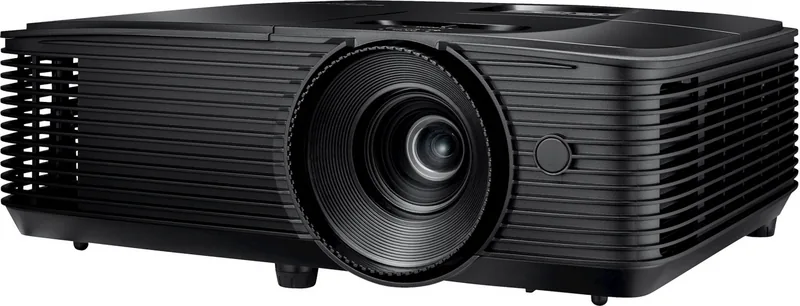
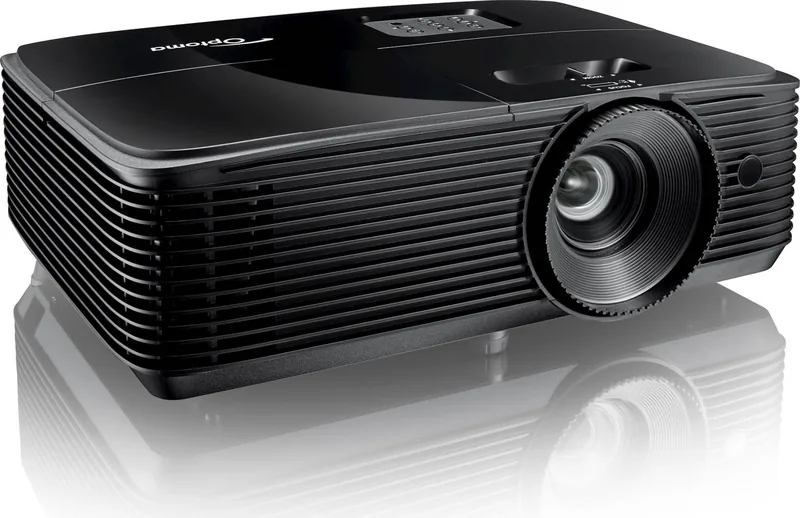
The Optoma H190X projector stands as a versatile solution for both home entertainment and professional presentations. Designed with DLP technology, this device delivers vibrant colors and sharp images, making it ideal for viewing movies, playing video games, or conducting business meetings. Whether you are setting up a temporary presentation in a conference room or creating a permanent home theater setup, the H190X adapts to your needs with ease.
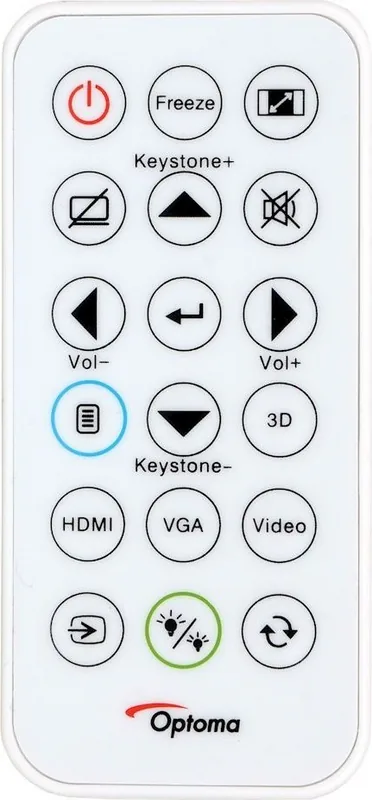
One of the standout features of this projector is its flexible installation options. You can mount it on the ceiling, place it on a table, or position it at the rear of the room. The manual zoom and focus rings allow for quick adjustments to ensure the image fits perfectly on your screen. Additionally, the built-in keystone correction helps fix trapezoidal distortion caused by angled placement, ensuring a rectangular image without complex cabling setups.
Connectivity is robust, supporting various input sources including HDMI, VGA, and video inputs. This ensures compatibility with laptops, gaming consoles, DVD players, and other multimedia devices. The projector also features a high-altitude mode, which adjusts fan speeds to maintain optimal cooling in thinner air environments, guaranteeing reliable performance regardless of location.
For those concerned about maintenance, the unit includes a dust filter that requires periodic cleaning to extend lamp life. The system automatically monitors lamp usage and alerts users when replacement is needed. Replacing the lamp is a straightforward process, though it requires the unit to cool down first to prevent damage. The onboard menu system provides intuitive navigation for adjusting brightness, contrast, color settings, and aspect ratios to suit different content types.
Safety is paramount, with clear warnings regarding 3D viewing for children and individuals prone to seizures. The projector supports 3D formats, offering an immersive experience when paired with compatible glasses. Users should always follow the recommended ventilation guidelines to prevent overheating and ensure the longevity of the device.
Notes:
- Always allow the projector to cool for at least 90 seconds before unplugging after use.
- Ensure the lens cap is removed before powering on to avoid damaging internal components.
- Use a surge protector to safeguard against power fluctuations.
Search for 67,706 Manuals online


Type-in Brand or Model