
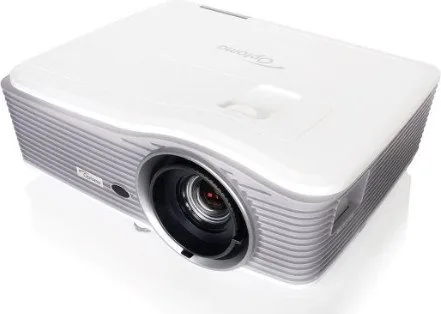
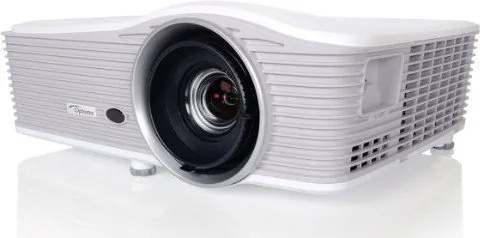
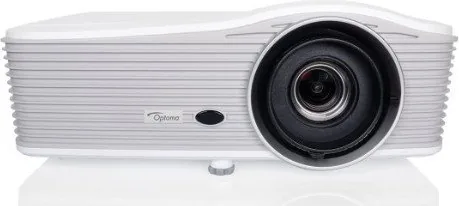
Optoma EH515 Manual
PDF manual · 96 Pages
English



Quick check
Incorrect answer, please try again.
Chat with your Optoma EH515 manual using AI
Get instant AI answers from your Optoma EH515 manual
Ask anything about the Optoma EH515. Answers come from this manual, with the pages they are based on.
EH515 Maintenance Schedule
Recommend cleaning the dust filter every three months. Clean more frequently if used in a dusty environment.
The projector automatically detects lamp life. Replace immediately when the 'Lamp hours exceeded' warning appears.
Free maintenance reminders
Timed to your purchase date. Always free, unsubscribe anytime.
Ask a Question
Do you recommend EH515?
Yes NoFrequently Asked Questions
The EH515 is best for presentations, classrooms, meeting rooms, and other environments that need strong image control, multiple connections, and flexible installation options.
Is this answer helpful?
Yes. It supports 3D playback with compatible glasses and settings. Users may need to choose the correct 3D mode and format depending on the source device and signal type.
Is this answer helpful?
It includes HDMI, VGA, DisplayPort, audio inputs/outputs, S-Video, RS232, LAN, and USB-related ports. Some versions also support optional HDBaseT.
Is this answer helpful?
Yes. The EH515 supports table and ceiling installation, plus front and rear projection modes. The manual also gives guidance for safe ceiling mounting and correct screw sizes.
Is this answer helpful?
Maintenance includes lamp replacement, dust filter cleaning, and checking warning indicators. The projector also provides lamp-hour tracking and reset options after servicing.
Is this answer helpful?
Yes. The projector supports remote operation and network management through web access, plus protocols such as Crestron, Extron, PJLink, AMX, Telnet, and HTTP.
Is this answer helpful?
Advantages and Disadvantages
Advantages

- Wide input support including HDMI, VGA, DisplayPort, and network control.
- Flexible installation with lens shift, keystone correction, and zoom adjustment.
- Multiple image modes and advanced tuning options for different content types.
- 3D support and remote management features add extra versatility.
Disadvantages

- Lamp-based design requires periodic replacement and maintenance.
- Setup can feel complex for first-time users because of many menu options.
- Some features depend on model or region, including optional HDBaseT.
- Best results may require careful alignment and calibration.
Product Specification
Type
DLP, 1x 0.65"
Light source
Lamp
Resolution (displayable)
Full HD (1920x1080)
Resolution (native)
Full HD (1920x1080)
Brightness
-/5500/- ANSI Lumen (High/Standard/Eco)
Contrast
10,000:1
Image diagonal
2.23-25.00ft
Projection distance
4.27-26.25ft
Throw ratio
1.20:1-2.16:1
Lens-Shift
manual, vertical -0% +25%, horizontal -10% +10%
Video connections
2x HDMI 1.4a In, MHL, 1x DisplayPort, 2x VGA In, 1x VGA Out, 1x Composite Video In, 1x S-Video In
Audio connections
1x Stereo Line In (RCA), 2x Jack Audio In, 2x Jack Audio Out
Other connections
2x USB, 1x RJ-45, 1x RS-232
Special features
integrated speaker (1x 20W)
Lamp life
3000/4000/- hours (Standard/Eco/Eco+)
Noise level
-/28dB(A) (Standard/Eco)
Power consumption
425/340W (Standard/Eco)
Dimensions
16.69x6.30x13.54in (WxHxD)
Weight
13.01lbs
Manufacturer warranty
3 years
Product Description
Optoma EH515 Manual: A Practical Look at a Feature-Rich DLP Projector
The Optoma EH515 stands out as a versatile large-venue DLP projector built for presentations, classrooms, and mixed multimedia use. Based on the Optoma EH515 Manual, it is clear this model was designed with flexibility in mind: it supports a wide range of input sources, detailed image controls, 3D playback, and network-based management. That makes it appealing for users who want more than a basic projector.
One of the strongest points of the EH515 is its broad installation support. It can be set up on a table or ceiling, in front or rear projection modes, and it offers lens shift, keystone correction, zoom, and focus adjustments for easier alignment. These features help users adapt the projector to different room layouts without sacrificing image quality. The manual also highlights screen-size and throw-distance guidance, which is useful when planning a professional installation.
Image performance is another major highlight. The projector includes preset display modes such as Presentation, Bright, Movie, sRGB, Blackboard, DICOM SIM, User, and 3D. It also provides advanced controls for brightness, contrast, color, gamma, color temperature, RGB gain/bias, and color matching. For users who care about fine-tuning visuals, the Optoma EH515 offers enough depth to match different content types and lighting conditions.
Connectivity is equally impressive. The EH515 supports HDMI, VGA, DisplayPort, video, S-Video, audio inputs, RS232, LAN, and optional HDBaseT on certain versions. It also includes network control features such as web browser management, Crestron, Extron, PJLink, AMX, Telnet, and HTTP support. This makes it a strong choice for IT-managed environments, conference rooms, and installations where remote control matters.
Maintenance and reliability are also addressed well. The projector includes lamp replacement guidance, dust filter care, warning indicators, and power management options like auto power off, quick resume, and eco modes. These practical touches help extend usability while keeping the projector easier to maintain over time.
Notes
- Best suited for business, education, and presentation-heavy environments.
- Strong installation flexibility helps with both fixed and temporary setups.
- Network control features make it friendly for managed AV systems.
- Lamp and filter maintenance should be planned for long-term use.
Search for 67,706 Manuals online


Type-in Brand or Model