
Optoma EH416e Manual
PDF manual · 71 Pages
English



Quick check
Incorrect answer, please try again.
Chat with your Optoma EH416e manual using AI
Get instant AI answers from your Optoma EH416e manual
Ask anything about the Optoma EH416e. Answers come from this manual, with the pages they are based on.
EH416e Maintenance Schedule
Clean the dust filter every three months or more often if used in a dusty environment. Switch off power and disconnect cord before cleaning.
Replace the lamp when the warning message appears. Allow unit to cool for at least 30 minutes before replacement.
Free maintenance reminders
Timed to your purchase date. Always free, unsubscribe anytime.
Ask a Question
Do you recommend EH416e?
Yes NoFrequently Asked Questions
The Optoma EH416e uses a native Full HD resolution of 1920 x 1080. This makes it well suited to widescreen presentations, video playback, detailed graphics, and other content where sharp image detail is important.
Is this answer helpful?
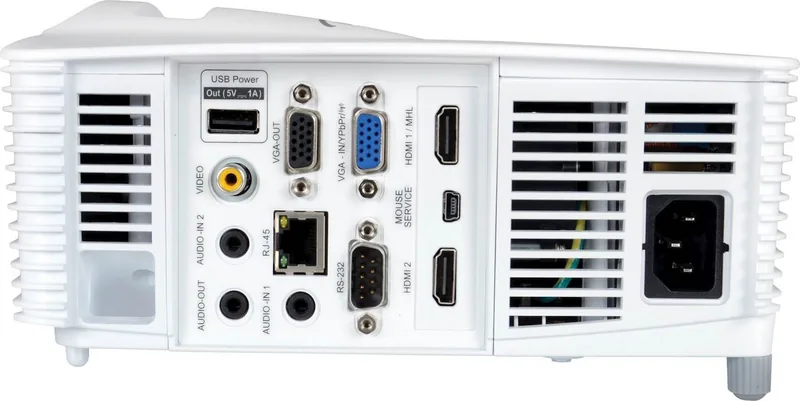
It includes two HDMI inputs, VGA input and output, composite video, audio inputs, audio output, USB power, RS-232, and RJ-45 LAN. These connections support computers, media players, video equipment, audio systems, and remote-control installations.
Is this answer helpful?
Yes. It supports 3D playback with compatible DLP Link or IR glasses. Available 3D formats include automatic detection, side-by-side, top-and-bottom, and frame sequential. The correct mode should be selected to match the source content.
Is this answer helpful?
The specified image range is 36 to 300 inches diagonal. Image size depends on projector placement and zoom setting. A 100-inch diagonal image can be achieved from roughly 3.1 to 5.0 metres away.
Is this answer helpful?
Yes. The RJ-45 LAN connection enables browser-based and network control. Supported control options include Crestron, Extron, AMX Device Discovery, PJLink, Telnet, and HTTP, making it appropriate for managed installations.
Is this answer helpful?
The projector provides manual zoom, focus, vertical lens shift, adjustable feet, image shift, and keystone correction. It also offers aspect ratio options, edge masking, picture presets, and detailed color controls for refining the projected image.
Is this answer helpful?
Advantages and Disadvantages
Advantages

- Native 1920 x 1080 Full HD resolution supports detailed widescreen presentations and video.
- Two HDMI ports, VGA, composite video, audio, USB power, RS-232, and RJ-45 provide broad connectivity.
- 1.6x zoom, focus, vertical lens shift, adjustable feet, and keystone correction simplify placement.
- LAN control supports Crestron, Extron, AMX Device Discovery, PJLink, Telnet, and HTTP.
- DLP Link and IR 3D modes support side-by-side, top-and-bottom, and frame-sequential content.
Disadvantages

- Lamp-based operation requires eventual lamp replacement and lamp-hour reset after servicing.
- Manual adjustment is required for zoom, focus, lens shift, and image alignment.
- The projector must be installed level; unsupported tilted orientations can affect performance and warranty.
- 3D viewing requires compatible glasses and may cause discomfort for some viewers.
- Dust filters are optional by region and require periodic cleaning where installed.
Product Specification
Type
DLP, 1x 0.65"
Light source
Lamp
Supported resolution
Full HD (1920x1080)
Native resolution
Full HD (1920x1080)
Brightness
-/4,200/- ANSI lumens (High/Standard/Eco)
Contrast ratio
20,000:1
Image diagonal
29.92-303.15 in
Projection distance
51.18-370.08 in
Throw ratio
1.40:1-2.24:1
Lens shift
Manual
Video connections
2x HDMI 1.4a input, MHL, 1x VGA input, 1x VGA output, 1x composite video input
Audio connections
2x audio input, 1x audio output
Other connections
2x USB 2.0, 1x RJ-45, 1x RS-232
Special features
3D ready (active), integrated speaker (1x 10 W)
Lamp life
4,000/10,000/15,000 hours (Standard/Eco/Eco+)
Noise level
34/32 dB(A) (Standard/Eco)
Power consumption
309/249 W (Standard/Eco)
Dimensions
12.4x4.49x8.82 in (WxHxD)
Weight
8.44 lb
Manufacturer warranty
2 years
Product Description
Optoma EH416e - Read, Download & Print Free
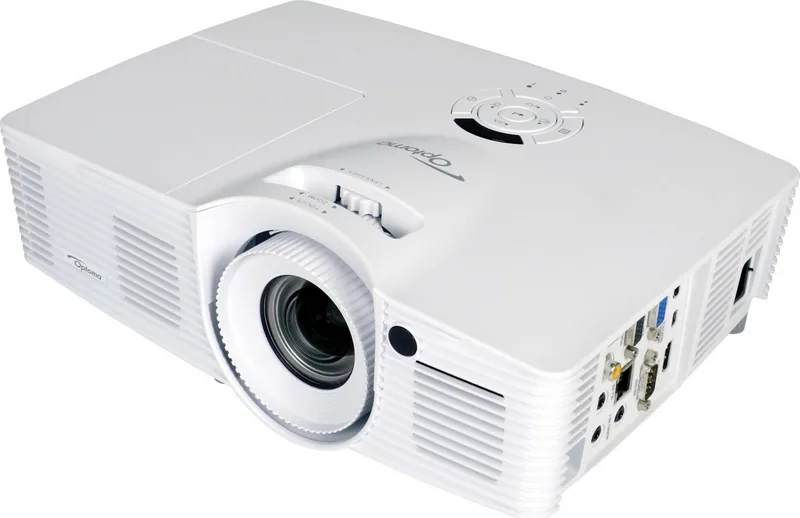
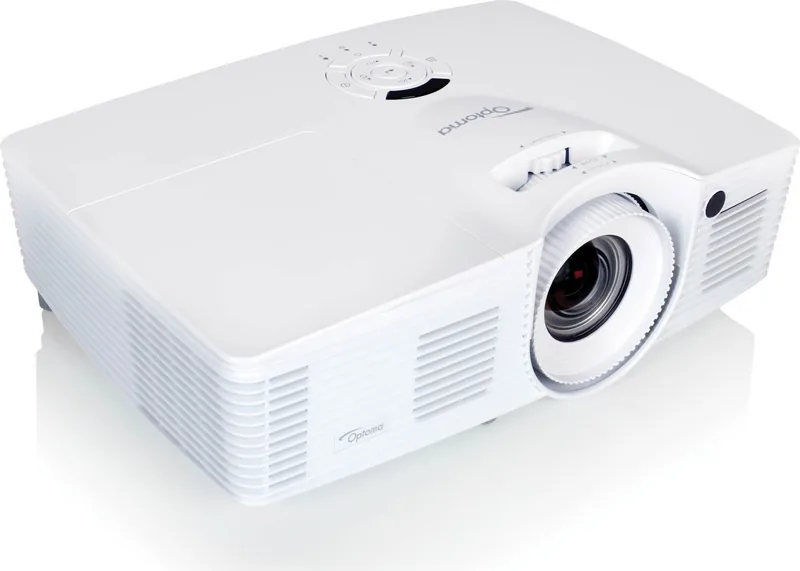
The Optoma EH416e is a versatile Full HD DLP projector designed for clear, flexible presentations, classroom lessons, entertainment, and shared viewing. Its native 1920 x 1080 resolution supports detailed widescreen images, helping text, charts, video, and visual media remain easy to follow on a larger display. With a practical optical design and extensive adjustment controls, it can suit a wide range of rooms and installation plans.
Flexible positioning for everyday use
The projector offers a 1.6x zoom range and manual focus, allowing users to adapt image size without constantly moving the unit. For a 100-inch diagonal image, the recommended projection distance is approximately 3.1 to 5.0 metres. It supports image sizes from 36 to 300 inches, making it suitable for compact meeting spaces as well as larger teaching or event environments.
Manual vertical lens shift, adjustable feet, zoom, focus, and keystone correction help create a properly aligned image. Front, rear, ceiling-front, and ceiling-rear projection modes provide additional installation flexibility. For the best result, the projector should be positioned level and perpendicular to the screen whenever possible.
Connections and control options
The Optoma EH416e includes two HDMI inputs, VGA input and output, composite video, audio inputs and output, USB power, RS-232, and RJ-45 networking. This selection supports connections to laptops, media players, video systems, and control equipment. The USB power output can also support compatible HDMI dongles or accessories.
Network capabilities are especially useful in managed spaces. LAN control supports common integration platforms including Crestron, Extron, AMX Device Discovery, and PJLink, alongside Telnet and HTTP access. These options allow remote monitoring and control of settings such as power, source selection, brightness, and projector status.
Image, 3D, and energy settings
Picture controls include presentation, bright, cinema, game, sRGB, DICOM simulation, and user modes. Users can further fine-tune brightness, contrast, sharpness, gamma, color temperature, BrilliantColor, and RGB values. The projector also supports multiple aspect ratios, image shift, edge masking, and zoom controls.
For compatible content, 3D playback supports DLP Link and IR glasses, with side-by-side, top-and-bottom, and frame-sequential formats. Lamp modes include Bright, Eco, Dynamic, and Eco+, helping users balance image output, power consumption, and lamp life.
Note: Keep ventilation openings clear, allow the projector to cool before disconnecting power, and replace the lamp when the on-screen warning appears. Use appropriate 3D viewing breaks and follow placement guidance for safe operation.
Search for 67,706 Manuals online


Type-in Brand or Model