
Optoma EH412 Manual
PDF manual · 58 Pages
English



Quick check
Incorrect answer, please try again.
Chat with your Optoma EH412 manual using AI
Get instant AI answers from your Optoma EH412 manual
Ask anything about the Optoma EH412. Answers come from this manual, with the pages they are based on.
Ask a Question
Do you recommend EH412?
Yes NoFrequently Asked Questions
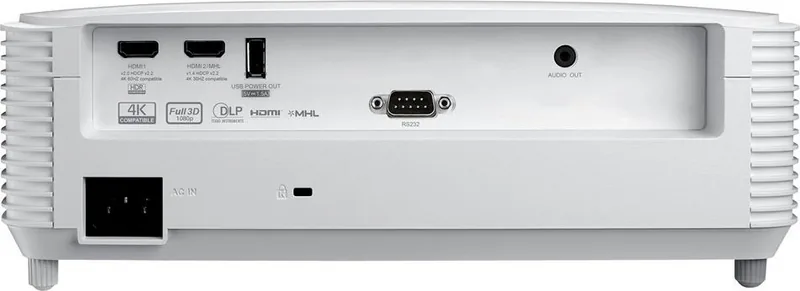
HDMI 1 (HDMI 2.0) supports 4K60 and HDR. HDMI 2 (HDMI 1.4 / MHL) supports 4K30 but does not support HDR. Use HDMI1 for full HDR/4K60 compatibility and ensure source device and cables are compatible.
Is this answer helpful?
Power off and cool the projector for at least 30 minutes, unplug, remove the lamp cover screws, unscrew the lamp module and lift it out by the handle. Install the new lamp, reassemble, power on and navigate Menu > Setup > Lamp Settings > Lamp Reset > Yes to reset the lamp hours.
Is this answer helpful?
Yes — it supports ceiling-top and rear-top mounting. Use the Optoma ceiling mount or proper M4 screws (minimum 10mm length). Maintain recommended clearances around intake and exhaust vents (about 100–300mm) and keep at least 10 cm between ceiling and projector bottom.
Is this answer helpful?
Yes, it supports 3D via DLP-Link or external 3D sync. Compatible formats include side-by-side, top-and-bottom, frame sequential and frame packing for supported timings; some 3D timings map to specific refresh rates (e.g., 1080p@24Hz → 144Hz).
Is this answer helpful?
Select Eco, Dynamic, or Eco+ brightness modes in the Display menu to lower lamp power and fan activity; enable Auto Power Off and Quick Resume carefully. Regularly clean or replace the dust filter and ensure unobstructed ventilation to prevent overheating.
Is this answer helpful?
IR range is effective up to ~6 meters at angles within ±30° (up to ~8m at 0°). Remote features vary by region; some remotes include mouse, laser pointer and numeric keys. Ensure batteries are fresh and line-of-sight to the projector IR receiver is clear.
Is this answer helpful?
Use Cinema or Film for movies, Reference for color-accurate reproduction, Game for faster response and higher brightness, Bright for maximum lumen output, HDR for HDR content, and ISF Day/Night for calibrated viewing. Use User mode to save custom settings.
Is this answer helpful?
Advantages and Disadvantages
Advantages

- Native 1080p resolution with 4K input (HDMI 2.0) and HDR support for sharp, modern content.
- Multiple picture modes, extensive color/gamma controls and BrilliantColor processing for accurate image tuning.
- Flexible connectivity: dual HDMI (one MHL), VGA in/out, USB power, audio I/O and RS232 control.
- Installation-friendly: front/rear/ceiling orientations, keystone, image shift, zoom and adjustable tilt foot.
- Maintenance-minded: user-replaceable lamp, filter options, lamp-hour warnings and power-saving lamp modes.
Disadvantages

- Lamp-based design requires periodic lamp replacement and produces heat — needs proper ventilation.
- Built-in 10W speaker sufficient for small rooms but weak for larger venues without external audio.
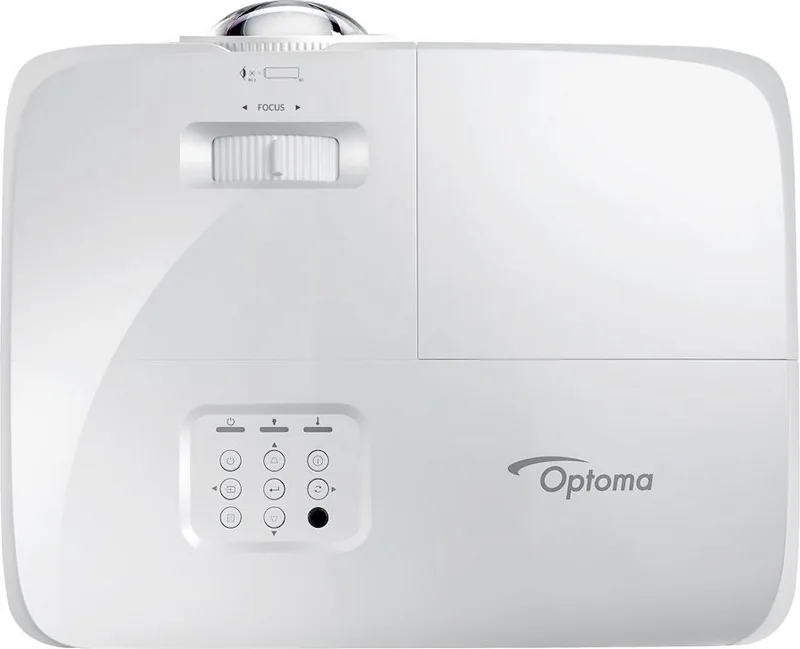
- Manual focus and lack of motorized lens limit ease of remote optical adjustments for some installations.
- Some advanced features (HDR, 4K60) limited to specific HDMI inputs; check source/input compatibility.
- Remote and accessory variations by region may affect feature availability (mouse, codes, bundled items).
Product Specification
Type
DLP, 1x 0.65"
Light source
Lamp
Resolution (displayable)
Full HD (1920x1080)
Resolution (native)
Full HD (1920x1080)
Lens shift
manual
Additional connections
1x USB, 1x RS-232
Lamp lifetime
4000/10000/15000 hours (Standard/Eco/Eco+)
Power consumption
285/200W (Standard/Eco)
Dimensions
12.44x4.25x9.61in (WxHxD)
Product Description
Optoma EH412 — Bright, Flexible 1080p Projector
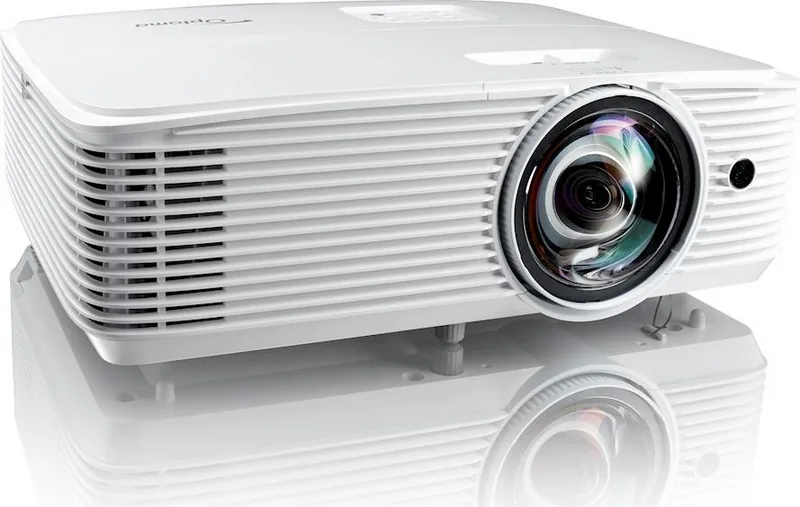
The Optoma EH412 is a high-performance 1080p DLP projector designed for business, education, and mid-size venue use. With native 1080p resolution and 4K-input compatibility, it delivers crisp, detailed images and flexible connectivity. The EH412 supports HDMI 2.0 (4K60/HDR) and HDMI 1.4/MHL inputs, VGA in/out, USB power, audio I/O, and RS232 for control — making it easy to integrate into modern AV setups.
Equipped with a manual focus lens and zoomable projection that covers diagonal image sizes from roughly 36" to over 300", the EH412 handles a wide range of screen sizes and throw distances. The projector offers multiple picture presets (Cinema, Film, Game, Bright, Reference, HDR, HDR SIM, ISF Day/Night) plus user memory for custom calibration. Color and gamma controls, BrilliantColor processing, and adjustable color space let you fine-tune images for presentations, video, and gaming.
Practical installation features include front/rear and ceiling orientations, a tilt-adjustment foot, Kensington lock, and clear ventilation guidelines to prevent overheating. The unit supports Quick Resume, Direct Power On, Signal Power On, and high-altitude fan mode. Lamp modes (Bright, Eco, Dynamic, Eco+) extend lamp life and trade brightness for lower power draw. The EH412 also supports 3D playback via DLP-Link or 3D sync and includes enhanced gaming mode to reduce input latency.
Onboard menus are multilingual and comprehensive: display image settings, 3D, aspect ratio, edge mask, zoom, image shift, keystone, audio, lamp and filter reminders, power/sleep timers, security/password, HDMI-CEC (HDMI Link) options, remote customization, and projector ID for RS232 control. Maintenance is straightforward with a user-replaceable lamp and optional dust filter; the projector monitors lamp hours and warns when replacement is due.
The EH412’s built-in 10W speaker covers basic sound needs, while audio out allows connection to external systems. It offers wide-format resolution support (including many 4K input timings) and true 3D compatibility for supported signals. Physically compact and portable, the EH412 weighs ~3 kg and includes remote control with mouse/laser functions (region-dependent remotes). Safety and environmental notices, FCC and CE conformity, and global support contacts are provided.
Notes:
- Best used on a stable surface or with a certified mount; observe required clearances and ventilation.
- Lamp replacement and filter maintenance should follow cooling and safety guidance.
- For HDR features use HDMI1 (HDMI 2.0) input and compatible HDR sources.
Search for 67,706 Manuals online


Type-in Brand or Model