
Optoma EH401 Manual
PDF manual · 72 Pages
English



Quick check
Incorrect answer, please try again.
Chat with your Optoma EH401 manual using AI
Get instant AI answers from your Optoma EH401 manual
Ask anything about the Optoma EH401. Answers come from this manual, with the pages they are based on.
EH401 Maintenance Schedule
Remove and clean or replace the dust filter every three months. Clean more frequently if used in dusty environments.
Replace the lamp immediately when the 'Lamp life exceeded' warning appears on the screen.
After replacing the lamp, reset the lamp timer via Setup > Lamp Settings > Reset Lamp Hours.
If the optional filter is installed, reset the filter usage counter in the OSD menu after cleaning or replacing it.
Free maintenance reminders
Timed to your purchase date. Always free, unsubscribe anytime.
Ask a Question
Do you recommend EH401?
Yes NoFrequently Asked Questions
The projector supports front table, rear table, ceiling mount, and rear-top ceiling mount positions. Any other orientation may invalidate the warranty.
Is this answer helpful?
The projector automatically detects the lifespan of the light bulb and a warning message appears on the screen when it reaches the end.
Is this answer helpful?
Yes, the device supports 3D via DLP-Link or IR RF polarized glasses with proper compatibility for specific input formats.
Is this answer helpful?
Yes, Type 2 models have an RJ45 port for LAN control and web management via IP addressing and web browsers.
Is this answer helpful?
The built-in speaker provides 3 watts of audio output which is suitable for small to medium sized rooms.
Is this answer helpful?
Advantages and Disadvantages
Advantages

- DLP technology delivers vibrant colors with high contrast.
- 1080p native resolution supports Full HD content.
- High Dynamic Range enhances deep blacks and bright whites.
- Network control allows web management for remote configuration.
- Brightness modes save energy while extending lamp life.
Disadvantages

- Fan noise may be noticeable under higher load conditions.
- Lamp replacement requires professional handling for safety.
- 3 Watt built-in speaker is weak for large rooms.
- Manual focus adjustment only with no motorized zoom lens shift.
- Standard orientation required to validate warranty coverage.
Product Specification
Type
DLP
Light Source
Lamp
Resolution (Supported)
Full HD (1920x1080)
Resolution (Native)
Full HD (1920x1080)
Brightness
4000 ANSI Lumen (High/Standard/Eco)
Contrast
22,000:1
Screen Diagonal
29.92-301.18 inches
Throw Distance
3.61-32.81 feet
Throw Ratio
1.50:1-1.66:1
Lens Shift
No
Video Ports
1x HDMI 2.0 In, 1x HDMI 1.4a In
Audio Ports
1x 3.5mm Audio Jack Out
Other Ports
1x USB-A
Features
3D Ready (Active), Built-in Speaker (1x 3W)
Lamp Life
4000/10000/15000 hours (Standard/Eco/Eco+)
Noise Level
29/27 dB(A) (Standard/Eco)
Power Consumption
290/210W (Standard/Eco)
Color
White
Dimensions
12.44 x 4.25 x 9.61 inches (W x H x D)
Weight
6.35 lbs
Product Description
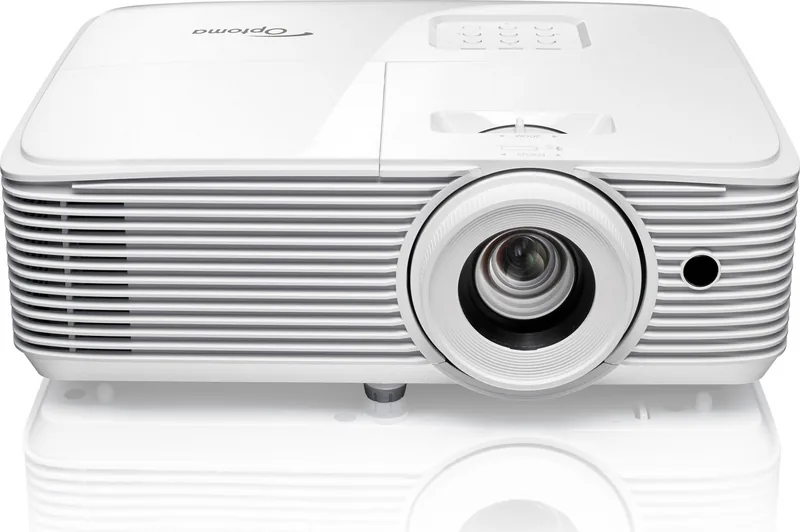
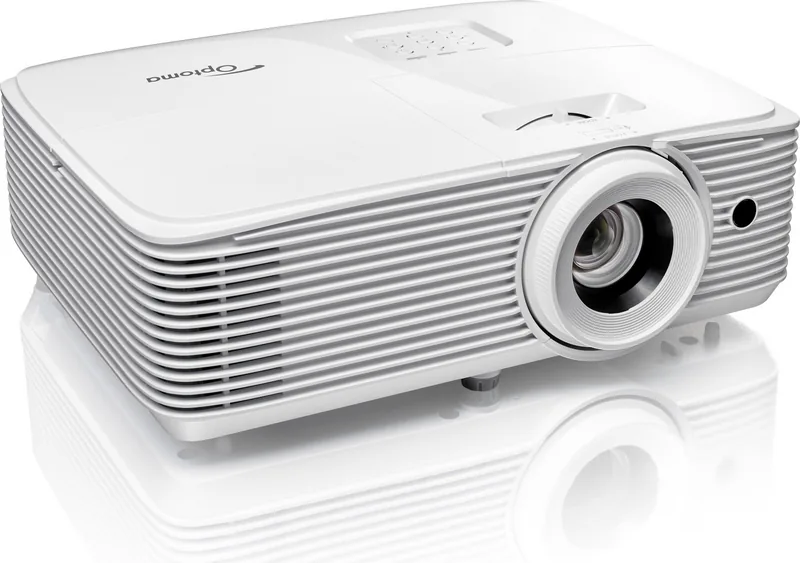
Optoma EH401 Home Theater Experience
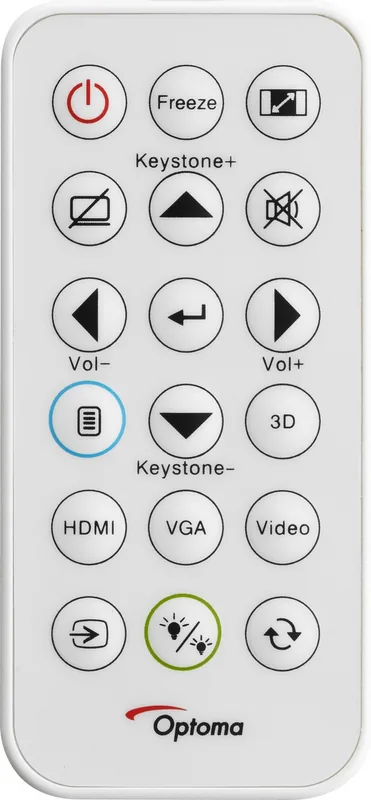
The Optoma EH401 is designed for exceptional visual clarity in any room. Many users depend on the Optoma EH401 Manual for detailed setup guidance to ensure optimal performance. This projector supports 1080p native resolution and High Dynamic Range for deeper blacks. DLP technology delivers vibrant colors with high contrast. Installation is flexible for front table or ceiling mount positions. HDMI connections allow versatile input from gaming consoles or computers. Network control enables web management for remote configuration. Brightness modes save energy while extending lamp life significantly. Maintenance involves cleaning dust filters and replacing lamps safely. Safety includes overheating protection and strict ventilation rules. Lens handling is critical for maintaining image clarity over time. Audio works for casual viewing but external speakers help enhance the experience. 3D adds depth to compatible content when using proper glasses. Remote navigation is easy for all settings. Compact dimensions save space during transport. Reliability is high for long viewing sessions. Ventilation is key for preventing shutdowns. Cleaning requires specific soft tools to avoid scratches. Manual zoom and focus adjust the projected image precisely. Security locks protect settings from unauthorized changes. Screen warnings indicate when lamp life is nearing the end. Troubleshooting guides help users resolve common errors quickly. Color matching is precise for professional calibration. Aspect ratios fit media sources like 16 to 9 or 4 to 3. Installation angles matter to avoid shortening lamp life. Warranty validity depends on standard orientation rules. Proper lens distance ensures accurate image size. 3D glasses need careful storage to prevent damage. Power connections matter to avoid surges. Remote batteries change easily with simple access panels. Network settings configure IP addresses for LAN control. Factory resets fix configuration issues effectively. FCC regulations apply for digital interference compliance. Ambient temperature ranges from 5 to 40 degrees C for operation. Humidity limits are 10 to 85 percent for safety. Physical protection prevents liquid spills or drops. The built-in speaker power is 3 watts. Dimensions are around 316 millimeters wide. Weight is approximately 2.88 kilograms. Power consumption reaches 300 watts in bright mode. Eco mode reduces this to 215 watts. Input current requirements are 3.3 amps standard. The lamp detects its own lifespan automatically. Cooling fans run during shutdown to dissipate heat. Users should wait 90 seconds before power disconnection. Warning indicators show lamp or temperature status clearly. Replacement requires professional handling for high voltage parts. Dust filter usage hours are tracked in the menu. Security timer alarms remind users of access limits. High altitude fan mode increases cooling speed. Remote codes differ between control types provided. Connection cables should be shielded for FCC compliance. Input switching happens automatically for multiple sources. Sleep timers allow automatic power off after set minutes. Test patterns help calibrate image settings visually. Lens caps must be removed before powering on. Standby mode saves power while keeping network active. User defined keys can store custom shortcuts. Display mode locks prevent unwanted setting changes. Keypad locks secure physical inputs. Background colors change when no signal is present. Network discovery works with Crestron and Extron systems. Telnet control allows RS232 command input over IP. Default passwords are admin for web access. Reset buttons restore all to factory state. Lamp timers reset after new module installation. Filter reminders warn of cleaning needs. Audio mute affects internal and external speaker volume independently. Volume control adjusts levels from zero to ten. Image shift allows horizontal or vertical positioning changes. Keystone correction fixes tilt distortion visually. Edge mask removes noise from video encoding sources. Zoom magnifies or reduces screen size directly. Screen size tables help calculate throw distances. Ceiling mounts require specific screw sizes for safety. Third party mounts may void warranty if incorrect. Projector should not face direct sunlight. No liquids should enter the ventilation slots. Smoke from cigarettes affects performance quality. Users should consult local dealers for region specific warranty cards. Some cables are optional depending on the purchase location. The projector includes a carry bag in standard accessories. Documentation includes a Quick Start User Manual and safety instructions. Replacement lamps are available through service centers only. The device must be grounded to prevent electric shock. Do not operate in wet conditions or rain. Ensure the power strip handles the surge load. Remote controls work up to 6 meters effectively. Obstructions block the IR signal transmission path. Battery leakage can damage remote circuitry. Always remove batteries before long storage periods. The device emits RG2 laser light safety class. Do not stare into the beam during operation. Children need supervision when using 3D features.
Notes on Usage
Keep vents clear. Avoid moisture exposure. Replace lamps during cool down. Use surge protectors. Monitor 3D viewing for health.
Search for 67,706 Manuals online


Type-in Brand or Model