
Optoma DC455 Manual
PDF manual · 20 Pages
English



Quick check
Incorrect answer, please try again.
Chat with your Optoma DC455 manual using AI
Get instant AI answers from your Optoma DC455 manual
Ask anything about the Optoma DC455. Answers come from this manual, with the pages they are based on.
Ask a Question
Do you recommend DC455?
Yes NoFrequently Asked Questions
Use an HDMI or VGA cable to connect the output port of the device to the input port of the projector or display. Ensure power is on for both devices.
Is this answer helpful?
Yes, pressing the Record button on the control panel starts capturing video. You can stop by pressing it again. Files are saved to internal memory or SD cards.
Is this answer helpful?
Yes, the unit has a built-in microphone for capturing sound during video recording and playback for educational or presentation purposes.
Is this answer helpful?
Press the focus buttons on the remote control or the manual focus buttons on the base. Use the AF button for one-time auto focus.
Is this answer helpful?
Yes, connect via USB and select PC Cam mode from the menu settings to allow other software to access the video feed from the camera.
Is this answer helpful?
The device supports various HDMI and VGA resolutions depending on the connected display capabilities. Users can select settings in the menu options.
Is this answer helpful?
Advantages and Disadvantages
Advantages

- High-resolution imaging capability supports clear visual presentations for large groups
- Versatile connectivity with HDMI, VGA, and USB ports for various setups
- Included remote control allows for operation without leaving the presenter area
- Built-in recording functions capture sessions for later review and archiving
- Microscope adapter support enables scientific applications and detailed inspections
Disadvantages

- Remote control requires separate AAA batteries for operation during sessions
- Manual focus operation requires specific button presses for adjustment tasks
- High-quality output depends on compatible external projectors and monitors
- Physical handling requires care to avoid damaging the arm or camera head
- External storage media like SD cards are required for saving recordings
Product Specification
Type
Overhead Camera / Document Camera (CMM)
Resolution
13.0 Megapixels
Paper/Film Format
A4
Connections
1x USB 2.0 Micro-B, Card Reader (SD), 1x HDMI-In, 1x HDMI-Out, 1x VGA-In, 1x VGA-Out
Dimensions
7.48 x 3.15 x 0.98 in
Weight
1.29 lbs
Features
LED Lighting
Product Description
Elevating Visual Communication in Modern Spaces
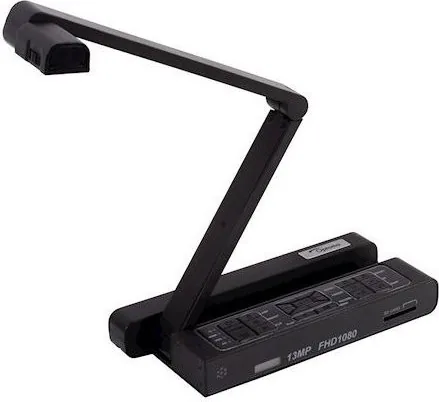
In today's fast-paced environments, effective visual communication is essential for engagement and understanding. The Optoma DC455 Document Camera offers a superior solution for educators and professionals alike who need clarity. Designed to capture high-quality images of physical materials, this device ensures every detail is projected clearly onto large screens. Whether for classroom instruction or boardroom briefings, it bridges the gap between physical objects and digital displays.
Advanced Features and Control
Equipped with a robust control panel, users can manage settings effortlessly during live presentations. The built-in LED lamp provides adjustable lighting for dark environments, reducing eye strain during extended sessions. A handheld remote adds significant convenience, allowing operation from a distance without interrupting the flow of dialogue. The system supports multiple output resolutions, ensuring compatibility with various projectors and monitors found in diverse locations. Users can freeze frames to discuss specific points while maintaining the overall stream.
Connectivity and Versatility
Connecting to standard equipment is simple via HDMI or VGA ports. The USB interface enables mass storage transfer or PC camera functionality, broadening its utility beyond traditional presentation roles. Teachers can record sessions or save still images directly to removable media for future reference. This flexibility allows for archiving important lessons or presentations without needing additional external recording devices. Data transfer speeds are efficient, supporting high-definition video streams without lag. Users can also integrate with existing network infrastructure for enhanced wireless capabilities using compatible accessories.
Specialized Tools for Detail
For specific needs, highlight and mask functions draw attention to key details effortlessly. Picture-in-Picture capability allows simultaneous display of different content types on the screen. A microscope adapter option expands potential applications into scientific realms, allowing close inspection of small specimens. Referencing the Optoma DC455 Document Camera Manual helps users unlock these advanced capabilities safely and correctly. It ensures proper connection and operation for optimal results.
Reliable Performance and Safety
Safety warnings regarding LED exposure and proper handling ensure longevity of the unit. The system includes anti-glare sheet usage instructions to handle reflective surfaces effectively without damaging the sensor. Troubleshooting guides assist users through common issues like connectivity errors or focus adjustments. With flexible zoom options and intuitive menu systems, this camera simplifies complex setups. It remains a staple tool for engaging audiences and delivering clear messages across educational and corporate settings. Investing in this quality equipment guarantees a professional environment for all visual tasks.
Search for 67,706 Manuals online


Type-in Brand or Model