
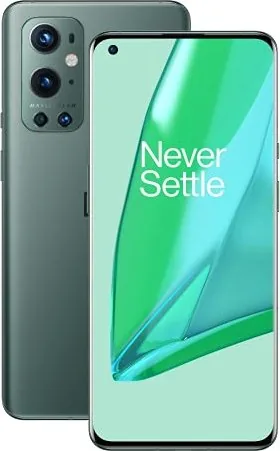
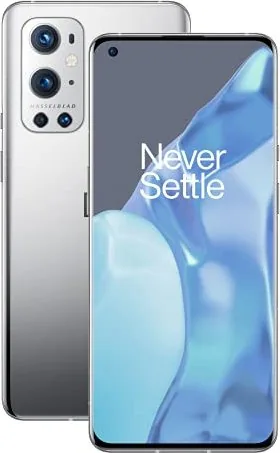
OnePlus 9 Pro Manual
PDF manual · 136 Pages
English



Quick check
Incorrect answer, please try again.
Chat with your OnePlus 9 Pro manual using AI
Get instant AI answers from your OnePlus 9 Pro manual
Ask anything about the OnePlus 9 Pro. Answers come from this manual, with the pages they are based on.
Ask a Question
Do you recommend 9 Pro?
Yes NoFrequently Asked Questions
You can use the OnePlus Switch app to migrate contacts, photos, and messages. For Android devices, select 'I'm a new phone' on the new device and scan the QR code. For iPhones, sync data to iCloud first, then sign in via the OnePlus Switch app to import.
Is this answer helpful?
The Alert Slider is a physical switch on the right side of the phone. It allows you to toggle between Silent, Vibrate, and Ring modes instantly. In Silent mode, calls and notifications are muted except alarms, while Vibrate silences sound but vibrates for alerts.
Is this answer helpful?
Yes, the Parallel Apps feature allows you to create a second copy of supported applications. This enables you to log in to different accounts simultaneously, such as having two WhatsApp accounts active at the same time.
Is this answer helpful?
Warp Charge 65 uses a dedicated charger and cable to deliver high power (10V/6.5A) safely. It is recommended to charge between 15°C and 35°C. Always use official OnePlus accessories to prevent overheating and ensure the warranty remains valid.
Is this answer helpful?
When enabled, the phone will not ring or vibrate for new notifications, and they will not appear on the lock screen. However, critical notifications like alarms and emergency calls will still go through based on your exception settings.
Is this answer helpful?
Yes, you can perform a factory reset via Settings > System > Reset options > Erase all data. This wipes all app data, contacts, and messages. Always back up important information before proceeding, as this action is irreversible.
Is this answer helpful?
Advantages and Disadvantages
Advantages

- Warp Charge 65 provides incredibly fast and safe charging speeds
- Dual-channel network acceleration ensures superior internet stability
- Advanced camera system includes Pro mode and excellent low-light performance
- Gaming Mode optimizes graphics and blocks notifications for immersion
- Intuitive gesture controls and customizable alert slider enhance usability
Disadvantages

- Some pre-installed apps cannot be uninstalled by the user
- Battery capacity may deplete faster when using 5G and high refresh rates
- Wireless charging requires specific positioning and distance compliance
- Certain advanced features like Parallel Apps require manual configuration
- Device warranty does not cover liquid damage or cosmetic wear
Product Specification
Operating System
Android 14.0 (via Update / LineageOS Support), Android 11.0 (out of the box)
Display
6.7 in, 3216x1440 pixels, 1.07 billion colors, AMOLED, capacitive touchscreen, Gorilla Glass 5, camera hole, HDR (HDR10+), 1-120Hz refresh rate, 360Hz sampling rate, MEMC, 526ppi
Rear Camera
48.0MP, f/1.8, phase detection AF (All-Pixel AF/omnidirectional), laser AF, contrast AF, OIS, dual-LED flash, videos @4320p/30fps (Camera 1); 50.0MP, f/2.2, wide-angle lens (Camera 2); 8.0MP, f/2.4, OIS, telephoto lens (Camera 3); 2.0MP, f/2.4, monochrome (Camera 4)
Front Camera
16.0MP, f/2.4, videos @1080p/30fps
Interfaces
USB-C 3.1 (5Gb/s, OTG), Wi-Fi 6 (WLAN 802.11a/b/g/n/ac/ax), Bluetooth 5.2 (aptX HD), NFC
Sensors
Accelerometer, gyroscope, proximity sensor, light sensor, compass, fingerprint sensor (display)
SoC
Qualcomm SM8350 Snapdragon 888, 64-bit
CPU
1x 2.84GHz Kryo 680 Prime + 3x 2.42GHz Kryo 680 Gold + 4x 1.80GHz Kryo 680 Silver
GPU
Adreno 660
Navigation
A-GPS (L1/L5), GLONASS, BeiDou, Galileo (E1/E5a)
Modem
GSM (0.2Mbps/0.1Mbps), UMTS, LTE Cat 20/18 (2000Mbps/210Mbps), 5G
Frequency Bands
2G (850/900/1800/1900), 3G (B1/B2/B4/B5/B8/B9/B19), 4G (B1/B2/B3/B4/B5/B7/B8/B12/B13/B17/B18/B19/B20/B25/B26/B28/B32/B38/B39/B40/B41/B66), 5G (n1/n3/n5/n7/n8/n20/n28/n38/n40/n41/n66/n77/n78)
Battery
4500mAh, non-removable, wireless charging, reverse wireless charging
Charging Power
65W (OnePlus Warp Charge 65T), 50W (OnePlus Warp Charge 50 Wireless), 5W (reverse charging without cable)
Form Factor
Bar
Chassis Material
Glass (back), metal (frame)
SIM Form Factor
Nano-SIM
Features
Dual-SIM, IP68-certified, stereo speakers (hybrid)
Dimensions
6.43 x 2.90 x 0.34 in
Weight
6.95 oz
Screen-to-Body Ratio
89.9%
Product Description
Discover the OnePlus 9 Pro Experience
The OnePlus 9 Pro stands as a pinnacle of modern smartphone engineering, blending cutting-edge performance with intuitive design. This device is not merely a tool for communication but a comprehensive hub for productivity, creativity, and entertainment. Whether you are capturing stunning portraits in low light or engaging in high-stakes gaming, the OnePlus 9 Pro delivers an experience that adapts to your lifestyle seamlessly.
At the heart of this device lies a powerful interface designed for speed and efficiency. The setup process is streamlined through the Setup Wizard, allowing users to customize language, gestures, and security features like fingerprint and face unlock instantly. The display offers vibrant colors and adaptive brightness, ensuring comfort in any environment. With features like Hyper Touch, the screen responsiveness is dramatically improved, making every interaction feel fluid and natural.
Connectivity is effortless with advanced Wi-Fi 6 support and Dual-channel network acceleration, which utilizes both mobile data and Wi-Fi simultaneously for faster downloads and smoother streaming. The Warp Charge 65 technology ensures your battery stays powered up quickly, supporting safe charging within optimal temperature ranges. For those who value privacy, robust security settings including App Pinning, Hidden Space, and Google Play Protect keep your personal data safe from prying eyes.
Creatives will appreciate the camera system capable of professional-grade shots. From Pro mode adjustments to Night Mode capabilities, capturing memories has never been easier. The phone also integrates Google Assistant for hands-free control, allowing you to manage calls, messages, and navigation with simple voice commands. Advanced features like Zen Mode help you disconnect when needed, while Gaming Mode optimizes performance by blocking distractions during intense play sessions.
The user experience is further enhanced by utilities like Parallel Apps, which allow dual logins for social media, and OnePlus Switch for effortless data migration from old devices. With a focus on sustainability and safety, the device adheres to strict regulatory standards regarding RF exposure and proper disposal. It is a complete package designed to elevate your daily digital life without compromise.
Search for 67,706 Manuals online


Type-in Brand or Model