
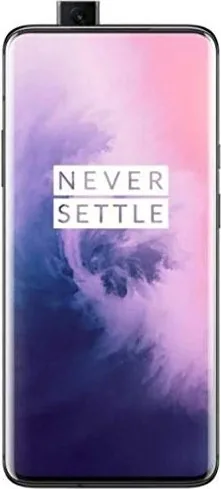

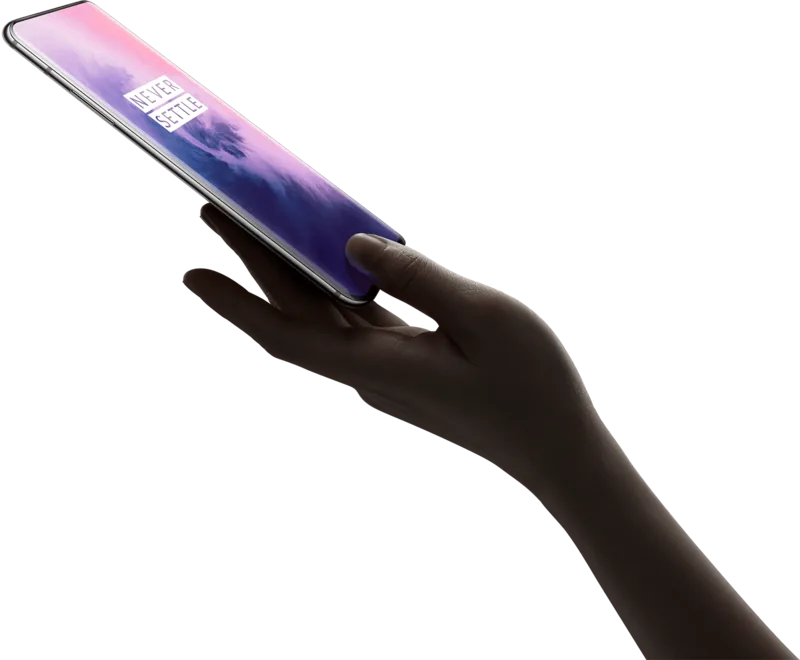
OnePlus 7 Pro Manual
PDF manual · 114 Pages
English



Quick check
Incorrect answer, please try again.
Chat with your OnePlus 7 Pro manual using AI
Get instant AI answers from your OnePlus 7 Pro manual
Ask anything about the OnePlus 7 Pro. Answers come from this manual, with the pages they are based on.
7 Pro Maintenance Schedule
Use a soft, clean, dry cloth. Clean immediately if liquid or dust contacts the screen. Do not use alcohol or irritating chemicals.
Add your fingerprint again after replacing the protective film to ensure proper recognition.
Ask a Question
Do you recommend 7 Pro?
Yes NoFrequently Asked Questions
Use OnePlus Switch on both phones. Select the new-phone option on the OnePlus 7 Pro, choose the old device type, then follow the prompts. Connect the devices by scanning the displayed QR code and select the data you want to move.
Is this answer helpful?
Connect the phone with the official OnePlus Warp charger and USB Type-C cable. Warp Charge 30 is designed for fast, safe charging, but it may not start if the device temperature is below 15 C or above 35 C.
Is this answer helpful?
The phone supports swipe, pattern, PIN, and password locks, plus in-display fingerprint unlocking and face unlock. It also includes App Locker, SIM card lock, emergency information, Google Play Protect, and Find My Device.
Is this answer helpful?
Press the power button and volume down button together. You can also enable the three-finger screenshot gesture in Settings under Buttons and Gestures, then swipe down with three fingers.
Is this answer helpful?
Yes. You can choose traditional navigation buttons or full-screen gestures. With gestures enabled, swipe up from the bottom center to go Home, swipe up and hold for recent apps, and swipe up from either lower edge to go Back.
Is this answer helpful?
Back up important contacts, messages, photos, documents, and app data. You can use OnePlus Switch for local backups or synchronize eligible data with your Google account and Google Drive before starting a factory reset.
Is this answer helpful?
Advantages and Disadvantages
Advantages

- Immersive display options include adjustable resolution, refresh rate, reading mode, night mode, and color calibration.
- Versatile rear camera system supports ultra-wide, wide-angle, telephoto, portrait, Nightscape, Pro, panorama, slow motion, and time-lapse modes.
- Warp Charge 30 and USB Type-C support provide convenient fast charging with compatible official accessories.
- OxygenOS offers extensive customization, gesture navigation, screen-off shortcuts, Game Mode, Parallel Apps, and FileDash sharing.
- Strong security tools include in-display fingerprint unlock, face unlock, app locking, emergency settings, SIM lock, and Find My Device.
Disadvantages

- Warp Charge may not activate when phone temperature is below 15 C or above 35 C.
- The phone uses Nano-SIM cards, and non-original cards may damage the SIM tray or device.
- Some preinstalled apps cannot be removed.
- Deep background cleaning can stop apps from working properly or delay notifications.
- Factory reset deletes apps, contacts, messages, and other data unless it is backed up first.
Product Specification
Operating system
Android 12.0 (via update/LineageOS support), Android 9.0 (preinstalled)
Display
6.67 in, 3,120 x 1,440 pixels, 16 million colors, AMOLED, capacitive touchscreen, Gorilla Glass, HDR (HDR10+), 60-90 Hz refresh rate, 135 Hz sampling rate, 515 ppi
Rear camera
48 MP, f/1.6, phase-detection AF, laser AF, contrast AF, OIS, dual-LED flash, video at 2160p/60 fps (camera 1); 16 MP, f/2.2, wide-angle lens (camera 2); 8 MP, f/2.4, OIS, telephoto lens (camera 3)
Front camera
16 MP, f/2.0, video at 1080p/30 fps, pop-up
Interfaces
USB-C 3.1 (5 Gb/s, OTG), Wi-Fi 5 (WLAN 802.11a/b/g/n/ac), Bluetooth 5.0 (aptX HD), NFC
Sensors
Accelerometer, gyroscope, proximity sensor, ambient light sensor, compass, fingerprint sensor (display)
SoC
Qualcomm SM8150 Snapdragon 855, 64-bit
CPU
1x 2.84 GHz Kryo 485 + 3x 2.42 GHz Kryo 485 + 4x 1.80 GHz Kryo 485
GPU
Adreno 640
Navigation
A-GPS (L1/L5), GLONASS, BeiDou, Galileo (E1/E5a)
Modem
GSM (0.2 Mbps/0.1 Mbps), UMTS, LTE Cat 18/13 (1,200 Mbps/150 Mbps)
Frequency bands
2G (850/900/1800/1900), 3G (B1/B2/B4/B5/B8/B9/B19/B34/B39), 4G (B1/B2/B3/B4/B5/B7/B8/B12/B13/B17/B18/B19/B20/B25/B26/B28/B29/B32/B34/B38/B39/B40/B41/B66)
Battery
4,000 mAh, non-removable
Charging power
30 W (OnePlus Warp Charge 30)
Form factor
Candybar
Case material
Glass (back), metal (frame)
SIM form factor
Nano-SIM
Special features
Dual SIM, stereo speakers (hybrid)
Dimensions
6.40 x 2.99 x 0.35 in
Weight
7.27 oz
Screen-to-body ratio
88.5%
Product Description
OnePlus 7 Pro Manual: A Flagship Phone Built for Smooth Everyday Use
The OnePlus 7 Pro combines premium hardware with a clean, customizable OxygenOS experience. This smartphone is designed for users who want a large immersive display, fast performance, versatile cameras, and practical shortcuts for daily communication, entertainment, and productivity. The OnePlus 7 Pro Manual highlights how easily the device can be set up, personalized, secured, and maintained.
Its front is centered around a spacious display with an in-display fingerprint sensor, while the rear camera system includes ultra-wide, wide-angle, and telephoto lenses. This gives users flexibility for landscapes, everyday photos, portraits, and zoomed subjects. Camera modes such as Nightscape, Pro, Panorama, Time-lapse, and Slow Motion extend the phone's creative potential for both photos and video.
Getting started is straightforward. Insert a Nano-SIM card, power on the device, and follow the setup assistant to choose language, navigation controls, gestures, and account preferences. OnePlus Switch helps transfer contacts, messages, photos, apps, and other content from an older phone. It can also create local backups for later recovery.
The device supports USB Type-C charging and Warp Charge 30 for rapid charging with compatible official accessories. Battery tools include Battery Saver, Adaptive Battery, usage monitoring, and app optimization. To preserve power, users can reduce screen brightness, shorten screen timeout, and disable wireless connections when they are not needed.
OxygenOS offers deep personalization through wallpapers, widgets, icon packs, themes, display calibration, refresh-rate settings, reading mode, and ambient display options. Navigation can use traditional buttons or full-screen gestures. Quick Gestures add convenience with three-finger screenshots, double-tap to wake, screen-off drawing gestures, and a double press of the power button to open the camera.
Security features include screen locks, PINs, passwords, fingerprint unlock, face unlock, app locking, emergency information, SIM locking, and Google's Find My Device service. Privacy controls allow users to review and manage permissions for location, microphone, contacts, storage, and other sensitive data.
For entertainment and multitasking, the OnePlus 7 Pro includes Dolby Atmos audio settings, Game Mode, Fnatic Mode, Picture-in-Picture support, screen casting, Parallel Apps, FileDash sharing, and a hidden app area. The phone also supports Wi-Fi, Bluetooth, NFC, hotspot sharing, USB tethering, and Bluetooth tethering.
Notes
- Use official OnePlus charging accessories for safe charging and Warp Charge support.
- Back up important information before a factory reset.
- Software features and interface details may change after system updates.
Search for 67,706 Manuals online


Type-in Brand or Model