
OnePlus 6T Manual
PDF manual · 57 Pages
English



Quick check
Incorrect answer, please try again.
Chat with your OnePlus 6T manual using AI
Get instant AI answers from your OnePlus 6T manual
Ask anything about the OnePlus 6T. Answers come from this manual, with the pages they are based on.
6T Maintenance Schedule
If the display comes into contact with liquid or dust, clean it immediately using a soft, clean, dry cloth.
Clean the phone, battery, and charger with a soft, clean, dry cloth. Do not use alcohol or aggressive chemicals.
Ask a Question
Do you recommend 6T?
Yes NoFrequently Asked Questions
Its biggest advantage is speed. The phone combines smooth OxygenOS software, quick unlocking options, fast charging, and a responsive display to create a very polished everyday experience.
Is this answer helpful?
Yes. It includes a dual nano-SIM tray, so you can use two SIM cards at the same time. That is useful for separating work and personal numbers or managing different carriers.
Is this answer helpful?
The OnePlus 6T uses an in-display fingerprint sensor. You place your finger on the screen, and the phone unlocks quickly, making access feel natural and seamless.
Is this answer helpful?
The phone offers a 16 MP main rear camera, a 20 MP secondary camera, a 16 MP front camera, plus features like Portrait Mode, Nightscape, Studio Lighting, Pro Mode, and slow-motion video.
Is this answer helpful?
Yes. OxygenOS includes gestures, launcher options, app drawer tools, hidden space, reading mode, and gaming mode. These settings let you shape the phone around your habits.
Is this answer helpful?
The included fast charger is designed to give you a full day of power in about half an hour of charging, making it convenient for people with busy routines.
Is this answer helpful?
Advantages and Disadvantages
Advantages

- Fast, fluid performance with a speed-first user experience.
- In-display fingerprint sensor and Face Unlock improve convenience.
- Dual SIM support makes it easy to manage two networks.
- Camera features include Nightscape, Portrait Mode, and Pro Mode.
- Fast charging helps restore power quickly for daily use.
Disadvantages

- No wireless charging is highlighted in the feature set.
- Camera tools may feel complex for users who prefer simplicity.
- The phone relies heavily on software customization to unlock its full potential.
- Water resistance is limited and should not be treated as full waterproofing.
Product Specification
Operating System
Android 11.0 (via Update / LineageOS Support), Android 9.0 (factory installed)
Display
6.41", 2340x1080 Pixels, 16M Colors, AMOLED, capacitive Touchscreen, Gorilla Glass 6, Notch, 402ppi
Rear Camera
16.0MP, f/1.7, Phase Detection AF, OIS, Dual-LED Flash, Videos @2160p/60fps (Camera 1); 20.0MP, f/1.7, Depth of Field (Camera 2)
Front Camera
16.0MP, f/2.0, Videos @1080p/30fps
Interfaces
USB-C 2.0 (480Mb/s, OTG), Wi-Fi 5 (Wireless LAN 802.11a/b/g/n/ac), Bluetooth 5.0 (aptX HD), NFC
Sensors
Accelerometer, Gyroscope, Proximity Sensor, Light Sensor, Compass, Fingerprint Sensor (Display)
SoC
Qualcomm SDM845 Snapdragon 845, 64bit
CPU
4x 2.80GHz Kryo 385 Gold + 4x 1.80GHz Kryo 385 Silver
GPU
Adreno 630
Navigation
A-GPS, GLONASS, BeiDou, Galileo
Modem
GSM (0.2Mbps/0.1Mbps), UMTS, LTE Cat 16/13 (1000Mbps/150Mbps)
Frequency Bands
2G (850/900/1800/1900), 3G (B1/B2/B4/B5/B8/B9/B19/B34/B39), 4G (B1/B2/B3/B4/B5/B7/B8/B12/B13/B17/B18/B19/B20/B25/B26/B28/B29/B30/B32/B34/B38/B39/B40/B41/B46/B66/B71)
Battery
3700mAh, built-in
Form Factor
Bar
Housing Material
Glass (Rear), Metal (Frame)
SIM Form Factor
Nano-SIM
Special Features
Dual-SIM
Dimensions
6.20x2.94x0.32in
Weight
6.53oz
Screen-to-Body Ratio
85.6%
Product Description
OnePlus 6T: Speed, Style, and Everyday Smartness
The OnePlus 6T is built for people who want a phone that feels quick from the first tap. Its core promise is simple: fast performance, smooth navigation, and a clean software experience that stays out of the way. From opening apps to switching between photos, messages, and games, the phone is designed to keep up without slowing you down.
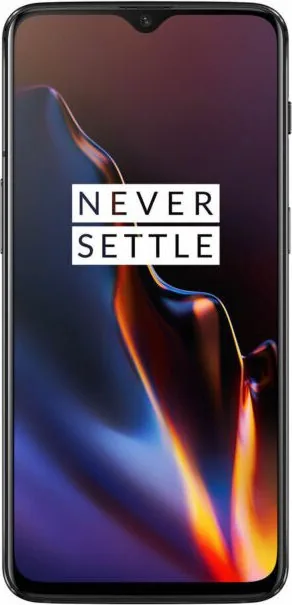
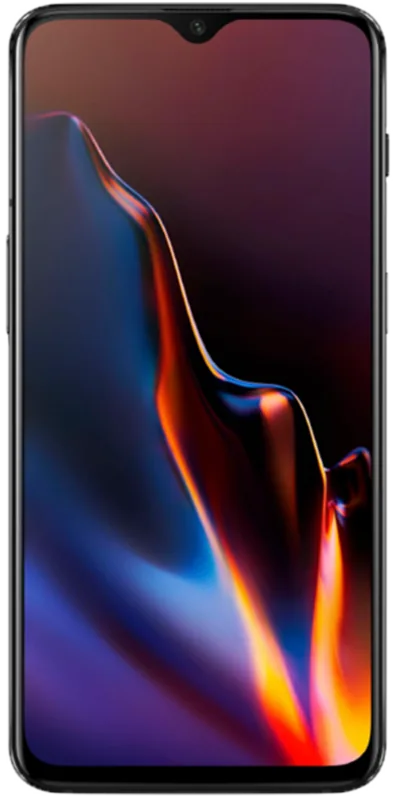
One of its standout features is the immersive 6.41-inch Optic AMOLED display. The screen delivers vivid color and strong brightness, while the customizable calibration options let users tune the look to their liking. The teardrop-style notch is subtle, and display settings make it easy to choose how much of the top area stays visible. That means the OnePlus 6T feels modern without being distracting.
Security is also handled with speed in mind. The in-display fingerprint sensor gives a futuristic unlock experience, while Face Unlock offers a fast alternative for quick access. Together, these tools make the phone feel effortless in daily use. The Alert Slider adds another layer of convenience, letting you switch between silent, vibrate, and ring modes in seconds.
Photography is another major strength. The rear camera system combines a 16 MP main sensor with a 20 MP secondary camera, optical image stabilization, and smart scene recognition. Features like Nightscape, Studio Lighting, Portrait Mode, and Pro Mode give users room to capture everything from casual snapshots to polished shots with more control. Video tools are equally flexible, with editing options, slow-motion support, and smooth recording performance.
Under the hood, OxygenOS keeps everything streamlined and customizable. The launcher, app drawer, gestures, hidden space, reading mode, and gaming mode all work together to create a phone that adapts to different routines. If you explore the OnePlus 6T Manual, you quickly see how much attention went into balancing simplicity, privacy, and flexibility.
Fast charging is the final touch that makes the experience feel complete. With the included charger, the phone is designed to deliver a full day of power in a short charging window, which is perfect for busy schedules.
Notes
- Best for users who value speed and smooth software.
- Strong mix of display quality, camera features, and practical tools.
- Customization is a major part of the experience.
Search for 67,706 Manuals online


Type-in Brand or Model