
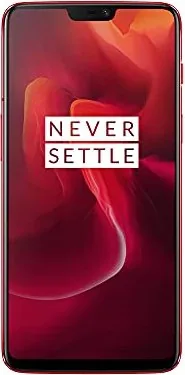
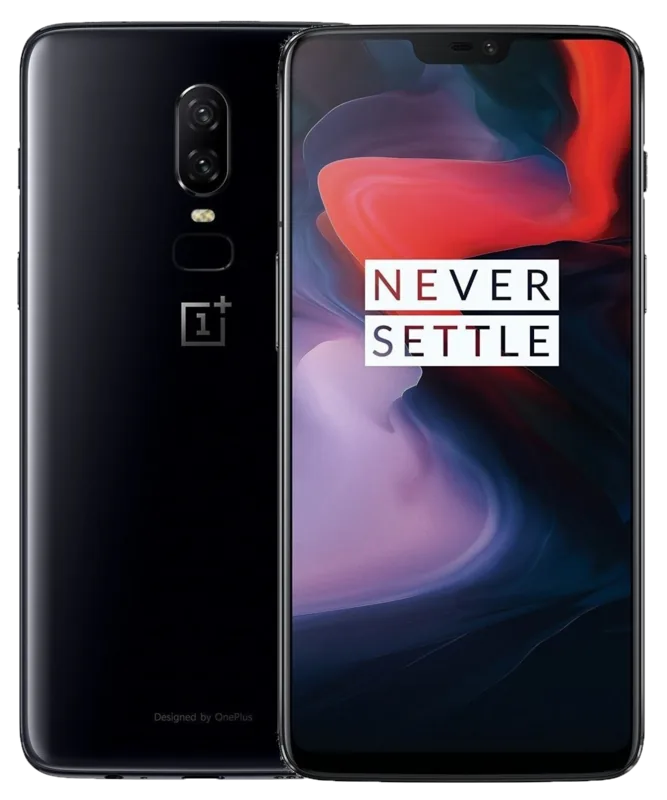
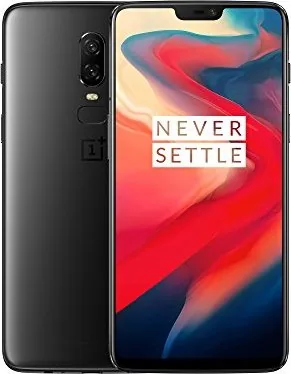
OnePlus 6 Manual
PDF manual · 53 Pages
English



Quick check
Incorrect answer, please try again.
Chat with your OnePlus 6 manual using AI
Get instant AI answers from your OnePlus 6 manual
Ask anything about the OnePlus 6. Answers come from this manual, with the pages they are based on.
6 Maintenance Schedule
Clean immediately if the screen comes in contact with liquid or dust. Use a soft, dry, clean cloth to remove dirt and smudges.
Do not hit, shake, drop, or put pressure on the phone to avoid damage to the screen, battery, or device itself.
Ask a Question
Do you recommend 6?
Yes NoFrequently Asked Questions
Its biggest advantage is speed. OxygenOS, strong hardware, and thoughtful shortcuts make the phone feel quick when opening apps, switching tasks, and moving through menus.
Is this answer helpful?
The box content typically includes the phone, a power adapter, Type-C cable, SIM tray ejector, quick start guide, safety information, a translucent case, and a screen protector pre-applied.
Is this answer helpful?
OnePlus Switch helps transfer files from another phone. You install the app on both devices, scan the QR code, and choose what to move, making setup easier and faster.
Is this answer helpful?
The dual rear cameras, portrait mode, OIS, Pro Mode, RAW support, and super slow-motion recording are among the most useful. They give both casual and advanced users more flexibility.
Is this answer helpful?
Face Unlock is extremely quick, and the fingerprint sensor is even faster. Together, they make access simple while still keeping the device secure.
Is this answer helpful?
Yes. OxygenOS includes gesture control, launcher options, display calibration, notch settings, app shortcuts, and notification controls, so users can tailor the experience to their preferences.
Is this answer helpful?
Advantages and Disadvantages
Advantages

- Fast OxygenOS performance keeps navigation, app switching, and gaming feeling responsive.
- The 6.28-inch Optic AMOLED display delivers vivid colors and an immersive viewing experience.
- Face Unlock and the fingerprint sensor unlock the phone quickly and conveniently.
- Fast Charging is highly practical and reduces downtime during busy days.
Disadvantages

- The notch may not appeal to users who prefer a more symmetrical display design.
- Advanced camera controls can feel overwhelming for people who only want basic snapshots.
- Water resistance is limited, so the phone still needs careful handling around liquids.
- Some features, such as front-facing portrait support, depend on later software updates.
Product Specification
Operating System
Android 11.0 (via Update / LineageOS Support), Android 8.1 (from factory)
Display
6.28", 2280x1080 Pixels, 16 million colors, AMOLED, capacitive touchscreen, Gorilla Glass 5, notch, 402ppi
Rear Camera
16.0MP, f/1.7, phase-detection AF, OIS, Dual-LED flash, Videos @2160p/60fps (Camera 1); 20.0MP, f/1.7, depth of field (Camera 2)
Front Camera
16.0MP, f/2.0, Videos @1080p/30fps
Interfaces
USB-C 2.0 (480Mb/s, OTG), 3.5mm jack, Wi-Fi 5 (WLAN 802.11a/b/g/n/ac), Bluetooth 5.0 (aptX HD), NFC
Sensors
Accelerometer, Gyroscope, Proximity sensor, Light sensor, Compass, Fingerprint sensor (rear)
SoC
Qualcomm SDM845 Snapdragon 845, 64bit
CPU
4x 2.80GHz Kryo 385 Gold + 4x 1.80GHz Kryo 385 Silver
GPU
Adreno 630
Navigation
A-GPS, GLONASS, BeiDou, Galileo
Modem
GSM (0.2Mbps/0.1Mbps), UMTS, LTE Cat 16/13 (1000Mbps/150Mbps)
Frequency Bands
2G (850/900/1800/1900), 3G (B1/B2/B4/B5/B8/B9/B19/B34/B39), 4G (B1/B2/B3/B4/B5/B7/B8/B12/B17/B18/B19/B20/B25/B26/B28/B29/B30/B32/B34/B38/B39/B40/B41/B66/B71)
Battery
3300mAh, non-removable
Charging Power
20W (OnePlus Dash Charge)
SAR Value
1.33 W/kg Head, 1.38 W/kg Body
Form Factor
Bar
Case Material
Glass (Rear), Metal (Frame)
SIM Form Factor
Nano-SIM
Special Features
Dual-SIM, Notification LED
Dimensions
6.13x2.97x0.31 in
Weight
0.39 lb
Screen-to-Body Ratio
83.9%
Product Description
OnePlus 6 Manual: A Practical Look at a Speed-Focused Smartphone
The OnePlus 6 is built around a simple promise: make daily phone use feel fast, smooth, and effortless. The OnePlus 6 Manual reflects that goal by walking through setup, customization, camera tools, and safety guidance in a way that highlights how much control the user gets from day one. It is a phone that tries to feel responsive in every small interaction, from unlocking the screen to jumping between apps.
One of its biggest strengths is the 6.28-inch Optic AMOLED display. It gives the phone a bold, immersive look with vivid color and strong contrast, while the notch design keeps the front modern and compact. The manual also shows how users can adjust screen calibration and change notch behavior, which is helpful for anyone who wants a more personal viewing experience. That balance between style and control is a recurring theme throughout the device.
OxygenOS is another major selling point. Instead of overwhelming the user, it focuses on clean navigation, gesture controls, launcher options, Reading Mode, and Gaming mode. These tools make the phone adaptable whether you are reading, working, browsing, or playing. The full gesture system is especially useful because it opens up the display and makes everyday navigation feel more fluid. Small details like the Alert Slider and app long-press shortcuts add convenience without making the interface feel heavy.
The camera system is more ambitious than its straightforward design might suggest. With dual rear cameras, portrait effects, optical image stabilization, Pro Mode, RAW support, and super slow-motion recording, the OnePlus 6 gives users room to experiment. Casual users can shoot quickly, while more advanced users can fine-tune ISO, shutter speed, white balance, and focus. The included editing tools and organized gallery also make it easier to polish and manage photos and videos.
Battery life is supported by OnePlus Fast Charging, one of the most practical features here. It is designed to give a meaningful charge in a short amount of time, which fits the phone’s fast-paced personality. Add dual SIM support, file migration through OnePlus Switch, and quick biometric unlocking, and the OnePlus 6 becomes a well-rounded device for everyday use.
Notes
- Fast charging is a standout feature for busy users.
- Water resistance is helpful, but the phone should not be treated as fully waterproof.
- The camera offers both simple point-and-shoot use and deeper manual control.
Search for 67,706 Manuals online


Type-in Brand or Model