
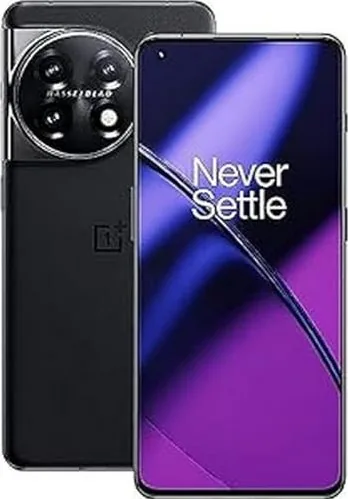
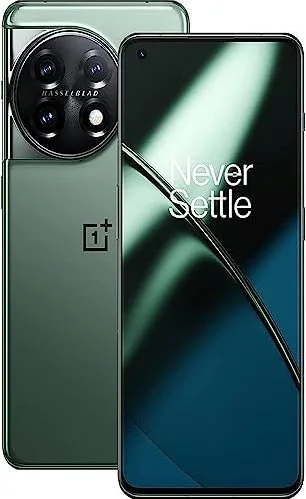
OnePlus 11 Manual
PDF manual · 60 Pages
English



Quick check
Incorrect answer, please try again.
Chat with your OnePlus 11 manual using AI
Get instant AI answers from your OnePlus 11 manual
Ask anything about the OnePlus 11. Answers come from this manual, with the pages they are based on.
Ask a Question
Do you recommend 11?
Yes NoFrequently Asked Questions
Use Clone Phone on the new OnePlus 11 and the old device. It can transfer compatible contacts, messages, photos, apps, documents, and more. Android devices connect by scanning a QR code, while iPhone transfers may use iCloud. A stable Wi-Fi connection is recommended.
Is this answer helpful?
The phone offers light and dark modes, auto brightness, eye comfort, adjustable font and display size, color modes, resolution settings, and 60 Hz or 120 Hz refresh-rate options. Video enhancement tools can improve compatible media but may use more power.
Is this answer helpful?
Security options include a lock screen password, fingerprint unlock, face unlock, App Lock, Hide Apps, Private Safe, permission management, and system cloning. Find My Device can help locate, lock, or erase a lost phone when configured.
Is this answer helpful?
Battery Saver, Super Power Saving Mode, optimized app battery controls, sleep standby optimization, and optimized night charging are available. You can also reduce consumption by lowering brightness, disabling unused wireless connections, and limiting background apps.
Is this answer helpful?
Yes. Games settings include performance modes, touch optimization, network switching, notification styles, screen recording, game focus mode, real-time FPS and system data, and vibration effects. Available options can vary by game, region, and software version.
Is this answer helpful?
Accessibility options include TalkBack, magnification, color correction, color vision enhancement, color inversion, high contrast text, Live Caption, hearing aid support, mono audio, switch access, and controls for touch timing and repeated taps.
Is this answer helpful?
Advantages and Disadvantages
Advantages

- Broad connectivity support includes 5G, Wi-Fi, Bluetooth, NFC, VPN, hotspot, tethering, and screencasting.
- Highly customizable interface with wallpapers, Always-On Display styles, fonts, icons, colors, gestures, and layouts.
- Strong privacy toolkit with fingerprint and face unlock, App Lock, Hide Apps, Private Safe, and system cloning.
- Gaming, battery, accessibility, and Digital Wellbeing controls support many different user needs.
- Clone Phone simplifies migration of compatible contacts, media, messages, apps, and other data.
Disadvantages

- Some features, including the Alert Slider and certain software functions, may vary by model or region.
- High refresh rate, video enhancement, gaming modes, and high-performance mode can increase battery use and heat.
- Data transfer compatibility can be limited when moving content from iPhone or unsupported formats.
- Several advanced settings may be overwhelming for users who prefer a simpler interface.
- Fast charging performance depends on using approved OnePlus charging accessories and suitable temperatures.
Product Specification
Operating system
Android 14.0 (via update/LineageOS support), Android 13.0 (preinstalled)
Display
6.7 in, 3216 x 1440 pixels, 1.07 billion colors, AMOLED, capacitive touchscreen, Gorilla Glass Victus, punch-hole camera, HDR (HDR10+, Dolby Vision), 1-120 Hz refresh rate, 1000 Hz sampling rate, 526 ppi
Rear camera
50.0 MP, f/1.8, phase-detection AF (all-pixel AF/omnidirectional), contrast-detection AF, color spectrum sensor, OIS, dual-LED flash, video at 4320p/24 fps (camera 1); 48.0 MP, f/2.2, phase-detection AF, wide-angle lens (camera 2); 32.0 MP, f/2.0, phase-detection AF, telephoto lens (camera 3)
Front camera
16.0 MP, f/2.45, video at 1080p/30 fps
Interfaces
USB-C 2.0 (480 Mb/s, OTG), Wi-Fi 7 (WLAN 802.11a/b/g/n/ac/ax/be), Bluetooth 5.3 (aptX HD), NFC
Sensors
Accelerometer, gyroscope, proximity sensor, ambient light sensor, compass, fingerprint sensor (display)
SoC
Qualcomm SM8550-AB Snapdragon 8 Gen 2, 64-bit
CPU
1 x 3.20 GHz Kryo Prime + 4 x 2.80 GHz Kryo Gold + 3 x 2.00 GHz Kryo Silver
GPU
Adreno 740
Navigation
A-GPS (L1/L5), GLONASS, BeiDou (B1I/B1C/B2a), Galileo (E1/E5a), QZSS (L1/L5)
Modem
GSM (0.2 Mbps/0.1 Mbps), UMTS (42 Mbps/5.76 Mbps), LTE, 5G
Frequency bands
2G (850/900/1800/1900), 3G (B1/B2/B4/B5/B8/B19), 4G (B1/B2/B3/B4/B5/B7/B8/B12/B13/B17/B18/B19/B20/B25/B26/B28/B30/B32/B38/B39/B40/B41/B66/B71), 5G (n1/n2/n3/n5/n7/n8/n20/n25/n28/n30/n38/n40/n41/n66/n71/n77/n78)
Battery
5000 mAh, non-removable
Charging power
100 W (Oppo 100W SuperVOOC)
Form factor
Candy bar
Housing material
Glass (back), metal (frame)
Special features
Dual SIM, IP64 certified, stereo speakers (hybrid)
Dimensions
6.42 x 2.92 x 0.33 in
Weight
7.23 oz
Screen-to-body ratio
89.4%
Product Description
OnePlus 11: A Feature-Rich 5G Smartphone
The OnePlus 11 is a capable 5G smartphone built for people who want fast connectivity, flexible personalization, and practical everyday tools. This model combines an OxygenOS experience with a broad set of controls for display, sound, privacy, battery care, gaming, and accessibility. Whether you are setting up a new phone, moving content from an older device, or fine-tuning daily settings, the OnePlus 11 Manual helps highlight the features that make this device adaptable to different routines.
Fast Setup and Everyday Connectivity
Getting started is designed to be straightforward. The phone uses a Nano-SIM tray, USB Type-C charging, and a setup process that can configure language, navigation, fingerprint security, and more. Clone Phone supports migration of contacts, messages, photos, apps, and other compatible data from Android or iPhone devices, helping reduce the effort involved in changing phones.
The OnePlus 11 supports Wi-Fi, mobile data, Bluetooth, NFC, VPN connections, personal hotspot tools, screencasting, and tethering. Features such as dual-channel acceleration and Wi-Fi 6 hotspot support can improve connection flexibility where compatible networks and devices are available. NFC tap-to-pay functionality adds another convenient option for compatible payment services.
Personalization, Performance, and Control
OxygenOS offers extensive visual customization. Users can select wallpapers, live wallpapers, Always-On Display styles, fonts, icon shapes, colors, fingerprint animations, and home screen layouts. The display settings include light and dark modes, adaptive brightness, eye comfort controls, screen color modes, resolution choices, and refresh-rate options up to 120 Hz.
For entertainment, Dolby Atmos profiles, adjustable haptics, screen recording, and enhanced video settings help tailor the experience. Gaming tools offer performance modes, notification controls, touch optimization, real-time system information, game recording, and focus settings intended to reduce interruptions during play.
Security and Wellbeing Features
The OnePlus 11 includes password, fingerprint, and face unlock options, alongside App Lock, Hide Apps, Private Safe, and a separate system clone for added privacy. Find My Device, security updates, permission controls, emergency SOS options, and medical information settings provide useful layers of protection.
Battery settings include power saving modes, optimized night charging, reverse wireless charging, and app battery management. Digital Wellbeing tools add app timers, focus mode, bedtime mode, parental controls, and activity summaries to support healthier screen habits.
Note: Software features, interface details, and availability may vary by region, configuration, and future software updates. Use approved charging accessories and back up important data before resetting the phone.
Search for 67,706 Manuals online


Type-in Brand or Model