
Omnitronic BOB-10A Manual
PDF manual · 36 Pages
English



Quick check
Incorrect answer, please try again.
Chat with your Omnitronic BOB-10A manual using AI
Get instant AI answers from your Omnitronic BOB-10A manual
Ask anything about the Omnitronic BOB-10A. Answers come from this manual, with the pages they are based on.
BOB-10A Maintenance Schedule
Disconnect from power and clean with a soft lint-free moistened cloth. Do not use alcohol or solvents.
If clacking sounds are heard, check if screws have loosened due to vibrations and have a specialist inspect the unit.
Check the device and power cord regularly for damage such as crimping or sharp edges.
Free maintenance reminders
Timed to your purchase date. Always free, unsubscribe anytime.
Ask a Question
Do you recommend BOB-10A?
Yes NoFrequently Asked Questions
With the BOB-4 satellites, the system supports 2.1, 4.1, and 8.1 style setups. You connect satellites to the high-pass speaker outputs of the active subwoofer, and you can add more units to scale the rig.
Is this answer helpful?
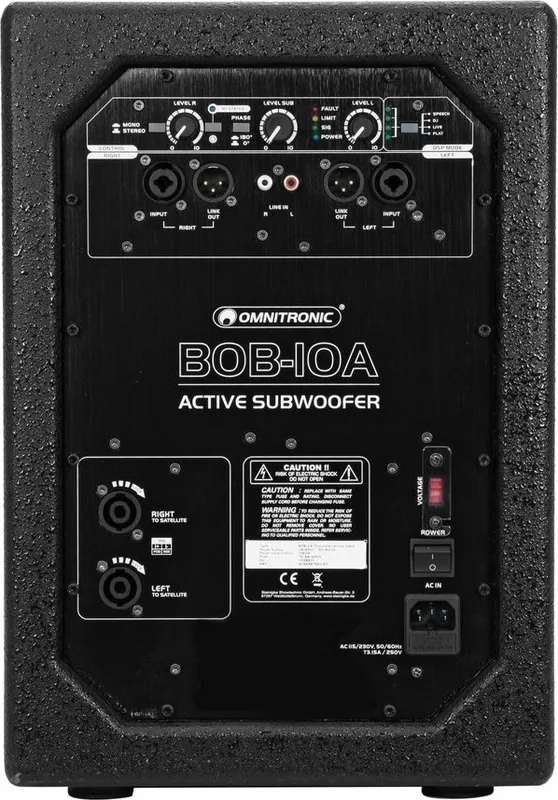
The input combo jacks are intended for stereo (LEFT and RIGHT channels). If you connect a mono device to the combo inputs, use only the LEFT socket. This keeps channel routing correct for the intended signal.
Is this answer helpful?
Switch on the subwoofer, then press and hold the Bluetooth button for about 2 seconds until the BT STATUS indicator flashes. Enable Bluetooth on your device, search for "OMNITRONIC", and connect. When paired, BT STATUS stays solid. A short press can decouple the devices.
Is this answer helpful?
Yes. Use the voltage selector switch to choose 115 V or 230 V according to your local power. Connect the correct setting before powering the unit.
Is this answer helpful?
DSP MODE provides EQ-style presets: FLAT keeps the response unchanged, LIVE reduces highs, DJ boosts bass and highs, and SPEECH boosts mids and highs. Choose based on whether you are playing music, DJ material, or prioritizing voice clarity.
Is this answer helpful?
LIMIT indicates the signal is too high and the limiter is reducing level to protect speakers. Lower the volume until LIMIT only appears at signal peaks or not at all. If FAULT is active, switch off and investigate the cause before restarting.
Is this answer helpful?
Yes. Connect the active BOB-10A subwoofer to a passive line-level output of your AV receiver, and connect the BOB-4 satellite speakers to the receiver's amplified speaker outputs. This supports a compact cinema-style audio setup with dedicated sub bass.
Is this answer helpful?
Advantages and Disadvantages
Advantages

- DSP-controlled Class-D amplification and bass reflex design for clear, controlled low end.
- Flexible expansion with BOB-4 satellites supports 2.1, 4.1, and 8.1 configurations.
- Built-in Bluetooth audio streaming for wireless music from mobile devices.
- Separate level controls for subwoofer and L/R satellites allow precise room balancing.
- Multiple protection circuits with status indicators (FAULT, LIMIT, SIG, POWER) for safer operation.
Disadvantages

- Best suited for indoor setups and small to medium coverage; larger venues may require additional scaling.
- Bluetooth uses a basic version (2.0) compared with newer standards.
- Configuration flexibility depends on having the matching BOB satellites and (optionally) extra subs/accessories.
- Heavier single unit (16.5 kg) requires proper lifting and stable placement.
Product Specification
Woofer
1x 10"
Amplification
active
Frequency range
45Hz-250Hz
Power
300W RMS
Dimensions
18.50x11.81x16.93in (WxHxD)
Weight
36.38lb
Product Description
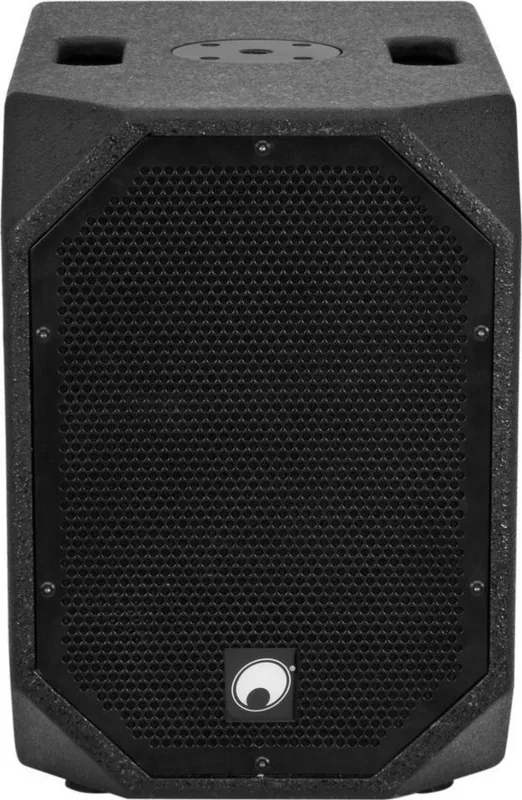
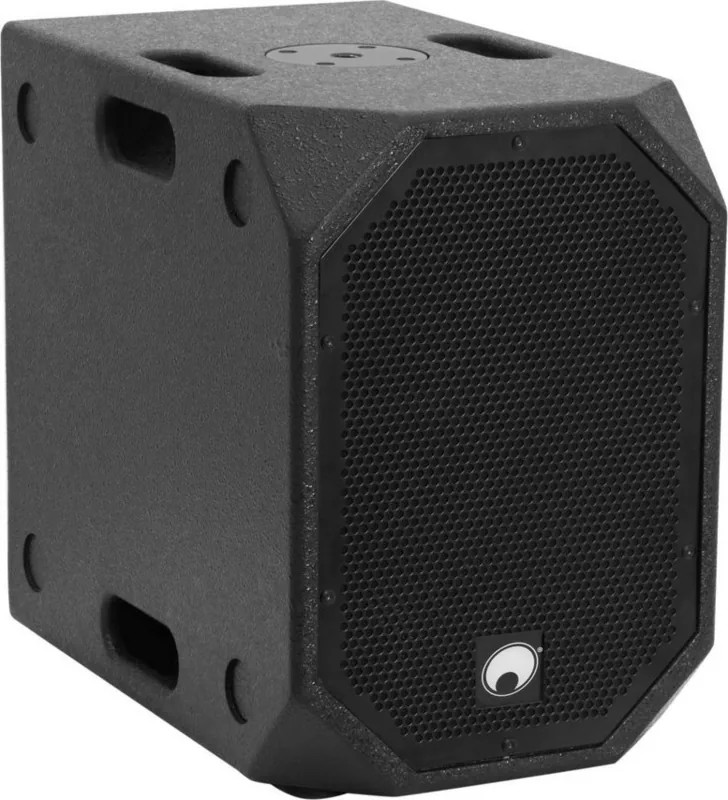
Omnitronic BOB-10A black: Compact DSP Subwoofer for Flexible Sound
The Omnitronic BOB-10A black is a compact active PA subwoofer built for fast setup and confident performance. Designed to pair with BOB-4 satellite speakers, it helps you turn a small footprint into a powerful, clear full-range experience. The Omnitronic BOB-10A black Manual emphasizes practical system building: connect satellites to the subwoofer, choose the right mode, and you are ready for music, speech, DJ sets, or installations.
Whether you are rehearsing with a guitar, delivering vocals for a small gig, or setting up a tidy party rig, BOB can adapt. For up to about 50 people, satellites mount to the subwoofer on a stand for audience-focused coverage. The system can also scale: expand to bigger 2.1, 4.1, or even 8.1 configurations using multiple tops and additional subs. This makes it a solid option for bars, small shops, conference rooms, and home entertainment where you want consistent sound without complicated rack systems.
The heart of the BOB-10A black is its DSP-controlled Class-D amplification and bass reflex design. You get separate level controls for the subwoofer and the left/right satellites, plus EQ presets with clear status indicators. A phase reversal switch helps when multiple speakers are used together, and built-in protection circuits (including soft start, limiting, and thermal protection) support safe operation. For wireless convenience, the unit includes Bluetooth audio streaming for smartphones, tablets, and notebooks.
Finally, it is made for everyday handling: sturdy MDF construction with a steel grille, built-in carry handles, and practical connectivity options for stereo or mono operation. You can transport, place, and integrate the system quickly, then fine-tune it for the room.
Key results
- DSP and Class-D amplification deliver controlled bass and stable overall sound with EQ presets.
- Flexible expansion supports 2.1, 4.1, and 8.1 setups when used with BOB satellites and compatible subs.
- Bluetooth wireless streaming simplifies mobile music playback for gigs and parties.
- Separate sub and satellite volume control makes it easier to match output to the venue.
- Protection and monitoring (FAULT, LIMIT, SIG, POWER) help reduce the risk of overstressing speakers.
Notes
- Designed for indoor use; follow safe placement and secure any stacking with belts, and use secondary safety for overhead mounting.
- Keep cables tidy and avoid long unbalanced runs where possible to reduce hum and noise.
- If distortions or FAULT indications appear, lower levels and check the system before continuing.
Search for 67,706 Manuals online


Type-in Brand or Model