
Olympus PEN E-PL10 Manual
PDF manual · 179 Pages
English



Quick check
Incorrect answer, please try again.
Chat with your Olympus PEN E-PL10 manual using AI
Get instant AI answers from your Olympus PEN E-PL10 manual
Ask anything about the Olympus PEN E-PL10. Answers come from this manual, with the pages they are based on.
Ask a Question
Do you recommend PEN E-PL10?
Yes NoFrequently Asked Questions
It is a compact mirrorless camera with interchangeable lenses, touchscreen controls, automatic and manual shooting modes, creative image tools, wireless smartphone connectivity, and video recording options.
Is this answer helpful?
Yes. AUTO mode selects settings automatically, while Live Guide provides simple controls for brightness, color, background blur, and motion. Scene modes also tailor settings for common subjects and shooting conditions.
Is this answer helpful?
Yes. The tilting monitor can face forward for self-portraits. The camera also includes Self Portrait mode and skin-smoothing options such as Instant e-Portrait and e-Portrait.
Is this answer helpful?
Yes. It offers Night Scene, Handheld Starlight, Fireworks, Light Trails, Live Time, Live Composite, Bulb, and manual long-exposure options. A tripod is recommended for the sharpest results.
Is this answer helpful?
Yes. Wi-Fi and Bluetooth features allow pairing with a smartphone, image transfer, remote camera control, location-data addition, and automatic image upload while the camera is switched off.
Is this answer helpful?
The camera records standard video, 4K video, short clips for My Clips projects, and high-speed slow-motion video. It also offers video effects, touch controls, and in-camera clip editing.
Is this answer helpful?
Advantages and Disadvantages
Advantages

- Tilting touchscreen supports low-angle, high-angle, touch-focus, and self-portrait shooting.
- AUTO, Live Guide, and scene modes make creative photography accessible to new users.
- Advanced options include Live Composite, HDR, panoramas, Art Filters, and manual exposure.
- Wi-Fi and Bluetooth enable smartphone transfer, remote shooting, location data, and off-camera upload.
- Records standard, 4K, clip-based, and slow-motion video with creative effects.
Disadvantages

- The battery cannot be charged through the camera's USB connection.
- Long exposures, HDR, and some night modes benefit from a tripod and remote control.
- Silent electronic shutter may show distortion with fast motion or flickering LED lighting.
- Some features are unavailable or restricted depending on mode, lens, or selected settings.
- 4K and high-speed video require fast UHS-I UHS Speed Class 3 memory cards.
Product Specification
Type
Mirrorless
Effective megapixels
16.1 megapixels
Sensor
Four Thirds, Live MOS 0.68 x 0.51 in, 3.75 um pixel size, no low-pass filter
Autofocus
Contrast detection, 121 points
Resolutions
Max. 4608 x 3456 (4:3) pixels (JPEG/RAW), 12-bit
Lens mount
Micro Four Thirds, 2.0 crop factor
Image stabilizer
Optical, compensates up to 3.5 stops
Display
3.0 in LCD, Live View, touchscreen, 1.04 million dots, tilting, flips 180 degrees
Viewfinder
No
Flash
Built-in and hot shoe
Flash synchronization
1/250 s, first-curtain sync, second-curtain sync
Video function
H.264, MOV, 3840 x 2160 at 30p (16:9), 1920 x 1080 at 30p (16:9)
Light sensitivity (ISO)
200-25,600, expandable to 100-25,600
Shutter speed
1/4,000-60 s (mechanical), 1/16,000-60 s (electronic)
Continuous shooting
Max. 8.6 fps
Removable storage
SD/SDHC/SDXC (UHS-I)
Connections
USB 2.0, HDMI
Wireless connectivity
Wi-Fi (WLAN), Bluetooth
Power supply
Li-ion battery (BLS-50)
Dimensions (W x H x D)
4.61 x 2.68 x 1.54 in
Weight
11.71 oz
Weight including battery and card
13.4 oz
Product Description
Olympus PEN E-PL10 - Read, Download & Print Free
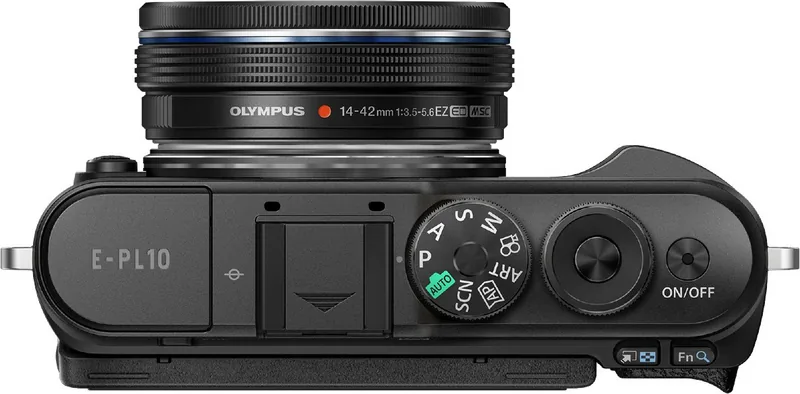
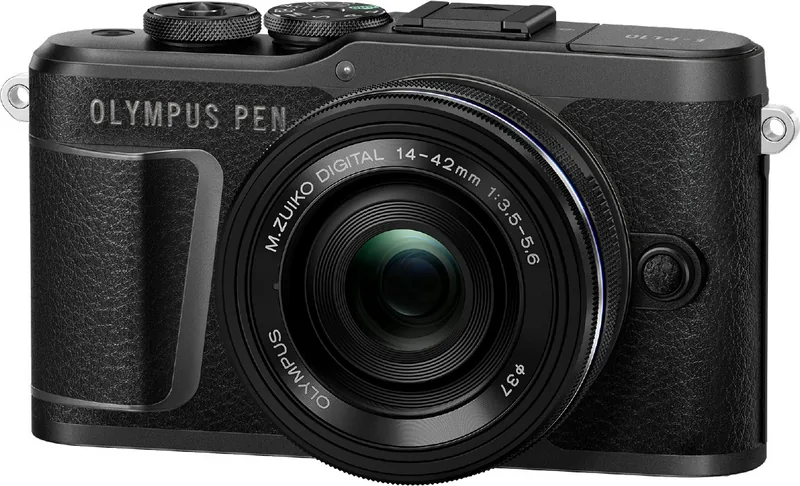
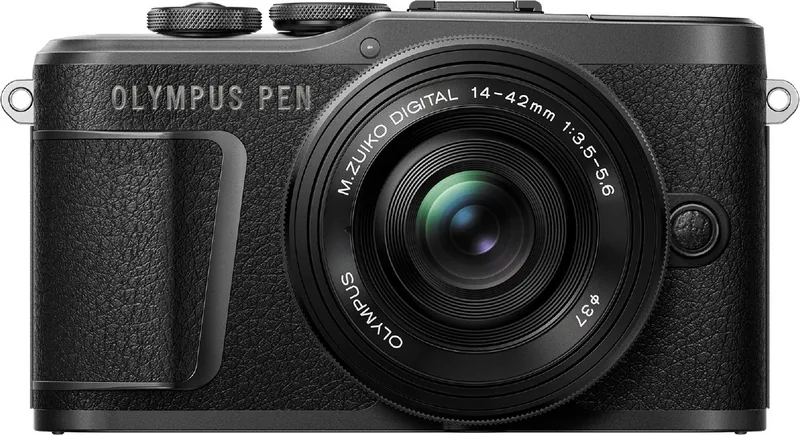
The Olympus PEN E-PL10 is a stylish, compact mirrorless camera designed for photographers who want creative control without an intimidating learning curve. Its interchangeable-lens design lets users adapt to portraits, travel scenes, close-ups, landscapes, and video projects, while the approachable controls help beginners get started quickly. A tilting touchscreen makes it easier to compose images from high, low, and front-facing angles.
Flexible shooting for everyday creativity
The camera offers AUTO mode for simple, reliable shooting and Live Guide controls for adjusting brightness, color saturation, background blur, and motion in plain language. Scene modes optimize settings for common subjects such as portraits, children, sunsets, candlelight, macro scenes, fireworks, and night landscapes. Self Portrait mode supports front-facing shooting and includes skin-smoothing options for more polished portraits.
For users ready to explore further, the E-PL10 includes Program, Aperture Priority, Shutter Priority, and Manual exposure modes. These settings make it possible to control depth of field, freeze fast action, create intentional motion blur, or produce long exposures. Built-in image stabilization helps reduce camera shake, while focus controls, face and eye detection, touch AF, and selectable AF areas help keep subjects sharp.
Advanced photo tools and expressive effects
Creative features include Art Filters, HDR, multiple exposure, panorama creation, keystone correction, exposure bracketing, focus bracketing, and silent shooting. Live Composite and Live Time modes are especially useful for light trails, fireworks, and night scenes because they allow the result to be monitored as the exposure develops. The camera also supports an electronic silent shutter, although fast movement or flickering light can affect results.
Video, sharing, and playback
The Olympus PEN E-PL10 records standard video, 4K video, clip-based movies, and slow-motion footage. Video effects, digital tele-converter options, and My Clips editing tools provide extra creative flexibility. Wireless Wi-Fi and Bluetooth functions support pairing with a smartphone, transferring images, remote shooting, automatic image upload while the camera is off, and adding location information.
Playback tools include image protection, deletion, rating and sharing selections, print orders, photo editing, video trimming, slideshow viewing, and HDMI output for viewing on a television. The camera uses SD, SDHC, and SDXC memory cards and accepts interchangeable compatible lenses.
Notes
- Use the original BLS-50 battery and charge it with the supplied dedicated charger.
- Format cards in the camera before use when they were previously used elsewhere.
- Use a tripod for the best results with long exposures, HDR, panoramas, and light-trail photography.
- Check local wireless regulations before using Wi-Fi or Bluetooth features.
Search for 67,706 Manuals online


Type-in Brand or Model