
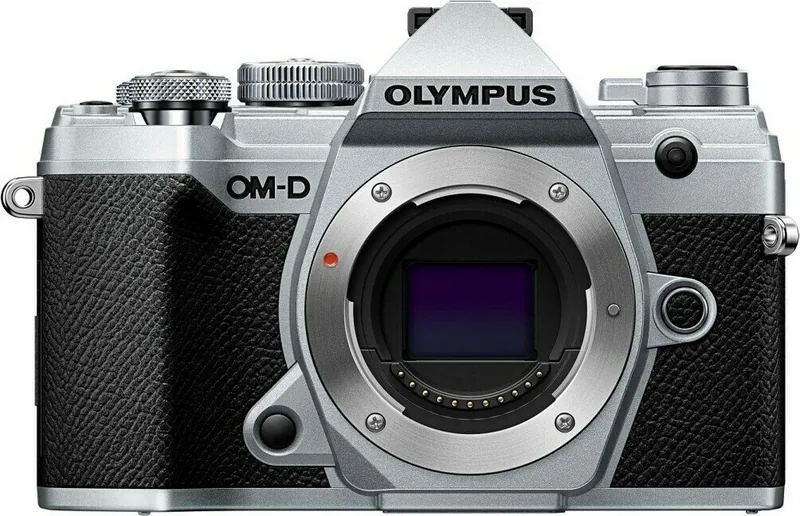
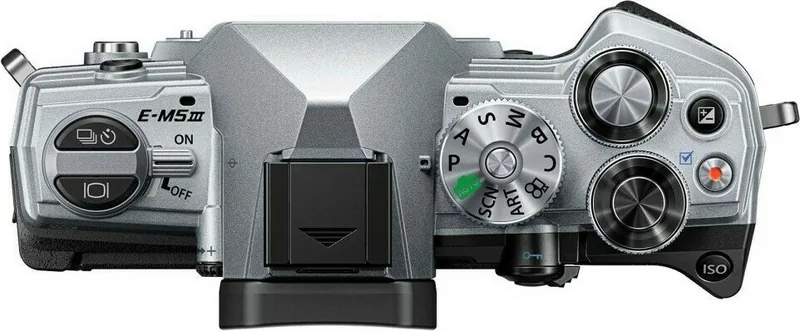
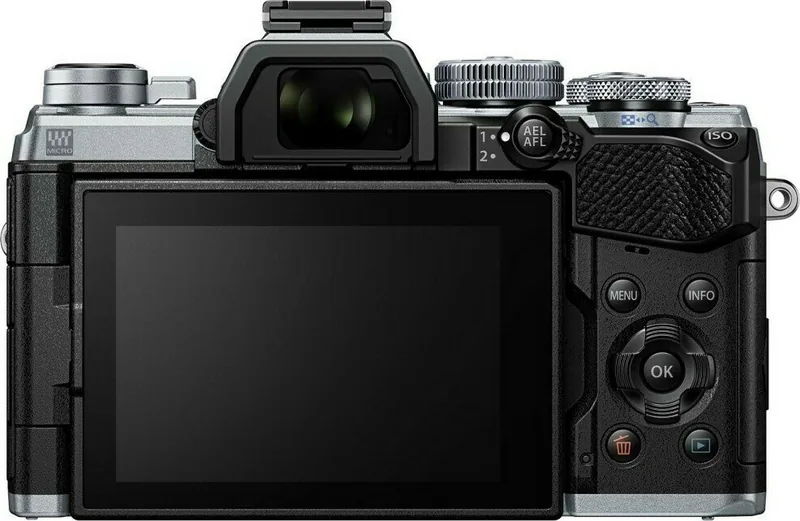
Olympus OM-D E-M5 Mark III Manual
PDF manual · 257 Pages
English



Quick check
Incorrect answer, please try again.
Chat with your Olympus OM-D E-M5 Mark III manual using AI
Get instant AI answers from your Olympus OM-D E-M5 Mark III manual
Ask anything about the Olympus OM-D E-M5 Mark III. Answers come from this manual, with the pages they are based on.
Ask a Question
Do you recommend OM-D E-M5 Mark III?
Yes NoFrequently Asked Questions
It is a compact interchangeable-lens camera based on the Micro Four Thirds system. It is designed for still photography and video, with manual controls, automatic modes, an electronic viewfinder, and an adjustable touchscreen.
Is this answer helpful?
Yes. AUTO mode selects settings for the scene, while Live Guide controls help adjust color, brightness, background blur, and motion without requiring detailed technical knowledge. Scene modes also provide presets for common subjects.
Is this answer helpful?
Yes. It includes Bulb, Time, Live Bulb, Live Time, and Live Composite options for long exposures. These modes are useful for light trails, fireworks, stars, and other low-light scenes, especially when used with a tripod.
Is this answer helpful?
Yes. Video can be started in photo modes with the movie button or recorded in the dedicated movie mode. Settings include resolution, frame rate, compression, audio options, movie exposure, and selected creative effects.
Is this answer helpful?
The camera has built-in Wi-Fi and Bluetooth for connection with a compatible smartphone app. This supports image transfer, remote shooting, location-data addition, and selected automatic transfer functions when the camera is off.
Is this answer helpful?
The camera supports SD, SDHC, and SDXC cards that meet SD standards. For 4K, C4K, or high-bitrate video, use a UHS-I or UHS-II card with UHS Speed Class 3 or higher.
Is this answer helpful?
Advantages and Disadvantages
Advantages

- Compact interchangeable-lens camera with an electronic viewfinder and vari-angle touchscreen.
- Offers P, A, S, M, AUTO, Scene, Art Filter, Custom, and dedicated video modes.
- Creative tools include Live Composite, HDR, high-resolution capture, focus bracketing, and silent shooting.
- Built-in Wi-Fi and Bluetooth enable smartphone transfer, remote control, and location-data options.
- Supports SD cards, Micro Four Thirds lenses, external flashes, microphones, HDMI, and USB workflows.
Disadvantages

- Advanced menus and extensive customization can take time to learn.
- Some creative modes limit other settings or save JPEG alongside RAW output.
- Long exposures, high ISO use, and extended video recording can increase heat and image noise.
- 4K and high-bitrate video require faster SD cards with suitable speed ratings.
- Wireless operation may be restricted by local radio regulations when traveling.
Product Specification
Type
Mirrorless
Effective megapixels
20.4 megapixels
Sensor
Four Thirds, Live MOS 0.68 x 0.51 in, 3.34 um pixel size, without low-pass filter
Autofocus
Hybrid, 121 points (121 contrast-detection)
Resolutions
max. 5,184 x 3,888 (4:3) pixels (JPEG/RAW), 12-bit
Lens mount
Micro Four Thirds, 2.0x crop factor
Image stabilizer
Optical, compensates up to 5.5 stops
Display
3.0 in LCD, Live View, touchscreen, 1.04 million dots, tilting, swiveling, 180-degree flip-out
Viewfinder
OLED, 2.36 million dots, 100% field coverage, 0.68x magnification
Flash
Hot shoe
Flash synchronization
1/250 s, first-curtain, second-curtain
Video function
H.264, MOV, 4,096 x 2,160 @ 24p (17:9), 3,840 x 2,160 @ 30p (16:9), 1,920 x 1,080 @ 120p (16:9)
Light sensitivity (ISO)
100-25,600
Shutter speed
1/8,000-60 s (mechanical), 1/32,000-60 s (electronic)
Continuous shooting
max. 10 fps
Removable storage
SD/SDHC/SDXC (UHS-II)
Connections
USB 2.0 (charging function), HDMI, microphone
Wireless
Wi-Fi (WLAN), Bluetooth 4.2 LE
Power supply
Li-ion battery (BLS-50)
Special features
Weather-sealed, high-speed video recording (max. 120 fps)
Dimensions (W x H x D)
4.93 x 3.35 x 1.96 in
Weight
12.91 oz
Weight including battery and card
14.60 oz
Manufacturer warranty
1 year
Product Description
Olympus OM-D E-M5 Mark III - Read, Download & Print Free
The Olympus OM-D E-M5 Mark III is a compact Micro Four Thirds camera designed for photographers who want advanced creative control in a lightweight, travel-ready body. It combines interchangeable-lens flexibility with intuitive controls, a built-in electronic viewfinder, and a vari-angle touchscreen that helps users compose from high, low, or front-facing angles.
Built for flexible photography
This camera supports a wide selection of shooting modes, from fully automatic operation to Program, Aperture Priority, Shutter Priority, and Manual exposure. Beginners can use AUTO mode and Live Guide controls to adjust brightness, color, background blur, and motion with clear on-screen feedback. More experienced photographers can fine-tune aperture, shutter speed, ISO, metering, white balance, and exposure compensation.
Scene modes make it easier to approach portraits, landscapes, sports, close-ups, candlelight scenes, sunsets, night photography, fireworks, and panoramas. Art Filters provide additional visual styles, including pop art, grainy film, vintage, watercolor, dramatic tone, and selective color. These options make the Olympus OM-D E-M5 Mark III suitable for both straightforward everyday photography and more expressive image-making.
Features for challenging scenes
The camera includes image stabilization to help reduce blur from camera movement, plus options for silent shooting, anti-shock capture, continuous shooting, self-timer use, and Pro Capture. High Resolution Shot, HDR, focus bracketing, multiple exposure, keystone correction, and Live Composite expand the creative toolkit for detailed still life work, architecture, night scenes, light trails, and fireworks.
Long-exposure tools are particularly useful for photographers who enjoy working after dark. Bulb, Live Bulb, Time, Live Time, and Live Composite modes let users monitor exposure progress and build bright details without unnecessarily overexposing the background. The adjustable monitor and electronic viewfinder also support confident framing in difficult lighting conditions.
Video, sharing, and workflow
Video recording is supported in both photo modes and the dedicated movie mode. The Olympus OM-D E-M5 Mark III offers settings for resolution, frame rate, compression, audio recording, and movie exposure. Creative movie effects and a video tele-converter option add more ways to shape footage in-camera.
Built-in Wi-Fi and Bluetooth support smartphone connection for image transfer, remote operation, location-data use, and selected background transfer options. USB and HDMI connectivity support computer workflows and external display use. The camera accepts SD, SDHC, and SDXC memory cards and works with compatible Micro Four Thirds lenses, flashes, microphones, grips, and other accessories.
Notes
- Charge the BLS-50 battery fully before extended shooting sessions.
- Format new memory cards in the camera before first use.
- Check local rules before using wireless features while traveling.
- Test important settings before once-in-a-lifetime events.
Search for 67,706 Manuals online


Type-in Brand or Model