
Olympus OM-D E-M10 Mark IV Manual
PDF manual · 186 Pages
English



Quick check
Incorrect answer, please try again.
Chat with your Olympus OM-D E-M10 Mark IV manual using AI
Get instant AI answers from your Olympus OM-D E-M10 Mark IV manual
Ask anything about the Olympus OM-D E-M10 Mark IV. Answers come from this manual, with the pages they are based on.
OM-D E-M10 Mark IV Maintenance Schedule
Insert the battery periodically and test the camera's functions. Check each part of the camera before use if it has not been used for a long time.
The dust reduction function operates automatically when the camera is turned on to remove dust from the image pickup device surface.
Free maintenance reminders
Timed to your purchase date. Always free, unsubscribe anytime.
Ask a Question
Do you recommend OM-D E-M10 Mark IV?
Yes NoFrequently Asked Questions
Download the OI.Share app on your mobile device. Enable Bluetooth and Wi-Fi on the camera. Pair the devices within the app settings to enable remote control and image transfer.
Is this answer helpful?
The camera supports SD, SDHC, and SDXC cards. For 4K video, use UHS Speed Class 3 or higher to ensure stable recording speeds.
Is this answer helpful?
Yes, you can access manual settings for shutter speed and aperture while recording video to control exposure manually.
Is this answer helpful?
Tap the subject on the touchscreen to set focus point. You can also adjust focus manually using the focus ring on compatible lenses.
Is this answer helpful?
Yes, the camera features internal image stabilization to reduce camera shake during photography and video capture.
Is this answer helpful?
Visit the Olympus support website, download the latest firmware file to a computer, and transfer it to the card to update the camera.
Is this answer helpful?
Advantages and Disadvantages
Advantages

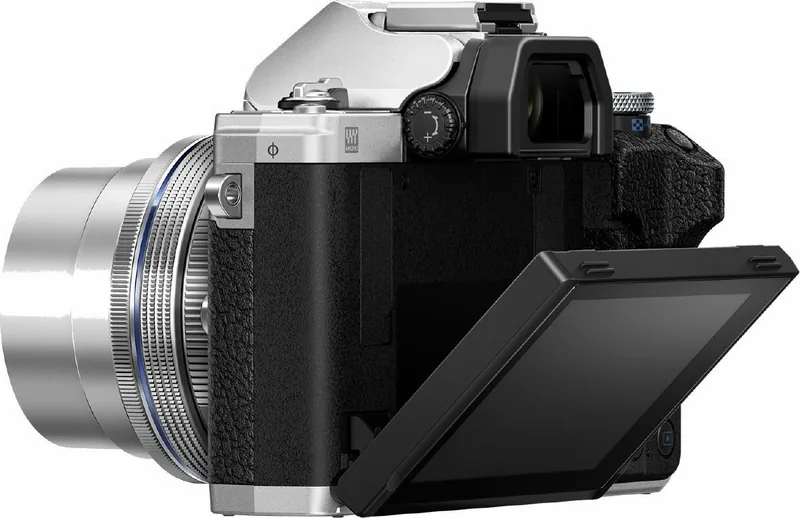
- Intuitive touchscreen interface with tilting monitor for flexible shooting angles
- Versatile exposure modes including manual control for advanced users
- 4K video recording with high-speed slow-motion capabilities at 120 fps
- Seamless wireless connectivity for instant smartphone transfer and remote control
- Extensive Art Filters and Live modes for creative photography effects
Disadvantages

- Battery life requires monitoring during extended outdoor shooting sessions
- High-resolution video requires fast SD cards for consistent performance
- Some advanced features restrict certain settings when specific modes active
- Touchscreen functionality may be limited when wearing gloves
- Electronic shutter may cause rolling shutter distortion on fast moving subjects
Product Specification
Type
Mirrorless
Effective Megapixels
20.3 Megapixels
Sensor
Four-Thirds, Live MOS 0.68x0.51 in, 3.34 um Pixel Size, without low-pass filter
Autofocus
Contrast Detection, 121 Areas
Resolutions
max. 5184x3888(4:3) Pixels (JPEG/RAW), 12bit
Lens Mount
Micro Four-Thirds, Crop Factor 2.0
Image Stabilization
Optical, compensates up to 4.5 Stops
Display
3.0" LCD, Live View, Touchscreen, 1.04 Million Pixels, Tiltable, 180 deg Flip
Viewfinder
OLED, 2.36 Million Pixels, 100% View Coverage, 1.23x Magnification
Flash
Built-in and Flash Shoe
Flash Sync
1/250s, First Curtain Sync, Second Curtain Sync
Video
H.264, MOV, 3840x2160@30p (16:9), 1920x1080@60p (16:9)
ISO Sensitivity
100-25600
Shutter Speed
1/4000-60s (mechanical), 1/16000-30s (electronic)
Continuous Shooting
max. 8.7 Images/sec
Storage Media
SD/SDHC/SDXC (UHS-II)
Ports
USB 2.0, HDMI, Audio/Video Output
Wireless
Wi-Fi 4 (WLAN 802.11b/g/n), Bluetooth 4.2 LE
Power Supply
Li-Ion Battery (BLS-50)
Special Features
High-speed Video Recording (max. 120 Images/sec)
Dimensions (WxHxD)
4.79x3.33x1.93 in
Weight (w/ Battery & Card)
0.84 lbs
Manufacturer Warranty
1 Year
Product Description
Discover the Olympus OM-D E-M10 Mark IV
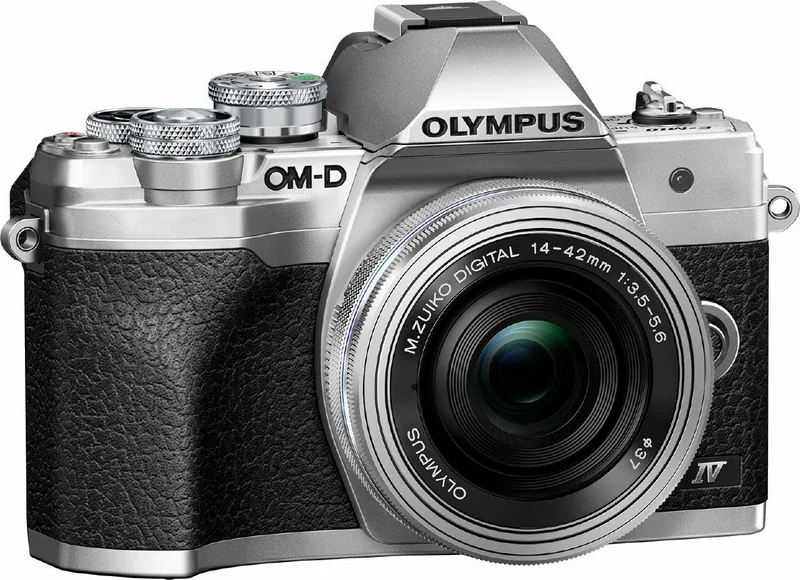
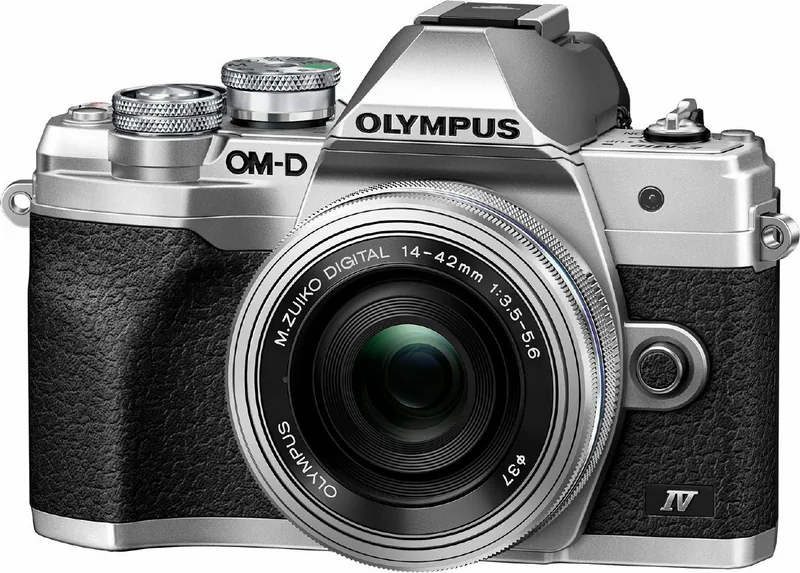
Welcome to a new era of photography with the Olympus OM-D E-M10 Mark IV mirrorless camera system. This compact unit blends professional power with a classic retro design. Enthusiasts appreciate the ergonomic grip and responsive physical controls found on the top plate. The Olympus OM-D E-M10 Mark IV Manual features highlight a versatile touchscreen monitor that tilts up and down for low-angle shots. This flexibility aids videographers and photographers alike in various situations. The interface is intuitive, allowing users to access settings directly through the on-screen menu without confusion. Beginners and experts find customisation essential for their specific creative style and workflow needs.
Shooting Capabilities
Users can switch between multiple exposure modes effortlessly using the control dial. The Auto mode handles settings for beginners, while Program modes offer partial control over the image output. Shutter Priority and Aperture Priority modes allow manual adjustment of speed or depth of field to suit lighting conditions. Manual mode grants full authority over Blending and Timing for advanced creative effects. Special Creative modes include Art Filters for vintage looks or Live Composite for night sky photography. Pop Art and Cross Development filters add unique styles to everyday snapshots. HDR processing combines four shots automatically to balance shadows and highlights without needing external software. These features are fully accessible through the camera body regardless of previous experience levels. Touchscreen focusing adds speed and precision to the workflow.
Video and Connectivity
Record stunning 4K video with ease using the advanced sensor technology. The camera supports High-Speed slow-motion capture at 120 fps for cinematic effect playback. Wireless connectivity via W-Fi allows instant transfer to smartphones using the dedicated OI.Share app. Bluetooth ensures low-energy background synchronization for automatic location tagging on photos. You can also use the camera as a remote control for live view streaming to mobile devices. Note that battery life should be monitored during extensive shooting sessions in cold environments. Charging takes approximately forty minutes via the USB port for convenience and travel. Stabilization helps reduce shake during handheld video capture for steady results.
Notes and Maintenance
Ensure you use compatible micro SD cards for optimal performance to avoid recording errors during use. The lens mount accepts all Micro Four Thirds lenses for diverse focal lengths and perspectives. Clean the sensor carefully to avoid dust spots on final images affecting quality. If you encounter issues, refer to standard troubleshooting guides online for quick solutions. Always update firmware to maintain stability and fix known bugs reported by users. Keep the device dry and protected from extreme temperatures to ensure longevity. Carry a spare battery for long trips to avoid power failure. The build quality ensures durability against dust and splashes for outdoor adventures.
Search for 67,706 Manuals online


Type-in Brand or Model