
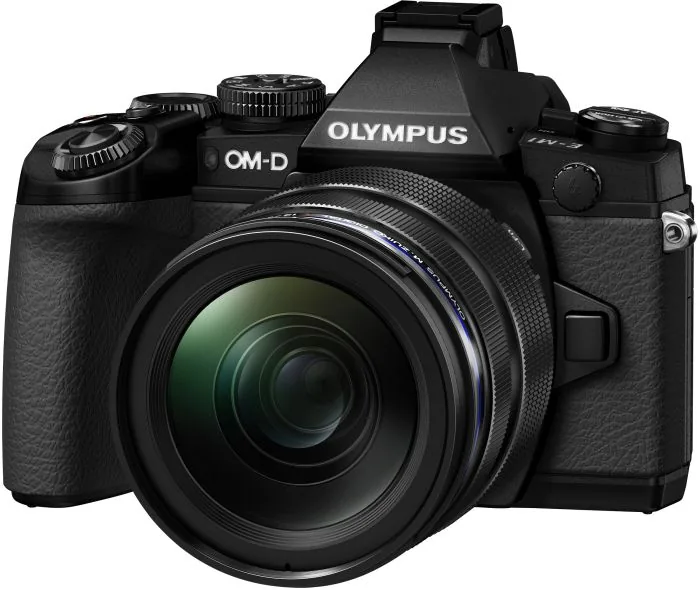
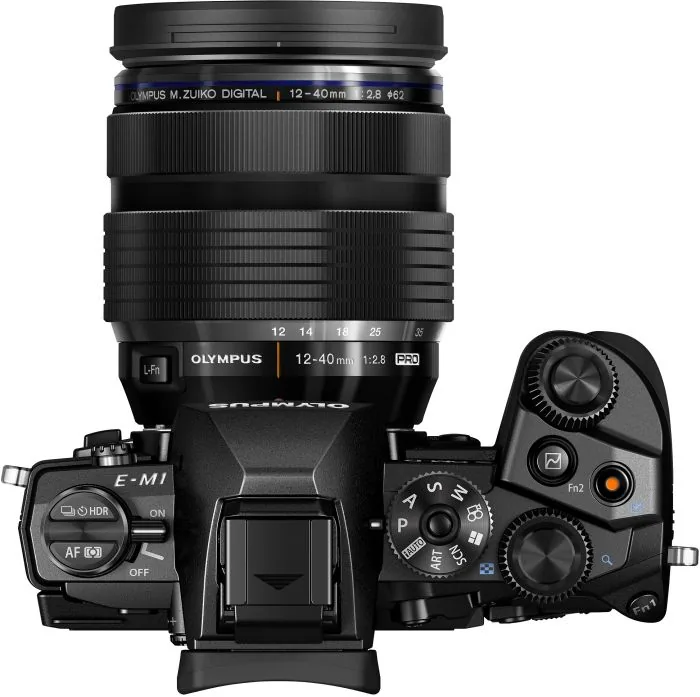
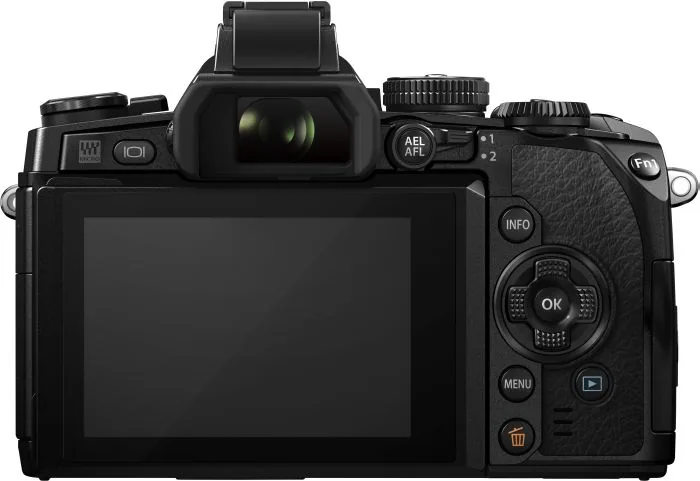
Olympus OM-D E-M1 Manual
PDF manual · 185 Pages
English



Quick check
Incorrect answer, please try again.
Chat with your Olympus OM-D E-M1 manual using AI
Get instant AI answers from your Olympus OM-D E-M1 manual
Ask anything about the Olympus OM-D E-M1. Answers come from this manual, with the pages they are based on.
OM-D E-M1 Maintenance Schedule
Turn off the camera and remove the battery. Wipe gently with a soft cloth. If very dirty, use a damp cloth with mild soapy water, then dry.
If not used for a prolonged period, insert the battery periodically and test the camera's functions to ensure proper operation.
Remove dust and other foreign matter from the body and rear lens caps before attaching them to prevent contamination inside the camera.
Ask a Question
Do you recommend OM-D E-M1?
Yes NoFrequently Asked Questions
Align the red mark on the lens with the red mark on the camera mount. Insert the lens gently and rotate it clockwise until it clicks securely into place. Ensure the camera is turned off before making any changes to avoid damaging the sensor.
Is this answer helpful?
In Program mode (P), the camera automatically sets both shutter speed and aperture for optimal exposure. In Aperture Priority (A), you manually select the aperture to control depth of field while the camera adjusts the shutter speed accordingly.
Is this answer helpful?
Yes, you can take a still photo during video recording. This stops the video momentarily, saves the photo, and then resumes the video recording. However, only one photo can be taken per video clip, and the self-timer or flash cannot be used simultaneously.
Is this answer helpful?
Install the OI.Share app on your smartphone. Enable Wi-Fi on the camera via the menu, select the network name shown on the screen, and connect your phone to it. Follow the app prompts to link the devices for remote control and file transfer.
Is this answer helpful?
If the camera temperature rises significantly, it may display a warning or stop recording. Turn the camera off immediately to let it cool down. Avoid long continuous recordings in hot environments or high ISO settings to prevent this issue.
Is this answer helpful?
Switch to Live View mode and tap directly on the subject you wish to focus on. The camera will automatically adjust the focus point to that location. You can also drag the focus frame to reposition it precisely.
Is this answer helpful?
Advantages and Disadvantages
Advantages

- High-resolution electronic viewfinder provides a clear and lag-free preview even in bright sunlight
- Robust weather-sealed magnesium alloy body withstands harsh environmental conditions
- Advanced autofocus system with face detection and eye tracking ensures sharp portraits
- Extensive customization options allow users to tailor button layouts to personal workflow
- Built-in Wi-Fi enables seamless image transfer and remote control via smartphone apps
Disadvantages

- Complex menu structure may overwhelm beginners during initial setup phases
- Battery life can be limited when using the electronic viewfinder extensively
- Video autofocus performance drops significantly when using older Four-Thirds lenses
- Touchscreen functionality is restricted in certain specific shooting modes
- No built-in image stabilization within the camera body itself for all lens types
Product Specification
Type
Mirrorless
Effective Megapixels
16.3 Megapixels
Sensor
Four-Thirds, Live MOS 0.68x0.51 in, 0.000148 inch Pixel Size, No Low-Pass Filter
Autofocus
Hybrid, 81 Zones (37 Phase-Detection)
Resolutions
Max 4608x3456(4:3) Pixels (JPEG/RAW), 12bit
Lens Mount
Micro Four Thirds, Crop Factor 2.0
Image Stabilizer
Optical, Compensates Up To 4 Exposure Stops
Display
3.0" LCD, Live View, Touchscreen, 1.04 Million Dots, Tiltable
Viewfinder
LCD, 2.36 Million Dots, 100% Field of View, 0.74x Magnification
Flash
Flash Shoe
Flash Sync Speed
1/250s, First-Curtain Sync, Second-Curtain Sync
Video Function
H.264, MOV, 1920x1080@30p (16:9)
Sensitivity (ISO)
200-25600
Shutter Speed
1/8000-60s (Mechanical), 1/16000-1/8s (Electronic)
Continuous Shooting
Max 10 Frames/Sec.
Memory Card
SD/SDHC/SDXC (UHS-I)
Connectivity
USB 2.0, HDMI, Audio/Video Output, Microphone
Wireless
Wi-Fi (WLAN), Bluetooth
Power Supply
Li-Ion Battery (BLN-1)
Features
Sealed
Dimensions (WxHxD)
5.12x3.70x2.48 in
Weight
15.63 oz
Weight Incl. Battery and Card
17.53 oz
Manufacturer Warranty
1 Year
Product Description
Discover the Olympus OM-D E-M1 Manual: A Photographer's Essential Companion
The Olympus OM-D E-M1 is a masterpiece of engineering designed for enthusiasts and professionals who demand precision in every shot. This camera bridges the gap between compact convenience and full-frame performance, offering a robust body packed with advanced features. Understanding its capabilities fully requires more than just trial and error; it demands a deep dive into its operational logic, which is where the comprehensive manual becomes indispensable.
Navigating the interface of the E-M1 can initially seem complex due to the sheer number of customizable buttons and menus. The manual serves as your roadmap, guiding you through the intricate process of setting up the camera for various scenarios. From preparing the device by charging the BLN-1 battery and inserting SD cards to attaching M.Zuiko lenses, every step is detailed with clarity. Whether you are adjusting the diopter for the high-resolution electronic viewfinder or configuring the touch screen for intuitive focus selection, the guide ensures you master these fundamental tasks before tackling creative challenges.
One of the standout features highlighted in the documentation is the versatility of shooting modes. The manual explains how to utilize Program Auto (P), Aperture Priority (A), Shutter Priority (S), and full Manual (M) modes to control depth of field and motion blur effectively. It also delves into specialized functions like Live Composite photography for light trails and Fireworks, as well as the Art Filter system that allows users to apply painterly effects directly in-camera. For video enthusiasts, the guide covers recording techniques, including the use of effect filters and external microphone connections for superior audio capture.
Connectivity is another area where the E-M1 shines, and the text provides clear instructions on integrating the camera with smartphones via Wi-Fi using the OI.Share app. This feature transforms the camera into a powerful remote tool, allowing you to compose shots and transfer images instantly. The manual also addresses practical concerns such as cleaning the sensor, managing firmware updates, and troubleshooting common error codes. By following the safety warnings and maintenance tips, photographers can ensure their equipment remains reliable for years to come. Ultimately, this resource empowers users to unlock the full potential of their Olympus OM-D E-M1, turning technical specifications into artistic expression.
Search for 67,706 Manuals online


Type-in Brand or Model