
Olympus OM-D E-M1 Mark III Manual
PDF manual · 337 Pages
English



Quick check
Incorrect answer, please try again.
Chat with your Olympus OM-D E-M1 Mark III manual using AI
Get instant AI answers from your Olympus OM-D E-M1 Mark III manual
Ask anything about the Olympus OM-D E-M1 Mark III. Answers come from this manual, with the pages they are based on.
Ask a Question
Do you recommend OM-D E-M1 Mark III?
Yes NoFrequently Asked Questions
It offers Program, Aperture Priority, Shutter Priority, Manual, Bulb, Time, Live Composite, custom modes C1-C4, and a dedicated movie mode. The custom positions can store frequently used shooting configurations.
Is this answer helpful?
Yes. Bulb and Time modes keep the shutter open for long exposures, while Live Bulb and Live Time can update the preview during exposure. Live Composite combines exposures to record light trails while preserving background exposure.
Is this answer helpful?
The camera provides Single AF, Continuous AF, AF Tracking, Manual Focus, Preset Manual Focus, and Starry Sky AF. It also supports selectable AF target sizes and groups, plus face and eye priority options.
Is this answer helpful?
Yes. It supports 4K and C4K recording options, as well as slow- and fast-motion video. It also includes separate movie settings, silent touchscreen controls, microphone input, headphone output, and time code features.
Is this answer helpful?
Yes. Built-in Wi-Fi and Bluetooth allow smartphone connections for copying images, remote photography, adding location information, and supported background uploads through compatible app workflows.
Is this answer helpful?
The camera accepts SD, SDHC, and SDXC cards. It has two card slots: Slot 1 supports UHS-II and UHS-I, while Slot 2 supports UHS-I. Faster UHS cards are required for demanding movie settings.
Is this answer helpful?
Advantages and Disadvantages
Advantages

- Flexible exposure modes include P, A, S, M, Bulb, Time, Live Composite, and four custom mode positions.
- Advanced shooting tools include Pro Capture, High Res Shot, Live ND, HDR, bracketing, time lapse, and silent shooting.
- Versatile autofocus includes single, continuous, tracking, manual, preset manual, face/eye priority, and Starry Sky AF.
- 4K/C4K video support, slow/fast motion, microphone and headphone ports, and silent controls support video production.
- Wi-Fi, Bluetooth, USB, HDMI, dual card slots, and USB PD power options support connected workflows.
Disadvantages

- Some advanced functions have operating restrictions when features such as Live Composite, HDR, or High Res Shot are active.
- Long video sessions and high ISO shooting can raise sensor temperature, potentially causing noise or automatic shutdown.
- 4K/C4K and All-Intra recording require suitably fast UHS cards, adding storage requirements.
- Wireless use may be restricted by local regulations and must be disabled where prohibited.
- The extensive menus and customization options may require time to learn.
Product Specification
Type
Mirrorless
Effective megapixels
20.4 megapixels
Sensor
Four Thirds, Live MOS 0.68 x 0.51 in, 3.34 micrometer pixel size, no low-pass filter
Autofocus
Hybrid, 121 points (121 contrast-detection, 121 cross-type sensors, 121 phase-detection)
Resolutions
max. 5184 x 3888 (4:3) pixels (JPEG/RAW), 12-bit
Lens mount
Micro Four Thirds, 2.0x crop factor
Image stabilizer
Optical, compensates up to 7 stops
Display
3.0 in LCD, Live View, touchscreen, 1.04 million dots, tilting, swiveling, flips 180 degrees
Viewfinder
LCD, 2.36 million dots, 100% field coverage, 0.74x magnification
Flash
Hot shoe
Flash synchronization
1/250 s, first-curtain sync, second-curtain sync
Video function
H.264, MOV, 4096 x 2160 at 24p (17:9), 3840 x 2160 at 30p (16:9), 1920 x 1080 at 120p (16:9)
Light sensitivity (ISO)
100-25,600
Shutter speed
1/8,000-60 s (mechanical), 1/32,000-60 s (electronic)
Continuous shooting
max. 18 fps
Memory card slots
1x SD/SDHC/SDXC (UHS-II), 1x SD/SDHC/SDXC (UHS-I)
Connections
USB 3.0 (charging function), HDMI, microphone, headphones, accessory shoe
Wireless
Wi-Fi, Bluetooth
Power supply
Li-ion battery (BLH-1), continuous power via USB
Special features
Weather-sealed, high-speed video recording (max. 120 fps)
Color
Black
Dimensions (W x H x D)
5.28 x 3.58 x 2.71 in
Weight
17.78 oz
Weight incl. battery and card
20.46 oz
Manufacturer warranty
1 year
Product Description
Olympus OM-D E-M1 Mark III - Read, Download & Print Free
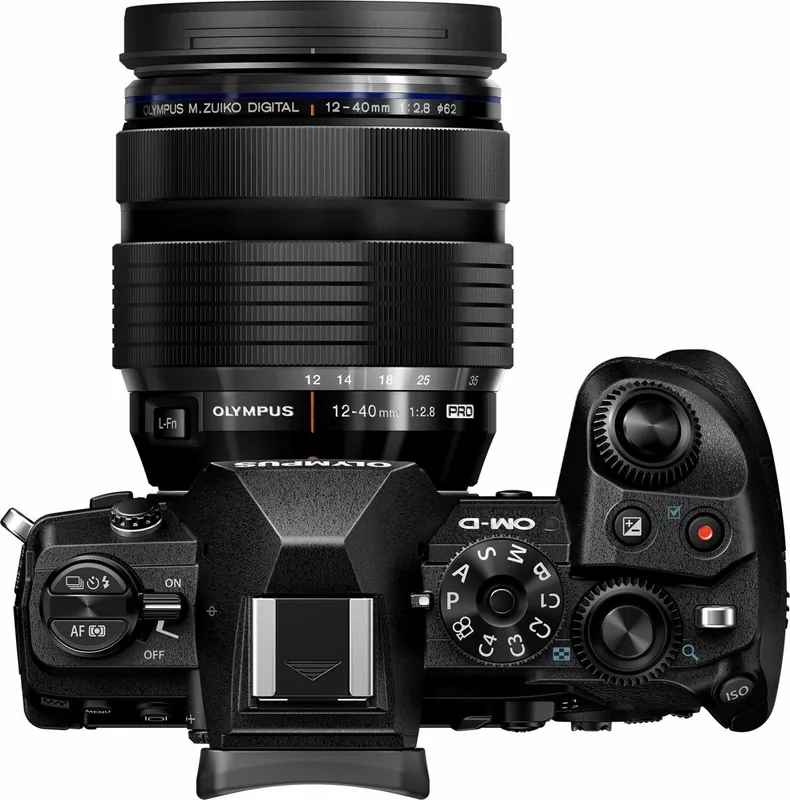
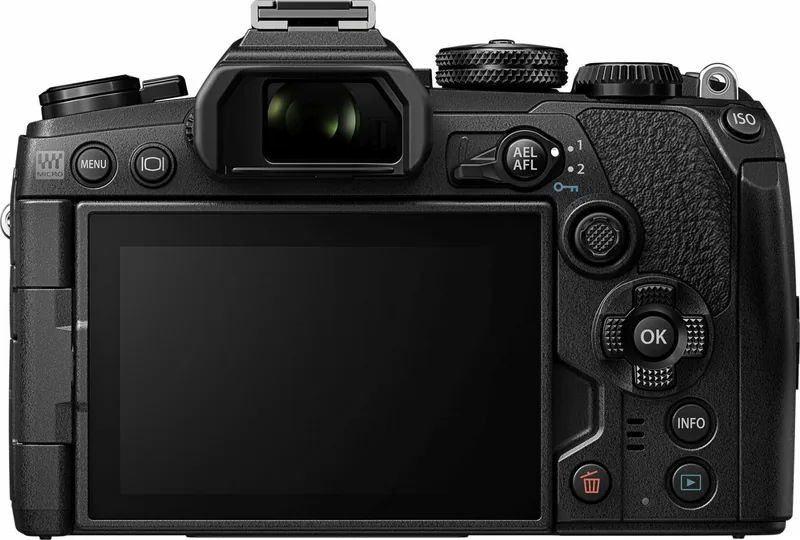
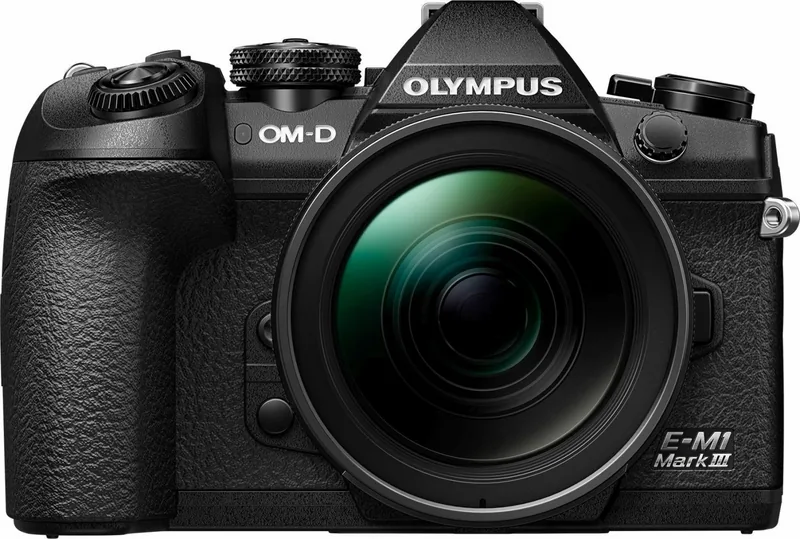
The Olympus OM-D E-M1 Mark III is a versatile digital camera designed for photographers and filmmakers who want extensive creative control in a compact, interchangeable-lens system. Its detailed controls, customizable operation, and broad shooting toolkit make it suitable for travel, wildlife, action, landscapes, portraits, and night photography.
Built for adaptable shooting
The camera supports Program, Aperture Priority, Shutter Priority, and Manual exposure modes, along with Bulb, Time, and Live Composite options for long-exposure work. Four custom positions on the mode dial let users save frequently used setups and recall them quickly. This helps photographers move from fast action to carefully planned low-light scenes without rebuilding settings from scratch.
Autofocus options include single AF, continuous AF, tracking AF, manual focus, preset manual focus, and Starry Sky AF. Focus targets can be selected as single points, small points, groups, or wider areas, while face and eye priority options help when photographing people. The touchscreen, multi selector, electronic viewfinder, and adjustable monitor provide several ways to compose and control a shot.
Advanced creative tools
The Olympus OM-D E-M1 Mark III includes image stabilization, anti-shock shooting, silent shooting, sequential shooting, self-timer choices, and Pro Capture for moments that happen before the shutter is fully pressed. High Res Shot expands possibilities for detailed still images, while Live ND shooting helps create long-exposure effects in bright conditions.
Creative controls include picture modes, white balance adjustments, color controls, monochrome filter effects, highlight and shadow adjustment, HDR, multiple exposure, focus bracketing, interval shooting, time lapse, keystone correction, and fisheye compensation. These features offer practical flexibility for photographers who prefer to shape results in camera.
Video and connected workflows
For video, the camera supports movie recording in photo modes and a dedicated movie mode with separate exposure, focus, sound, and display settings. It offers 4K and C4K options, slow- and fast-motion recording, microphone and headphone connections, time code support, and silent touch controls for adjusting settings during recording.
Built-in Wi-Fi and Bluetooth support smartphone connections for image transfer, remote photography, position data, and background uploads. The camera can also connect to computers via Wi-Fi or USB, work with HDMI displays, and use USB Power Delivery-compatible external power sources.
Note: Use compatible SD cards, BLH-1 batteries, and supported lenses. For demanding video, high-speed recording, or long sessions, choose suitable UHS cards and consider external power options.
Olympus OM-D E-M1 Mark III - Read, Download & Print Free is a useful reference phrase for exploring the camera's extensive shooting, playback, customization, connectivity, and maintenance capabilities.
Search for 67,706 Manuals online


Type-in Brand or Model