
Olympus OM-D E-M1 Mark II Manual
PDF manual · 219 Pages
English



Quick check
Incorrect answer, please try again.
Chat with your Olympus OM-D E-M1 Mark II manual using AI
Get instant AI answers from your Olympus OM-D E-M1 Mark II manual
Ask anything about the Olympus OM-D E-M1 Mark II. Answers come from this manual, with the pages they are based on.
Ask a Question
Do you recommend OM-D E-M1 Mark II?
Yes NoFrequently Asked Questions
It is an interchangeable-lens Micro Four Thirds digital camera with advanced photo and video controls. It supports a broad range of shooting modes, customizable controls, electronic viewfinder shooting, touchscreen operation, and Olympus-compatible Micro Four Thirds lenses.
Is this answer helpful?
Pro Capture starts recording images when the shutter button is held halfway. When the shutter is pressed fully, the camera saves the recent buffered frames along with later frames. This helps capture sudden action that may begin before the photographer reacts.
Is this answer helpful?
Yes. The camera supports 4K and C4K video recording, along with slow-motion and time-lapse options. For larger resolutions or All-Intra recording, a UHS-II or UHS-I card rated UHS Speed Class 3 or higher is recommended.
Is this answer helpful?
Live Composite combines multiple exposures while emphasizing new bright areas without continuously brightening the background. It is useful for fireworks, star trails, light painting, and other scenes with changing points of light.
Is this answer helpful?
Yes. The camera includes selectable image stabilization modes for stills and video. It can compensate for camera movement in different directions, although stabilization should generally be turned off when the camera is mounted on a tripod.
Is this answer helpful?
Yes. Built-in Wi-Fi supports smartphone connection for transferring images, remote camera operation, and adding location data. Connection settings and passwords can be managed from the camera menus.
Is this answer helpful?
Advantages and Disadvantages
Advantages

- Advanced autofocus options include face and eye detection, tracking, grouped focus points, and magnified focus assistance.
- Pro Capture buffers frames before full shutter release, helping capture unpredictable action.
- Live Composite, Live Time, HDR, and High Resolution Shot support creative and detailed photography.
- 4K and C4K video options, external audio support, HDMI, and USB-C improve video workflow flexibility.
- Dual SD card slots provide storage flexibility, including UHS-II support in the primary slot.
Disadvantages

- High Resolution Shot requires a stable camera and stationary subject for best results.
- Electronic silent shooting may show distortion with fast movement or flickering light sources.
- Long video sessions can raise sensor temperature, potentially causing noise or automatic shutdown.
- Some advanced functions limit other settings, such as flash, stabilization, or continuous shooting.
- 4K, C4K, and high-bitrate recording require fast UHS-rated SD cards.
Product Specification
Type
Mirrorless
Effective megapixels
20.4 megapixels
Sensor
Four Thirds, Live MOS 0.68 x 0.51 in, 0.13 mil pixel size, no low-pass filter
Autofocus
Hybrid, 121 points (121 phase-detection)
Resolutions
max. 5,184 x 3,888 (4:3) pixels (JPEG/RAW), 12-bit
Lens mount
Micro Four Thirds, crop factor 2.0
Image stabilizer
Optical, compensates up to 5.5 stops
Display
3.0 in LCD, live view, touchscreen, 1.04 million dots, tilting, swiveling, 180 degrees flip-out
Viewfinder
LCD, 2.36 million dots, 100% field coverage, 0.74x magnification
Flash
Hot shoe
Flash synchronization
1/250 sec, first curtain, second curtain
Video function
H.264, MOV, 4,096 x 2,160 @ 24p (17:9), 3,840 x 2,160 @ 30p (16:9), 1,920 x 1,080 @ 60p (16:9)
Light sensitivity (ISO)
100-25,600
Shutter speed
1/8,000-60 sec (mechanical), 1/32,000-60 sec (electronic)
Continuous shooting
max. 18 fps
Memory card slots
1x SD/SDHC/SDXC (UHS-II), 1x SD/SDHC/SDXC (UHS-I)
Connections
USB 2.0, HDMI, microphone, headphones, accessory shoe
Wireless
Wi-Fi (WLAN)
Power supply
Li-ion battery (BLH-1)
Special features
Weather-sealed
Dimensions (W x H x D)
5.28 x 3.58 x 2.71 in
Weight
1.10 lb
Weight including battery and card
1.27 lb
Manufacturer warranty
1 year
Product Description
Olympus OM-D E-M1 Mark II - Read, Download & Print Free
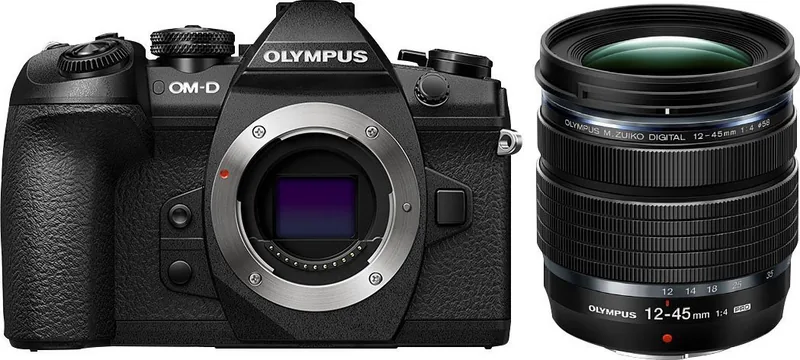
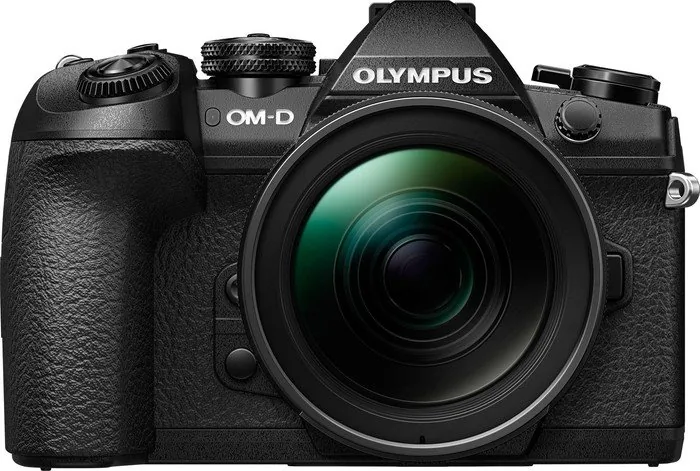
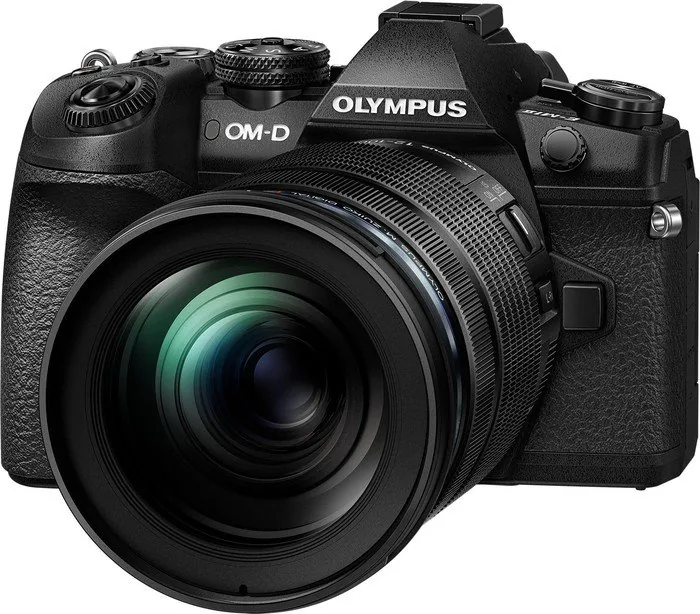
The Olympus OM-D E-M1 Mark II is a capable Micro Four Thirds camera designed for photographers and filmmakers who want speed, flexibility, and creative control in a compact system. Its weather-sealed body, electronic viewfinder, tilting touchscreen, and interchangeable-lens mount make it a practical companion for travel, wildlife, action, portraits, and everyday shooting.
Built for fast-moving subjects
A major strength of the Olympus OM-D E-M1 Mark II is its advanced autofocus system. It offers selectable focus areas, face and eye detection, continuous autofocus, and subject tracking options. These tools help photographers maintain focus on active subjects, while single-point and magnified focus modes provide extra precision for still life, macro, and detail-oriented work.
The camera also supports rapid continuous shooting, including Pro Capture. This feature begins buffering frames when the shutter is pressed halfway, helping users retain moments that happen just before the shutter is fully released. It is especially useful for unpredictable movement, such as birds taking flight, sports, or fleeting expressions.
Flexible exposure and creative tools
Photographers can work in Program, Aperture Priority, Shutter Priority, Manual, iAUTO, Art Filter, video, and custom modes. The three custom positions, C1 through C3, make it easy to save preferred configurations for different shooting situations. Exposure compensation, ISO, white balance, metering, and image settings are readily accessible through controls and the monitor function display.
For creative long exposures, the camera includes Bulb, Live Time, and Live Composite modes. Live Composite is particularly useful for recording fireworks, star trails, or light painting while keeping the background exposure controlled. High Resolution Shot mode can create detailed images from multiple sensor-shift captures when the camera and subject remain stable.
Video, connectivity, and workflow
The Olympus OM-D E-M1 Mark II records video with options for 4K and C4K capture, slow-motion or time-lapse recording, audio controls, and selectable video effects. External microphones, headphones, HDMI output, and USB-C connectivity expand its usefulness in video-oriented workflows.
Built-in Wi-Fi enables connection to a smartphone for image transfer, remote shooting, and location data support. Dual SD card slots offer flexible storage options, with one slot supporting UHS-II cards for demanding recording needs.
Notes
- Use a stable tripod for High Resolution Shot, HDR, and long-exposure work.
- Fast cards are recommended for 4K video and high-speed burst shooting.
- Firmware updates may add or change selected functions.
- Practice with focus, exposure, and drive settings before important shoots.
Search for 67,706 Manuals online


Type-in Brand or Model