
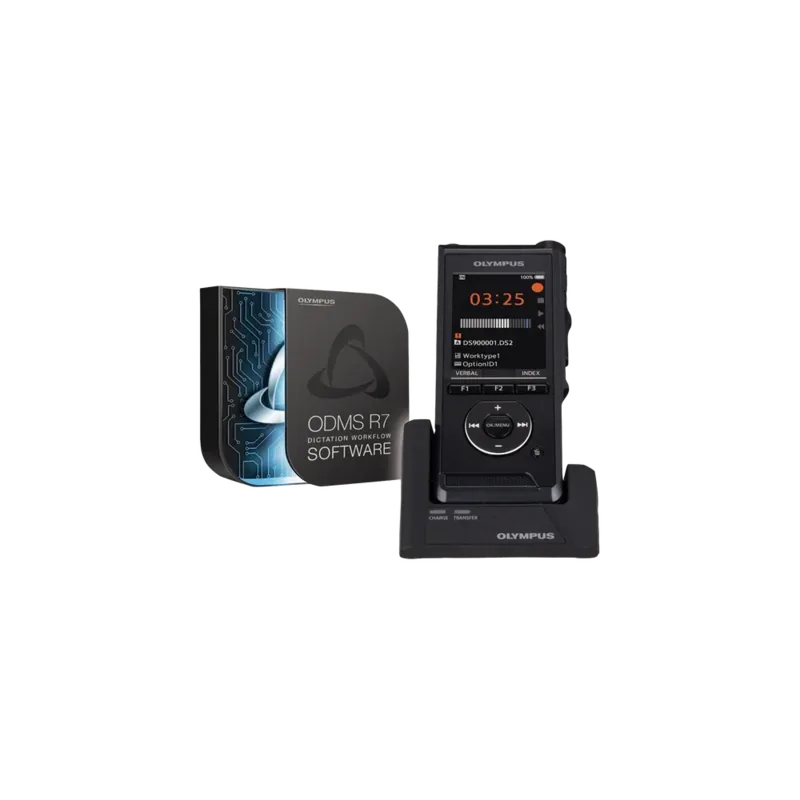
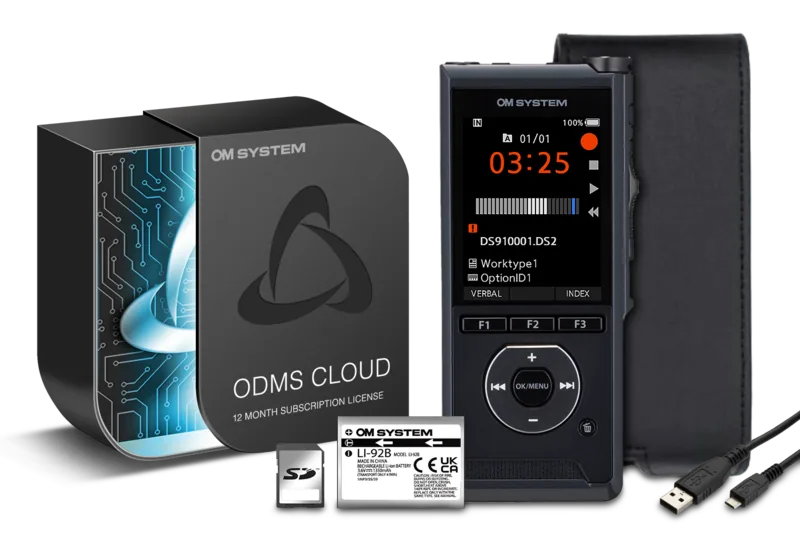
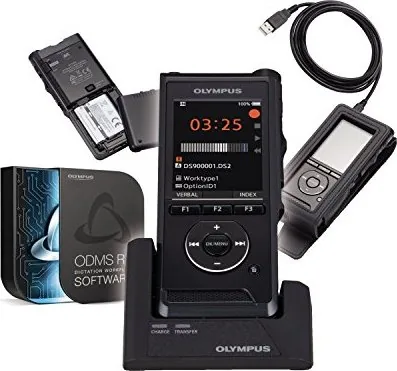
Olympus DS-9000 Manual
PDF manual · 72 Pages
English



Quick check
Incorrect answer, please try again.
Chat with your Olympus DS-9000 manual using AI
Get instant AI answers from your Olympus DS-9000 manual
Ask anything about the Olympus DS-9000. Answers come from this manual, with the pages they are based on.
DS-9000 Maintenance Schedule
Wipe gently with a soft cloth. If very dirty, use mild soapy water on a wrung-out cloth, then wipe dry.
Use ethanol or isopropanol disinfectant solution on a damp cloth; do not spray directly and avoid sensors.
Replace the Li-92B battery when operating time decreases even after full charging under specified conditions.
Ask a Question
Do you recommend DS-9000?
Yes NoFrequently Asked Questions
You can charge the lithium-ion battery using the USB cable directly connected to a computer or by using the AC adapter with the docking station for faster charging. Ensure the device is connected properly before leaving it overnight.
Is this answer helpful?
The recorder supports standard SD and SDHC memory cards ranging from 4 GB up to 32 GB. You can use these cards to expand storage capacity for recording thousands of files in addition to the internal memory.
Is this answer helpful?
Yes, you can encrypt recordings using the file encryption function. Please note that DSS and PCM formats support encryption, whereas MP3 files do not have encryption capabilities on this device.
Is this answer helpful?
No, the Wi-Fi sharing function is available only on the DS-9500 model. The DS-9000 does not include wireless connectivity, but files can be transferred using the USB cable to your computer.
Is this answer helpful?
You can enable the device lock function through the menu or via the ODMS software. This sets a password required upon startup to prevent unauthorized access to the recorder and its data.
Is this answer helpful?
The device supports three recording formats: DSS for professional dictation, PCM for high-quality WAV audio, and MP3 for standard compressed audio. You can switch between these using the recording menu.
Is this answer helpful?
The Olympia DS-9000 features drop resistance up to 1.5 meters, making it rugged for daily use. It can withstand typical office environments and accidental drops better than many other voice recorders.
Is this answer helpful?
Advantages and Disadvantages
Advantages

- Rechargeable lithium-ion battery with long life and multiple charging options.
- Supports DSS, PCM, and MP3 formats for versatile transcription needs.
- Drop resistance up to 1.5 meters ensures durability in professional settings.
- Device lock function with password authentication secures sensitive data effectively.
- Internal memory backup allows for urgent note capture without SD card.
Disadvantages

- AC adapter is sold separately for the DS-9000 model unlike the DS-9500.
- Wi-Fi sharing is not available on the DS-9000 compared to the DS-9500.
- MP3 files cannot be encrypted unlike DSS and PCM formats.
- Insert recording method is not available for PCM files on the DS-9000.
- Requires formatting for memory cards used on other devices first.
Product Specification
Type
Digital Voice Recorder
Recording Formats
DSS Pro, MP3, WAV
Playback Formats
DSS Pro, MP3, WAV
Connections
Headphone (3.5mm jack), Microphone (3.5mm jack), USB, Card reader (microSD)
Product Description
Discover the Power of the Olympus DS-9000
When it comes to professional dictation, few devices match the reliability of the Olympus DS-9000 digital voice recorder. This robust tool is designed for busy professionals who require high-quality audio capture with effortless management options. Whether you are a lawyer, journalist, or medical professional, this recorder ensures your ideas are never lost during critical moments.
Exceptional Battery Performance
One of the standout features is the rechargeable lithium-ion battery, which supports power flexibility. You can charge the device directly via USB cable or utilize the docking station for convenience. The battery life is impressive, allowing for extended recording sessions without interruption. If you need to work for long hours, the recorder also supports continuous power supply from an AC adapter during operation. A low battery indicator warns you before power dies completely. This ensures you never miss a capture.
Versatile Recording Modes
The device offers three primary recording formats: DSS, PCM, and MP3. This flexibility ensures compatibility with various transcription workflows and software platforms. You can choose high-quality settings or prioritize storage space depending on your specific needs. Encryption function secures recordings on the device to prevent unauthorized access. Additionally, the device lock function protects sensitive data with password authentication. Voice actuator allows recording during silent periods to save space.
User-Friendly Interface
Navigating your recordings is simple thanks to the clear color LCD display with distinct status indicators. The slide switch operation allows for quick access to record, stop, and play functions. Index marks help you locate important sections instantly within long files. Verbal comments allow you to add instructions that travel with your dictation when shared. The programmable smart buttons let you customize frequently used functions for speed. Hands-free operation is possible with optional accessories.
Seamless Integration
For optimal file management, the Olympus DS-9000 works seamlessly with the Olympus Dictation Management System. This software facilitates secure workflows and efficient document creation on your computer. While you might consult the Olympus DS-9000 Manual for detailed setup steps, the device is intuitive enough to start using immediately. It supports standard SD memory cards up to 32 GB, providing ample space for thousands of recordings. You can organize files into folders with priority settings for quick retrieval. Internal memory provides a backup for urgent notes.
Reliable and Durable
Built to withstand daily use, the recorder features drop resistance up to 1.5 meters. Cleaning is easy with rubbing alcohol approved for the exterior. It is a reliable companion for your daily professional tasks, ensuring clarity and security in every recording. The device includes a speaker for playback monitoring without headphones. Erasing functions are flexible for managing storage effectively. You can easily adjust settings to suit your workflow preferences.
Search for 67,706 Manuals online


Type-in Brand or Model