
Odys mybook 14 Pro Manual
PDF manual · 38 Pages
English



Quick check
Incorrect answer, please try again.
Chat with your Odys mybook 14 Pro manual using AI
Get instant AI answers from your Odys mybook 14 Pro manual
Ask anything about the Odys mybook 14 Pro. Answers come from this manual, with the pages they are based on.
Ask a Question
Do you recommend mybook 14 Pro?
Yes NoFrequently Asked Questions
It has a 14-inch Full HD IPS color display with a resolution of 1920 x 1080 pixels. The IPS panel is intended to provide clear viewing for everyday browsing, video playback, photos, and general productivity.
Is this answer helpful?
Yes. The notebook has an M.2 slot for a 2242 SATA SSD using Key B or B+M. A new SSD may need to be initialized, partitioned, and formatted in Windows before it appears in storage locations. A Micro SD card slot is also included.
Is this answer helpful?
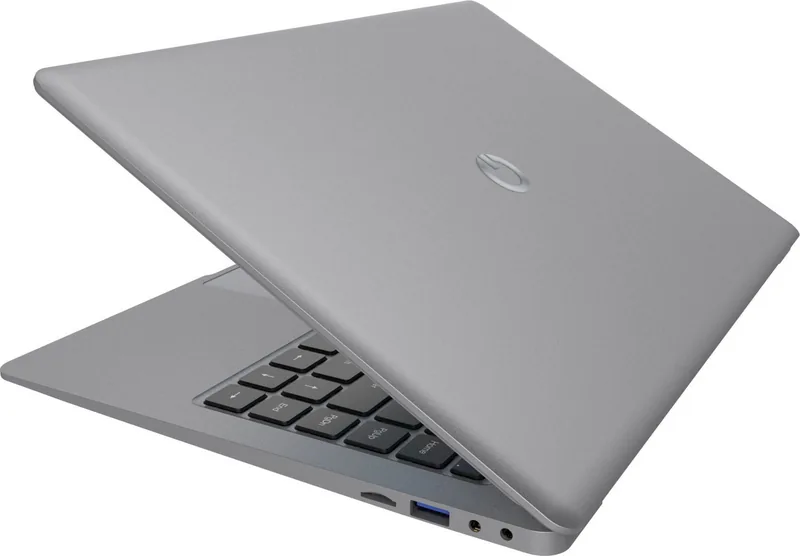
The Odys mybook 14 Pro includes two USB-A 3.0 ports, Mini HDMI for an external monitor, a Micro SD card slot, a DC charging input, and a 3.5 mm headphone output.
Is this answer helpful?
Yes. It supports Wi-Fi 802.11 b/g/n on the 2.4 GHz band and Bluetooth 4.0. Bluetooth can be used with compatible accessories such as headphones, speakers, keyboards, tablets, and phones.
Is this answer helpful?
A full charge typically takes about 4 to 5 hours. The manual recommends fully charging the battery before first use and using the supplied charger. Charging while the notebook is switched off can reduce charging time.
Is this answer helpful?
The notebook is supplied with Microsoft Windows 10 Home. It supports Windows settings, desktop applications, email, web browsing, photo viewing, camera use, and OneDrive access.
Is this answer helpful?
Advantages and Disadvantages
Advantages

- 14-inch Full HD IPS display provides sharp visuals for work, browsing, photos, and video.
- Two USB 3.0 ports, Micro SD, Mini HDMI, Wi-Fi, and Bluetooth provide versatile everyday connectivity.
- An M.2 SATA SSD slot allows storage expansion beyond the built-in 32 GB flash memory.
- Windows 10 Home supports familiar desktop use and installation of compatible applications.
- Integrated camera, microphones, speakers, and headphone output support calls and media playback.
Disadvantages

- Intel Celeron N3450 and 4 GB RAM are best suited to basic tasks rather than demanding software.
- Built-in storage is limited to 32 GB before adding optional SSD or removable storage.
- Wi-Fi support is limited to 2.4 GHz 802.11 b/g/n networks.
- The display opening angle is limited to 120 degrees.
- Third-party application compatibility and performance can vary.
Product Specification
Type
Laptop
Display
14 in, 1920x1080 (FHD), 16:9, 157 ppi, 60 Hz, glossy, IPS
CPU
Intel Celeron N3450, 4C/4T, 1.10-2.20 GHz, 2 MB cache, 6 W TDP, 4 W SDP, codename "Apollo Lake" (Goldmont, Intel 14 nm)
RAM
4 GB DDR3
SSD
N/A
HDD
N/A
Flash
64 GB eMMC
Graphics
Intel HD Graphics 500 (iGPU), 12 EU/96 SP, 0.20-0.70 GHz, architecture "Gen 9" (Apollo Lake GT1)
Operating System
Windows 10 S 64-bit
Input
Keyboard with German layout (rubber dome), touchpad
Ports
2x USB-A 3.0 (5 Gb/s), 1x Micro HDMI, 1x microSD
Wireless
Wi-Fi 5 (WLAN 802.11a/b/g/n/ac), Bluetooth 4.0
Authentication
N/A
Camera
0.3 megapixels
Optical Drive
N/A
Battery
Built-in, lithium polymer, 38 Wh, 5,000 mAh, 8-hour runtime
Weight
2.71 lb
Dimensions
13.50 x 9.06 x 0.47 in (W x D x H)
Warranty
One year (mail-in with pickup)
USB Notation
Link
Product Description
Odys mybook 14 Pro - Read, Download & Print Free
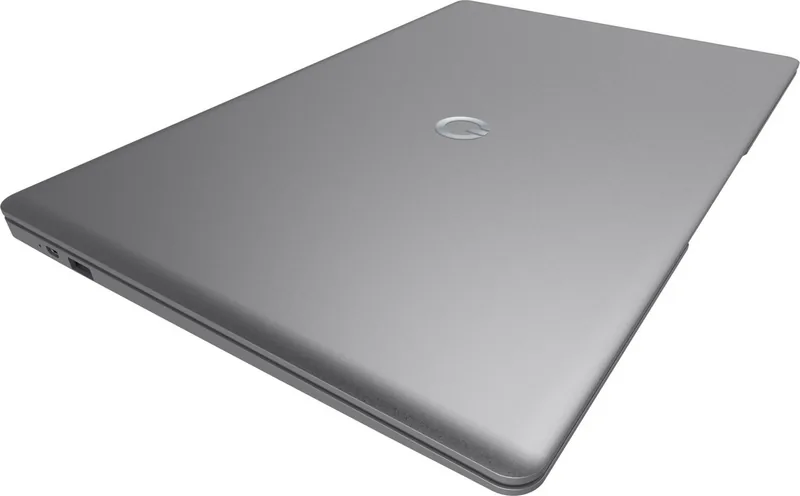
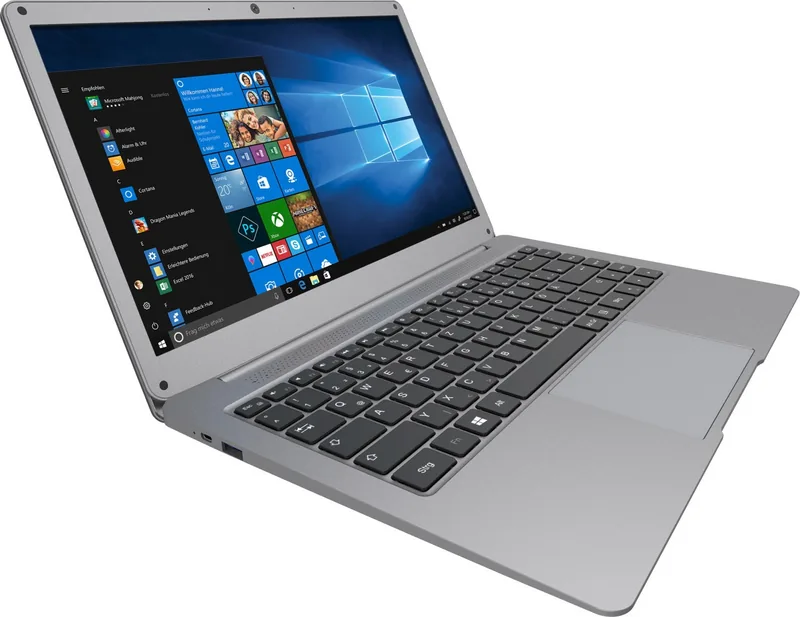
The Odys mybook 14 Pro is a compact Windows notebook designed for everyday browsing, entertainment, study, and home-office tasks. With its 14-inch Full HD IPS display, it offers a clear 1920 x 1080 resolution for viewing websites, photos, videos, and compatible e-books. The slim notebook format combines a physical keyboard, touchpad, and practical connectivity for users who prefer a traditional laptop experience.
Powered by an Intel Celeron N3450 processor and 4 GB of RAM, the Odys mybook 14 Pro is aimed at routine computing such as email, web research, document work, media playback, and cloud access. It comes with Windows 10 Home, allowing users to install compatible applications and organize their workflow through the familiar desktop interface. Integrated Wi-Fi supports connection to 2.4 GHz wireless networks, while Bluetooth 4.0 makes it possible to pair accessories such as headphones, speakers, or mobile devices.
Flexible storage and useful connections
The notebook includes 32 GB of internal flash storage and provides an M.2 slot for an optional SATA SSD in 2242 format with Key B or B+M. This gives users an opportunity to add storage for personal media, applications, or other content. A Micro SD card slot also offers a convenient option for transferring and accessing compatible removable storage.
Connectivity is a strong practical feature. Two USB 3.0 Type-A ports can be used with storage devices and peripherals, while Mini HDMI supports an external display. A 3.5 mm headphone jack, integrated stereo speakers, microphones, and a front camera provide useful tools for video calls, private listening, and media use.
Built for daily use
The Odys mybook 14 Pro includes keyboard shortcuts for volume, brightness, media controls, browser access, search, and touchpad locking. The display can be opened to a maximum angle of 120 degrees, and closing it locks the screen. Its 5000 mAh lithium-polymer battery is rated for up to 8 hours of use, with a typical charging time of around 4 to 5 hours.
The device supports common media formats for audio, video, and images, making it suitable for casual entertainment alongside productivity. Users can browse the web, manage email, view photos, use the camera, and access cloud storage through OneDrive and Windows Explorer.
Notes
- Charge the battery fully before first use.
- Use the supplied charger for charging.
- Avoid disconnecting storage during data transfers or formatting.
- An added SSD may need to be initialized and formatted in Windows before use.
- The product includes a 12-month manufacturer warranty, subject to its terms.
Search for 67,706 Manuals online


Type-in Brand or Model