
OBSBOT Tail Air Manual
PDF manual · 10 Pages
English



Quick check
Incorrect answer, please try again.
Chat with your OBSBOT Tail Air manual using AI
Get instant AI answers from your OBSBOT Tail Air manual
Ask anything about the OBSBOT Tail Air. Answers come from this manual, with the pages they are based on.
Ask a Question
Do you recommend Tail Air?
Yes NoFrequently Asked Questions
The camera supports 4K video at 30, 25, or 24 fps. It also supports 1080p at up to 60 fps, with additional frame-rate options including 50, 48, 30, 25, and 24 fps. Photo output supports 4K and 1080p resolutions.
Is this answer helpful?
Yes. Its AI system can track selected people, animals, and other chosen subjects. Tracking can be selected in the OBSBOT Start app, adjusted for speed, and combined with framing tools. Gesture controls can also enable or disable person tracking remotely.
Is this answer helpful?
Yes. Tail Air does not include internal storage. It accepts microSD cards up to 512 GB, and a UHS Speed Grade 3 card is recommended. Recorded clips can be exported to a computer or downloaded through the OBSBOT Start app.
Is this answer helpful?
Tail Air supports RTMP streaming and setup for supported services such as YouTube, Facebook, Twitch, and Kwai. It can connect through Wi-Fi, a mobile-device hotspot, or wired Ethernet with a compatible optional adapter. Local recording can continue during supported livestreams.
Is this answer helpful?
Yes, it supports UVC output mode. However, enabling UVC makes NDI, recording, livestreaming, HDMI, and RTSP unavailable. Select the output mode that best fits the intended workflow before beginning a session.
Is this answer helpful?
The 1500 mAh lithium-ion polymer battery is rated for up to 154 minutes in a reference test recording 1080p video at 30 fps. Actual runtime depends on settings, network use, temperature, and other operating conditions. Charging takes about 90 minutes when the camera is off.
Is this answer helpful?
Advantages and Disadvantages
Advantages

- 4K recording, a 1/1.8-inch CMOS sensor, f/1.8 aperture, and manual image controls support polished video creation.
- AI subject tracking, adjustable tracking speed, auto framing, and gesture controls reduce the need for a camera operator.
- Wi-Fi, hotspot, wired Ethernet, micro-HDMI, USB-C, RTSP, UVC, and optional NDI provide flexible workflows.
- Two-axis gimbal control, camera presets, and 4x digital zoom help create varied shots from a compact camera.
- Supports RTMP and major streaming platforms, with simultaneous local recording during supported livestreams.
Disadvantages

- There is no internal storage, so a separately purchased microSD card is necessary for local recording.
- NDI needs a separately purchased activation code, and Ethernet requires a separately available USB-to-Ethernet adapter.
- UVC, NDI, RTSP, HDMI, recording, and livestream functions have mode-specific compatibility limits.
- The built-in battery rating is based on reference conditions and may vary with resolution, streaming, and environment.
- The gimbal is not removable, which limits configuration options for users seeking a detachable camera head.
Product Specification
Type
Conference camera (PTZ)
Image sensor
1 x 1/1.8" CMOS 8.4 MP
Resolution
3,840 x 2,160 pixels (30 fps), 1,920 x 1,080 pixels (60 fps)
Lens
0.91 in (f/1.8)
Field of view
90 degrees (diagonal)
Pan
-150 degrees to 150 degrees (motorized, 120 degrees/sec)
Tilt
-65 degrees to 32 degrees (motorized, 120 degrees/sec)
Zoom function
4x digital
Compression/codecs
MJPEG, H.264, H.265, AAC, PCM
Ports
1 x USB-C 2.0 (480 Mbps, female), 1 x Micro HDMI (female), 1 x 3.5 mm jack (female), 1 x microSD
Wireless
Wi-Fi 4 (WLAN 802.11b/g/n), Bluetooth 5.0
Focusing
Autofocus, manual
Camera cover
Included
Microphone
Integrated (stereo, omnidirectional)
Speaker
N/A
Lighting
N/A
Cable length
4.92 ft
Power supply
AC power (5 V, 2 A), battery (1,500 mAh)
Mount
PTZ stand, with 1/4" thread
Dimensions (W x H x D)
2.74 x 5.22 x 2.89 in
Weight
0.76 lb
Package contents
Camera, mount, USB-C to USB-A adapter, USB-C cable
Special features
Motion detection (gesture control), status LED, app control
Product Description
OBSBOT Tail Air 4K PTZ Camera Manual: Smart 4K Production in a Compact Form
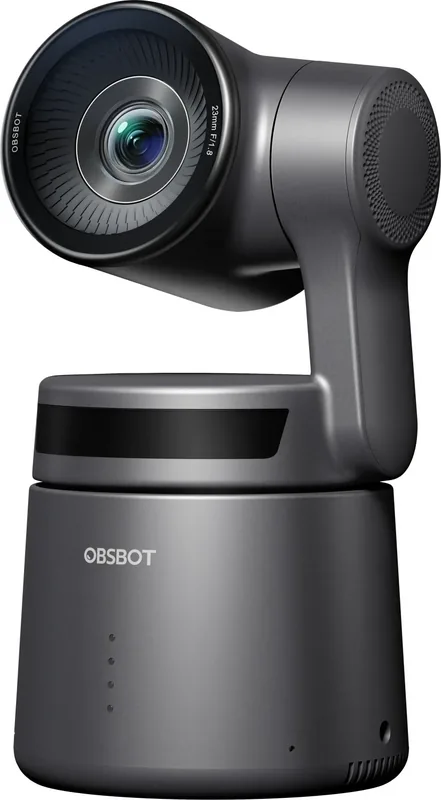
The OBSBOT Tail Air 4K PTZ Camera combines a compact, portable design with AI-powered tracking and flexible live-production tools. Built around a 1/1.8-inch CMOS sensor with 8.4 effective megapixels, it records detailed 4K video at up to 30 fps and supports 1080p recording at up to 60 fps. Its f/1.8 lens, autofocus and manual focus options, HDR setting, adjustable white balance, and ISO range of 100 to 6400 give creators practical control in changing shooting conditions.
AI Tracking and Gesture Controls
A key strength of the Tail Air is its integrated AI processor, designed to follow people, animals, and selected subjects. Users can choose tracking targets through the OBSBOT Start app, adjust tracking speed, and refine framing with composition settings. Gesture Control 2.0 adds hands-free convenience for starting or stopping recording, enabling tracking, and controlling zoom. This makes the camera useful for solo presenters, educators, performers, and mobile content teams that need to stay in frame without a dedicated camera operator.
The built-in two-axis brushless gimbal provides a controllable horizontal range of plus or minus 150 degrees and a vertical range from -65 to 32 degrees. Manual gimbal and zoom controls are available in the app, along with presets for repeatable camera positions. The camera also supports up to 4x digital zoom, including a dynamic gesture-controlled zoom mode.
Recording, Streaming, and Connectivity
The OBSBOT Tail Air 4K PTZ Camera Manual highlights multiple ways to connect and work. OBSBOT Start supports Wi-Fi, mobile-data hotspot, and wired Ethernet connections with a separately available adapter. For streaming, users can configure RTMP or connect to supported third-party services including YouTube, Facebook, Twitch, and Kwai. Continuous recording to a microSD card can run during a livestream.
Creators can also enable UVC, NDI, or RTSP output modes, though these modes have feature limitations when used individually. NDI requires separate activation. A micro-HDMI port, USB-C port, 3.5 mm audio input, dual integrated MEMS microphones, and accessory expansion options broaden the camera's production potential.
Practical Setup Notes
Tail Air has no internal storage, so a microSD card is required for local recording. It supports cards up to 512 GB, with UHS Speed Grade 3 recommended. The 1500 mAh battery is rated for up to 154 minutes under reference 1080p/30 fps recording conditions, while charging takes about 90 minutes when powered off. For best results, keep firmware current, use a 5V/2A certified USB charger, and monitor status LEDs for connection, tracking, recording, and error feedback.
Search for 67,706 Manuals online


Type-in Brand or Model