
Noxon iRadio 500 CD Manual
PDF manual · 34 Pages
English


Quick check
Incorrect answer, please try again.
Chat with your Noxon iRadio 500 CD manual using AI
Get instant AI answers from your Noxon iRadio 500 CD manual
Ask anything about the Noxon iRadio 500 CD. Answers come from this manual, with the pages they are based on.
iRadio 500 CD Maintenance Schedule
Switch off the device. Use a dry soft cloth or a slightly damp cloth for heavy dirt. Ensure the device is dry after cleaning.
Remove dust and dirt by blowing on the CD and wiping with a soft lint-free cloth in a straight line from center to edge.
Ask a Question
Do you recommend iRadio 500 CD?
Yes NoDo you recommend iRadio 500 CD?
Yes NoFrequently Asked Questions
The system offers Internet radio, DAB+, FM, CD playback, Bluetooth audio input, USB playback, AUX input, network music playback, and supported streaming services such as Spotify Connect, TIDAL, Deezer, Qobuz, and Napster.
Is this answer helpful?
Yes. The CD player supports standard audio CDs, CD-R, and CD-RW discs. It can play CD-DA, MP3, and WMA content within the stated format limits. Use full-size 12 cm discs and avoid mini CDs, very thin discs, or damaged discs.
Is this answer helpful?
Up to 10 presets can be saved in each supported radio mode, including FM, DAB, and Internet radio. Stations can be stored with the numbered preset buttons or by using the Favorites control and selecting a preset position.
Is this answer helpful?
Yes. Pair a phone or tablet through Bluetooth to send audio to the radio. You can also use Spotify Connect and the UNDOK app when the mobile device and radio are connected to the same Wi-Fi network.
Is this answer helpful?
Use a USB drive formatted as FAT32 with a capacity of no more than 4 GB. The USB port is for playback only and does not charge devices. Some external hard drives and MP3 players may not be recognized.
Is this answer helpful?
Yes. It provides two configurable alarms with buzzer, Internet radio, DAB, or FM wake-up options. Each alarm can be set for once, daily, weekdays, or weekends. A snooze function and sleep timer from 15 to 60 minutes are also available.
Is this answer helpful?
Advantages and Disadvantages
Advantages

- Combines Internet radio, DAB+, FM, CD, Bluetooth, USB, AUX, and network music playback in one unit.
- Supports Spotify Connect and compatible streaming services, giving users flexible wireless listening options.
- Includes a color display, remote control, UNDOK app support, alarms, sleep timer, presets, and EQ settings.
- Plays audio CDs plus CD-R/CD-RW discs and supports several common audio formats from USB and network sources.
Disadvantages

- USB playback has limits: drives should use FAT32 formatting and be no larger than 4 GB.
- Bluetooth works as an input receiver for phones or tablets, not as an output for Bluetooth headphones or speakers.
- The built-in speaker is mono, and stereo output is indicated only through headphones.
- Internet services, podcasts, shared media, and app control require a stable Wi-Fi connection and compatible accounts or devices.
Product Specification
Power
10 W RMS
Audio formats
CD Audio, AAC, AAC+, FLAC, MP3, WAV, WMA
Tuner
FM, DAB, DAB+, Internet radio
Streaming clients
Spotify
Display
2.8 in LCD
Audio connections
AUX In (0.14 in jack), headphones (0.14 in jack)
Other connections
USB-A 2.0
Wireless
Bluetooth 2.1, Wi-Fi 4 (WLAN 802.11a/b/g/n)
Power supply
AC power
Features
App control (Undok), remote control, sleep timer, alarm function
Dimensions
8.86 x 8.27 x 5.83 in (W x H x D)
Weight
5.51 lb
Product Description
Noxon iRadio 500 CD - Read, Download & Print Free
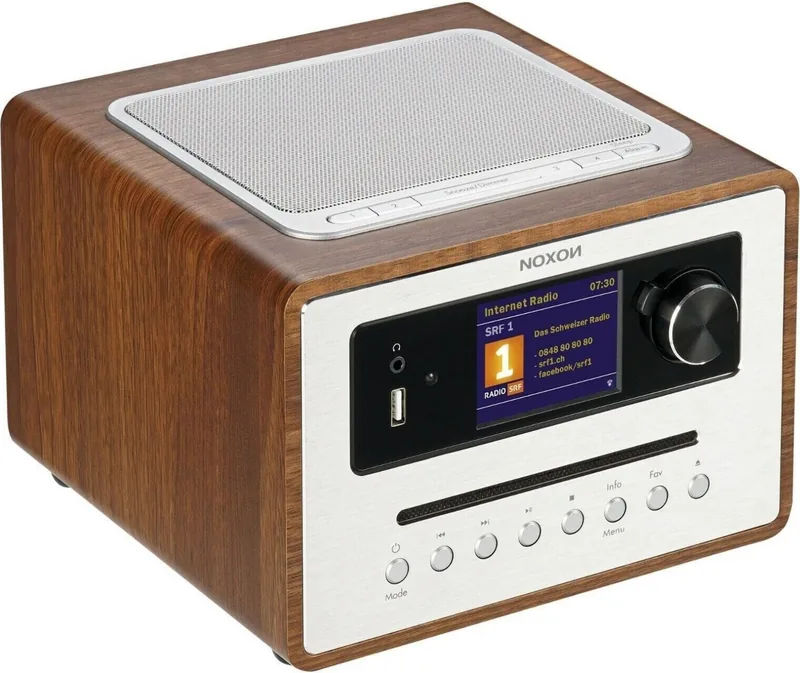
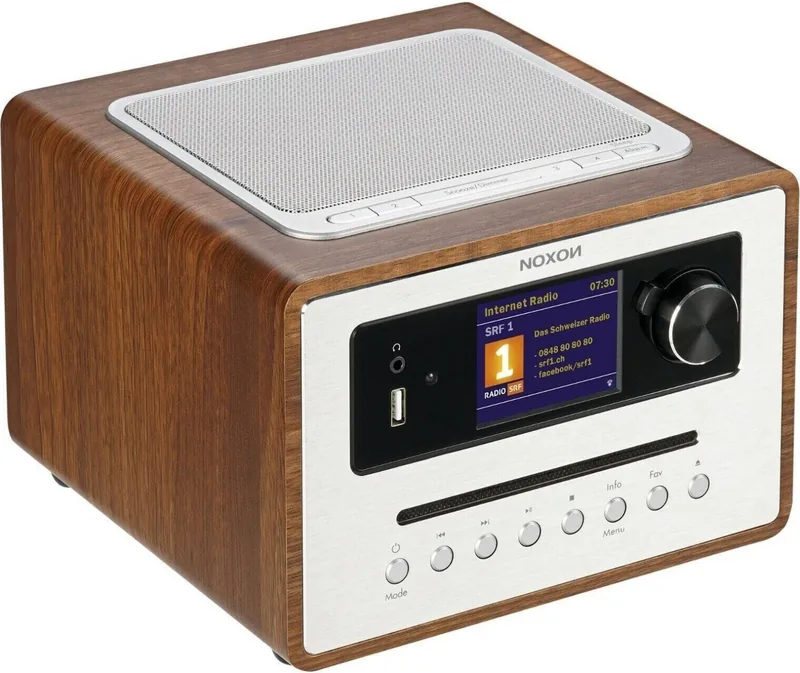
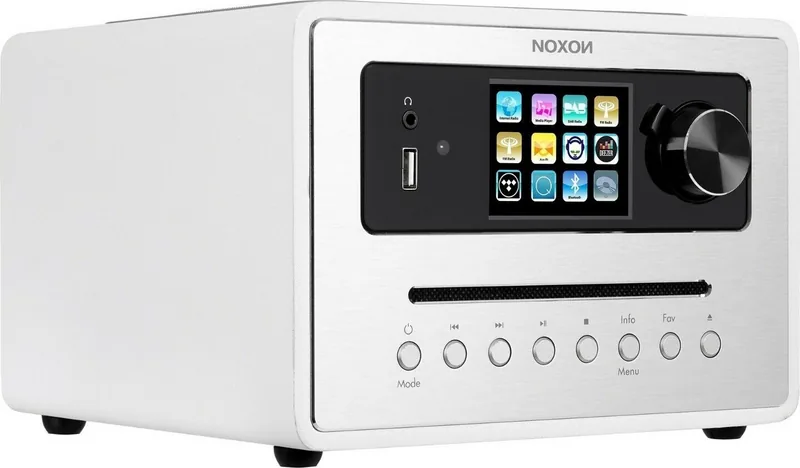
The Noxon iRadio 500 CD - Read, Download & Print Free is a versatile all-in-one audio system designed for listeners who want traditional radio, digital broadcasting, physical media, and modern wireless streaming in one compact unit. Its combination of Internet radio, DAB+, FM, CD playback, Bluetooth, USB playback, and AUX input makes it a practical centerpiece for kitchens, bedrooms, offices, or living spaces.
At its core, the iRadio 500 CD provides access to a broad choice of radio entertainment. Users can search Internet stations and podcasts by location, genre, popularity, or name, while DAB+ and FM reception offer familiar local broadcasts. The telescopic antenna supports terrestrial radio reception, and up to 10 presets can be saved for each radio mode, helping favorite stations remain easy to reach.
Flexible music playback
The integrated CD player supports standard audio CDs as well as CD-R and CD-RW discs containing MP3 or WMA tracks. Playback controls include track skipping, pause, repeat, shuffle, and programmed track order. USB playback expands the options further, with support for compatible FAT32 USB drives and formats including MP3, WMA, WAV, AAC, and FLAC. Shared network media can also be accessed through UPnP or DLNA-compatible devices on the same Wi-Fi network.
Bluetooth input lets a phone or tablet send audio directly to the radio, while the 3.5 mm AUX input is useful for wired players. Spotify Connect is included for convenient control from a phone, tablet, or computer, and supported services also include TIDAL, Deezer, Qobuz, and Napster where accounts and service availability allow.
Everyday controls and useful settings
A 2.8-inch color TFT display presents station information, track details, menus, and setup options. The front control knob, dedicated buttons, included remote, and UNDOK app offer several ways to operate the system. Features such as dual alarms, snooze, sleep timer, dimmer settings, equalizer presets, adjustable bass and treble, and digital or analog standby clock styles make the unit suitable for daily routines.
Wi-Fi setup supports common security standards including WEP, WPA, WPA2, and WPS. Network settings can be adjusted manually when required, while automatic date and time updates can be sourced from DAB, FM, or the network.
Notes
Use the supplied power adapter and full-size 12 cm audio CDs only. Keep ventilation openings clear, avoid moisture and strong vibrations, and listen at safe volume levels when using headphones. USB is intended for playback rather than charging, and compatible USB storage should be FAT32 formatted and no larger than 4 GB.
Search for 67,732 Manuals online


Type-in Brand or Model